Why SaaS Developers Must Embrace TypeScript by 2026
Explore why TypeScript has become essential for SaaS developers in 2026. Learn how it enhances code quality, team collaboration, and career prospects in modern web development.

Zakariae
If you have spent any time building web applications in the last few years, you have likely encountered TypeScript in some form. Whether you are reviewing job postings, exploring open source repositories, or evaluating modern frameworks, TypeScript appears everywhere. But what is TypeScript, exactly, and why has it become so essential for SaaS developers in 2026? This comprehensive guide will walk you through everything you need to know about TypeScript, from its fundamental concepts to its practical applications in building scalable software as a service applications.
The landscape of web development has shifted dramatically. According to recent industry data, TypeScript adoption among professional developers reached 78% in 2026, up from 69% just two years prior. Major frameworks like Next.js, Nuxt, and SvelteKit now ship with TypeScript configurations by default. For SaaS developers, understanding TypeScript is no longer optional; it has become a fundamental requirement for building maintainable, scalable applications that can grow with your business.
Key Takeaways
- TypeScript is a typed superset of JavaScript that compiles to plain JavaScript, adding optional static typing and powerful tooling support to your development workflow.
- 78% of professional developers now use TypeScript in their projects, making it the de facto standard for modern web development.
- SaaS applications benefit enormously from TypeScript's ability to catch bugs at compile time rather than runtime, reducing production errors and customer-facing issues.
- TypeScript improves team collaboration by providing self-documenting code through type annotations, making codebases easier to understand and maintain.
- Modern SaaS tools and frameworks are built with TypeScript first, including popular Next.js boilerplate solutions and admin dashboard templates.
- Career opportunities favor TypeScript developers, with 82% of frontend and full-stack job listings requiring or preferring TypeScript experience.
- AI-assisted development tools work significantly better with TypeScript, providing more accurate suggestions and catching more errors automatically.
Understanding TypeScript: The Foundation
TypeScript is a programming language developed and maintained by Microsoft that builds on top of JavaScript. Created by Anders Hejlsberg (the same engineer behind C# and Turbo Pascal) and first released in 2012, TypeScript adds optional static typing to JavaScript. This means you can specify what types of data your variables, function parameters, and return values should contain, and the TypeScript compiler will verify that your code adheres to these specifications before it ever runs.
At its core, TypeScript is a superset of JavaScript. This means that any valid JavaScript code is also valid TypeScript code. You can take an existing JavaScript file, rename it with a .ts extension, and it will work immediately. From there, you can gradually add type annotations to gain the benefits of static typing without rewriting your entire codebase. This incremental adoption path is one of the reasons TypeScript has achieved such widespread adoption.
When you write TypeScript code, it goes through a compilation step that transforms it into plain JavaScript. This JavaScript output can run in any environment that supports JavaScript, including browsers, Node.js, Deno, and Bun. The types you add exist only during development and compilation; they are completely removed from the final JavaScript output, meaning there is no runtime overhead from using TypeScript.
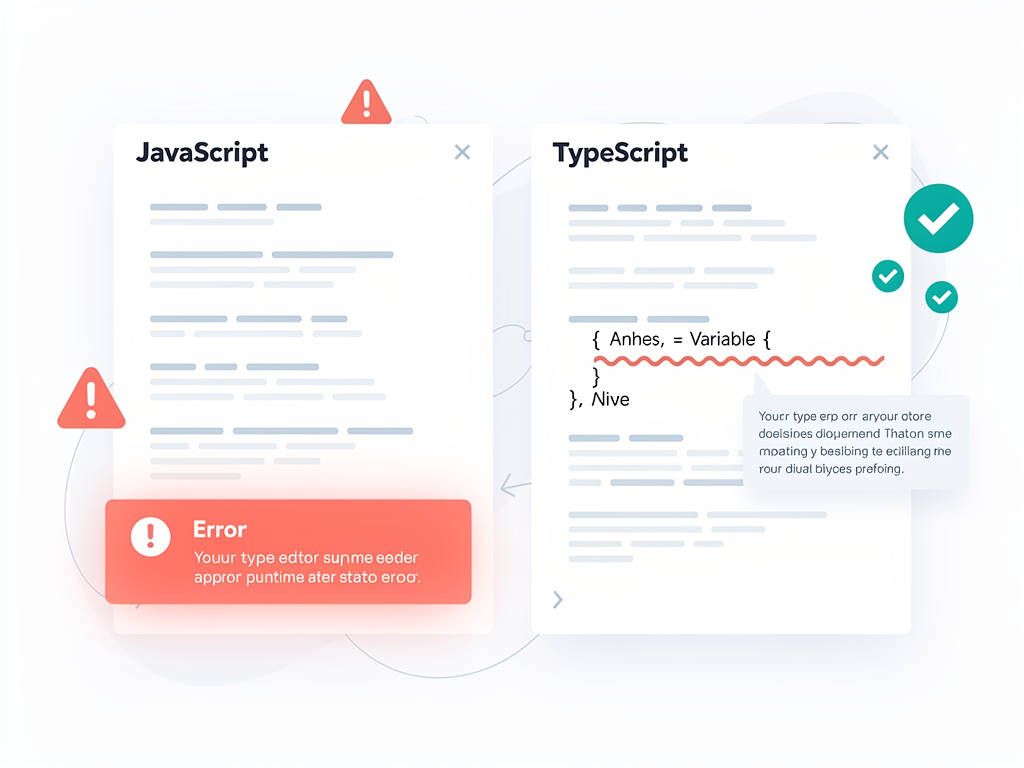
The type system is what makes TypeScript powerful. Instead of discovering that a variable contains the wrong type of data when your application crashes in production, TypeScript catches these errors while you are still writing code. Your editor can show you red squiggly lines under problematic code, explain exactly what is wrong, and often suggest fixes automatically. This immediate feedback loop dramatically reduces debugging time and prevents entire categories of bugs from ever reaching your users.
How TypeScript Differs from JavaScript
JavaScript is a dynamically typed language, which means variables can hold any type of value and can change types at any time. While this flexibility can be convenient for quick scripts, it becomes problematic as applications grow in complexity. A function might expect a number but receive a string, leading to subtle bugs that only manifest under specific conditions. These bugs are notoriously difficult to track down because the code technically runs without errors; it just produces incorrect results.
TypeScript addresses this challenge by introducing static type checking. When you declare a variable as a number, TypeScript ensures that only numbers can be assigned to it. When you define a function that accepts a user object with specific properties, TypeScript verifies that every call to that function provides an object with those exact properties. This verification happens at compile time, before your code ever executes.
| Feature | JavaScript | TypeScript |
|---|---|---|
| Type System | Dynamic (runtime) | Static (compile time) |
| Error Detection | Runtime errors | Compile-time errors |
| IDE Support | Basic autocomplete | Advanced IntelliSense |
| Refactoring Safety | Manual verification needed | Compiler-verified changes |
| Documentation | Requires separate docs | Types serve as documentation |
| Learning Curve | Lower initial barrier | Requires understanding types |
| Build Step Required | No | Yes (compilation) |
Beyond basic type checking, TypeScript provides interfaces and type aliases that let you define the shape of complex objects. You can specify that a user object must have a string id, a string email, and an optional string name. Any code that works with user objects will be checked against this definition, ensuring consistency throughout your application. When you change the user interface (perhaps adding a required createdAt date), TypeScript will immediately highlight every place in your code that needs to be updated.
TypeScript also supports generics, which allow you to write reusable code that works with multiple types while maintaining type safety. For example, you can create a function that fetches data from an API and returns it with the correct type, without having to write separate functions for each data type. This capability is essential for building the kind of flexible, reusable components that SaaS applications require.
Why TypeScript Matters for SaaS Development
Building a SaaS application is fundamentally different from creating a simple website or one-off script. SaaS products must handle complex business logic, integrate with multiple external services, manage user authentication and authorization, process payments, and scale to support thousands or millions of users. The codebase grows continuously as you add features, and multiple developers often work on the same code simultaneously. In this environment, the benefits of TypeScript become transformative.
Consider a typical SaaS scenario: your application has a subscription management system that calculates billing based on user plans, usage metrics, and promotional discounts. This logic involves multiple data types (users, plans, invoices, discounts) and numerous calculations. In plain JavaScript, a typo in a property name or an incorrect assumption about data types could lead to customers being charged incorrectly. You might not discover the bug until a customer complains, potentially after thousands of transactions have been processed incorrectly.
With TypeScript, you define interfaces for each of these data types. The compiler verifies that every function working with subscription data uses the correct properties and types. If someone accidentally tries to multiply a string by a number, or accesses a property that does not exist, the error appears immediately in the editor. This shift-left approach to error detection (catching bugs earlier in the development process) saves enormous amounts of time and prevents customer-facing issues.
Pro Tip: When starting a new SaaS project, define your core domain types first. Create interfaces for users, organizations, subscriptions, and other fundamental entities. These type definitions become the foundation of your application and ensure consistency across your entire codebase.
TypeScript also dramatically improves the experience of working with APIs. When your SaaS application communicates with Stripe for payments, SendGrid for emails, or your own backend services, TypeScript can verify that you are sending and receiving data in the expected format. Many API clients now ship with TypeScript definitions, giving you autocomplete and type checking for every API call. This reduces the time spent reading documentation and debugging integration issues.
The Rise of TypeScript in Modern Frameworks
The JavaScript ecosystem has undergone a fundamental transformation in its relationship with TypeScript. What was once an optional addition is now the default configuration for most modern frameworks. Understanding this shift helps explain why TypeScript knowledge has become essential for SaaS developers.
Next.js, the React framework that powers countless SaaS applications, has been TypeScript-first for several years. When you create a new Next.js project, TypeScript support is enabled by default. The framework's own codebase is written in TypeScript, and its documentation uses TypeScript examples. Features like server components, API routes, and middleware all benefit from TypeScript's type checking, making it easier to build complex applications without runtime errors.
The same pattern applies across the ecosystem. React itself provides excellent TypeScript support, with type definitions that describe every component, hook, and API. Vue 3 was rewritten in TypeScript and provides first-class TypeScript support. Angular has required TypeScript since its inception. Svelte and SvelteKit offer comprehensive TypeScript integration. Regardless of which framework you choose for your SaaS application, TypeScript support is built in and encouraged.
This ecosystem-wide adoption creates a network effect. Because so many developers use TypeScript, library authors prioritize TypeScript support. Because libraries support TypeScript well, more developers adopt it. The cycle reinforces itself, leading to the current state where TypeScript is effectively the standard for professional JavaScript development. If you are building a SaaS boilerplate or evaluating a SaaS starter kit, you will almost certainly find that TypeScript is either required or strongly recommended.
Key TypeScript Features Every SaaS Developer Should Know
While TypeScript offers an extensive feature set, certain capabilities are particularly valuable for SaaS development. Mastering these features will help you build more robust applications and collaborate more effectively with your team.
Interfaces and Type Aliases
Interfaces define the structure of objects in your application. For a SaaS product, you might define interfaces for users, organizations, subscriptions, invoices, and other domain entities. These interfaces serve as contracts that your code must fulfill, ensuring that data flows through your application in the expected format.
Type aliases provide similar functionality with slightly different syntax and capabilities. They can represent not just object shapes but also unions, intersections, and other complex type constructions. Many developers use interfaces for object shapes and type aliases for everything else, though the distinction has become less important in recent TypeScript versions.
Generics for Reusable Code
Generics allow you to write functions, classes, and types that work with multiple data types while maintaining type safety. For example, you might create a generic API response wrapper that can contain any type of data while ensuring that the success status, error messages, and data payload are all correctly typed. This pattern is invaluable for building consistent API layers in SaaS applications.
Union and Intersection Types
Union types represent values that could be one of several types. A common SaaS example is representing different subscription statuses: a subscription might be active, canceled, past due, or trialing. By defining a union type of these specific strings, TypeScript ensures that your code handles all possible states and prevents typos in status values.
Intersection types combine multiple types into one. You might have a base user type and then create admin users by intersecting the user type with additional admin-specific properties. This composition approach keeps your type definitions modular and maintainable.
Enums and Literal Types
Enums provide named constants that make your code more readable and maintainable. Instead of scattering magic strings like "active" or "canceled" throughout your codebase, you define an enum once and reference it everywhere. If you need to add a new status, you update the enum, and TypeScript highlights every place that needs to handle the new value.
Utility Types
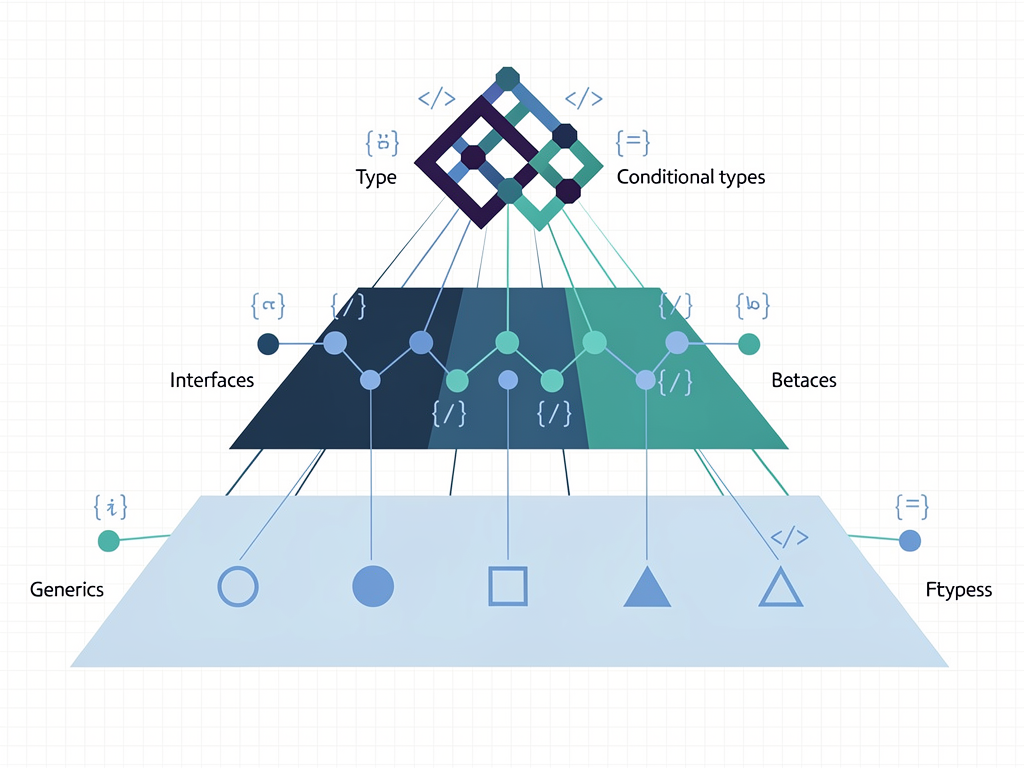
TypeScript includes built-in utility types that transform existing types in useful ways. Partial makes all properties optional, perfect for update operations where you might only change some fields. Required does the opposite, making all properties required. Pick and Omit let you create new types by selecting or excluding specific properties from existing types. These utilities reduce boilerplate and keep your type definitions DRY (Don't Repeat Yourself).
TypeScript and Developer Productivity
One of the most compelling arguments for TypeScript is its impact on developer productivity. While there is an initial learning curve and some additional typing required, the long-term productivity gains far outweigh these costs, especially for SaaS applications that will be maintained and extended over years.
The most immediate productivity benefit comes from IDE support. Modern editors like Visual Studio Code provide exceptional TypeScript integration, offering intelligent autocomplete that knows exactly what properties and methods are available on any object. Instead of constantly switching to documentation or console.logging objects to see their structure, you get instant suggestions as you type. This alone can save hours of development time each week.
Refactoring becomes dramatically safer with TypeScript. Renaming a property, changing a function signature, or restructuring data types are all common tasks in evolving SaaS applications. In JavaScript, these changes require careful manual review to ensure you have updated every reference. In TypeScript, the compiler immediately identifies every location that needs to change. You can refactor with confidence, knowing that if the code compiles, you have not broken anything related to types.
TypeScript also serves as living documentation. Type annotations describe what data a function expects and what it returns, what properties an object contains, and what values are valid for a given parameter. New team members can understand code faster because the types explain the intended usage. This self-documenting nature reduces the need for separate documentation that inevitably becomes outdated.
Industry Insight: Studies and developer surveys consistently show that TypeScript developers report fewer production bugs and faster debugging times. The initial investment in learning TypeScript pays dividends throughout the lifetime of a project.
The productivity benefits compound as teams grow. When multiple developers work on the same codebase, TypeScript ensures that everyone adheres to the same data contracts. A developer working on the frontend can trust that the API response types accurately describe what the backend returns. A developer modifying a shared utility function can see exactly how it is used throughout the application. This shared understanding reduces communication overhead and prevents integration bugs.
TypeScript in the AI-Assisted Development Era
The rise of AI-assisted development tools has added another compelling reason to adopt TypeScript. Tools like GitHub Copilot, Cursor, and various AI coding assistants work significantly better with TypeScript code than with plain JavaScript. The type information provides crucial context that helps these tools generate more accurate and useful suggestions.
When an AI assistant sees a TypeScript function with typed parameters and return values, it understands exactly what the function should do. It can generate implementations that correctly handle the specified types, suggest appropriate error handling, and produce code that integrates properly with the rest of your application. Without types, the AI must guess at intentions, leading to more errors and less useful suggestions.
This synergy between TypeScript and AI tools has accelerated TypeScript adoption in 2026. Developers who use AI assistants extensively find that TypeScript makes these tools dramatically more effective. The combination of human-written type definitions and AI-generated implementations creates a powerful development workflow that neither could achieve alone.
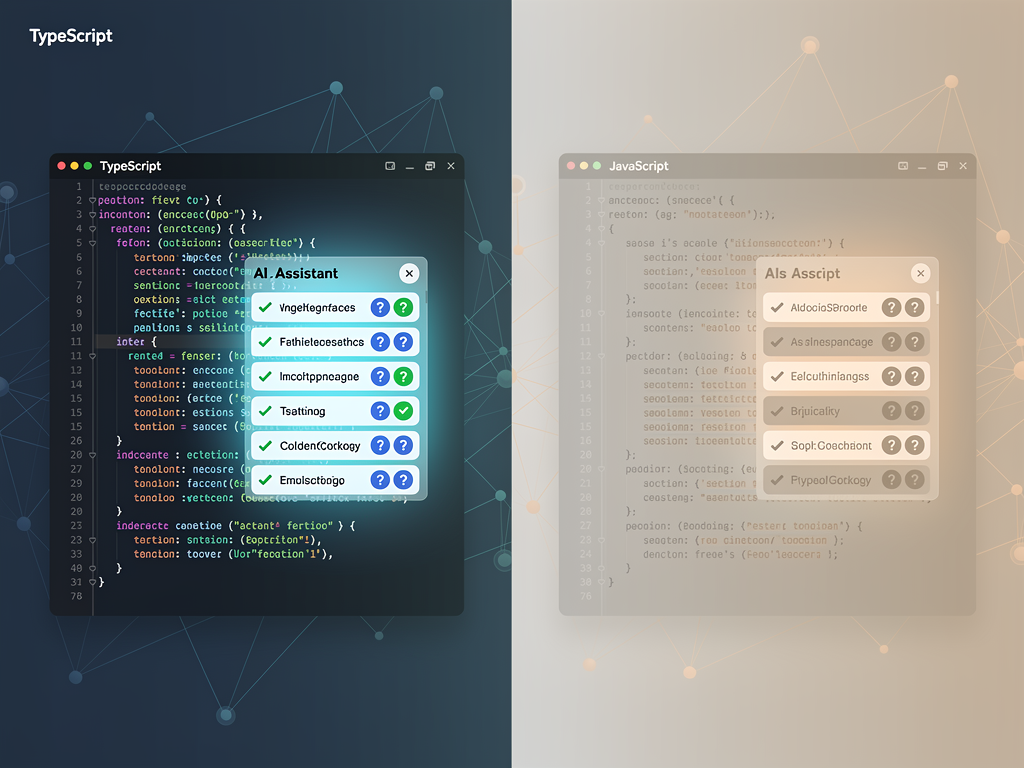
For SaaS developers building products in 2026, this AI advantage is particularly relevant. SaaS applications often involve repetitive patterns (CRUD operations, form handling, API integrations) that AI assistants can help generate. With TypeScript, these generated code sections are more likely to be correct and integrate smoothly with your existing codebase. The time savings can be substantial, especially for solo founders or small teams trying to ship features quickly.
Setting Up TypeScript for SaaS Projects
Getting started with TypeScript in a SaaS project is straightforward, especially if you are using modern frameworks that include TypeScript support by default. Here is what you need to know about configuration and setup.
For new projects, the easiest path is to use a framework's built-in TypeScript template. Creating a new Next.js application with npx create-next-app@latest will prompt you to enable TypeScript, and selecting yes configures everything automatically. The same applies to Vite, Create React App, and other popular project scaffolding tools. These templates include sensible default configurations that work well for most SaaS applications.
The tsconfig.json file controls TypeScript's behavior in your project. Key settings include the target JavaScript version, module system, strictness level, and path aliases. For SaaS applications, enabling strict mode is highly recommended. Strict mode activates additional checks that catch more potential errors, including null and undefined handling, implicit any types, and more. While strict mode requires more explicit type annotations, the additional safety is worth the effort for production applications.
If you are migrating an existing JavaScript project to TypeScript, the process can be gradual. Start by renaming files from .js to .ts (or .jsx to .tsx for React components). TypeScript will initially infer types where possible and use the any type elsewhere. Over time, you can add explicit type annotations, define interfaces for your data structures, and enable stricter compiler options. This incremental approach lets you gain TypeScript's benefits without a massive upfront rewrite.
Recommended Configuration for SaaS Applications
A typical tsconfig.json for a Next.js SaaS application might include these settings:
- strict: true enables all strict type checking options for maximum safety
- noUncheckedIndexedAccess: true requires handling potentially undefined array and object accesses
- noImplicitReturns: true ensures functions always return a value when expected
- forceConsistentCasingInFileNames: true prevents issues on case-sensitive file systems
- paths configuration for clean import aliases like
@/componentsinstead of relative paths
When evaluating a Next.js SaaS template or SaaS template for your project, check the TypeScript configuration. Well-maintained templates will include strict settings and demonstrate TypeScript best practices throughout their codebase. This gives you a solid foundation to build upon rather than having to retrofit better practices later.
Common TypeScript Patterns in SaaS Applications
Certain TypeScript patterns appear repeatedly in SaaS applications. Understanding these patterns will help you write more effective TypeScript code and recognize good practices when reviewing code or evaluating templates.
API Response Typing
SaaS applications constantly communicate with APIs, both their own backend services and third-party integrations. Defining types for API responses ensures that your frontend code correctly handles the data it receives. A common pattern is to create a generic response wrapper type that includes success status, data payload, and error information, then use specific types for each endpoint's data.
Form State Management
Forms are ubiquitous in SaaS applications, from user registration to complex settings pages. TypeScript helps ensure that form state matches the expected data structure, that validation logic handles all fields correctly, and that submission handlers receive properly typed data. Libraries like React Hook Form and Formik provide excellent TypeScript support for building type-safe forms.

Authentication and Authorization Types
User authentication involves multiple states (logged out, logging in, logged in, error) and user data that varies based on authentication status. TypeScript's discriminated unions are perfect for modeling these states. You can define a type where each authentication state has specific properties, and TypeScript ensures your code handles all possible states correctly.
Database Entity Types
When using an ORM like Prisma (which is TypeScript-first), your database schema automatically generates TypeScript types. This means your application code always matches your database structure. If you add a column to a table, the generated types update automatically, and TypeScript highlights any code that needs to handle the new field.
Subscription and Billing Types
SaaS billing logic involves complex types: subscription plans with different features, billing cycles, usage metrics, discounts, and more. Defining comprehensive types for these entities prevents billing errors that could cost you money or damage customer trust. TypeScript ensures that price calculations use numbers (not strings), that plan comparisons use valid plan identifiers, and that discount applications follow the correct logic.
TypeScript Best Practices for Scalable SaaS Code
As your SaaS application grows, following TypeScript best practices becomes increasingly important. These practices help maintain code quality and developer productivity even as the codebase expands to hundreds of thousands of lines.
Avoid the any type whenever possible. The any type essentially disables type checking for a value, negating TypeScript's benefits. While any can be useful during migrations or when working with truly dynamic data, overusing it creates blind spots where bugs can hide. If you find yourself reaching for any frequently, consider whether a more specific type, a generic, or the unknown type (which requires type narrowing before use) would be more appropriate.
Prefer interfaces for public APIs. When defining types that will be used across module boundaries or exposed to consumers of your code, interfaces provide better error messages and support declaration merging if needed. Type aliases are fine for internal types, unions, and complex type manipulations.
Use strict null checks. TypeScript's strict null checking ensures that you explicitly handle cases where values might be null or undefined. This prevents the infamous "cannot read property of undefined" errors that plague JavaScript applications. While it requires more explicit code, the safety is essential for production SaaS applications.
Leverage type inference. TypeScript is excellent at inferring types from context. You do not need to annotate every variable; TypeScript can often determine the type from the assigned value. Focus your explicit annotations on function parameters, return types, and complex objects where inference might not capture your intent.
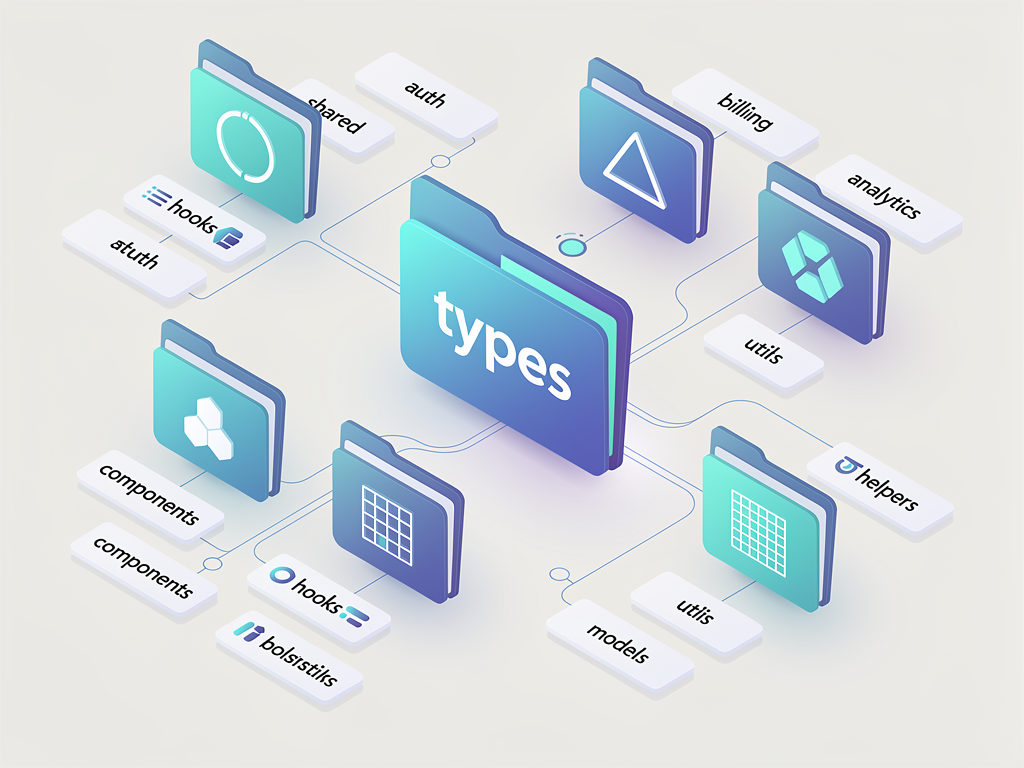
Organize types thoughtfully. As your type definitions grow, organize them into logical modules. Common approaches include a types directory with files for different domains (users, subscriptions, billing) or colocating types with the code that uses them. Whichever approach you choose, be consistent throughout your codebase.
The TypeScript Job Market in 2026
For developers considering whether to invest time in learning TypeScript, the job market data provides a compelling answer. TypeScript skills are not just nice to have; they are increasingly required for professional web development positions, especially in the SaaS industry.
Analysis of job postings across major platforms shows that 82% of frontend and full-stack positions either require or explicitly prefer TypeScript experience. Searching for "React + TypeScript" yields approximately 89,000 active listings, compared to roughly 34,000 for "React + JavaScript" without TypeScript mentioned. This 2.6:1 ratio demonstrates the market's clear preference for TypeScript skills.
Salary data also favors TypeScript developers. While exact figures vary by location and experience level, developers with strong TypeScript skills consistently command higher compensation than those with only JavaScript experience. This premium reflects the value that companies place on the code quality and productivity benefits that TypeScript provides.
For SaaS companies specifically, TypeScript expertise is particularly valued. SaaS products require long-term maintainability, team collaboration, and high reliability, all areas where TypeScript excels. Companies building SaaS products know that TypeScript reduces technical debt and prevents costly production bugs, making TypeScript-skilled developers more valuable to their teams.
If you are a freelance developer or consultant, TypeScript skills open doors to higher-value projects. Enterprise clients and well-funded startups typically expect TypeScript in their codebases. Being able to work effectively with TypeScript, including setting up projects, defining type architectures, and mentoring other developers, positions you for premium engagements.
Learning TypeScript: A Practical Roadmap
If you are convinced that TypeScript is worth learning (and the data strongly suggests it is), here is a practical roadmap for acquiring TypeScript skills efficiently. This approach is designed for developers who already know JavaScript and want to become productive with TypeScript quickly.
Phase 1: Fundamentals (1 to 2 Weeks)
Start with the basics: primitive types, arrays, objects, and functions. Learn how to add type annotations to variables and function parameters. Understand the difference between type inference and explicit annotations. Practice converting simple JavaScript functions to TypeScript, adding appropriate types as you go.
Key concepts to master: string, number, boolean, arrays, object types, function types, the any and unknown types, union types, and type aliases.
Phase 2: Intermediate Concepts (2 to 3 Weeks)
Move on to interfaces, generics, and more complex type constructions. Learn how to define interfaces for objects and how to extend them. Understand generics and practice creating generic functions and types. Explore utility types like Partial, Required, Pick, and Omit.
Key concepts to master: interfaces, interface extension, generics, generic constraints, utility types, discriminated unions, and type guards.
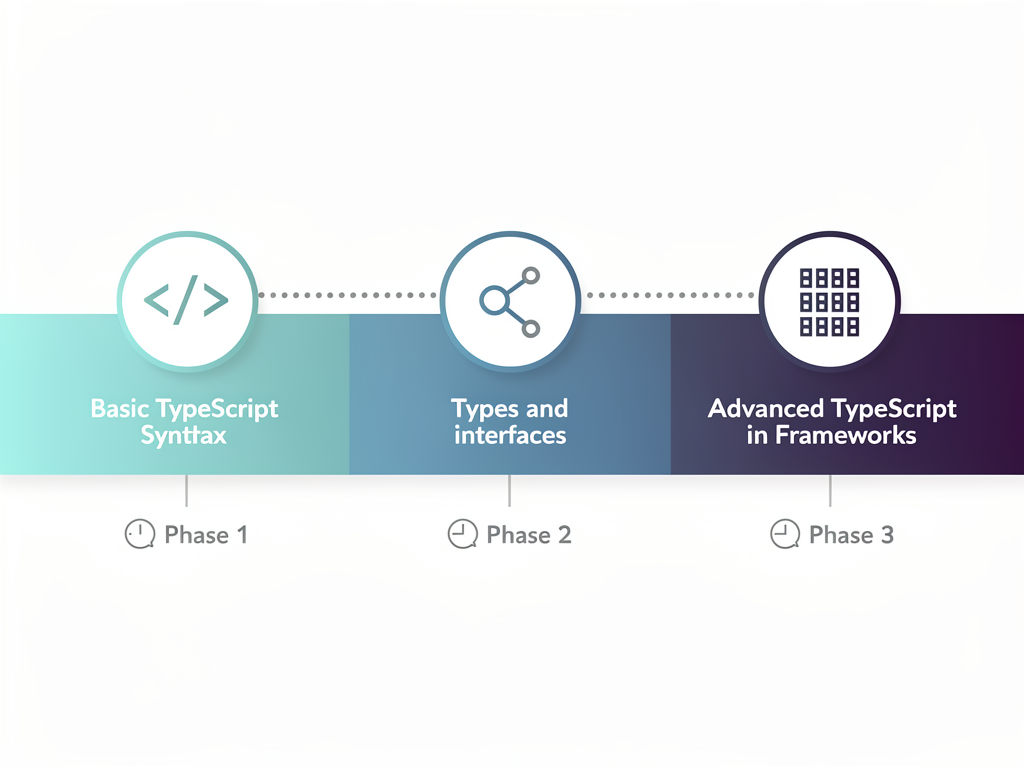
Phase 3: Framework Integration (2 to 4 Weeks)
Apply your TypeScript knowledge within your framework of choice. If you use React and Next.js, learn how to type components, props, hooks, and context. Understand how to work with typed API routes and server components. Practice building complete features with full type coverage.
Key concepts to master: React component typing, hook typing, context typing, event handler types, and framework-specific patterns.
Phase 4: Advanced Patterns (Ongoing)
As you gain experience, explore advanced TypeScript features: conditional types, mapped types, template literal types, and more. These advanced features are not needed for every project, but understanding them helps you read complex type definitions in libraries and solve challenging typing problems when they arise.
Resources for learning include the official TypeScript documentation, which is excellent and comprehensive. The TypeScript team also maintains a playground where you can experiment with code in the browser. For structured courses, platforms like Udemy, Frontend Masters, and Egghead offer TypeScript courses ranging from beginner to advanced.
TypeScript Tooling and Ecosystem
TypeScript's success is partly due to its excellent tooling and ecosystem support. Understanding the available tools helps you work more effectively and choose the right solutions for your SaaS projects.
Visual Studio Code provides the best TypeScript development experience, which is unsurprising given that both VS Code and TypeScript are Microsoft projects. The TypeScript language server powers intelligent features like autocomplete, go-to-definition, find-all-references, and automatic imports. These features work out of the box with no additional configuration.
ESLint with TypeScript support (@typescript-eslint) provides linting rules specific to TypeScript code. These rules catch common mistakes, enforce consistent style, and can even catch certain bugs that the TypeScript compiler misses. Most SaaS projects use ESLint alongside TypeScript for comprehensive code quality checking.
Prettier handles code formatting and works seamlessly with TypeScript. Consistent formatting reduces code review friction and makes codebases easier to read. Configuring Prettier to run on save ensures that all code follows the same style automatically.
For building no-code or low-code SaaS platforms, solutions like NextBuilder for multi-tenant SaaS development demonstrate how TypeScript powers sophisticated application builders. These platforms leverage TypeScript's type system to provide safe, reliable experiences for both developers and end users.
Prisma is the most popular TypeScript-first ORM, generating types directly from your database schema. This tight integration between database and application types prevents an entire category of bugs related to data shape mismatches. For SaaS applications with complex data models, Prisma's TypeScript support is invaluable.
Common Challenges and How to Overcome Them
While TypeScript offers tremendous benefits, developers often encounter challenges when adopting it. Understanding these challenges and their solutions helps you navigate the learning curve more smoothly.
The Learning Curve
TypeScript adds concepts that JavaScript developers may not have encountered: static types, generics, type inference, and more. This learning curve can feel steep initially, especially when encountering complex type errors. The solution is to start simple, using basic types and gradually introducing more advanced features as you become comfortable. Do not try to master everything at once.
Complex Type Errors
TypeScript error messages can be verbose and confusing, especially when generics and complex types are involved. Learning to read these errors takes practice. Focus on the beginning of the error message, which usually identifies the core problem. Use your IDE's hover information to understand what types are expected versus what was provided. Over time, you will develop intuition for common error patterns.
Third-Party Library Types
Not all JavaScript libraries have TypeScript definitions, and some definitions are incomplete or outdated. The @types organization on npm provides community-maintained type definitions for thousands of libraries. When types are missing or incorrect, you can declare your own types or use strategic any types as a temporary workaround. The ecosystem has improved dramatically, and most popular libraries now include types directly.
Over-Engineering Types
Some developers, especially those new to TypeScript, fall into the trap of creating overly complex type definitions. While TypeScript supports advanced type manipulations, simpler types are usually better. If a type definition is difficult to understand, it will be difficult to maintain. Aim for types that clearly express your intent without unnecessary complexity.
Build Time Overhead
TypeScript adds a compilation step that increases build times compared to plain JavaScript. For large projects, this overhead can become noticeable. Solutions include using incremental compilation, project references for monorepos, and tools like esbuild or swc for faster transpilation. Modern tooling has largely mitigated this concern, but it is worth considering for very large codebases.
TypeScript and Testing in SaaS Applications
TypeScript and testing complement each other in ensuring SaaS application quality. While TypeScript catches type-related errors at compile time, tests verify that your code behaves correctly at runtime. Together, they provide comprehensive coverage against bugs.
TypeScript improves the testing experience in several ways. Test files can be written in TypeScript, giving you the same autocomplete and type checking benefits. Mocking becomes more reliable because TypeScript ensures your mocks match the expected interfaces. Test data factories can use types to generate valid test objects automatically.
Popular testing frameworks all support TypeScript well. Jest, the most widely used JavaScript testing framework, works seamlessly with TypeScript through ts-jest or the built-in support in modern configurations. Vitest, a newer alternative designed for Vite projects, has native TypeScript support and is gaining popularity in the SaaS community. Playwright and Cypress for end-to-end testing both provide excellent TypeScript integration.

One important distinction: TypeScript checks types, not logic. A function might have perfect types but still contain a logical error that produces incorrect results. Tests verify that your code produces the expected outputs for given inputs. Both TypeScript and tests are necessary for high-quality SaaS applications; neither replaces the other.
The Future of TypeScript
TypeScript continues to evolve with regular releases that add new features and improve performance. Understanding the language's direction helps you make informed decisions about adoption and stay current with best practices.
Recent TypeScript versions have focused on performance improvements, making type checking faster for large codebases. TypeScript 5.5 and later versions include significant optimizations that reduce build times, addressing one of the common complaints about TypeScript in large projects. These improvements make TypeScript more practical for enterprise-scale SaaS applications.
Decorator support has been standardized, aligning with the ECMAScript decorator proposal. This benefits frameworks that rely heavily on decorators and ensures that TypeScript's decorator implementation matches the JavaScript standard. For SaaS developers using frameworks like NestJS, this standardization simplifies the development experience.
The TypeScript team continues to improve type inference, reducing the need for explicit annotations while maintaining type safety. Better inference means less typing for developers while preserving all the benefits of static types. This ongoing improvement makes TypeScript increasingly pleasant to use.
Looking ahead, TypeScript is likely to remain the dominant choice for typed JavaScript development. The language has achieved critical mass in terms of adoption, tooling, and ecosystem support. While alternatives exist (like Flow, which has declined significantly), TypeScript's position appears secure for the foreseeable future. Investing in TypeScript skills is a safe bet for SaaS developers planning their careers.
Conclusion
TypeScript has transformed from an optional enhancement to an essential skill for SaaS developers. With 78% adoption among professional developers, first-class support in every major framework, and clear benefits for code quality and team productivity, TypeScript is no longer a question of "if" but "when" for serious SaaS projects.
For SaaS applications specifically, TypeScript addresses critical challenges: maintaining complex business logic, collaborating across growing teams, integrating with numerous APIs, and preventing customer-facing bugs. The compile-time error detection, self-documenting code, and safe refactoring capabilities directly translate to faster development, fewer production issues, and more maintainable codebases.
The investment in learning TypeScript pays dividends throughout your career. Job opportunities favor TypeScript developers, salaries are higher, and the skills transfer across frameworks and projects. Whether you are a solo founder building an MVP, a developer at a growing startup, or an engineer at an established company, TypeScript proficiency makes you more effective and more valuable.
If you have not yet adopted TypeScript, now is the time to start. Begin with a new project or gradually migrate an existing one. Use the learning roadmap outlined in this guide to build your skills systematically. Within weeks, you will wonder how you ever built applications without it.

Frequently Asked Questions
Is TypeScript Replacing JavaScript Entirely?
TypeScript is not replacing JavaScript; rather, it builds on top of JavaScript and compiles down to it. Every TypeScript application ultimately runs as JavaScript in browsers and Node.js environments. What is happening is that TypeScript is becoming the preferred way to write JavaScript for professional applications. You still need to understand JavaScript fundamentals because TypeScript is JavaScript with types. The trend shows developers choosing TypeScript for new projects while JavaScript remains the runtime language. For SaaS developers, this means learning both languages, with TypeScript being the primary authoring language and JavaScript being the execution target.
How Long Does It Take to Learn TypeScript If I Already Know JavaScript?
Most JavaScript developers can become productive with TypeScript basics within one to two weeks of focused learning. This includes understanding primitive types, function typing, interfaces, and basic generics. Reaching intermediate proficiency, where you can confidently type complex applications and understand library type definitions, typically takes two to three months of regular practice. Advanced TypeScript features like conditional types and mapped types require ongoing learning as you encounter use cases for them. The good news is that you can start using TypeScript productively very quickly; you do not need to master every advanced feature before beginning. Start simple and expand your knowledge as needed.
Does TypeScript Make My Application Slower?
TypeScript has zero runtime performance impact because all type information is removed during compilation. The JavaScript output from TypeScript is identical in performance to hand-written JavaScript. The only overhead is during development and build time, when the TypeScript compiler checks your types. Modern tooling has minimized even this overhead, with incremental compilation and fast transpilers like esbuild making TypeScript builds nearly as fast as JavaScript builds. For SaaS applications, the negligible build time increase is far outweighed by the development time saved through better tooling, fewer bugs, and easier refactoring.
Should I Use TypeScript for Small Projects or Only Large Ones?
TypeScript provides benefits at any project scale, though the return on investment increases with project size and team size. For small projects, TypeScript offers better IDE support, catches common errors, and creates a foundation for growth. Many developers find that even personal projects benefit from TypeScript's autocomplete and error detection. For SaaS applications specifically, even MVPs benefit from TypeScript because SaaS products typically grow over time. Starting with TypeScript avoids a painful migration later when the codebase has expanded. The setup overhead is minimal with modern frameworks, so there is little reason not to use TypeScript from the start.
What Is the Difference Between TypeScript and JavaScript Type Checking with JSDoc?
JSDoc comments can provide type information that TypeScript understands, allowing some type checking in JavaScript files. However, this approach has significant limitations compared to full TypeScript. JSDoc syntax is more verbose and less expressive than TypeScript's type syntax. Many TypeScript features, like generics and utility types, are awkward or impossible to express in JSDoc. IDE support for JSDoc types is less robust than for TypeScript. Most importantly, JSDoc types are optional and easily ignored, while TypeScript enforces type checking by default. For serious SaaS development, TypeScript provides a more complete and reliable solution than JSDoc-based typing.
How Do I Convince My Team or Manager to Adopt TypeScript?
Focus on concrete business benefits rather than technical features. Emphasize that TypeScript reduces production bugs (cite the industry data showing fewer runtime errors), speeds up development through better tooling (autocomplete, refactoring), and improves team collaboration (self-documenting code). Point to the job market data showing that TypeScript skills are increasingly required, making it easier to hire developers. Propose a gradual adoption approach, starting with new features or modules rather than a complete rewrite. Share success stories from similar companies. If possible, run a small pilot project to demonstrate the benefits firsthand. The combination of industry trends, productivity improvements, and risk reduction usually makes a compelling case.
Ready to Build Your SaaS Application with TypeScript?
Now that you understand the power of TypeScript for SaaS development, it is time to put that knowledge into action. SaasCore provides a comprehensive Next.js boilerplate built entirely with TypeScript, featuring authentication, payments, admin dashboards, and everything else you need to launch your SaaS product quickly. Stop spending months on boilerplate code and start building features that matter to your customers. Visit SaasCore today to see the demo and accelerate your SaaS journey.
Subscribe to our newsletter
Subscribe to our newsletter and stay up-to-date with the latest news and updates.