Why Next.js is Essential for Modern SaaS Development
Explore why developers are switching from Create React App to Next.js for SaaS projects. Discover how Next.js enhances SEO, simplifies routing, and improves performance, helping you launch faster and succeed in competitive markets.

Zakariae
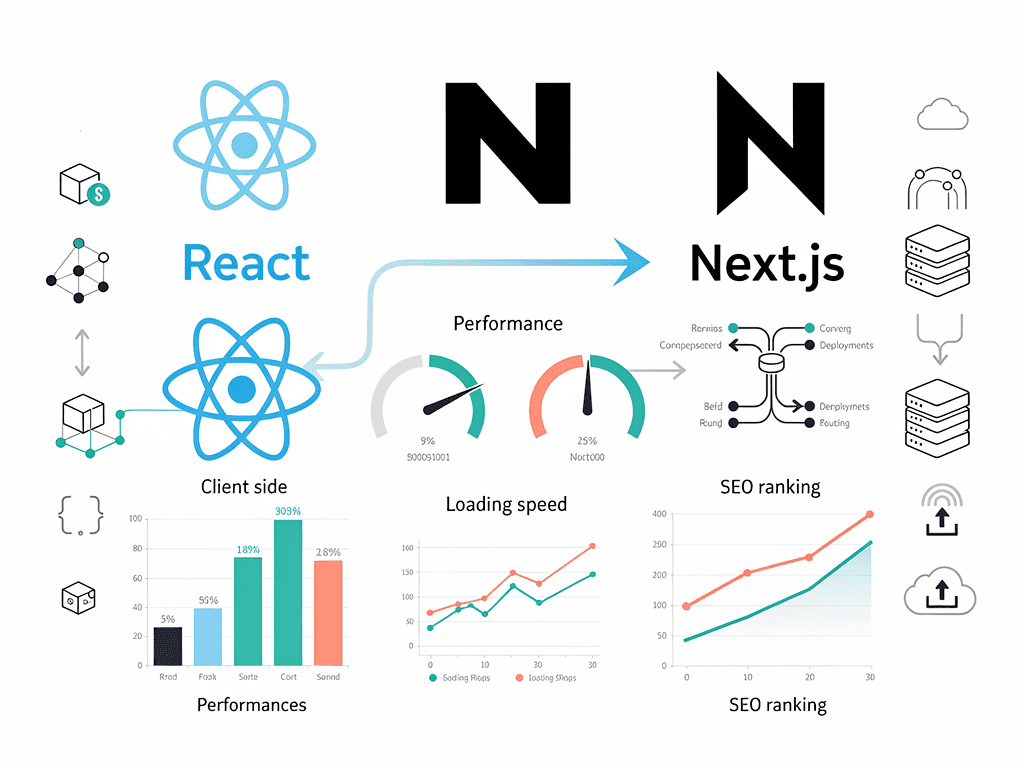
The landscape of React development has shifted dramatically over the past few years. What was once the go-to solution for bootstrapping React applications has now been officially deprecated, leaving thousands of developers searching for alternatives. Meanwhile, a new generation of SaaS founders and technical entrepreneurs are discovering that the tools they choose at the foundation of their projects can make or break their success in competitive markets.
If you've been building web applications for any length of time, you've likely encountered the frustration of setting up routing, configuring server-side rendering, optimizing for search engines, and managing deployment pipelines. These challenges multiply exponentially when you're trying to launch a software-as-a-service product where every week of delay costs you potential customers and market share.
This comprehensive guide explores why modern developers are abandoning legacy approaches in favor of more robust frameworks, what this transition means for your SaaS projects, and how you can leverage these changes to ship products faster than ever before.
Key Takeaways
- Create React App has been officially deprecated by the React team, making migration to modern alternatives essential for new projects
- Next.js offers built-in server-side rendering and static site generation, dramatically improving SEO performance for SaaS marketing pages and content
- File-based routing eliminates configuration overhead, allowing developers to focus on building features rather than wrestling with setup
- API routes in Next.js reduce infrastructure complexity by enabling backend functionality within the same codebase
- Performance benchmarks consistently show Next.js applications loading faster than client-side rendered alternatives
- Modern SaaS boilerplate solutions can save 50+ hours of initial setup time when building subscription-based products
- The developer experience improvements in Next.js lead to faster iteration cycles and reduced time-to-market
The Rise and Fall of the Original React Bootstrapping Tool
When Facebook (now Meta) released their official bootstrapping tool for React applications in 2016, it represented a revolutionary step forward for frontend development. Before its arrival, developers faced a daunting maze of configuration files, webpack setups, Babel configurations, and countless other technical hurdles just to write their first line of React code. The tool abstracted away this complexity, allowing developers to start building immediately with a single command.
For years, this approach dominated the React ecosystem. Tutorials, courses, and documentation all pointed developers toward this solution as the standard starting point. It became so ubiquitous that many developers couldn't imagine beginning a React project any other way. The simplicity was intoxicating: run one command, and you have a fully configured development environment ready for production builds.
However, the web development landscape evolved rapidly while this tool remained relatively static. New requirements emerged that the original architecture simply couldn't address efficiently. Server-side rendering became essential for SEO-sensitive applications. Static site generation proved crucial for performance-critical marketing pages. API routes and backend functionality needed tighter integration with frontend code. Edge computing and serverless deployments demanded new architectural approaches.
The React team officially acknowledged these limitations when they updated their documentation in early 2023, removing the tool as the recommended starting point for new projects. This wasn't a sudden decision but rather the culmination of years of community feedback and the recognition that modern web development requires more sophisticated solutions. The deprecation sent shockwaves through the developer community, prompting a mass migration toward frameworks that could meet contemporary demands.
Understanding Why the Migration Became Necessary
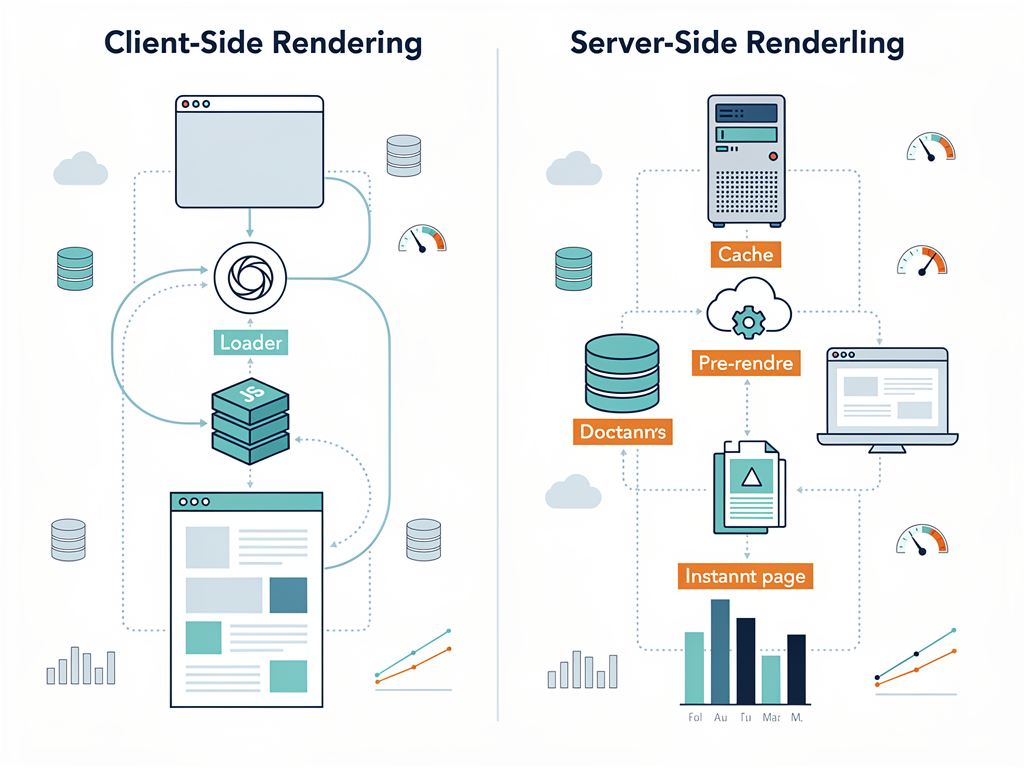
The fundamental limitation of client-side only rendering became increasingly problematic as web applications grew more complex and user expectations evolved. When a browser loads a client-side rendered application, it receives essentially an empty HTML shell. The JavaScript bundle must download, parse, and execute before any meaningful content appears on screen. This creates several cascading problems that compound over time.
Search engine crawlers, despite improvements in JavaScript rendering capabilities, still struggle with client-side rendered content. Google's crawlers can execute JavaScript, but they do so inconsistently and with delays. For SaaS companies relying on organic search traffic to acquire customers, this represents a significant competitive disadvantage. Your beautifully crafted landing pages and blog content may never reach potential customers if search engines can't properly index them.
Performance metrics tell an even more compelling story. Studies consistently show that users abandon websites that take more than three seconds to load. Client-side rendered applications often exceed this threshold, especially on mobile devices or slower network connections. Each second of delay correlates directly with reduced conversion rates, higher bounce rates, and lower customer satisfaction scores.
The developer experience also suffered under the old paradigm. Routing required installing and configuring additional libraries. Code splitting demanded manual optimization. Environment variable management became increasingly complex as applications scaled. Each of these pain points represented not just technical debt but actual hours of developer time that could have been spent building features that differentiate your product in the market.
How Next.js Addresses Core SaaS Development Challenges
Next.js emerged as the leading solution for modern React development by addressing each limitation of its predecessors while adding capabilities that SaaS developers specifically need. The framework, developed by Vercel, has grown from a niche tool to the dominant choice for production React applications. Understanding why requires examining how it solves real problems that SaaS founders and development teams face daily.
The hybrid rendering model represents perhaps the most significant advancement. Next.js allows developers to choose the optimal rendering strategy on a per-page basis. Your marketing homepage can be statically generated at build time for maximum performance. Your dashboard can use server-side rendering to ensure fresh data on every request. Your documentation can leverage incremental static regeneration to balance freshness with performance. This flexibility was simply impossible with the previous generation of tools.
The file-based routing system eliminates an entire category of configuration and boilerplate code. Creating a new page is as simple as adding a file to the pages directory. Dynamic routes, nested layouts, and catch-all routes all work through intuitive file naming conventions. Developers report saving hours per week that previously went to routing configuration and maintenance.
Built-in API routes transform how SaaS applications handle backend functionality. Rather than maintaining separate backend services, developers can create serverless API endpoints within the same codebase. These routes automatically scale with demand, require no server management, and deploy alongside your frontend code. For early-stage SaaS products, this architectural simplification can mean the difference between launching in weeks versus months.
The image optimization capabilities deserve special mention for SaaS applications. Next.js automatically optimizes images, serves them in modern formats like WebP, and implements lazy loading. For SaaS products with image-heavy interfaces or marketing sites, this translates directly to faster load times and reduced bandwidth costs without any additional development effort.
SEO Advantages That Drive Customer Acquisition
For SaaS businesses, organic search traffic often represents the most cost-effective customer acquisition channel. The SEO advantages of server-side rendering and static generation aren't merely technical curiosities; they translate directly to business outcomes. Understanding these advantages helps explain why so many SaaS companies have prioritized migration to modern frameworks.
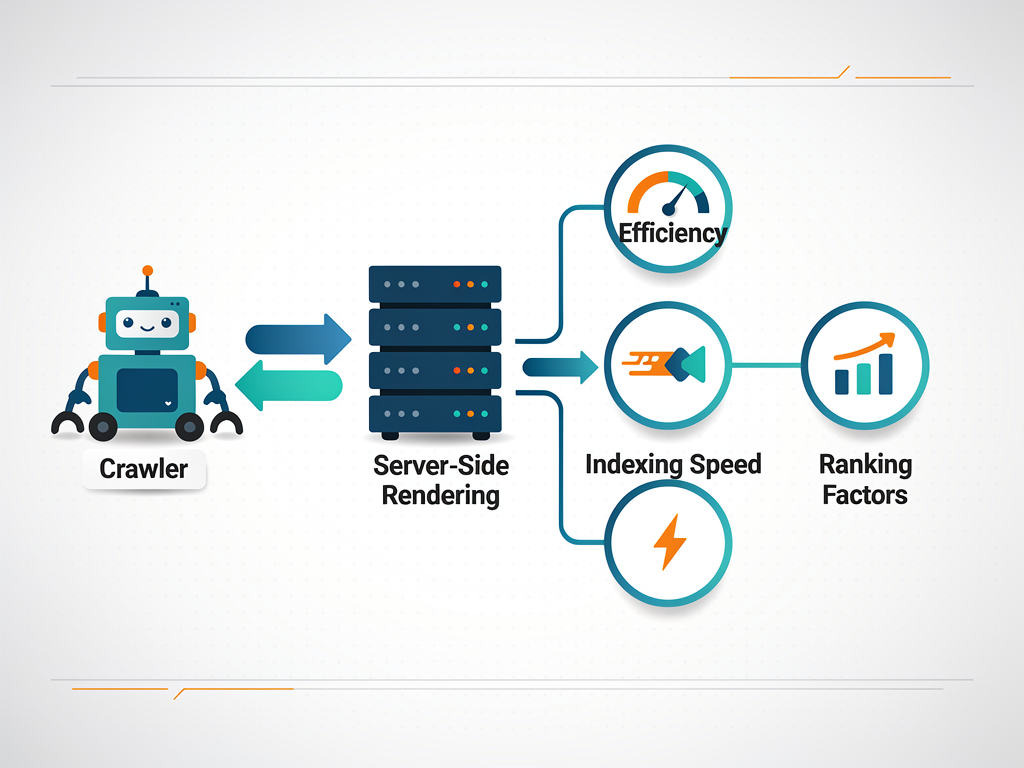
When search engine crawlers visit a server-rendered page, they receive complete HTML content immediately. There's no waiting for JavaScript execution, no risk of timeout errors, and no ambiguity about what content the page contains. This reliability means your carefully crafted landing pages, feature descriptions, and blog posts get indexed accurately and quickly. For competitive keywords where SaaS companies battle for visibility, this technical advantage can determine who captures organic traffic.
The Core Web Vitals metrics that Google uses as ranking signals favor server-rendered applications. Largest Contentful Paint (LCP) improves dramatically when the browser receives rendered HTML rather than an empty shell. First Input Delay (FID) decreases because the main thread isn't blocked by heavy JavaScript parsing. Cumulative Layout Shift (CLS) reduces because content dimensions are known before rendering. Each of these improvements contributes to better search rankings and more organic visibility.
Meta tag management becomes significantly simpler with server-side rendering. Dynamic meta descriptions, Open Graph tags for social sharing, and structured data can all be generated based on the specific content of each page. This enables proper preview cards when users share your content on social media, accurate descriptions in search results, and rich snippets that increase click-through rates.
The ability to create static marketing pages while maintaining dynamic application functionality proves particularly valuable for SaaS companies. Your pricing page can be statically generated for instant loading. Your blog can use incremental static regeneration to balance freshness with performance. Your application dashboard can use server-side rendering for real-time data. This hybrid approach optimizes each page for its specific purpose.
Developer Experience Improvements That Accelerate Shipping
The developer experience differences between legacy approaches and modern frameworks extend far beyond initial setup. These improvements compound over time, affecting every aspect of the development lifecycle from initial coding through deployment and maintenance. For SaaS teams where speed-to-market determines competitive success, these differences matter enormously.
Hot Module Replacement (HMR) in Next.js provides near-instantaneous feedback during development. When you modify a component, only that component refreshes while maintaining application state. This tight feedback loop accelerates iteration and reduces the cognitive overhead of context switching. Developers report feeling more productive and less frustrated when the tools respond immediately to their changes.
The TypeScript integration in Next.js requires zero configuration. Simply rename files from .js to .tsx, and TypeScript support activates automatically. The framework generates type definitions for its APIs, catches errors during development, and provides intelligent autocomplete in supported editors. For SaaS applications where reliability matters, TypeScript's compile-time checks prevent entire categories of runtime errors.
Built-in CSS support eliminates another configuration burden. CSS Modules work out of the box, providing scoped styles without naming conflicts. Global styles import naturally. Sass support activates by installing a single package. Tailwind CSS integrates seamlessly for utility-first styling approaches. This flexibility allows teams to choose their preferred styling methodology without fighting framework limitations.
The error handling and debugging experience has been refined through years of community feedback. Error overlays provide clear, actionable information about what went wrong and where. Stack traces point to actual source code rather than compiled output. Development warnings help catch potential issues before they reach production. These quality-of-life improvements reduce debugging time and help developers ship with confidence.
Environment variable management follows intuitive conventions that scale from local development to production deployment. Variables prefixed with NEXT_PUBLIC_ expose to the browser while others remain server-side only. This simple convention prevents accidental exposure of sensitive credentials while making configuration straightforward across environments.
Performance Benchmarks and Real-World Impact
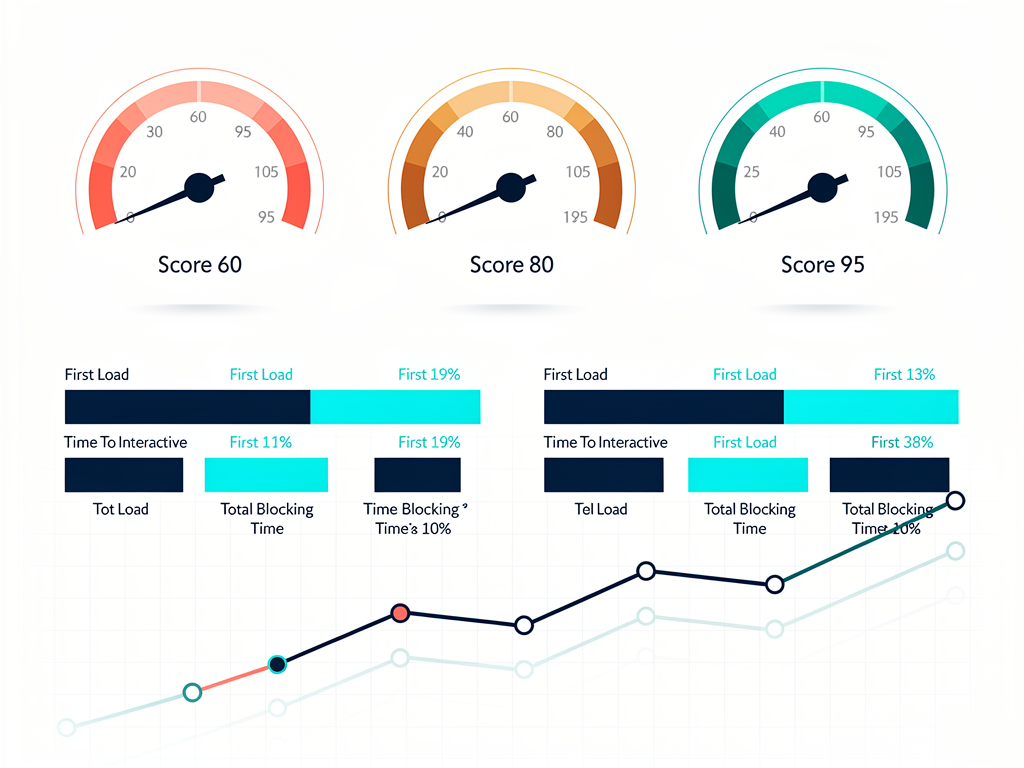
Performance claims require evidence, and the benchmarks consistently favor modern server-rendered frameworks over client-side only approaches. Understanding these numbers helps quantify the business impact of architectural decisions and justifies the investment in migration for existing projects.
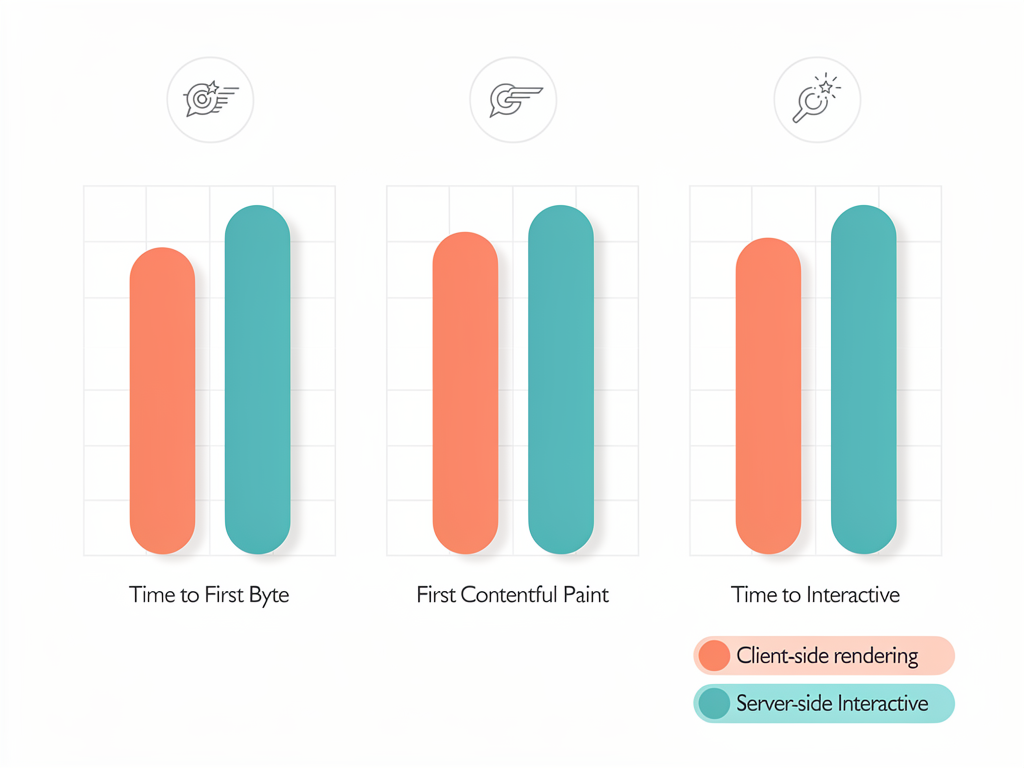
Time to First Byte (TTFB) measurements show server-rendered pages typically responding in under 100 milliseconds, while client-rendered applications often exceed 200 milliseconds before any content arrives. This difference might seem small, but it cascades through every subsequent metric. Users perceive faster initial responses as more responsive applications, even when total load times are similar.
First Contentful Paint (FCP) improvements are even more dramatic. Server-rendered pages display meaningful content within 500 milliseconds on typical connections, while client-rendered alternatives often require 1.5 to 2 seconds. For users on mobile devices or slower connections, this difference determines whether they wait for your page or bounce to a competitor.
| Metric | Client-Side Rendering | Server-Side Rendering | Improvement |
|---|---|---|---|
| Time to First Byte | 200-400ms | 50-100ms | 2-4x faster |
| First Contentful Paint | 1.5-2.5s | 0.5-1.0s | 2-3x faster |
| Time to Interactive | 3-5s | 1-2s | 2-3x faster |
| Lighthouse Performance Score | 60-75 | 85-100 | 15-30 points higher |
The JavaScript bundle size differences also contribute to performance gaps. Next.js implements automatic code splitting, ensuring users only download the JavaScript needed for the current page. The framework tree-shakes unused code and optimizes bundles for production. These optimizations happen automatically, requiring no manual configuration or ongoing maintenance.
Real-world case studies from companies that have migrated show consistent improvements. E-commerce SaaS platforms report conversion rate increases of 10-20% after migration. Content-heavy applications see organic traffic growth of 30-50% as SEO improvements take effect. User engagement metrics improve across the board as faster load times reduce abandonment and increase session duration.
The SaaS-Specific Features That Matter Most
Building a SaaS product involves unique challenges that generic web development frameworks don't always address. Authentication, subscription management, multi-tenancy, and administrative interfaces all require careful architectural consideration. Modern frameworks provide foundations that make these implementations more straightforward.
Authentication patterns in Next.js benefit from the server-side rendering model. Session validation can happen on the server before any content reaches the client, preventing flash-of-unauthenticated-content issues. Libraries like NextAuth.js provide complete authentication solutions with minimal configuration, supporting social logins, magic links, and traditional credentials out of the box.
The middleware capabilities introduced in recent Next.js versions enable powerful request-time logic. You can implement geographic redirects, A/B testing, feature flags, and authentication checks at the edge before requests reach your application code. This architectural pattern improves both performance and security while reducing complexity in your application logic.
API route handlers prove particularly valuable for SaaS applications that need to integrate with external services. Webhook endpoints for payment processors like Stripe, callback URLs for OAuth providers, and integration endpoints for third-party services all fit naturally within the Next.js API routes pattern. This colocation of frontend and backend code simplifies development and deployment.
The incremental static regeneration feature enables sophisticated caching strategies that balance freshness with performance. Pricing pages can regenerate hourly to reflect current plans. Blog posts can regenerate daily to incorporate comment counts. Dashboard summaries can regenerate on-demand when underlying data changes. This granular control over caching was impossible with previous generation tools.
For teams building with a Next.js boilerplate or SaaS starter kit, these architectural decisions come pre-configured. Rather than spending weeks researching best practices and implementing foundational patterns, developers can focus immediately on the unique features that differentiate their product. A quality Next.js SaaS template can save 50 or more hours of initial setup time while ensuring architectural decisions follow proven patterns.
Migration Strategies for Existing Projects
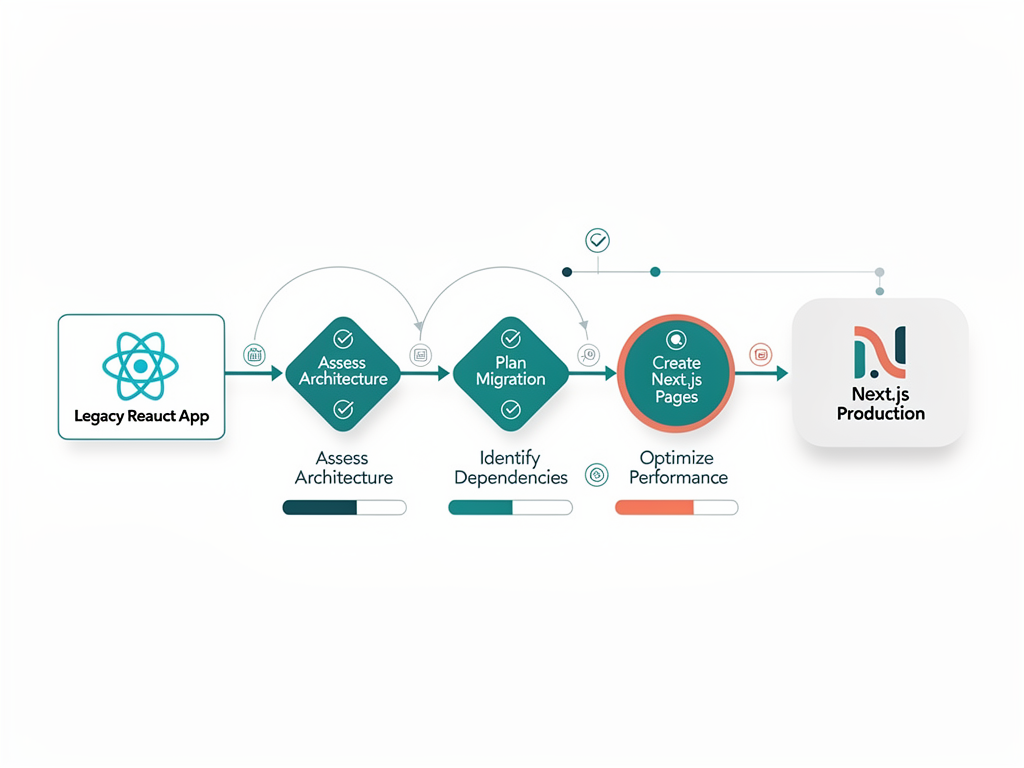
For teams with existing applications built on legacy tools, migration represents a significant undertaking that requires careful planning. The good news is that Next.js maintains high compatibility with standard React code, making incremental migration feasible for most projects. Understanding the available strategies helps teams choose approaches that minimize risk while capturing benefits quickly.
The incremental adoption approach allows teams to migrate page by page rather than rewriting everything at once. Next.js can coexist with existing React applications during transition periods. Teams can start by migrating the highest-impact pages, typically marketing and SEO-sensitive content, while leaving complex application logic for later phases. This approach reduces risk and allows teams to learn the new framework gradually.
Routing migration typically requires the most attention during transitions. The file-based routing system in Next.js differs fundamentally from react-router patterns. However, the simplification usually results in less code overall. Dynamic routes, nested layouts, and catch-all patterns all have straightforward implementations in the new system. Most teams report that routing actually becomes simpler after migration.
State management approaches generally transfer without modification. Redux, Zustand, Jotai, and other popular state management libraries work identically in Next.js applications. The main consideration involves deciding which state should be server-side versus client-side, a decision that didn't exist in purely client-rendered applications. This new flexibility enables better performance but requires intentional architectural choices.
Testing strategies may need adjustment to account for server-side rendering. Components that previously only rendered on the client now may render on the server first. Testing libraries like React Testing Library continue to work, but teams should add tests that verify server-rendered output matches expectations. End-to-end testing with tools like Playwright or Cypress becomes even more valuable for catching rendering discrepancies.
Migration Tip: Start by migrating your marketing pages and blog content first. These pages benefit most from static generation and SSR, and they're typically less complex than application features. This approach delivers SEO benefits quickly while giving your team experience with the new framework before tackling more complex migrations.
Deployment and Infrastructure Considerations
The deployment story for Next.js applications differs significantly from purely static React applications. Understanding these differences helps teams plan infrastructure appropriately and take advantage of modern deployment platforms that optimize specifically for Next.js workloads.
Vercel, the company behind Next.js, offers a deployment platform optimized specifically for the framework. Automatic preview deployments for pull requests, edge function support, and integrated analytics come standard. The platform handles scaling automatically, eliminating the need for manual infrastructure management. For many SaaS startups, this simplicity justifies the platform costs through reduced DevOps overhead.
Alternative hosting options have expanded significantly as Next.js has gained popularity. AWS Amplify provides full Next.js support with integration into the broader AWS ecosystem. Netlify offers competitive Next.js hosting with their edge function infrastructure. Railway, Render, and other modern platforms support Next.js deployments with varying feature sets. Self-hosting on traditional servers or Kubernetes remains possible for teams with specific requirements.
The serverless deployment model that Next.js encourages brings both benefits and considerations. API routes and server-side rendering functions execute on-demand, scaling automatically with traffic. Cold starts can introduce latency for infrequently accessed routes, though edge deployments mitigate this concern. Teams should understand these tradeoffs when designing their application architecture.
Database connections require special attention in serverless environments. Traditional connection pooling doesn't work well when functions spin up and down dynamically. Solutions like PlanetScale, Neon, and Prisma Accelerate provide serverless-friendly database access that handles connection management appropriately. These considerations didn't exist with traditional server deployments but are essential for modern Next.js applications.
The edge runtime capabilities in Next.js enable code execution at points of presence around the world. Middleware, certain API routes, and even some page rendering can happen at the edge, reducing latency for users regardless of their geographic location. For SaaS applications serving global audiences, edge deployment can significantly improve user experience.
Cost Analysis and Resource Planning
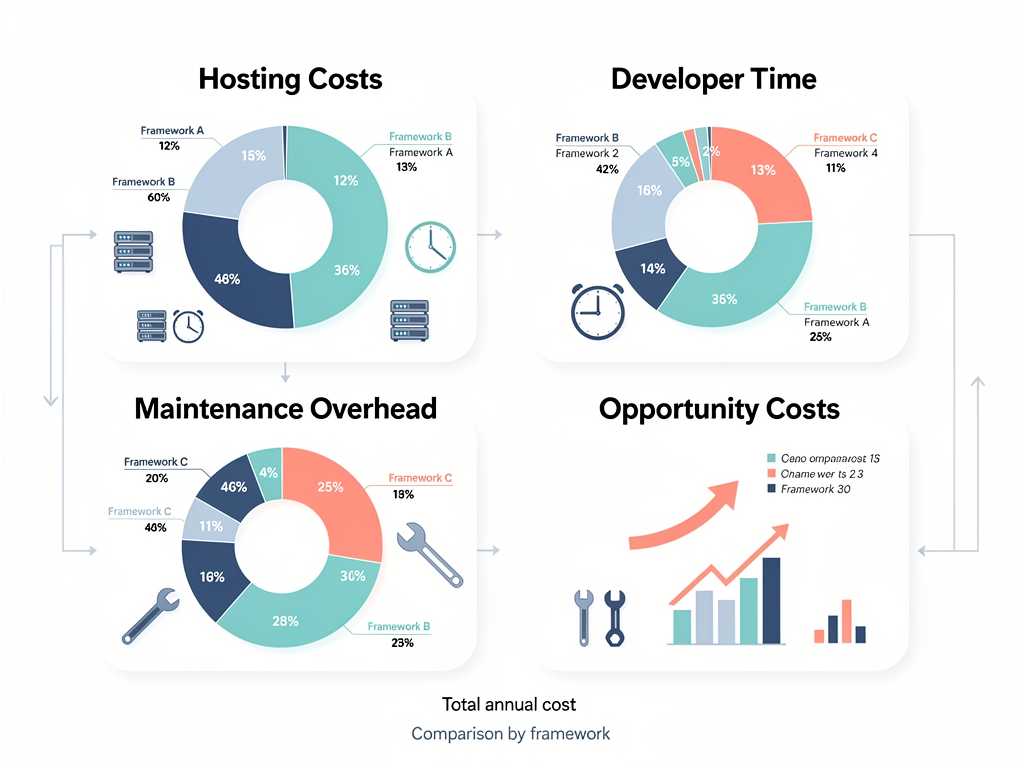
Technical decisions ultimately connect to business outcomes, and understanding the cost implications of framework choices helps teams make informed decisions. The total cost of ownership includes not just hosting expenses but developer productivity, maintenance burden, and opportunity costs of delayed features.
Hosting costs for Next.js applications vary widely based on traffic patterns and architectural choices. Statically generated pages cost essentially nothing to serve at scale. Server-rendered pages incur compute costs for each request. API routes consume resources based on execution time and memory usage. Teams should analyze their specific usage patterns to estimate costs accurately.
| Deployment Platform | Free Tier | Pro Tier Starting | Best For |
|---|---|---|---|
| Vercel | Generous hobby tier | $20/month per member | Optimal Next.js experience |
| Netlify | 100GB bandwidth | $19/month per member | JAMstack focused teams |
| AWS Amplify | 12 months free tier | Pay-per-use | AWS ecosystem integration |
| Railway | $5 credit monthly | $20/month | Simple full-stack apps |
Developer productivity gains often outweigh hosting cost differences. If Next.js enables your team to ship features 20% faster, the business value of that acceleration typically exceeds any hosting premium. The reduced configuration overhead, better developer experience, and built-in optimizations all contribute to faster development cycles.
Maintenance costs decrease with modern frameworks that handle more concerns automatically. Image optimization, code splitting, and bundle optimization all happen without developer intervention. Security updates and performance improvements come through framework upgrades rather than custom implementation. This reduced maintenance burden frees developer time for feature development.
The opportunity cost of delayed launches deserves consideration in framework decisions. If using a SaaS template or boilerplate saves two months of development time, the value of those two months of market presence often exceeds any upfront costs. Early market entry, faster customer feedback, and accelerated iteration cycles all contribute to competitive advantage.
Common Pitfalls and How to Avoid Them
Teams migrating to Next.js or starting new projects sometimes encounter predictable challenges. Understanding these pitfalls in advance helps teams avoid common mistakes and implement solutions that scale appropriately from the beginning.
Over-relying on client-side rendering negates many benefits of Next.js. Teams accustomed to client-side patterns sometimes add "use client" directives everywhere, effectively recreating the limitations they were trying to escape. The solution involves understanding which components genuinely need client-side interactivity and keeping server components as the default.
Ignoring caching strategies leads to unnecessary server load and slower response times. Next.js provides sophisticated caching at multiple levels, but teams must configure it appropriately for their use cases. Understanding when to use static generation, server-side rendering, and incremental static regeneration helps optimize both performance and costs.
Mismanaging environment variables can expose sensitive information or cause confusing deployment issues. The NEXT_PUBLIC_ prefix convention must be followed carefully. Server-side environment variables should never be accessed in client components. Teams should establish clear conventions and code review practices around environment variable usage.
Neglecting loading and error states creates poor user experiences even in fast applications. Next.js provides loading.tsx and error.tsx conventions for handling these states elegantly. Teams should implement these patterns consistently across their applications to ensure users always see appropriate feedback.
Underestimating data fetching complexity leads to waterfall requests and slow page loads. The React Server Components model in Next.js enables parallel data fetching, but teams must structure their components to take advantage of this capability. Understanding the relationship between component hierarchy and data fetching patterns helps optimize perceived performance.
Best Practice: Start with server components by default and only add client-side interactivity where genuinely needed. This approach maximizes the benefits of server-side rendering while keeping bundle sizes small. Most applications need far less client-side JavaScript than developers initially assume.
Building Your SaaS Foundation the Right Way
Starting a new SaaS project presents an opportunity to implement best practices from the beginning rather than retrofitting them later. The architectural decisions made in the first weeks of development influence the project's trajectory for years. Choosing the right foundation accelerates everything that follows.
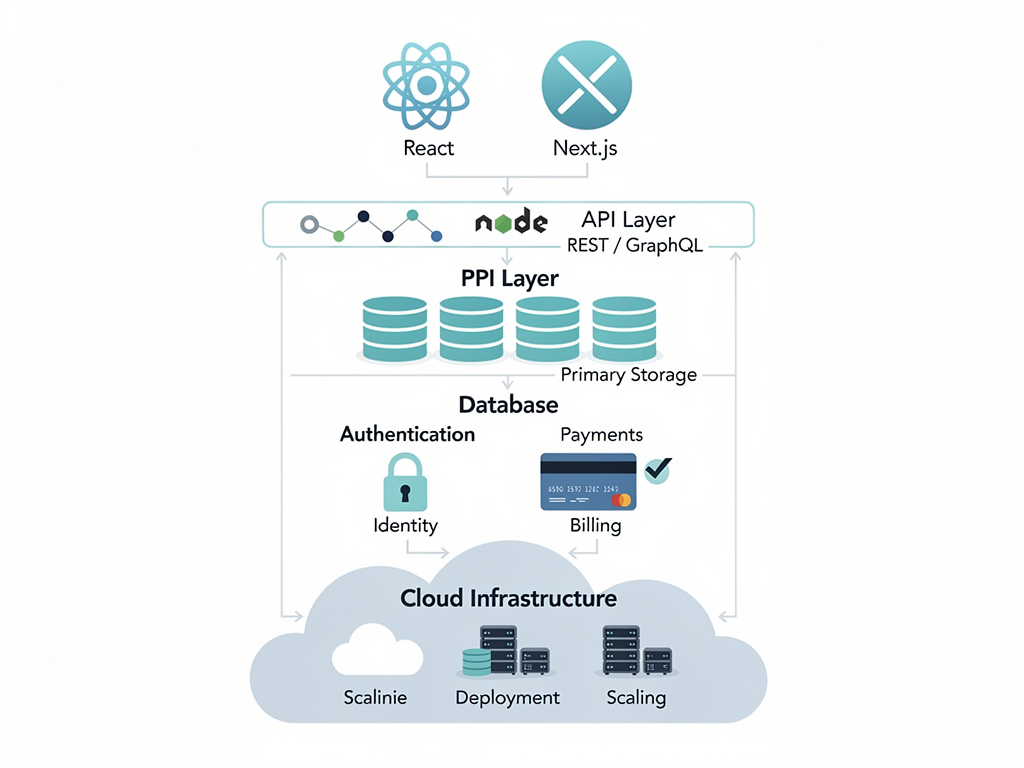
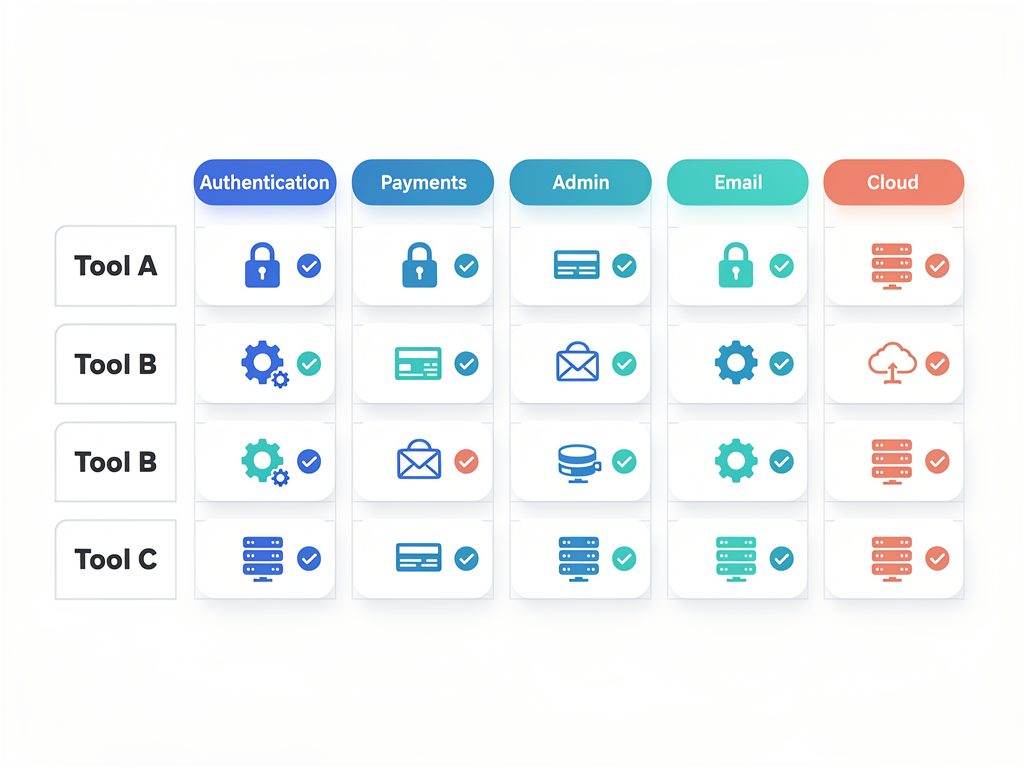
A quality SaaS boilerplate provides more than just code scaffolding. It encodes architectural decisions, security practices, and integration patterns that would otherwise require extensive research and experimentation. Authentication flows, subscription management, administrative interfaces, and email systems all require careful implementation. Starting with proven patterns reduces risk and accelerates development.
The technology stack decisions in your foundation affect hiring, maintenance, and future development. Next.js has become the dominant choice for React applications, meaning a larger talent pool and more community resources. TypeScript adoption continues to grow, making type-safe codebases increasingly standard. Tailwind CSS and Shadcn UI have emerged as popular styling choices that balance flexibility with productivity.
Database and ORM choices deserve careful consideration early in the project. Prisma has become the most popular ORM for TypeScript applications, providing type-safe database access and excellent developer experience. PostgreSQL remains the most versatile relational database choice, with managed services like Neon providing serverless-friendly access. These choices integrate naturally with Next.js deployment patterns.
Payment integration complexity often surprises teams building their first SaaS product. Stripe provides the most comprehensive payment platform, but implementing subscriptions, usage-based billing, and customer portals requires significant development effort. Starting with a SaaS template that includes Stripe integration saves weeks of development time and ensures compliance with payment security requirements.
The Future of React Development
Understanding where React development is heading helps teams make decisions that remain relevant as the ecosystem evolves. The trends visible today will shape the tools and practices of tomorrow. Positioning your projects to benefit from these trends provides lasting competitive advantage.
React Server Components represent the most significant architectural shift in React's history. This new model enables components to render exclusively on the server, reducing client-side JavaScript and improving performance. Next.js has been the primary vehicle for React Server Components adoption, and this pattern will likely become standard across the ecosystem.
The App Router in Next.js introduces new patterns for layouts, loading states, and error handling. While the Pages Router remains supported, new features and optimizations focus on the App Router. Teams starting new projects should adopt the App Router to benefit from ongoing improvements and avoid future migration costs.
Edge computing continues to gain importance as users expect instant responses regardless of location. Next.js middleware and edge functions enable code execution at points of presence worldwide. This capability becomes increasingly valuable as SaaS products serve global audiences with diverse geographic distributions.
AI integration is reshaping how developers build applications. Tools like Vercel's AI SDK simplify integration of language models into Next.js applications. For SaaS products incorporating AI features, this tight integration reduces development complexity and enables faster experimentation with AI-powered functionality.
The full-stack JavaScript trend continues to strengthen. Teams increasingly prefer unified codebases where frontend and backend share types, validation logic, and utilities. Next.js API routes and server actions enable this full-stack development pattern without requiring separate backend services. This architectural simplification reduces operational complexity and improves developer productivity.
Making the Decision for Your Project
Every project has unique requirements, constraints, and goals. While the general trend favors modern frameworks like Next.js, understanding when alternatives might be appropriate helps teams make informed decisions rather than following trends blindly.
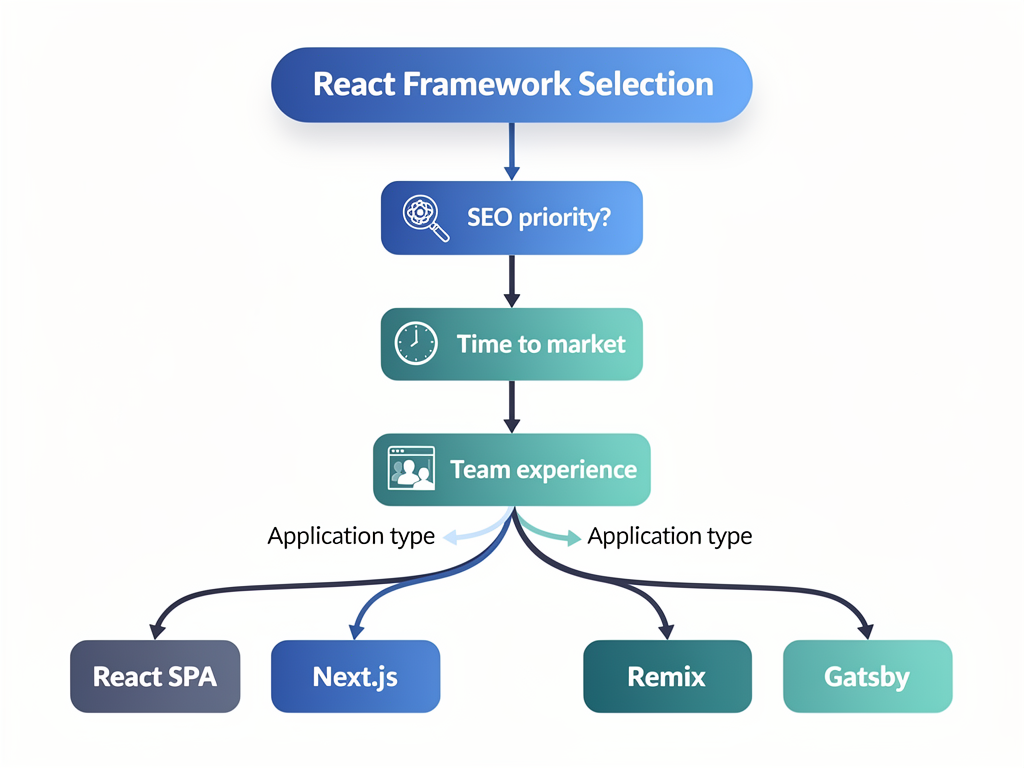
Choose Next.js when your application needs strong SEO performance, your team values developer experience, you want to minimize configuration overhead, or you're building a SaaS product where time-to-market matters. The framework excels for marketing sites, content platforms, e-commerce applications, and dashboard-heavy SaaS products.
Consider alternatives when you're building a purely internal tool where SEO doesn't matter, your team has deep expertise in other frameworks, or you have specific technical requirements that Next.js doesn't address well. Vite-based setups provide excellent developer experience for client-side applications. Remix offers similar server-rendering benefits with different architectural opinions.
Evaluate your team's capabilities honestly when making framework decisions. A team experienced with a particular technology will often deliver better results faster than a team learning a new framework, even if the new framework is theoretically superior. Balance the long-term benefits of modern tools against the short-term productivity of familiar ones.
Consider your timeline and how it affects technology choices. If you need to launch in weeks rather than months, starting with a proven SaaS template dramatically accelerates development. The time saved on foundational work can be invested in features that differentiate your product and attract customers.
Leveraging Boilerplates and Templates for Faster Launch
The build-versus-buy decision applies to foundational code just as it applies to third-party services. For many SaaS projects, starting with a comprehensive boilerplate or template provides the fastest path to market while ensuring architectural quality. Understanding what to look for in these solutions helps teams choose wisely.
A quality Next.js boilerplate should include authentication with multiple providers, subscription management with Stripe integration, administrative interfaces for managing users and content, and email functionality for transactional and marketing communications. These features take weeks to implement from scratch but come pre-built in good boilerplates.
Code quality indicators help distinguish professional boilerplates from hastily assembled collections. Look for TypeScript throughout, comprehensive testing, clear documentation, and active maintenance. The codebase should follow established patterns and conventions rather than inventing novel approaches. Updates should address security vulnerabilities and incorporate framework improvements promptly.
Customization flexibility matters because every SaaS product eventually needs unique features. The best boilerplates provide clear extension points and avoid over-abstraction that makes customization difficult. You should be able to modify any aspect of the system without fighting the framework or breaking unrelated functionality.
Support and community resources add significant value beyond the code itself. Documentation should explain not just what the code does but why architectural decisions were made. Community forums or support channels help when you encounter challenges. Regular updates indicate ongoing investment in the product's quality and relevance.
For teams serious about launching SaaS products efficiently, solutions like comprehensive SaaS development platforms provide everything needed to go from idea to launched product in days rather than months. The investment in a quality starting point pays dividends throughout the product's lifecycle.
Conclusion
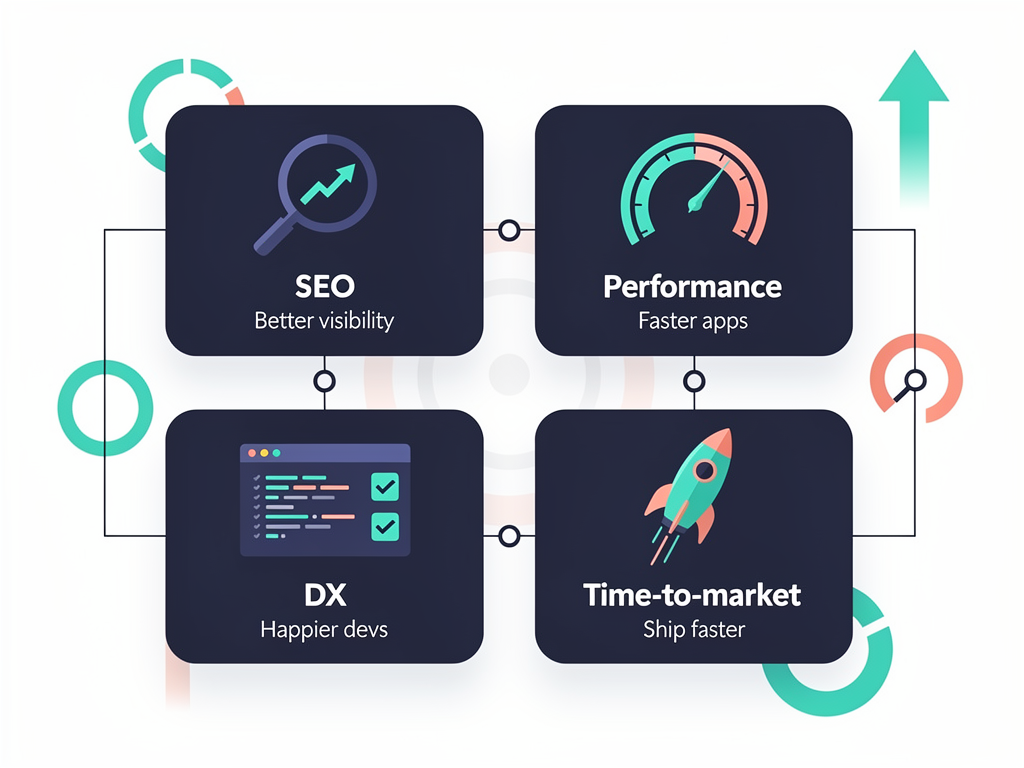
The shift from create react app and similar legacy tools to modern frameworks like Next.js represents more than a technical upgrade. It reflects the evolution of web development toward solutions that address real business needs: better SEO performance, faster load times, improved developer experience, and reduced time-to-market. For SaaS founders and development teams, these improvements translate directly to competitive advantage.
The deprecation of legacy bootstrapping tools wasn't arbitrary but rather an acknowledgment that modern web development requires more sophisticated foundations. Server-side rendering, static site generation, edge computing, and API routes have become essential capabilities rather than optional enhancements. Frameworks that provide these capabilities out of the box enable teams to focus on differentiation rather than infrastructure.
For teams starting new SaaS projects, the choice is increasingly clear. Next.js provides the most comprehensive solution for React-based applications, with excellent developer experience, strong performance characteristics, and a vibrant ecosystem of tools and resources. Combined with a quality SaaS template, teams can launch production-ready applications in a fraction of the time required to build from scratch.
The developers making the switch aren't following trends blindly. They're responding to real limitations in legacy approaches and capturing genuine benefits from modern alternatives. Whether you're building your first SaaS product or migrating an existing application, understanding these dynamics helps you make decisions that serve your business goals for years to come.
Frequently Asked Questions
Is Create React App still supported, and should I migrate existing projects?
The React team officially deprecated their original bootstrapping tool in early 2023, removing it as the recommended starting point for new projects. While existing applications continue to function, the tool no longer receives active development or security updates. For existing projects, migration priority depends on your specific situation. Applications heavily dependent on SEO should migrate sooner to capture server-side rendering benefits. Internal tools with no SEO requirements can migrate on a longer timeline. Most teams find that incremental migration, starting with marketing pages and gradually moving application features, provides the best balance of risk and reward. The React documentation now recommends Next.js, Remix, or Gatsby for new projects depending on use case requirements.
How long does it typically take to migrate a medium-sized React application to Next.js?
Migration timelines vary significantly based on application complexity, team experience, and chosen migration strategy. A medium-sized application with 20-50 pages typically requires 2-6 weeks for a complete migration when following incremental approaches. The routing system changes usually take the most time, as file-based routing differs fundamentally from react-router patterns. State management code generally transfers without modification. Teams should budget additional time for testing server-rendered output and optimizing data fetching patterns. Many teams report that the codebase actually shrinks during migration as Next.js built-in features replace custom implementations. Starting with high-impact, low-complexity pages builds team confidence before tackling more challenging migrations.
What are the main cost differences between hosting a Next.js application versus a static React application?
Static React applications cost essentially nothing to host at scale since they're just files served from CDNs. Next.js applications with server-side rendering incur compute costs for each request that requires server processing. However, the cost picture is more nuanced than this simple comparison suggests. Next.js static pages cost the same as any static hosting. Server-rendered pages on platforms like Vercel start with generous free tiers that cover most early-stage applications. The real cost comparison should include developer productivity: if Next.js enables faster development, the business value often exceeds any hosting premium. Many teams find that optimizing their rendering strategy, using static generation where possible and server rendering only where necessary, keeps costs comparable to purely static approaches while capturing performance and SEO benefits.
Can I use Next.js for applications that don't need SEO, like internal dashboards?
Absolutely, and many teams do exactly this. While SEO benefits represent a major advantage of Next.js, the framework provides numerous other benefits that apply to internal applications. The developer experience improvements, including hot module replacement, TypeScript integration, and built-in CSS support, accelerate development regardless of SEO requirements. API routes simplify backend integration for dashboard data. The file-based routing system reduces configuration overhead. Automatic code splitting improves load times even for authenticated users. Many enterprise teams choose Next.js for internal tools specifically because of these developer experience benefits and the consistency of using the same framework across public and internal applications. The server-side rendering capabilities can still improve perceived performance for data-heavy dashboards.
How does Next.js compare to other modern alternatives like Remix or Astro?
Each framework optimizes for different use cases, though significant overlap exists. Next.js provides the most comprehensive feature set and largest ecosystem, making it the safest choice for most projects. Remix emphasizes web standards and progressive enhancement, excelling for applications where JavaScript-disabled experiences matter. Astro optimizes for content-heavy sites with minimal interactivity, generating zero JavaScript by default and adding interactivity selectively. For SaaS applications specifically, Next.js typically provides the best balance of features, ecosystem support, and deployment options. The framework's backing by Vercel ensures continued investment and innovation. Teams with specific requirements around progressive enhancement might prefer Remix, while teams building primarily static content sites might consider Astro. Most SaaS products benefit from Next.js's hybrid rendering capabilities and comprehensive feature set.
What should I look for when choosing a Next.js SaaS boilerplate or template?
Evaluate boilerplates across several dimensions to ensure they'll serve your needs long-term. First, verify the technology stack aligns with your preferences: TypeScript support, styling approach, database choice, and authentication methods all matter. Second, assess code quality through the presence of tests, TypeScript strictness, and adherence to established patterns. Third, examine the feature completeness: authentication, subscription management, admin interfaces, and email functionality should all be production-ready. Fourth, evaluate documentation quality and support resources, as you'll inevitably need guidance during customization. Fifth, check maintenance history to ensure the boilerplate receives regular updates addressing security vulnerabilities and framework changes. Finally, consider the licensing terms and any ongoing costs. A quality boilerplate represents a significant time savings, often 50+ hours, but only if it provides a solid foundation you can build upon confidently.
Ready to Launch Your SaaS Product Faster?
Stop spending weeks on authentication, payments, and infrastructure. SaasCore provides the ultimate Next.js boilerplate for SaaS applications, including everything you need to go from idea to launched product in days. With built-in Stripe integration, NextAuth authentication, admin panels, affiliate systems, and email marketing capabilities, you can focus on building features that differentiate your product rather than reinventing foundational components. View the demo and see why modern developers choose SaasCore to accelerate their SaaS development journey.
Subscribe to our newsletter
Subscribe to our newsletter and stay up-to-date with the latest news and updates.