TypeScript vs JavaScript: Best Choice for SaaS in 2026?
Explore why TypeScript is dominating SaaS development with 78% adoption among professionals in 2026, offering better scalability and maintainability than JavaScript. Discover data-driven insights and practical recommendations to make the right choice for your SaaS project.

Zakariae

The debate over which programming language to use for your SaaS application has never been more consequential. In 2025, TypeScript officially surpassed both Python and JavaScript to become GitHub's number one programming language by monthly contributor count, marking the most significant shift in the developer ecosystem in over a decade. With TypeScript adding over one million new contributors in a single year and AI-assisted development making static typing more valuable than ever, the choice you make today will impact your product's scalability, maintainability, and long-term success.
For SaaS founders, CTOs, and development teams building subscription-based software products, this decision carries real stakes. Your codebase will likely grow to tens of thousands of lines, multiple developers will collaborate on it, and the application will need to evolve for years. Choosing the wrong foundation can lead to mounting technical debt, slower feature development, and costly refactoring down the road. This comprehensive guide breaks down everything you need to know about typescript vs javascript for SaaS development in 2026, providing data-driven insights and practical recommendations to help you make the right choice for your specific situation.
Key Takeaways
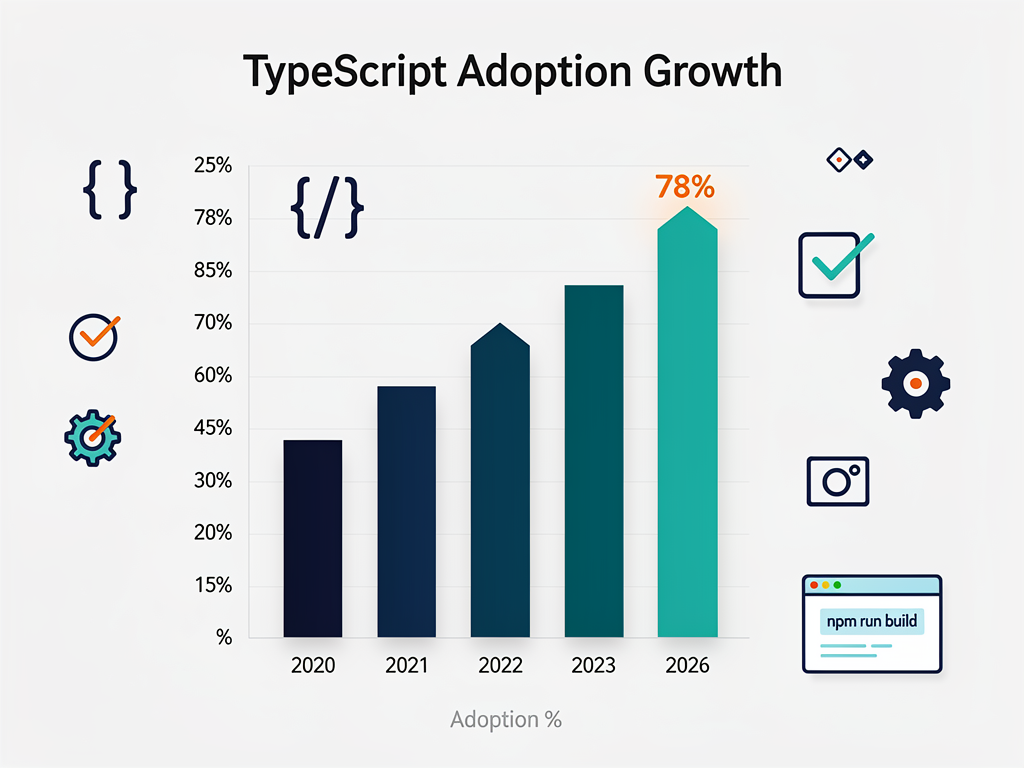
- TypeScript dominates professional SaaS development with 78% adoption among professional developers in 2026, up from 69% in 2024
- Salary premiums favor TypeScript skills, with developers earning $8,000 to $12,000 more annually compared to JavaScript-only positions
- Compile-time error detection catches bugs before they reach production, reducing debugging time by an estimated 15% according to industry studies
- Major frameworks default to TypeScript, including Next.js, Nuxt, and SvelteKit, making typed development the path of least resistance
- JavaScript remains viable for MVPs and prototypes where speed to market outweighs long-term maintainability concerns
- Migration is always possible, as TypeScript is a superset of JavaScript, allowing gradual adoption without rewriting existing code
- AI-assisted development tools work significantly better with TypeScript due to the additional context provided by type definitions
Understanding the Fundamental Differences Between TypeScript and JavaScript
Before diving into which language suits your SaaS project better, it's essential to understand what actually separates these two technologies. TypeScript is technically a superset of JavaScript, meaning every valid JavaScript file is also valid TypeScript. However, TypeScript adds a powerful static type system and modern features that fundamentally change how you write and maintain code.
JavaScript is dynamically typed, which means variables can hold any type of value at any time. A variable that starts as a number can become a string, then an object, all within the same function. This flexibility made JavaScript approachable for beginners and enabled rapid prototyping, but it also introduced a category of bugs that only surface at runtime, often in production when real users encounter them.
TypeScript introduces optional static typing, allowing you to define exactly what kind of data your code expects. When you declare that a function accepts a number and returns a string, the TypeScript compiler verifies that every call to that function follows this contract. Violations are caught immediately in your editor, not after deployment when customers report issues.
The practical difference becomes apparent in how your development environment supports you. With TypeScript, your IDE transforms into an intelligent assistant that provides accurate autocomplete suggestions, highlights errors as you type, and enables powerful refactoring tools. JavaScript's dynamic nature limits what your editor can infer, often leaving you to discover mistakes through trial and error or extensive testing.
The Compilation Step Explained
One aspect that initially concerns developers new to TypeScript is the compilation requirement. TypeScript code must be transpiled to JavaScript before it can run in browsers or Node.js environments. This additional step adds complexity to your build process but provides significant benefits in return.
During compilation, TypeScript performs type checking across your entire codebase, identifying inconsistencies and potential bugs. It also enables you to use modern JavaScript features that may not be supported in all target environments, automatically converting them to compatible code. Modern build tools like Vite, esbuild, and the Next.js compiler have made this process nearly instantaneous, eliminating the slow compilation times that plagued earlier TypeScript projects.
The 2026 Landscape: Market Adoption and Industry Trends
The numbers tell a compelling story about where the industry is heading. According to the GitHub Octoverse 2025 report, TypeScript reached 2.63 million active contributors, growing 66% year-over-year. JavaScript, while still massive at approximately 2.15 million contributors, grew at a comparatively modest 24.79% rate. This marks the first time in GitHub's history that a typed superset of a language has overtaken its parent language in contributor growth.
The Stack Overflow Developer Survey 2025 reinforces this trend. TypeScript is now used by 67% of professional developers, with an impressive 84.1% satisfaction rate among those who use it. This high satisfaction rate indicates that developers aren't just using TypeScript because they have to; they're genuinely finding value in the development experience it provides.
Perhaps more telling is the job market data. Analysis from Q1 2026 shows that 72% of frontend job listings now mention TypeScript as either required or preferred, up from 58% in 2024. React plus TypeScript positions outnumber React plus JavaScript-only positions by nearly three to one. For SaaS companies looking to hire and retain top talent, TypeScript proficiency has become a baseline expectation rather than a nice-to-have skill.

Framework Ecosystem Alignment
The framework landscape has decisively shifted toward TypeScript-first development. Next.js, the most popular React framework for production applications, ships with TypeScript configuration by default. When you create a new Next.js project, the CLI asks if you want to use TypeScript, and the recommended answer is yes. The framework's documentation, examples, and community resources predominantly use TypeScript.
Similar patterns exist across the ecosystem. Nuxt (the Vue.js framework), SvelteKit, Remix, and Astro all provide first-class TypeScript support and encourage its use in their documentation. The message from framework maintainers is clear: TypeScript is the expected choice for serious production applications.
Why TypeScript Excels for SaaS Applications
SaaS applications have characteristics that make TypeScript particularly valuable. These products typically involve complex business logic, multiple user roles with different permissions, subscription and billing systems, integrations with third-party services, and data models that evolve over time. TypeScript's type system helps manage this complexity in ways that JavaScript cannot.
Consider a typical SaaS scenario: you're building a multi-tenant application where each customer has their own workspace, users have different permission levels, and subscription tiers unlock different features. The data flowing through your application includes user objects, workspace configurations, subscription details, and feature flags. Without types, keeping track of what data exists where becomes a mental burden that grows with your codebase.
With TypeScript, you define interfaces that describe these data structures once, and the compiler ensures consistency everywhere they're used. When you add a new field to your user model, TypeScript immediately highlights every location in your code that needs to handle this new field. When you refactor your subscription logic, the compiler catches any places where the old structure was expected.
Autocomplete and Developer Productivity
The productivity gains from TypeScript's enhanced autocomplete are substantial. When working with JavaScript, your editor can only guess what properties an object might have based on usage patterns it can detect. With TypeScript, your editor knows exactly what properties exist, their types, and even their documentation.
This difference becomes dramatic when working with third-party libraries and APIs. Instead of constantly referencing documentation to remember parameter orders and return types, your editor shows you exactly what's expected. For SaaS applications that integrate with payment processors like Stripe, email services, analytics platforms, and other external systems, this guidance saves hours of development time.
The npm ecosystem has embraced this reality. Over 85% of the top 1000 packages now ship with TypeScript type definitions, and the @types ecosystem provides definitions for over 9,000 additional packages. When you install a library, its types are either included or easily added, giving you immediate autocomplete and error checking for external code.
The Case for JavaScript: When Simplicity Wins
Despite TypeScript's advantages, JavaScript remains a legitimate choice in specific scenarios. Understanding when JavaScript makes sense helps you avoid over-engineering situations that don't warrant the additional complexity of a type system.
Rapid prototyping and MVPs represent the strongest case for JavaScript. When you're validating a business idea and need to ship something to users as quickly as possible, the overhead of defining types for code that might be thrown away next week doesn't make sense. JavaScript's flexibility lets you iterate faster during the exploration phase when requirements are unclear and changing daily.
Small scripts, utilities, and automation tasks also favor JavaScript. If you're writing a one-off data migration script, a simple build tool, or a quick API endpoint for internal use, the benefits of TypeScript may not justify the setup time. These projects typically have limited scope, short lifespans, and single developers who can keep the entire codebase in their head.
Team Considerations
Team dynamics matter significantly in this decision. If your entire team is comfortable with JavaScript but has limited TypeScript experience, forcing a switch during a critical development phase could slow you down rather than speed you up. The TypeScript learning curve, while not steep, does require adjustment time.
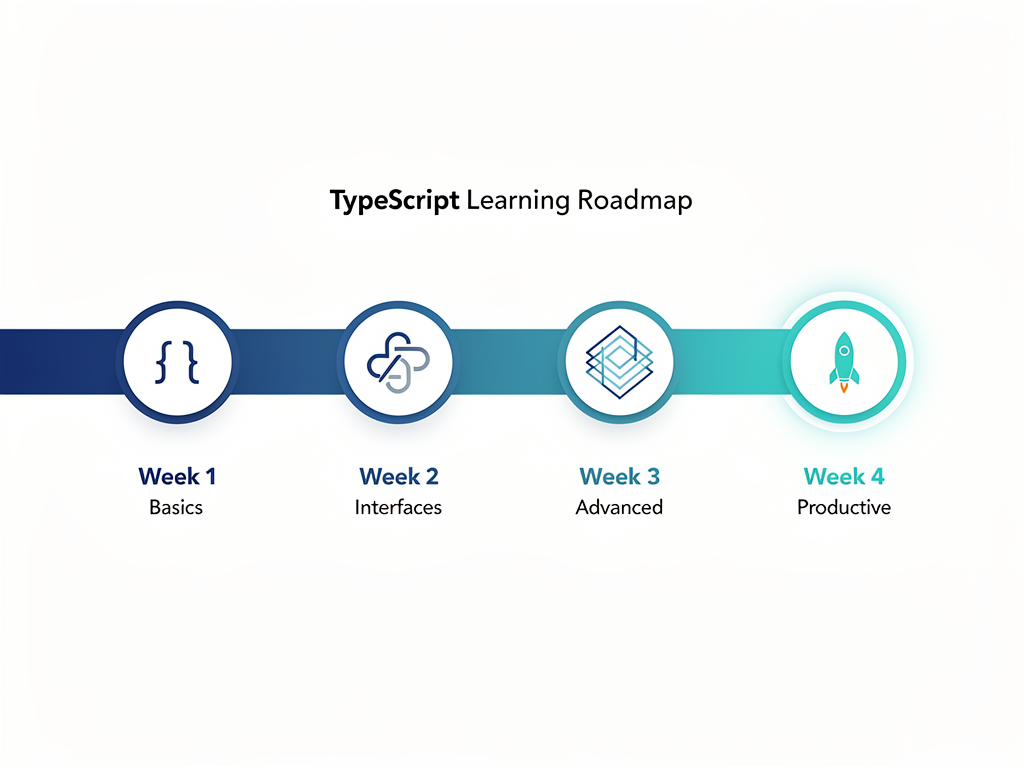
However, this consideration has a counterargument. Most developers report becoming productive with TypeScript within two to four weeks, and the long-term productivity gains typically outweigh the initial learning investment. If you're building a product that will exist for years, the short-term slowdown is usually worth accepting.
Type Safety and Bug Prevention in Production
One of TypeScript's most compelling benefits for SaaS applications is its ability to catch bugs before they reach production. Runtime errors in production mean unhappy customers, potential data corruption, and emergency debugging sessions. TypeScript shifts many of these errors to compile time, where they're caught during development.
Studies and industry reports suggest that TypeScript can reduce debugging time by approximately 15% compared to JavaScript projects of similar complexity. While this number varies based on project characteristics and team experience, the directional benefit is consistent: fewer runtime surprises mean more time building features and less time fixing bugs.
Consider a common SaaS scenario: an API endpoint that returns user data. In JavaScript, nothing prevents you from accidentally returning a user object with a missing field, or returning the wrong type entirely. The code runs fine locally, passes basic testing, and the bug only surfaces when a specific user action triggers the problematic code path in production.
With TypeScript, the return type of your API handler is explicitly defined. If you forget a required field or return the wrong type, the compiler immediately flags the error. This protection extends throughout your codebase, from database queries to API responses to frontend components.
Refactoring Confidence
SaaS applications evolve constantly. Features get added, requirements change, and technical debt accumulates. Refactoring becomes necessary to maintain code quality and enable future development. TypeScript dramatically improves refactoring safety.
When you rename a function, change a parameter type, or restructure a data model in TypeScript, the compiler identifies every location affected by your change. You can make sweeping modifications with confidence that you haven't broken anything, because the compiler verifies consistency across your entire codebase. In JavaScript, similar refactoring requires extensive manual review and testing, with the constant risk of missing an edge case.
Performance Considerations: Runtime and Build Time
A common misconception is that TypeScript somehow makes your application slower. In reality, TypeScript has zero runtime performance impact. The types exist only during development and compilation; they're completely stripped out of the final JavaScript that runs in browsers or on servers. Your production code is identical to what you'd write in JavaScript.
The performance consideration that does matter is build time. TypeScript compilation adds a step to your development workflow, and type checking can slow down builds for very large codebases. However, modern tooling has largely solved this problem.
TypeScript 5.5 introduced a 40% improvement in type checking speed over version 5.3, and subsequent releases have continued optimizing. Tools like esbuild and SWC can transpile TypeScript to JavaScript at near-instantaneous speeds by skipping type checking during development builds. You can run type checking separately, often in the background or as part of your CI/CD pipeline, without blocking your development workflow.
For most SaaS applications, build times are not a meaningful concern. The few seconds added by TypeScript compilation are negligible compared to the hours saved by catching bugs early and having better tooling support.
Integration with Modern SaaS Tech Stacks
Modern SaaS applications are built on sophisticated technology stacks that TypeScript integrates with seamlessly. Understanding how TypeScript fits into the broader ecosystem helps you appreciate its value for production applications.
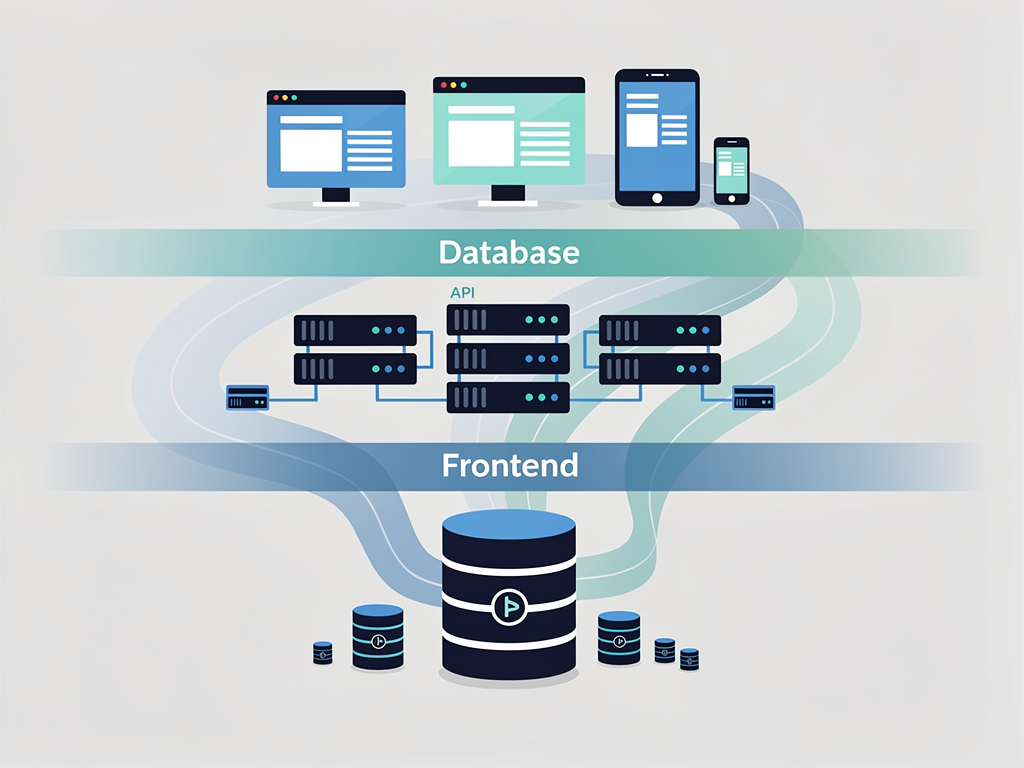
Database integration exemplifies TypeScript's benefits. ORMs like Prisma generate TypeScript types directly from your database schema, ensuring that your application code always matches your data model. When you add a column to a database table, Prisma regenerates the types, and TypeScript immediately highlights any code that needs to handle the new field. This end-to-end type safety from database to API to frontend eliminates an entire category of bugs.
Authentication systems similarly benefit from TypeScript. Libraries like NextAuth (now Auth.js) provide comprehensive type definitions for session data, user objects, and authentication callbacks. Your IDE knows exactly what user properties are available after authentication, preventing the common mistake of accessing undefined properties.
API Type Safety
For SaaS applications that expose APIs to customers or integrate with third-party services, TypeScript provides critical safety guarantees. Tools like tRPC enable end-to-end type safety between your backend and frontend without code generation or manual type synchronization. When you change an API endpoint's return type, the frontend code that consumes it immediately shows type errors if it's not updated accordingly.
This capability is transformative for SaaS development. Traditional API development requires maintaining separate type definitions for backend and frontend, with the constant risk of them drifting out of sync. TypeScript-first tools eliminate this problem entirely, ensuring that your entire application agrees on data shapes.
Choosing the Right Approach for Your SaaS Project
With the context established, let's develop a practical framework for making this decision. The right choice depends on your specific circumstances, including project scope, team composition, timeline, and long-term goals.
Choose TypeScript if:
- Your codebase will exceed 10,000 lines of code
- Multiple developers will work on the project
- The application will be maintained for more than one year
- You're building complex business logic with multiple data models
- You need to integrate with multiple third-party services
- You're creating public APIs that other developers will consume
- Your team has TypeScript experience or time to learn
Consider JavaScript if:
- You're building a quick prototype to validate an idea
- The project is a small utility or script with limited scope
- Your entire team is JavaScript-only and you're on a tight deadline
- The code is intentionally temporary and will be rewritten
For most SaaS applications, TypeScript is the recommended choice. The characteristics that define SaaS products, including long development lifecycles, team collaboration, complex business logic, and evolving requirements, align perfectly with TypeScript's strengths.
Getting Started with TypeScript for SaaS Development
If you've decided TypeScript is right for your project, the next step is setting up your development environment effectively. Modern tooling makes this process straightforward, especially when using established frameworks and boilerplates.
A Next.js boilerplate with TypeScript preconfigured eliminates most setup friction. When you run the Next.js create command and select TypeScript, you get a properly configured project with sensible compiler options, path aliases, and integration with the framework's features. This approach is far preferable to manually configuring TypeScript from scratch.
For SaaS-specific functionality, consider starting with a SaaS boilerplate or SaaS starter kit that includes TypeScript configuration alongside authentication, billing, and database integration. These starter projects encode best practices and save weeks of initial setup time. A well-designed Next.js SaaS template provides typed interfaces for common SaaS patterns like user management, subscription handling, and multi-tenancy.
Essential TypeScript Configuration for SaaS
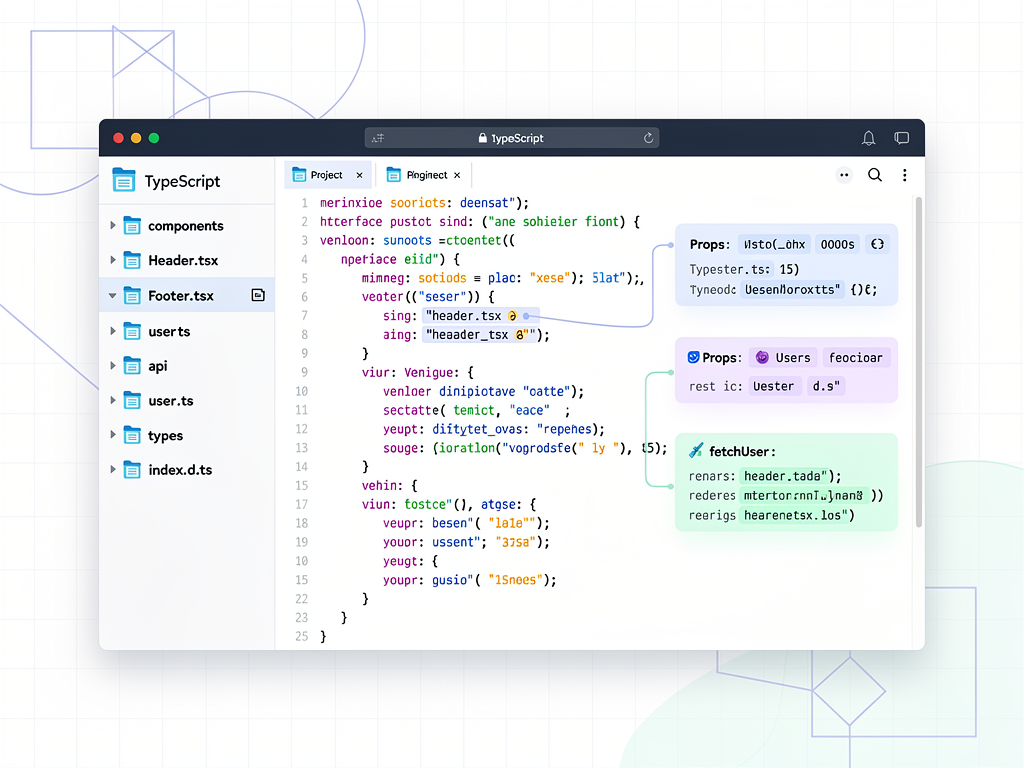
Your TypeScript configuration file (tsconfig.json) controls how strictly the compiler checks your code. For SaaS applications, enabling strict mode is strongly recommended. This setting activates all strict type checking options, catching more potential bugs at compile time.
Key configuration options to enable include:
- strict: true enables all strict type checking options
- noUncheckedIndexedAccess: true requires checking for undefined when accessing array or object elements by index
- noImplicitReturns: true ensures all code paths in a function return a value
- exactOptionalPropertyTypes: true distinguishes between missing properties and properties set to undefined
These settings may feel restrictive initially, but they prevent subtle bugs that are difficult to diagnose in production. The short-term friction of satisfying the compiler pays dividends in long-term code quality.
Migration Strategies: Moving from JavaScript to TypeScript
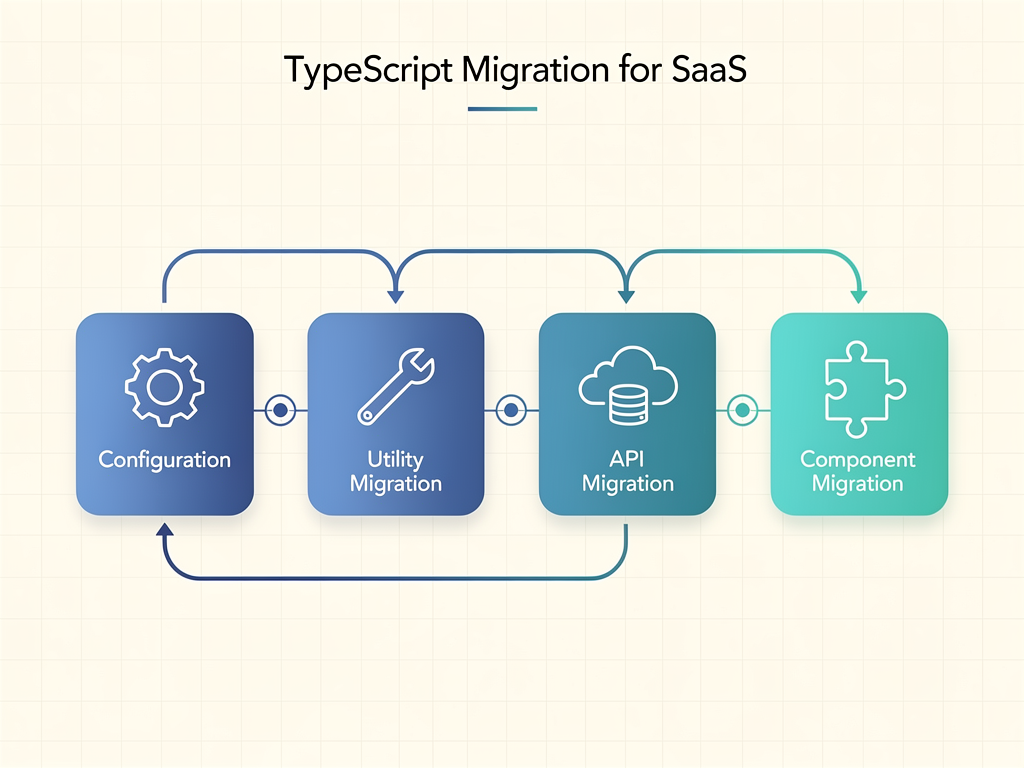
If you have an existing JavaScript SaaS application, migrating to TypeScript is entirely feasible. The key is approaching the migration incrementally rather than attempting a complete rewrite.
TypeScript's design as a superset of JavaScript means you can adopt it file by file. Start by renaming a single JavaScript file from .js to .ts and addressing any type errors the compiler identifies. Gradually expand to more files as your team becomes comfortable with the process.
A practical migration strategy for SaaS applications:
- Configure TypeScript with allowJs: true to enable mixed JavaScript and TypeScript codebases
- Start with shared utilities and type definitions that multiple parts of your application depend on
- Migrate API routes and data models where type safety provides the most immediate value
- Convert UI components progressively, starting with those that handle complex data
- Increase strictness gradually as more of your codebase is typed
This approach lets you realize TypeScript's benefits incrementally without disrupting ongoing development. You can continue shipping features while gradually improving type coverage.
AI-Assisted Development: TypeScript's Hidden Advantage
The rise of AI coding assistants like GitHub Copilot, Cursor, and similar tools has created an unexpected advantage for TypeScript. These AI systems work significantly better with typed code because types provide additional context that improves suggestion accuracy.
When you define a function's parameter and return types, AI assistants understand exactly what the function should do and can generate more accurate implementations. When you define interfaces for your data models, AI can generate correct code that works with those structures. The type information acts as a form of documentation that both humans and AI can use.
This advantage compounds over time. As AI-assisted development becomes more prevalent, codebases with comprehensive type definitions will see greater productivity gains from these tools. Teams using JavaScript miss out on this benefit because AI systems have less context to work with.
For SaaS development specifically, where you're often implementing common patterns like CRUD operations, authentication flows, and billing integrations, AI assistants with good type context can generate substantial amounts of correct code automatically. This acceleration makes TypeScript even more valuable for teams looking to ship faster.
Common TypeScript Patterns for SaaS Applications
Understanding common TypeScript patterns helps you leverage the language effectively for SaaS development. These patterns address recurring challenges in subscription-based software.
Discriminated Unions for Subscription States
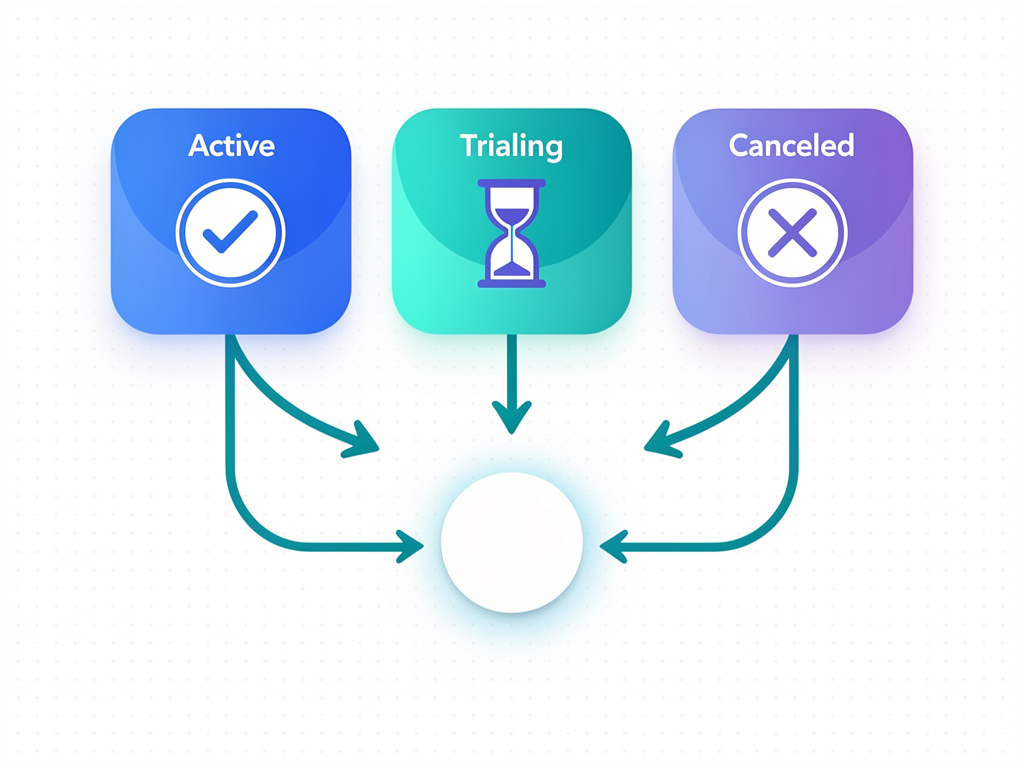
SaaS applications often need to handle different subscription states: active, trialing, past due, canceled, and so on. TypeScript's discriminated unions provide a type-safe way to model these states and ensure your code handles each case correctly.
By defining a union type where each variant has a discriminating property (like status), TypeScript can narrow the type based on that property. When you check if a subscription is active, TypeScript knows exactly what properties are available in that state. This pattern eliminates the common bug of accessing properties that don't exist in certain states.
Generic Types for Multi-Tenancy
Multi-tenant SaaS applications need to associate data with specific workspaces or organizations. Generic types let you create reusable patterns that maintain type safety across different entity types while ensuring tenant isolation.
You can define a generic wrapper type that adds tenant context to any entity, ensuring that workspace IDs are always present and correctly typed. This pattern catches tenant isolation bugs at compile time rather than allowing data leakage in production.
Branded Types for ID Safety
SaaS applications typically have multiple entity types with string or number IDs: users, workspaces, subscriptions, invoices, and more. It's easy to accidentally pass a user ID where a workspace ID is expected, leading to subtle bugs. TypeScript's branded types pattern prevents these mistakes.
By creating distinct types for each ID category, even though they're all strings at runtime, TypeScript prevents you from mixing them up. Attempting to pass a UserId to a function expecting a WorkspaceId results in a compile-time error, catching the bug before it reaches production.
Testing and Quality Assurance with TypeScript
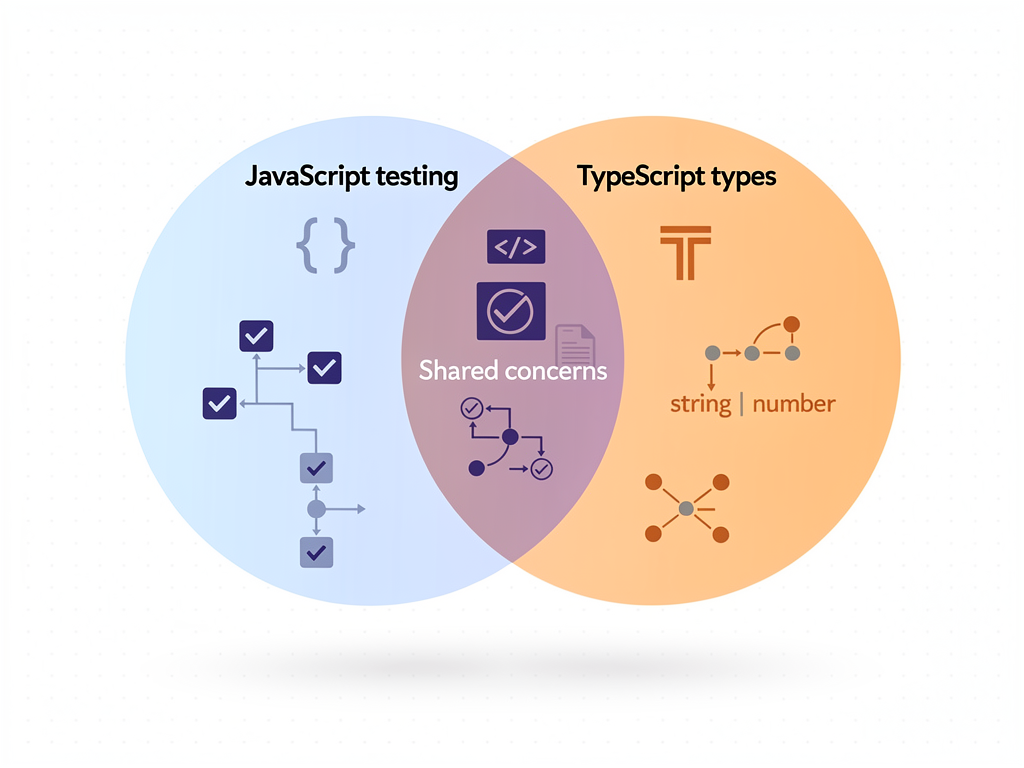
TypeScript enhances your testing strategy by catching certain categories of bugs before tests even run. However, types don't replace testing; they complement it by letting you focus test effort on business logic rather than type-related issues.
With TypeScript, you spend less time writing tests that verify basic type correctness (does this function return the right shape of data?) and more time testing actual business requirements (does the subscription upgrade logic apply the correct proration?). This shift in testing focus improves both test quality and development velocity.
Integration with testing frameworks is seamless. Jest, Vitest, and other popular testing tools work with TypeScript out of the box. Your test files benefit from the same type checking as your application code, ensuring that tests accurately reflect your actual interfaces.
For SaaS applications with complex business logic, consider using TypeScript's type system to encode business rules directly. When subscription tiers have different feature sets, defining these as types ensures that your code correctly handles each tier's capabilities. Tests then verify the business logic while types verify structural correctness.
Team Collaboration and Code Review Benefits
SaaS development is rarely a solo endeavor. As your team grows, TypeScript's benefits for collaboration become increasingly apparent. Types serve as documentation that never lies, always reflecting the actual code behavior.
During code review, types make it easier to understand what code does without reading every line. A function's signature tells you exactly what it accepts and returns, enabling reviewers to focus on logic correctness rather than deciphering data shapes. This efficiency becomes critical as your team scales and code review becomes a bottleneck.
Onboarding new developers is faster with TypeScript. Instead of relying on tribal knowledge about data structures and function contracts, new team members can explore the codebase with IDE support. They can hover over any variable to see its type, jump to type definitions to understand data models, and receive immediate feedback when they make mistakes.
For distributed teams, which are common in SaaS companies, TypeScript reduces the need for synchronous communication about code structure. The type system encodes decisions that would otherwise require documentation or discussion, enabling asynchronous collaboration across time zones.
Cost-Benefit Analysis: Is TypeScript Worth the Investment?
Every technology choice involves tradeoffs. Let's examine the costs and benefits of TypeScript for SaaS development to help you make an informed decision.
Costs of TypeScript Adoption
| Cost Category | Description | Mitigation Strategy |
|---|---|---|
| Learning curve | Two to four weeks for JavaScript developers to become productive | Pair programming, gradual adoption, focused training |
| Initial setup time | Configuration and tooling setup | Use established boilerplates and SaaS templates |
| Type definition maintenance | Keeping types updated as code evolves | Generate types from sources of truth (database, API specs) |
| Build complexity | Additional compilation step | Modern tools make this nearly instantaneous |
| Third-party library types | Some libraries lack type definitions | @types ecosystem covers most popular packages |
Benefits of TypeScript Adoption
| Benefit Category | Description | Impact on SaaS Development |
|---|---|---|
| Bug prevention | Catch errors at compile time | Fewer production incidents, happier customers |
| Developer productivity | Better autocomplete and tooling | Faster feature development |
| Refactoring safety | Compiler verifies changes | Confident codebase evolution |
| Documentation | Types serve as living documentation | Faster onboarding, better collaboration |
| Hiring advantage | TypeScript skills attract top talent | Access to larger, more skilled candidate pool |
| AI assistance | Better AI coding suggestions | Accelerated development with modern tools |
For most SaaS applications, the benefits substantially outweigh the costs. The initial investment in learning and setup pays dividends throughout the product's lifecycle. Teams that have made the switch consistently report that they would not go back to JavaScript for production applications.

Real-World Success Stories and Case Studies
Examining how successful companies have approached this decision provides valuable context. While specific implementation details vary, patterns emerge from organizations that have made the TypeScript transition.
Large-scale migrations at companies like Airbnb and Slack demonstrate that even massive JavaScript codebases can successfully transition to TypeScript. These migrations typically happen incrementally over months or years, with teams reporting significant improvements in code quality and developer confidence after completion.
Startups building new SaaS products increasingly choose TypeScript from day one. The reasoning is straightforward: starting with TypeScript is easier than migrating later, and the long-term benefits align with the multi-year development timelines typical of SaaS products. Y Combinator companies and other venture-backed startups frequently cite TypeScript as a key technology choice in their technical stacks.
Agencies and consultancies building SaaS products for clients have also shifted toward TypeScript. The improved maintainability makes handoffs smoother, and the self-documenting nature of typed code reduces the need for extensive documentation that quickly becomes outdated.
Future Outlook: TypeScript and JavaScript in 2027 and Beyond
Understanding where these technologies are heading helps you make decisions that remain sound over time. Several trends suggest TypeScript's position will strengthen further.
Native TypeScript execution is an active area of development. While TypeScript currently requires compilation to JavaScript, proposals exist for running TypeScript directly in certain environments. Node.js has already added experimental support for running TypeScript files without explicit compilation, reducing one of the few remaining friction points.
The JavaScript language itself continues evolving, with TypeScript often serving as a testing ground for new features. Decorators, for example, were available in TypeScript long before being standardized in JavaScript. This relationship suggests continued alignment between the languages.
Framework and tooling support will likely deepen further. As TypeScript adoption approaches saturation among professional developers, tools will increasingly assume TypeScript as the default rather than an option. This shift will make JavaScript-only development feel increasingly like swimming against the current.

Conclusion
The choice between TypeScript and JavaScript for SaaS development in 2026 is clearer than ever. While JavaScript remains a capable language with legitimate use cases, TypeScript has become the standard for professional SaaS development. The combination of compile-time error detection, enhanced developer tooling, improved collaboration, and alignment with modern frameworks makes TypeScript the recommended choice for applications that will be maintained over time.
For SaaS founders and technical leaders, the decision framework is straightforward. If you're building a product that will grow, evolve, and involve multiple developers, TypeScript provides guardrails that prevent costly mistakes and enable confident development. The initial learning investment pays dividends throughout your product's lifecycle.
The market has spoken through adoption rates, job postings, and developer satisfaction surveys. TypeScript isn't just a preference; it's increasingly a professional expectation. Teams that embrace TypeScript position themselves for success in an ecosystem that has clearly chosen typed development as the path forward.
Whether you're starting a new SaaS project or considering migrating an existing one, the evidence supports TypeScript as the foundation for building reliable, maintainable, and scalable software. The question is no longer whether to use TypeScript, but how to adopt it most effectively for your specific situation.
Frequently Asked Questions
Is TypeScript replacing JavaScript entirely?
TypeScript is not replacing JavaScript; rather, it builds on top of it. Every TypeScript program compiles to JavaScript, which remains the language that actually runs in browsers and Node.js environments. What's happening is that developers increasingly write TypeScript during development for its safety and tooling benefits, while JavaScript continues to be the execution target. JavaScript will remain fundamental to web development for the foreseeable future. However, for new SaaS projects, TypeScript has become the preferred authoring language. Think of it as writing in a more structured dialect that provides guardrails during development while producing standard JavaScript for production.
How long does it take to learn TypeScript if I already know JavaScript?
Most JavaScript developers report becoming productive with TypeScript within two to four weeks of focused learning. The initial week typically covers basic types, interfaces, and type annotations. The second week usually involves understanding generics and more complex type patterns. By weeks three and four, developers are comfortable with advanced patterns and can work effectively in TypeScript codebases. The learning curve is manageable because TypeScript is a superset of JavaScript, meaning your existing knowledge transfers directly. You're learning additional concepts rather than starting from scratch. Many developers find that the enhanced IDE support actually makes them more productive during the learning phase, as the editor guides them toward correct usage.
Does TypeScript slow down my application's performance?
TypeScript has zero runtime performance impact on your application. All type information is stripped away during compilation, leaving only standard JavaScript that runs identically to hand-written JavaScript. Your users will never know whether your code was written in TypeScript or JavaScript. The performance consideration that does exist is build time, as TypeScript compilation adds a step to your development process. However, modern tools like esbuild and SWC have made this nearly instantaneous for most projects. TypeScript 5.5 and later versions have also significantly improved type checking speed. For SaaS applications, build times are rarely a meaningful concern compared to the benefits TypeScript provides.
Can I use TypeScript and JavaScript in the same project?
Yes, TypeScript is specifically designed to support gradual adoption. By enabling the allowJs option in your TypeScript configuration, you can have both .ts and .js files in the same project. The TypeScript compiler will check your TypeScript files while passing JavaScript files through unchanged. This capability enables incremental migration strategies where you convert files one at a time. You can start with the most critical parts of your codebase, such as shared utilities and data models, and gradually expand TypeScript coverage. Many successful migrations have taken this approach, allowing teams to continue shipping features while progressively improving type coverage over months.
What's the salary difference between TypeScript and JavaScript developers?
Job market analysis from 2026 shows that TypeScript skills command a salary premium of approximately $8,000 to $12,000 annually compared to JavaScript-only positions. This premium reflects the industry's recognition that TypeScript proficiency indicates a developer who can work effectively on larger, more complex codebases. Beyond the direct salary impact, TypeScript skills open doors to more positions. Over 72% of frontend job listings now mention TypeScript as required or preferred. For developers looking to maximize career opportunities in SaaS development, TypeScript proficiency has become essential. The investment in learning TypeScript typically pays for itself quickly through improved job prospects and compensation.
Should I use a SaaS template or build from scratch with TypeScript?
For most SaaS projects, starting with a well-designed SaaS template provides significant advantages over building from scratch. A quality template includes TypeScript configuration, authentication, billing integration, database setup, and common SaaS patterns already implemented and typed correctly. This foundation can save weeks of initial development time. Building from scratch makes sense if you have highly unusual requirements that no template addresses, or if learning the fundamentals is your primary goal. However, even experienced teams often start with templates to accelerate time to market. The key is choosing a template that's well-maintained, uses modern practices, and provides the flexibility to customize as your product evolves.
Ready to Build Your SaaS Application with TypeScript?
Starting a new SaaS project with the right foundation makes all the difference. SaasCore provides a production-ready Next.js boilerplate with TypeScript preconfigured, including authentication, Stripe billing, admin dashboards, and everything you need to launch faster. Skip weeks of setup and start building your product today. View the demo and get started with the ultimate Next.js boilerplate for SaaS applications.
Subscribe to our newsletter
Subscribe to our newsletter and stay up-to-date with the latest news and updates.