Top React Rich Text Editors for SaaS: A Comprehensive Guide
Discover the best React rich text editors for SaaS applications. Learn how to choose the right editor for your project, from setup to feature comparison, and enhance your user experience.

Zakariae

Building a modern SaaS application requires more than just authentication, payments, and dashboards. At some point, your users will need to create, edit, and format content directly within your platform. Whether you are building a project management tool, a customer support system, an email marketing platform, or a collaborative workspace, integrating a robust react rich text editor becomes essential to delivering a polished user experience.
Choosing the right rich text editor for your React or Next.js application is not a trivial decision. The editor you select will impact your development timeline, user satisfaction, bundle size, and long-term maintenance burden. With dozens of options available in 2026, ranging from lightweight open source libraries to enterprise grade solutions with AI capabilities, making an informed choice requires understanding the tradeoffs involved.
This comprehensive guide compares the top rich text editors for React applications, provides practical setup instructions, and helps you select the best option for your specific SaaS use case. Whether you are an indie hacker shipping an MVP or a technical co-founder building an enterprise platform, you will find actionable insights to accelerate your development process.
Key Takeaways
- Lexical and TipTap lead the headless category, offering maximum customization for developers who want full control over their editor's appearance and behavior.
- TinyMCE and CKEditor 5 provide feature complete solutions out of the box, ideal for teams that prioritize speed to market over deep customization.
- AI integration is now standard in premium editors, with features like autocomplete, tone adjustment, and content generation becoming expected functionality.
- Bundle size matters significantly for SaaS applications, with editors ranging from 20KB to over 500KB minified.
- Real time collaboration requires additional infrastructure, and most editors need third party services or custom backends to support multiplayer editing.
- Output format flexibility (HTML, JSON, Markdown) determines how easily you can store, transform, and render content across different channels.
- Framework specific wrappers for React 19 and Next.js 15 App Router vary significantly in quality and maintenance status.
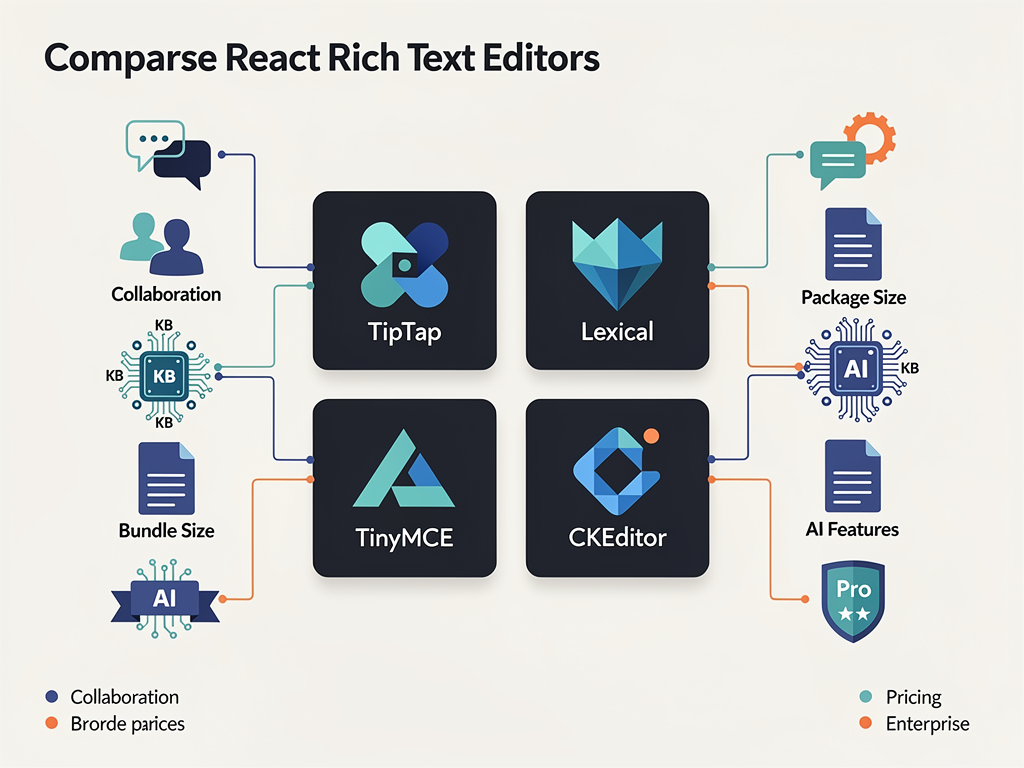
Why Rich Text Editors Matter for SaaS Applications
Rich text editors serve as the primary interface through which users interact with content in your application. Unlike simple textarea elements, these editors provide formatting controls for bold, italics, headings, lists, images, links, tables, and embedded media. For SaaS products, this capability transforms basic data entry into a professional content creation experience.
Consider the variety of SaaS applications that depend on rich text editing functionality. Email marketing platforms need editors that produce clean, responsive HTML for newsletters. Project management tools require editors that support mentions, checklists, and file attachments. Knowledge base systems need editors that handle complex document structures with nested headings and code blocks. Customer support platforms need editors that allow agents to quickly format responses with templates and canned replies.
The quality of your rich text editor directly impacts user perception of your entire product. A sluggish, buggy, or limited editor creates friction that drives users toward competitors. Conversely, a smooth, intuitive editor with modern features like slash commands, drag and drop, and AI assistance can become a competitive advantage that users specifically mention in reviews and referrals.
According to industry research, over 70 percent of developers consider rich text editors critical to their applications. This statistic underscores why investing time in selecting the right editor pays dividends throughout your product's lifecycle. The editor you choose will affect not only the initial development sprint but also ongoing maintenance, feature additions, and user satisfaction for years to come.
Evaluation Criteria for Selecting a Rich Text Editor
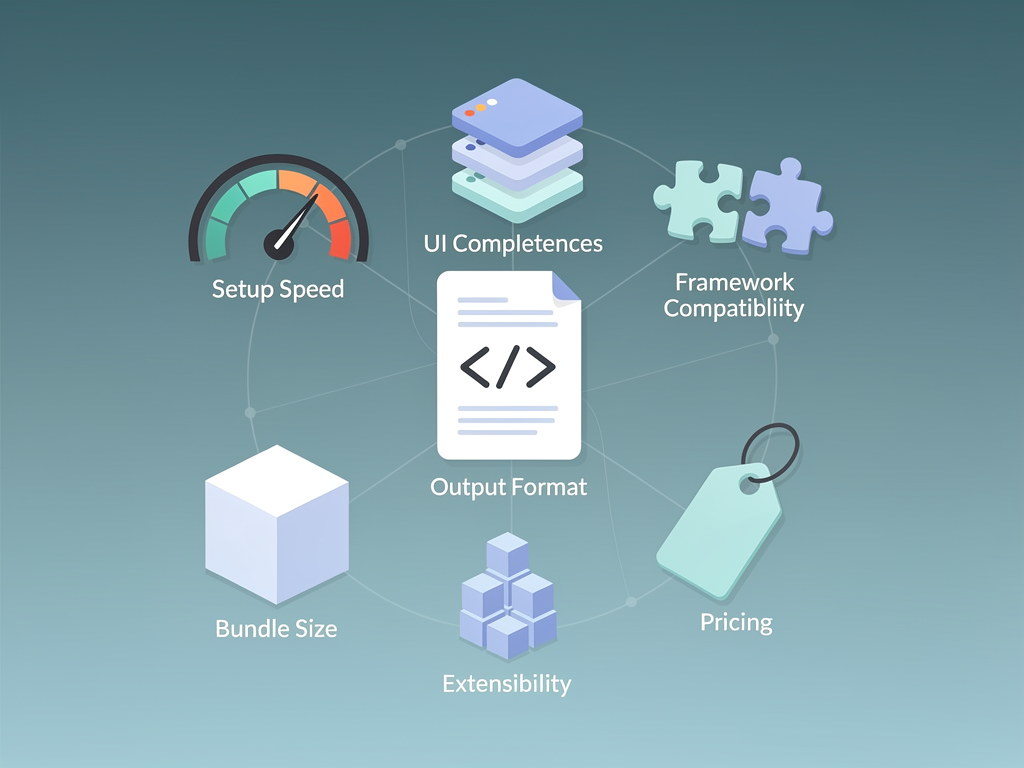
Before diving into specific editors, establishing clear evaluation criteria helps you make an objective comparison. Different SaaS applications have different priorities, so understanding which factors matter most for your use case is essential.
Setup Speed and Developer Experience
How quickly can you go from installation to a working editor? Some editors require extensive configuration before producing usable results, while others work immediately with sensible defaults. For teams building MVPs or operating under tight deadlines, setup speed can be the deciding factor.
UI Completeness
Does the editor ship with a ready to use toolbar and formatting controls, or do you need to build the entire interface yourself? Headless editors provide maximum flexibility but require significant frontend development. Pre built solutions get you running faster but may limit customization options.
Framework Compatibility
Verify that the editor provides native support for your technology stack. React 19, Next.js 15 App Router, and server components introduce new patterns that not all editors support well. Some editors offer framework agnostic APIs while others provide dedicated React wrapper components with hooks and context providers.
Output Format Flexibility
The format in which your editor stores content affects downstream processing. HTML output is familiar but can be messy. JSON based formats like Lexical's or TipTap's ProseMirror structure offer cleaner serialization. Markdown output suits developer focused tools. Consider how you will render content across web, mobile, and email channels.
Bundle Size and Performance
Rich text editors can significantly impact your application's bundle size. Editors range from around 20KB minified for minimal solutions to over 500KB for feature complete packages. Mobile users and content heavy pages suffer when editors add unnecessary weight.
Extensibility and Plugin Ecosystem
As your product evolves, you will likely need to add custom functionality. Evaluate how easily you can extend the editor with custom nodes, marks, and commands. A healthy plugin ecosystem reduces the amount of custom code you need to write.
Pricing and Licensing
Open source editors offer free usage but may require significant development investment. Commercial editors provide polished experiences but introduce ongoing costs. Some editors use freemium models with core features free and premium capabilities behind paywalls. Factor in both direct licensing costs and indirect development costs when comparing options.
TipTap: The Leading Headless Rich Text Editor
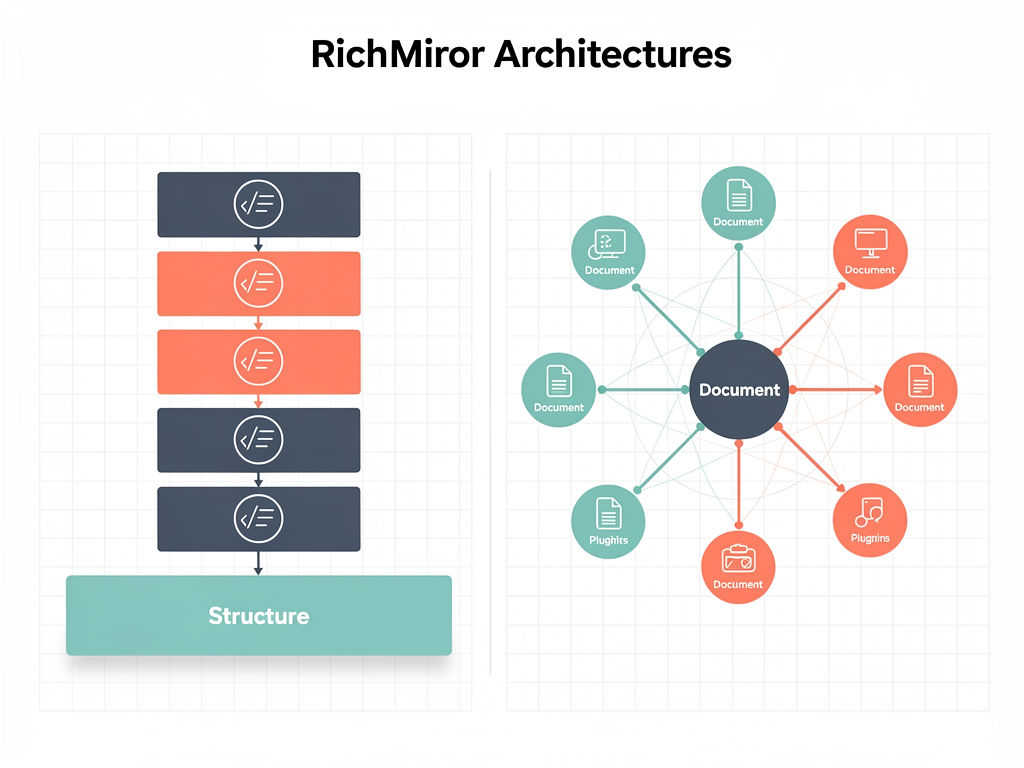
TipTap has emerged as the most popular headless rich text editor for React applications. Built on top of ProseMirror, it provides a powerful foundation with an extensive extension ecosystem while giving developers complete control over the user interface.
The headless architecture means TipTap does not impose any styling or UI components. You build the toolbar, menus, and formatting controls using your own design system. This approach integrates seamlessly with component libraries like Shadcn UI, making it an excellent choice for teams using a SaaS boilerplate that already includes a cohesive design language.
Key Strengths of TipTap
TipTap's extension system is remarkably well designed. The core editor is minimal, and you add functionality through extensions for features like bold, italic, links, images, tables, and code blocks. This modular approach keeps bundle size under control since you only include what you need.
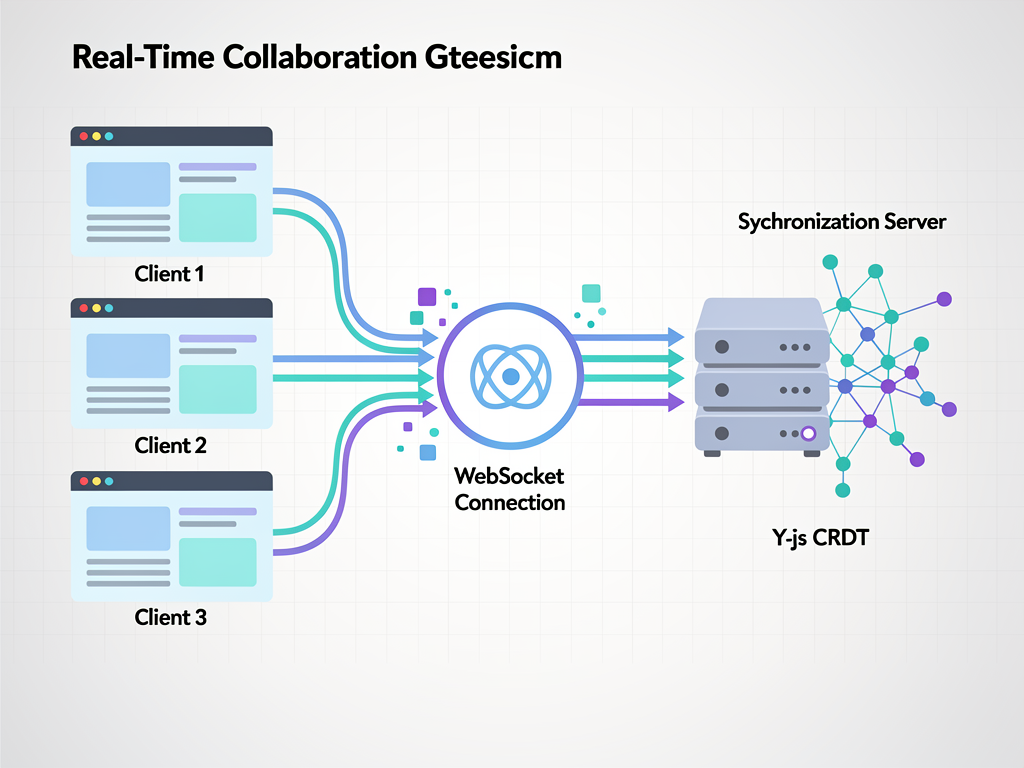
The collaboration extension enables real time multiplayer editing through Y.js integration. While you need to provide your own synchronization backend or use TipTap Cloud, the editor handles conflict resolution and cursor synchronization elegantly.
TipTap's React integration is first class. The useEditor hook provides reactive access to editor state, and the EditorContent component handles rendering. The API feels natural to React developers familiar with hooks and functional components.
TipTap Setup Example
Installing TipTap requires adding the core package along with any extensions you need:
Quick Start: Install @tiptap/react, @tiptap/starter-kit, and any additional extensions. The starter kit bundles common extensions like bold, italic, headings, and lists for convenience.
A basic TipTap implementation involves creating an editor instance with useEditor, configuring extensions, and rendering with EditorContent. Building a custom toolbar requires connecting buttons to editor commands like toggleBold, toggleItalic, and setHeading.
TipTap Pricing Considerations
TipTap's core is open source under the MIT license. However, some advanced extensions and TipTap Cloud services require paid subscriptions. The Cloud offering, which provides collaboration infrastructure, starts at $49 per month. The AI Toolkit, which adds GPT powered writing assistance, costs an additional $500. For bootstrapped startups, these costs can add up quickly.
Lexical: Meta's Modern Editor Framework
Lexical is Meta's successor to Draft.js, designed from the ground up for reliability, accessibility, and performance. As an open source project backed by one of the world's largest technology companies, Lexical offers long term stability that many smaller projects cannot match.
Unlike Draft.js, which Meta now recommends developers migrate away from, Lexical uses a modern architecture that avoids the pitfalls of its predecessor. The editor maintains its own state model separate from React's, which improves performance for large documents and complex editing operations.
Lexical's Architectural Advantages
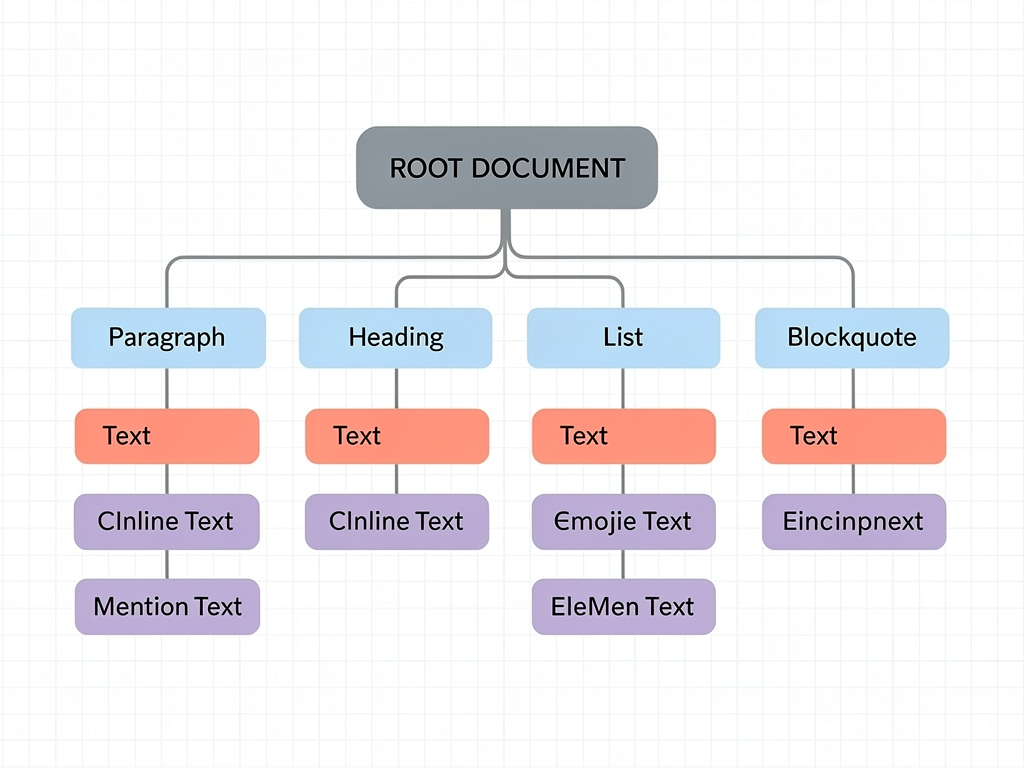
Lexical's node based architecture makes it highly extensible. You define custom nodes for any content type, from simple text formatting to complex embedded components. The framework handles selection, cursor movement, and undo/redo automatically.
Accessibility is a core focus of Lexical. The editor properly announces changes to screen readers, supports keyboard navigation, and follows ARIA best practices. For SaaS applications serving enterprise customers, these accessibility features can be essential for compliance requirements.
The framework is genuinely framework agnostic, with React bindings provided through the @lexical/react package. This means the core editor logic can be reused if you ever need to support Vue, Angular, or other frameworks.
Lexical Setup and Configuration
Setting up Lexical requires more initial configuration than some alternatives. You need to compose the editor from individual plugins for features like history, rich text, links, and lists. This composition model provides flexibility but increases the learning curve.
The LexicalComposer component wraps your editor and provides context. Inside, you add plugins like RichTextPlugin, HistoryPlugin, and OnChangePlugin to build the functionality you need. Building a toolbar requires using the useLexicalComposerContext hook to access editor commands.
When to Choose Lexical
Lexical is ideal for teams that prioritize long term stability and are willing to invest more upfront development time. The Meta backing provides confidence that the project will continue receiving updates and security patches. If accessibility compliance is a requirement, Lexical's built in support reduces the work needed to meet standards.
TinyMCE: The Enterprise Standard
TinyMCE has been a leading rich text editor for over two decades, powering content creation in platforms ranging from WordPress to enterprise CMS solutions. Its maturity translates into comprehensive documentation, extensive plugin availability, and battle tested stability.
Unlike headless editors, TinyMCE provides a complete interface out of the box. You get a professional toolbar, formatting menus, and dialog boxes without writing any UI code. This makes TinyMCE particularly attractive for teams that need to ship quickly and do not require heavy customization.
TinyMCE Feature Highlights
The editor includes an impressive array of features in its core and premium tiers. Table editing with cell merging, image upload with resize handles, media embedding, spell checking, and accessibility checking are all available. The premium tier adds advanced features like PowerPaste for cleaning up content from Word and Google Docs, enhanced media management, and AI powered writing assistance.
TinyMCE's React integration is straightforward. The @tinymce/tinymce-react package provides an Editor component that handles initialization and cleanup. You configure the editor through props, specifying plugins, toolbar buttons, and content styles.
TinyMCE Licensing and Costs
TinyMCE uses a freemium model. The core editor is available under the MIT license, but many useful features require a paid subscription. The free tier includes basic formatting, while premium features like advanced tables, spell checking, and AI assistance require commercial licenses.
For SaaS applications, TinyMCE's pricing can become significant at scale. Licenses are typically based on editor loads, meaning the cost grows with your user base. Carefully evaluate the pricing model against your expected usage patterns before committing.
TinyMCE Integration Considerations
One consideration with TinyMCE is its bundle size. The full editor with plugins can exceed 500KB, which impacts initial page load times. You can mitigate this by loading the editor asynchronously or using TinyMCE Cloud to serve the editor from a CDN.
The editor's styling may also require adjustment to match your application's design system. While TinyMCE provides theming options, achieving a seamless visual integration takes more effort than with headless alternatives where you control all styling.
CKEditor 5: Enterprise Features with Modern Architecture
CKEditor 5 represents a complete rewrite of the classic CKEditor, built with a modern MVC architecture and TypeScript. The editor targets enterprise use cases with features like real time collaboration, revision history, and track changes.
For SaaS applications serving regulated industries, CKEditor's SOC 2 compliance and enterprise support options provide assurances that smaller projects cannot offer. The company behind CKEditor has been in the rich text editor business since 2003, bringing deep expertise to the product.
CKEditor 5 Collaboration Features
CKEditor 5's collaboration capabilities are among the most comprehensive available. Real time co-editing, comments and discussions, track changes with accept/reject workflows, and revision history are all built into the premium offering. These features are essential for SaaS applications in legal, healthcare, and financial services where document collaboration and audit trails are required.
CKEditor 5 React Integration
The @ckeditor/ckeditor5-react package provides a CKEditor component that works with various editor builds. You can choose from predefined builds like Classic, Inline, Balloon, and Document, or create a custom build with exactly the features you need.
Creating a custom build requires using the CKEditor 5 online builder or configuring webpack manually. This process adds complexity but ensures you only include necessary plugins in your bundle.
CKEditor 5 Pricing Structure
CKEditor 5 offers open source and commercial licenses. The open source version under GPL is suitable for open source projects but requires commercial licensing for proprietary SaaS applications. Commercial plans include support, collaboration features, and premium plugins with pricing based on usage tiers.
Quill: The Reliable Open Source Option
Quill has been a popular choice for React developers seeking a straightforward, well documented rich text editor. Its Delta format for representing content provides a clean, predictable data structure that is easy to store and transform.
While Quill's development pace has slowed compared to newer alternatives, its stability and extensive community resources make it a viable option for many use cases. The editor works well for applications that need basic rich text editing without complex requirements like real time collaboration or AI integration.
Quill's Delta Format
Quill represents content using Deltas, a JSON based format that describes content and formatting as a series of operations. This format is more structured than raw HTML and easier to manipulate programmatically. You can convert Deltas to HTML for rendering or store them directly in your database.
The Delta format also enables operational transformation, which is the foundation for collaborative editing. While Quill does not include collaboration features out of the box, the Delta format makes it possible to build them.
React Quill Integration
The react-quill package provides a React wrapper for Quill. The component accepts value and onChange props for controlled usage, making it easy to integrate with form libraries and state management solutions.
Customizing Quill involves configuring modules and formats. The toolbar module controls which formatting options appear, while custom modules can add functionality like image upload handlers and mention autocomplete.
Quill Limitations
Quill's main limitations relate to its age and slower development. The editor does not support some modern patterns like React 18's concurrent features as smoothly as newer alternatives. Complex customizations can require diving into Quill's internals, which has a steeper learning curve than extension based systems.
For new projects, consider whether Quill's stability outweighs the benefits of more actively developed alternatives. If your requirements are straightforward and you value proven reliability, Quill remains a solid choice.
Slate: The Customization Powerhouse
Slate is a completely customizable framework for building rich text editors. Unlike other options that provide ready to use editors, Slate gives you primitives for constructing exactly the editor you need. This approach requires more development effort but offers unmatched flexibility.
Slate's architecture models documents as nested trees of nodes, similar to the DOM. You define custom node types, rendering logic, and editing behaviors. The framework handles selection, keyboard events, and undo/redo while you control everything else.
When Slate Makes Sense
Slate is the right choice when your editing requirements are highly specialized and no existing editor meets your needs. If you are building a code editor with rich annotations, a musical notation editor, or a specialized diagramming tool, Slate's flexibility enables implementations that would be difficult with more opinionated editors.
For typical SaaS applications that need standard rich text editing, Slate's low level nature introduces unnecessary complexity. You will spend significant time building features that come free with other editors.
Slate Development Considerations
Building with Slate requires understanding its core concepts: nodes, operations, transforms, and plugins. The documentation has improved significantly, but the learning curve remains steeper than alternatives. Plan for additional development time when choosing Slate.
The Slate ecosystem includes community plugins for common features, but coverage is less comprehensive than TipTap's extension library. You may need to implement features from scratch that other editors provide out of the box.
Eddyter: AI Native Editor for Modern SaaS
Eddyter represents a newer category of rich text editors built specifically for modern SaaS applications. Built on Meta's Lexical framework, it ships as a complete editor with AI capabilities integrated from the start rather than added as an afterthought.
The editor targets developers who want a polished experience without extensive configuration. Features like slash commands, drag and drop images, advanced tables, and AI writing assistance work immediately after installation.
Eddyter's AI Integration
Unlike editors that offer AI as a premium add on, Eddyter includes AI features in its core offering. The editor supports chat based assistance, autocomplete suggestions, and tone refinement powered by models from OpenAI and Anthropic. For SaaS applications where AI assisted writing is a differentiator, this built in support accelerates development.
Eddyter Setup Simplicity
Eddyter emphasizes rapid integration. The editor claims a ten minute setup time from installation to working editor. You import the component, provide an API key, and receive a fully functional editor with toolbar, formatting, and AI features.
The editor supports React 18 and 19, Next.js 14 and 15, Vue 3, Angular, and Svelte. This broad framework support makes it suitable for teams using various technology stacks or planning future migrations.
Eddyter Pricing Model
Eddyter uses a flat monthly pricing model starting at $12 per month. This predictable pricing contrasts with usage based models that can surprise teams as their applications scale. For bootstrapped startups and indie hackers, predictable costs simplify financial planning.
Comparing Bundle Sizes and Performance Impact
Bundle size directly affects your application's load time and user experience. Rich text editors vary dramatically in size, from lightweight options under 50KB to full featured editors exceeding 500KB.
| Editor | Approximate Bundle Size (minified) | Notes |
|---|---|---|
| Lexical (core) | ~22KB | Plugins add incrementally |
| TipTap (starter kit) | ~45KB | Extensions add incrementally |
| Quill | ~43KB | Includes core modules |
| Slate | ~55KB | Core only, no UI |
| CKEditor 5 (classic) | ~300KB+ | Varies by build |
| TinyMCE | ~400KB+ | Can exceed 500KB with plugins |
For SaaS applications where initial load time affects conversion rates, choosing a lighter editor or implementing code splitting becomes important. Headless editors like Lexical and TipTap offer the best size to feature ratio since you only include what you need.
Consider lazy loading your editor component so it does not block initial page render. Most users do not immediately interact with the editor, so deferring its load improves perceived performance without sacrificing functionality.
Real Time Collaboration Implementation Strategies
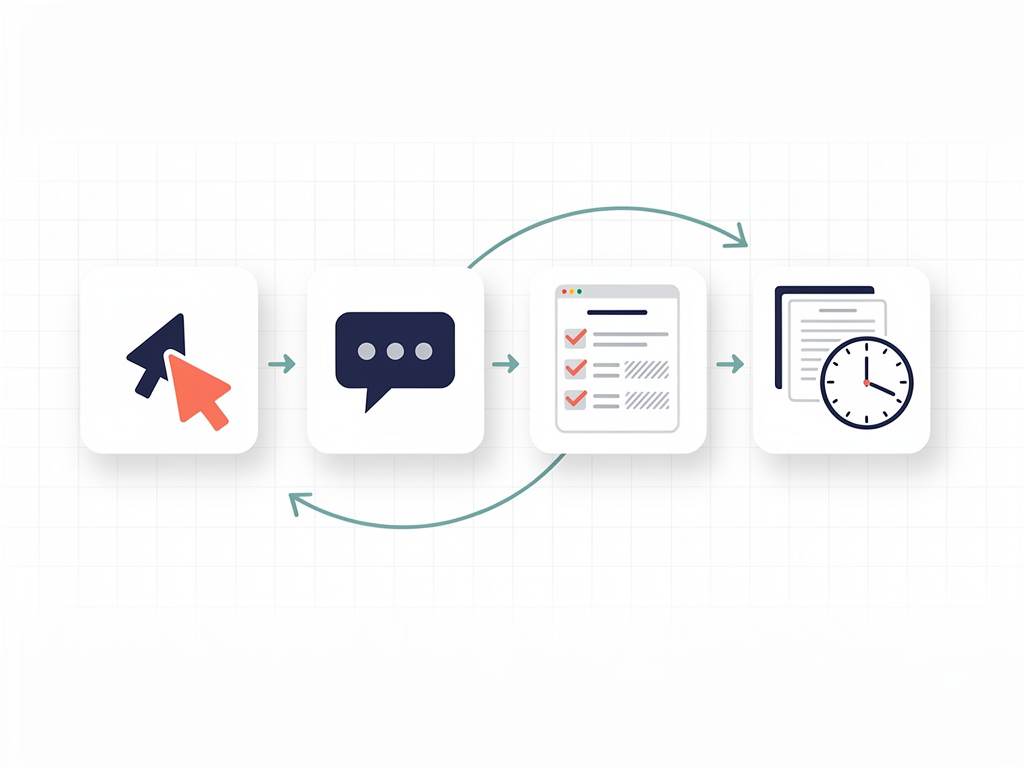
Real time collaboration, where multiple users edit the same document simultaneously, has become an expected feature in modern SaaS applications. Implementing collaboration requires both client side editor support and server side infrastructure for synchronizing changes.
Collaboration Approaches
Most editors that support collaboration use either Operational Transformation (OT) or Conflict free Replicated Data Types (CRDTs) to handle concurrent edits. Y.js is the most popular CRDT library for JavaScript applications and integrates with TipTap, Lexical, and other editors.
You need a synchronization backend to relay changes between clients. Options include self hosted solutions using Y.js providers, managed services like TipTap Cloud or Liveblocks, and custom implementations using WebSockets.
Collaboration Infrastructure Costs
Adding collaboration significantly increases infrastructure complexity and costs. Managed services simplify development but introduce ongoing expenses. Self hosted solutions require DevOps expertise and server resources. Factor these costs into your editor selection, especially if collaboration is a core feature of your product.
For teams using a SaaS starter kit or Next.js SaaS template, verify whether the template includes collaboration infrastructure or if you need to add it separately. Some comprehensive boilerplates include WebSocket support that can serve as a foundation for collaboration features.
Integrating Rich Text Editors with Next.js App Router
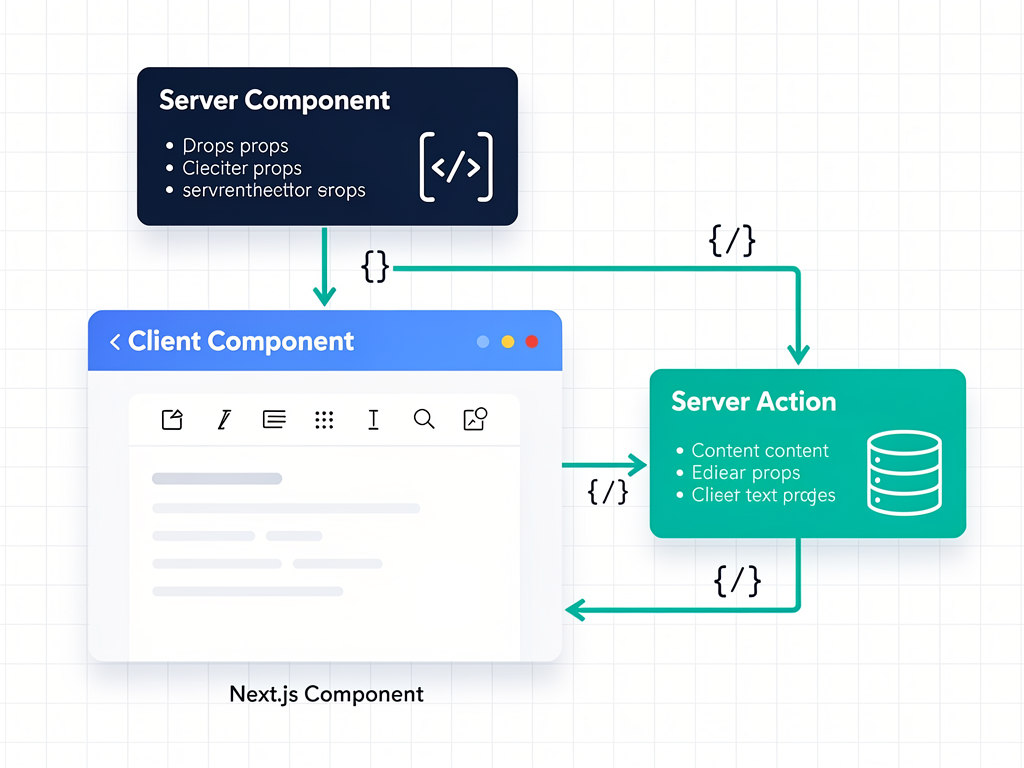
Next.js 15's App Router introduces new patterns that affect how you integrate rich text editors. Server Components, the default in the App Router, cannot use browser APIs that editors depend on. You must mark editor components as Client Components using the "use client" directive.
Client Component Setup
Create a dedicated client component file for your editor wrapper. This component imports the editor library, initializes the editor instance, and handles user interactions. The parent Server Component can pass initial content and configuration as props.
Dynamic imports with next/dynamic and ssr: false can further optimize loading by ensuring the editor only loads on the client. This approach prevents hydration mismatches and reduces server rendering overhead.
Server Actions for Content Persistence
Next.js Server Actions provide a convenient way to save editor content without creating separate API routes. Your client component can call a Server Action directly to persist content to your database. This pattern keeps related code together and simplifies the data flow.
When building on a Next.js boilerplate like SaasCore, you can leverage existing database connections and authentication context in your Server Actions. The boilerplate's Prisma integration and NextAuth setup provide the foundation for secure content storage.
Handling Server Side Rendering
Rich text editors cannot render on the server since they depend on browser APIs like document and window. Use conditional rendering or dynamic imports to prevent server side rendering errors. Display a loading placeholder until the editor mounts on the client.
Content Storage and Output Format Strategies
How you store editor content affects rendering performance, searchability, and multi channel publishing. The three common approaches are storing raw HTML, structured JSON, or Markdown.
HTML Storage
Storing HTML is straightforward and renders directly in browsers. However, HTML can contain inconsistent formatting, security vulnerabilities from user input, and is difficult to transform for different output channels. Always sanitize HTML before storage and rendering to prevent XSS attacks.
JSON Storage
Editors like TipTap, Lexical, and Quill can output structured JSON representing the document tree. JSON storage is cleaner, easier to validate, and more amenable to transformation. You can render JSON to HTML for web display, convert to Markdown for developer documentation, or transform to other formats for email or mobile apps.
Markdown Storage
For developer focused tools or documentation systems, Markdown offers a familiar, portable format. Many editors support Markdown input and output, though complex formatting like tables and embedded media may not round trip perfectly.
Database Considerations
Store editor content in a text or JSON column depending on your format choice. PostgreSQL's JSONB type provides efficient storage and querying for JSON content. For full text search, extract plain text from your content and index it separately or use database specific full text search features.
Implementing Custom Extensions and Plugins
As your SaaS application matures, you will likely need custom editor functionality. Common customizations include mention autocomplete, custom embed types, specialized formatting, and integration with your application's data.
TipTap Extension Development
TipTap's extension system is particularly well suited for customization. You create extensions by defining a name, schema, commands, and keyboard shortcuts. Extensions can add new node types, marks, or editor behaviors.
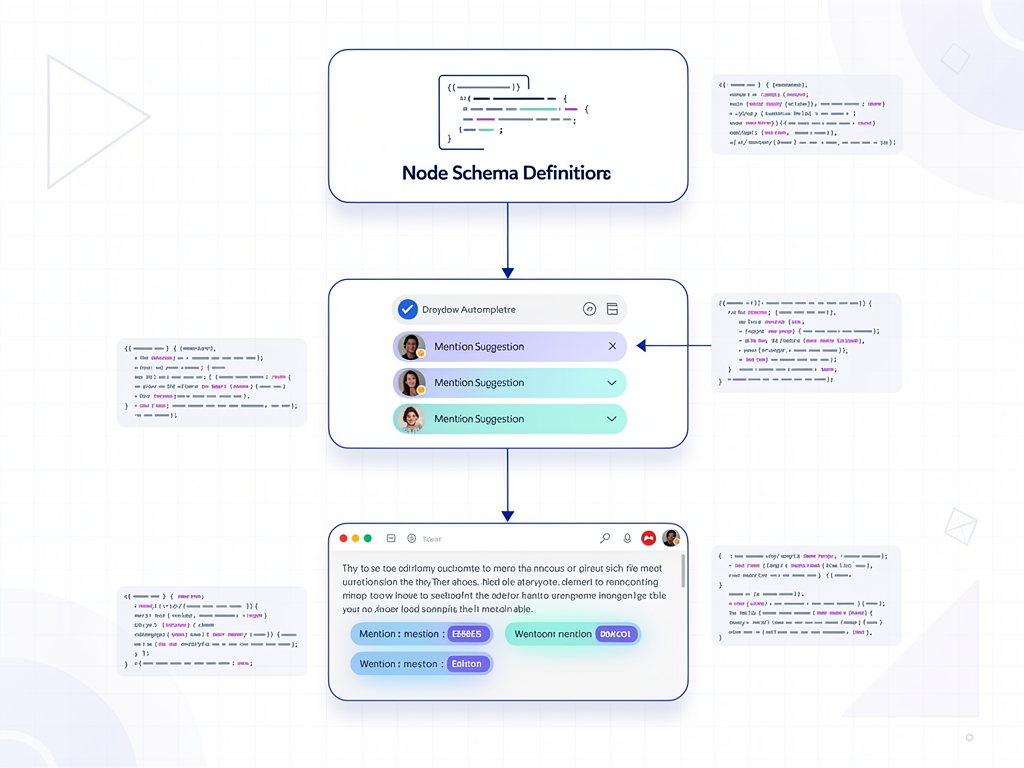
For example, a mention extension would define a mention node type, implement an autocomplete popup that queries your user database, and insert mention nodes when users select suggestions. TipTap's suggestion utility simplifies building autocomplete interfaces.
Lexical Plugin Development
Lexical uses a plugin architecture where plugins are React components that use the editor context. Plugins can register commands, listen for events, and modify editor state. The pattern feels natural to React developers and integrates well with hooks.
Creating a custom node in Lexical involves extending the appropriate base class, implementing serialization methods, and registering the node with the editor. The documentation provides examples for common customizations.
Testing Custom Extensions
Test your custom extensions thoroughly since editor bugs frustrate users quickly. Write unit tests for extension logic and integration tests that simulate user interactions. Both TipTap and Lexical provide testing utilities that simplify writing editor tests.
Security Considerations for User Generated Content
Rich text editors accept user input that will be rendered as HTML, creating potential security vulnerabilities. Implementing proper sanitization and content security policies is essential for protecting your application and users.
XSS Prevention
Cross site scripting attacks occur when malicious scripts in user content execute in other users' browsers. Always sanitize HTML content before storing and before rendering. Libraries like DOMPurify provide robust sanitization that removes dangerous elements while preserving safe formatting.
Configure your sanitizer to allow only the HTML elements and attributes your editor produces. Overly permissive sanitization leaves vulnerabilities, while overly restrictive sanitization breaks legitimate formatting.
Content Security Policy
Implement Content Security Policy headers to provide defense in depth. CSP restricts which scripts can execute, which styles can apply, and which resources can load. Even if sanitization fails, CSP can prevent malicious scripts from causing harm.
Image and Media Upload Security
If your editor supports image uploads, validate file types on both client and server. Check MIME types, file extensions, and magic bytes to prevent disguised malicious files. Store uploads in a separate domain or CDN to isolate them from your main application.
Implement rate limiting on uploads to prevent abuse. Consider virus scanning for uploaded files, especially in enterprise applications where compliance requirements may mandate it.
Mobile Responsiveness and Touch Support
SaaS applications increasingly serve mobile users who expect full functionality on phones and tablets. Rich text editors must handle touch interactions, virtual keyboards, and smaller screens gracefully.
Responsive Toolbar Design
Desktop toolbars with many buttons do not work well on mobile screens. Implement responsive toolbars that collapse into menus or use floating toolbars that appear near the selection. TipTap's BubbleMenu and FloatingMenu components provide patterns for mobile friendly formatting controls.
Touch Interaction Handling
Touch selection behaves differently than mouse selection. Test your editor thoroughly on actual mobile devices, not just browser emulators. Pay attention to selection handles, long press behaviors, and gesture conflicts with scrolling.
Virtual Keyboard Considerations
Virtual keyboards reduce available screen space significantly. Ensure your editor scrolls appropriately when the keyboard appears so users can see what they are typing. Handle keyboard show and hide events to adjust layout as needed.

Performance Optimization Techniques
Large documents and complex formatting can slow down rich text editors. Implementing performance optimizations ensures your editor remains responsive as users create substantial content.
Virtualization for Long Documents
For documents with hundreds of pages, rendering the entire content DOM is inefficient. Virtualization techniques render only visible content, significantly improving performance. Some editors support virtualization natively while others require custom implementation.
Debouncing Change Handlers
If your onChange handler performs expensive operations like API calls or complex state updates, debounce it to avoid running on every keystroke. A 300 millisecond debounce typically provides a good balance between responsiveness and efficiency.
Lazy Loading Extensions
Not all editor features need to load immediately. Lazy load extensions for less common functionality like table editing or code blocks. Load them when users first access those features rather than on initial editor mount.
Image Optimization
Images embedded in editor content can significantly impact performance. Implement automatic image compression on upload, serve appropriately sized images for the display context, and use modern formats like WebP where supported.
Choosing the Right Editor for Your SaaS Application
With so many options available, selecting the right editor requires matching your specific requirements to each editor's strengths. Here is a decision framework based on common SaaS scenarios.
For MVPs and Rapid Prototyping
Choose TinyMCE or Eddyter for the fastest path to a working editor. Both provide complete interfaces out of the box, minimizing frontend development time. If you are building on a SaaS template, the time saved on editor integration can go toward differentiating features.
For Design System Integration
Choose TipTap or Lexical when you need the editor to match your application's design language precisely. Headless editors let you build the UI with your existing component library, ensuring visual consistency throughout your product.
For Enterprise Applications
Choose CKEditor 5 when compliance, collaboration, and support are priorities. The enterprise features, SOC 2 compliance, and professional support justify the higher cost for applications serving regulated industries.
For Highly Specialized Use Cases
Choose Slate when no existing editor meets your unique requirements. The development investment is significant, but Slate's flexibility enables implementations that other editors cannot support.
For AI Native Applications
Choose Eddyter or editors with strong AI integration when AI assisted writing is a core feature. Building AI capabilities on top of a basic editor requires substantial additional development.

Conclusion
Selecting a rich text editor for your React or Next.js SaaS application involves balancing multiple factors: development speed, customization requirements, performance constraints, collaboration needs, and budget. No single editor is best for all situations, but understanding each option's strengths helps you make an informed decision.
For most SaaS applications in 2026, TipTap and Lexical represent the best balance of flexibility, performance, and community support. Their headless architectures integrate well with modern design systems and keep bundle sizes manageable. Teams that prioritize speed to market should consider TinyMCE or Eddyter for their complete out of box experiences.
Remember that your editor choice is not permanent. Starting with a simpler solution for your MVP and migrating to a more sophisticated editor as requirements evolve is a valid strategy. The most important thing is shipping your product and learning from real user feedback.
Whatever editor you choose, invest time in proper integration, security hardening, and performance optimization. A well implemented editor enhances your entire product, while a poorly implemented one creates ongoing friction for both users and developers. The effort you put into getting this foundational component right pays dividends throughout your application's lifecycle.
Frequently Asked Questions
What is the best free rich text editor for React applications?
For free options, Lexical and TipTap's core offer the best combination of features and flexibility. Lexical is completely free under MIT license with Meta's backing ensuring long term maintenance. TipTap's core is also MIT licensed, though some premium extensions require payment. Quill remains a solid free choice for simpler requirements, offering a stable, well documented editor that handles basic rich text editing without cost. The "best" free option depends on your specific needs: choose Lexical for maximum stability and accessibility, TipTap for the richest extension ecosystem, or Quill for straightforward implementation with minimal learning curve. Consider that "free" editors still require development time, so factor in the total cost including your team's hours.
How do I integrate a rich text editor with Next.js 15 App Router?
Integrating rich text editors with Next.js 15 App Router requires marking your editor component as a Client Component using the "use client" directive at the top of the file. Rich text editors depend on browser APIs like document and window that are unavailable during server rendering. Create a dedicated client component that wraps your chosen editor, then import it into your page or layout. For optimal performance, use next/dynamic with ssr: false to prevent the editor from being included in server side rendering. Pass initial content from Server Components as props, and use Server Actions to handle content persistence. This pattern keeps your editor code isolated while leveraging Next.js's server rendering capabilities for the rest of your page.
Which rich text editor has the smallest bundle size?
Lexical has the smallest core bundle at approximately 22KB minified, making it ideal for performance sensitive applications. TipTap and Quill follow at around 43 to 45KB for their core packages. However, bundle size comparisons require context: headless editors like Lexical and TipTap grow as you add extensions, while complete editors like TinyMCE include more features in their larger bundles. For fair comparison, measure the bundle size with all features you actually need enabled. Implement code splitting and lazy loading regardless of which editor you choose, as even small editors benefit from loading asynchronously. Use tools like Bundlephobia or your build tool's bundle analyzer to measure actual impact in your specific application.
Can I add real time collaboration to any rich text editor?
Adding real time collaboration is possible with most modern editors but requires significant additional infrastructure. TipTap, Lexical, and Quill support Y.js integration for CRDT based collaboration. You need a synchronization backend to relay changes between clients, which can be self hosted using y-websocket or managed through services like TipTap Cloud, Liveblocks, or Hocuspocus. CKEditor 5 and TinyMCE offer collaboration as premium features with their own infrastructure. The complexity and cost of collaboration should not be underestimated: expect to spend considerable development time on infrastructure, conflict resolution edge cases, and presence indicators. For teams without collaboration expertise, managed services provide faster time to market despite ongoing costs.
How do I prevent XSS attacks in user generated rich text content?
Preventing XSS attacks requires sanitizing HTML content both before storage and before rendering. Use a robust sanitization library like DOMPurify configured to allow only the specific HTML elements and attributes your editor produces. Never trust client side sanitization alone; always sanitize on the server before storing content. Implement Content Security Policy headers as defense in depth, restricting which scripts can execute even if malicious content bypasses sanitization. For editors that output JSON instead of HTML, validate the JSON structure against an expected schema before converting to HTML. Test your sanitization thoroughly with known XSS payloads and consider security audits for applications handling sensitive data. Remember that sanitization is an ongoing concern as new attack vectors emerge.
Should I build a custom rich text editor or use an existing library?
Building a custom rich text editor from scratch is almost never advisable. Rich text editing involves complex challenges including selection management, cursor positioning, undo/redo stacks, clipboard handling, accessibility, and cross browser compatibility. Even experienced teams underestimate the effort required. Instead, choose a flexible framework like Slate or TipTap that allows extensive customization while handling the difficult foundational work. Reserve custom development for truly unique requirements that no existing editor can accommodate through extensions or plugins. If you find yourself considering a custom editor, first attempt to implement your requirements as extensions to an existing framework. The development time saved by using established libraries can instead go toward features that differentiate your product in the market.
Ready to Build Your SaaS Application?
Integrating a rich text editor is just one piece of building a successful SaaS product. If you want to skip the boilerplate setup for authentication, payments, admin dashboards, and more, explore SaasCore's comprehensive Next.js boilerplate. With built in support for Stripe subscriptions, NextAuth 5.0, Prisma with PostgreSQL, and a complete admin panel, you can focus on building the features that make your product unique rather than reinventing foundational infrastructure. Try the demo and see how much faster you can ship your SaaS application.
Subscribe to our newsletter
Subscribe to our newsletter and stay up-to-date with the latest news and updates.