The Ultimate Guide to Next.js SaaS Boilerplates in 2026
Discover how a Next.js SaaS boilerplate can save you weeks of development time by handling complex infrastructure tasks, allowing you to focus on building unique features. Learn about key features, architecture decisions, and deployment strategies for 2026-ready applications.

Zakariae

Building a SaaS product from scratch in 2026 means wrestling with authentication flows, payment integrations, database schemas, email systems, and deployment pipelines before you write a single line of product code. For founders and developers racing against the clock, this foundational work represents weeks or even months of development time that delays your actual launch. The solution that has transformed how modern SaaS products ship is the nextjs saas boilerplate, a pre-built codebase that handles all the infrastructure complexity so you can focus exclusively on what makes your product unique.
Whether you are a solo indie hacker validating your first idea, a technical co-founder building an MVP for investor meetings, or an agency delivering client projects on tight deadlines, choosing the right starter kit can mean the difference between launching in days versus struggling for months. This comprehensive guide explores everything you need to know about selecting, evaluating, and maximizing the value of a Next.js SaaS template in 2026, from core features and architecture decisions to deployment strategies and long-term scalability considerations.
Key Takeaways
- Time savings are substantial: A quality SaaS boilerplate eliminates 4 to 8 weeks of foundational development work, letting you ship your MVP faster.
- Modern architecture matters: Look for App Router support, React Server Components, and TypeScript throughout the codebase for 2026-ready applications.
- Authentication complexity is solved: The best boilerplates include robust auth with OAuth, magic links, two-factor authentication, and role-based access control.
- Payment flexibility prevents lock-in: Multi-provider support (Stripe, LemonSqueezy, Polar) gives you options as your business evolves.
- Multi-tenancy is essential for B2B: If you are building for teams or organizations, ensure deep multi-tenant support with proper data isolation.
- AI-coding readiness accelerates development: Boilerplates with AGENTS.md files and structured documentation work better with Cursor, Claude Code, and GitHub Copilot.
- Deployment flexibility matters: Avoid vendor lock-in by choosing boilerplates that support Docker, multiple cloud providers, and self-hosting options.
What Exactly Is a SaaS Boilerplate and Why Does It Matter
A SaaS boilerplate is a pre-built, production-ready codebase that provides the foundational infrastructure every software-as-a-service application requires. Rather than starting with an empty project folder, you begin with authentication already wired to your database, payment processing connected to Stripe webhooks, email delivery configured through providers like Resend, and a complete admin dashboard ready for customization. The terminology can be confusing because "boilerplate," "starter kit," and "template" are often used interchangeably, but there is a meaningful distinction worth understanding.
A template typically refers to UI-only designs and layouts that you fill in with your own logic. A SaaS starter kit or boilerplate goes much deeper, including working backend functionality, database schemas, API routes, and the integration code that connects all these pieces together. When you clone a quality boilerplate repository, you are not just getting styled components; you are getting a complete application architecture that has been tested and refined across multiple production deployments.
The value proposition becomes clear when you calculate the alternative. Building authentication from scratch, including email verification, password reset flows, OAuth integration with multiple providers, session management, and security hardening, typically requires 40 to 80 hours of development time. Add payment integration with subscription management, webhook handling, and billing portal functionality, and you are looking at another 30 to 50 hours. Database schema design, API architecture, email systems, and deployment configuration add even more. A comprehensive boilerplate condenses all of this into a single purchase or download, letting you redirect those hundreds of hours toward building features that differentiate your product in the market.
For agencies and consultancies, the math becomes even more compelling. When you can spin up a new client project with authentication, payments, and admin functionality already working, you dramatically reduce project timelines and increase profit margins. Many development shops have standardized on a single boilerplate that they customize for each client, building institutional knowledge that makes every subsequent project faster and more reliable.
The Modern Next.js Stack in 2026: What to Look For
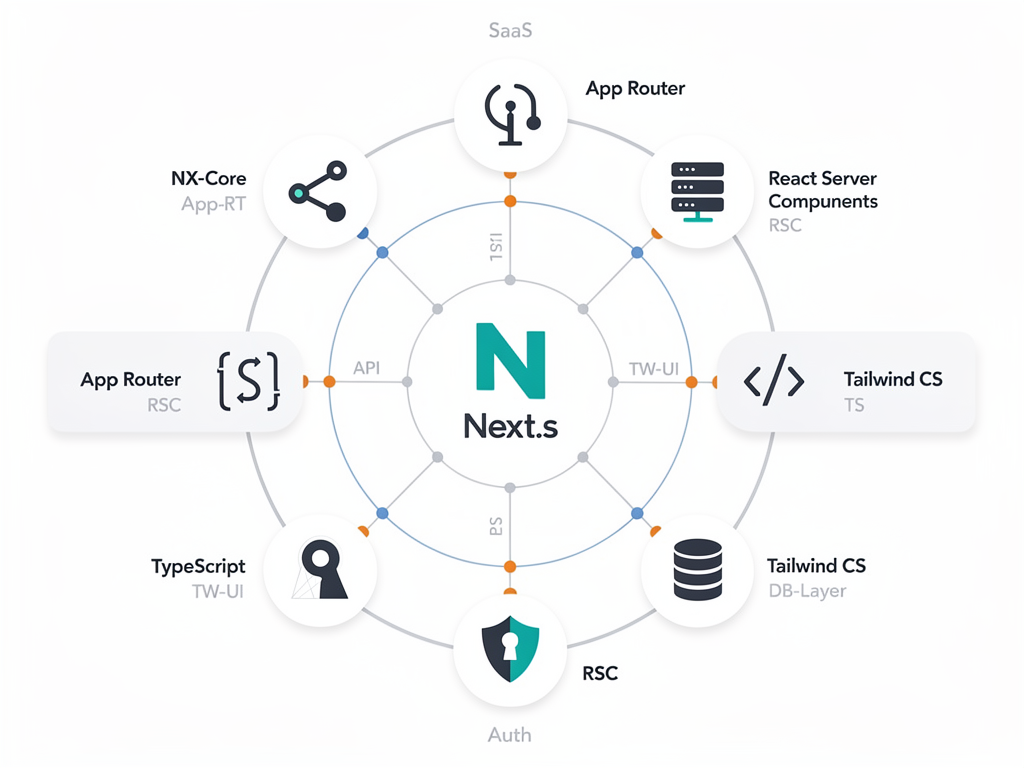
The Next.js ecosystem has evolved significantly, and the best boilerplates in 2026 reflect these architectural advances. Understanding the current state of the stack helps you evaluate whether a boilerplate will serve you well or saddle you with technical debt from day one. The most critical distinction is between the legacy Pages Router and the modern App Router, which represents a fundamental shift in how Next.js applications are structured.
The App Router, introduced in Next.js 13 and now mature in versions 15 and beyond, enables React Server Components, streaming, and server actions. These features allow you to build faster applications with better developer experience, but they require boilerplates specifically designed for this architecture. If you encounter a boilerplate still using the Pages Router, consider it a significant red flag unless you have specific legacy requirements. The performance benefits, improved data fetching patterns, and cleaner code organization of the App Router make it the clear choice for new projects.
React Server Components deserve special attention because they fundamentally change how you think about data fetching and component rendering. With RSC, you can fetch data directly in your components without client-side state management complexity, reduce JavaScript bundle sizes by keeping server-only code on the server, and simplify your architecture dramatically. A Next.js boilerplate built for 2026 should embrace these patterns throughout its codebase, not just bolt them on as an afterthought.
TypeScript has become non-negotiable for production SaaS applications. End-to-end type safety, from your database queries through your API routes to your frontend components, catches bugs before they reach production and makes refactoring dramatically safer. Look for boilerplates that use TypeScript throughout, including typed environment variables, typed API responses, and typed database queries through ORMs like Prisma or Drizzle.
| Technology | 2024 Standard | 2026 Standard | Why It Matters |
|---|---|---|---|
| Routing | Pages Router | App Router | Server Components, streaming, improved performance |
| React Version | React 18 | React 19 | Concurrent features, improved Suspense |
| CSS Framework | Tailwind 3 | Tailwind 4 | Better performance, improved DX |
| Authentication | NextAuth | Better Auth | 2FA, passkeys, RBAC, better extensibility |
| ORM | Prisma only | Prisma or Drizzle | Choice based on performance needs |
Authentication: The Foundation That Cannot Fail
Authentication is simultaneously the most critical and most complex piece of any SaaS application. It is the feature that users interact with first, and it is the feature that, if implemented incorrectly, can expose your entire user base to security vulnerabilities. This is precisely why authentication quality should be one of your primary evaluation criteria when selecting a boilerplate. The difference between a robust auth implementation and a minimal one becomes painfully apparent the moment you need to add features your boilerplate does not support.
Modern SaaS applications require multiple authentication methods to serve different user preferences and security requirements. Email and password authentication remains the baseline, but it must include proper password hashing (bcrypt or Argon2), rate limiting to prevent brute force attacks, and secure password reset flows. OAuth integration with providers like Google, GitHub, and Microsoft has become expected functionality, reducing friction for users who prefer not to create yet another password. Magic links offer a passwordless option that many users prefer, eliminating password management entirely.
Beyond basic login methods, enterprise and security-conscious applications increasingly require two-factor authentication (2FA) with TOTP apps like Google Authenticator, passkey support for the latest passwordless standard, and session management that allows users to view and revoke active sessions. If your boilerplate does not include these features, you will eventually need to implement them yourself, which defeats much of the purpose of using a boilerplate in the first place.
Role-based access control (RBAC) is another authentication-adjacent feature that separates basic boilerplates from production-ready ones. Your SaaS will almost certainly need different permission levels: administrators who can manage billing and team members, regular users with standard access, and possibly read-only viewers or other custom roles. A well-designed boilerplate includes this permission system from the start, with middleware that protects routes based on user roles and helper functions that check permissions throughout your application.
Pro Tip: Test the authentication flow of any boilerplate you are considering by actually signing up, resetting your password, and enabling 2FA if available. The quality of these flows reveals a lot about the overall code quality and attention to detail in the entire codebase.
The authentication library landscape has shifted significantly. While NextAuth (now Auth.js) dominated for years, newer solutions like Better Auth have emerged with more features and better extensibility. Better Auth offers built-in support for 2FA, passkeys, organization management, and RBAC without requiring extensive custom code. When evaluating boilerplates, consider not just what authentication features are included today, but how easily you can extend the auth system as your requirements evolve.
Payment Integration: Turning Your Product Into a Business
A SaaS application without payment integration is just a side project. The ability to collect money from customers, manage subscriptions, handle upgrades and downgrades, and process cancellations is what transforms your code into a business. Payment integration is also notoriously tricky to implement correctly, with webhook handling, idempotency, and edge cases around failed payments creating opportunities for bugs that directly impact revenue.
Stripe remains the dominant payment provider for SaaS applications in the United States, offering excellent documentation, a robust API, and features specifically designed for subscription businesses. A quality boilerplate should include complete Stripe integration with subscription creation, webhook handling for payment events, and access to the Stripe Billing Portal where customers can manage their own payment methods and invoices. The webhook implementation is particularly important because it is where most custom implementations fail, missing events, failing to handle retries, or not properly updating user subscription status.
However, Stripe is not the only option, and payment provider flexibility has become increasingly important. LemonSqueezy offers a merchant-of-record model that handles sales tax compliance for you, which can be valuable if you are selling to customers globally. Polar has emerged as a developer-focused alternative with strong open-source community support. The best boilerplates support multiple payment providers with a provider-agnostic architecture, allowing you to switch providers by changing environment variables rather than rewriting payment logic.
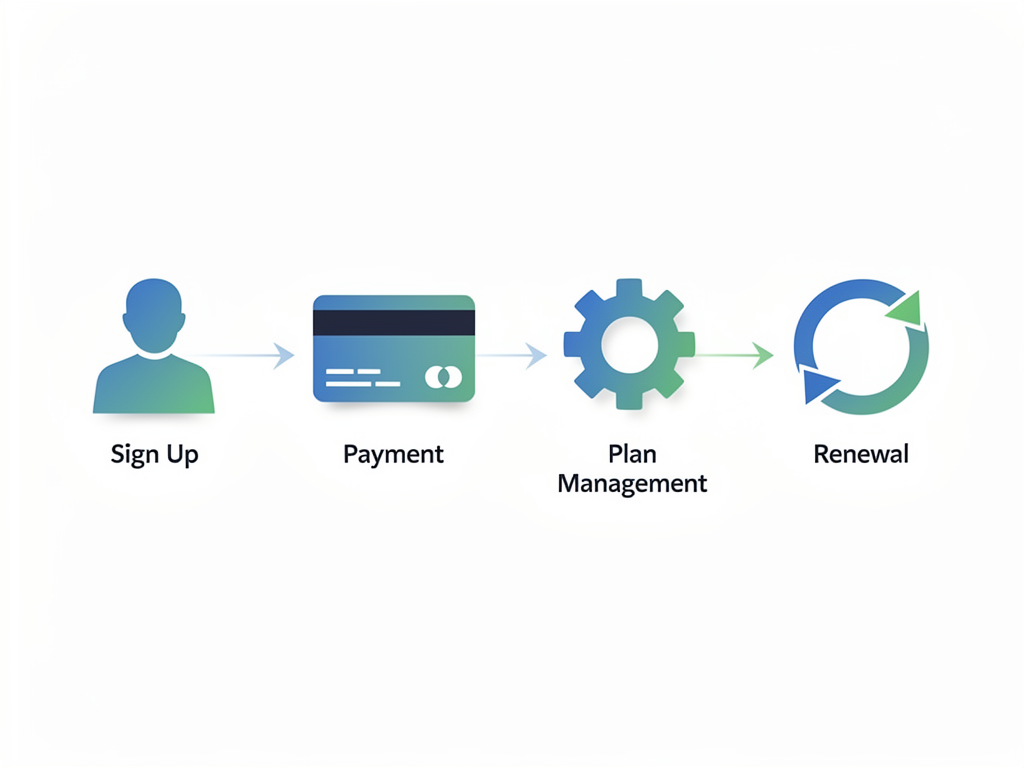
Subscription management goes beyond just collecting payments. Your boilerplate should handle the complete subscription lifecycle:
- Plan selection and checkout: A pricing page that dynamically reflects your configured plans with seamless checkout flow
- Subscription activation: Webhook handlers that update user records when payments succeed
- Plan changes: Logic for upgrades, downgrades, and proration calculations
- Cancellation handling: Proper end-of-billing-period access management
- Failed payment recovery: Grace periods and dunning email integration
- Refund processing: Administrative tools for handling refund requests
One-time payments deserve consideration alongside subscriptions. Some SaaS products work better with lifetime deals, credit-based systems, or hybrid models. A flexible boilerplate supports both recurring subscriptions and one-time purchases, giving you the freedom to experiment with pricing models as you learn what your market prefers.
Multi-Tenancy: Building for Teams and Organizations
If you are building a B2B SaaS product, multi-tenancy is not optional. Your customers will expect to create teams, invite colleagues, manage permissions, and have their data properly isolated from other organizations. The depth of multi-tenancy support varies dramatically between boilerplates, and choosing one with shallow implementation will create significant technical debt as your product matures.
True multi-tenancy means more than just grouping users under an organization label. It requires careful database schema design where every relevant table includes organization identifiers, middleware that automatically scopes queries to the current user's organization, and permission systems that distinguish between organization-level and user-level access. When a user queries their data, they should only see data belonging to their organization, enforced at the database query level rather than filtered in application code.
Team management features should include invitation flows where administrators can invite new members via email, with proper handling of pending invitations and expiration. Role assignment allows different team members to have different capabilities, typically including at least admin, member, and viewer roles. Member management interfaces let administrators see who belongs to their organization, change roles, and remove members who should no longer have access.
Billing in multi-tenant applications introduces additional complexity. You need to decide whether to bill per organization, per seat, based on usage, or some combination. The boilerplate should support your chosen model and make it straightforward to implement alternatives. Per-seat billing requires tracking active members and adjusting subscription quantities. Usage-based billing requires metering infrastructure and clear reporting. The best boilerplates provide the foundation for multiple billing models rather than hardcoding a single approach.
Data isolation deserves special attention from a security and compliance perspective. Customers, especially enterprise customers, care deeply that their data cannot be accessed by other organizations using your platform. Row-level security policies in PostgreSQL, proper foreign key relationships, and consistent query scoping are the technical mechanisms that provide this isolation. Review how your chosen boilerplate implements these protections before committing to it for a B2B product.
Database and ORM Choices: Prisma vs Drizzle in 2026
Your database and ORM choices have long-term implications for application performance, developer experience, and operational complexity. The Next.js ecosystem has largely standardized on PostgreSQL as the database of choice, but the ORM layer presents a meaningful decision between Prisma and Drizzle, each with distinct tradeoffs worth understanding.
Prisma has been the dominant ORM in the Next.js ecosystem for years, offering an excellent developer experience with its schema-first approach, auto-generated TypeScript types, and intuitive query API. Prisma's migration system handles schema changes cleanly, and its documentation is comprehensive. For many applications, Prisma is the right choice, particularly if your team values developer experience and your query patterns are relatively straightforward.
Drizzle has emerged as a compelling alternative, particularly for applications with demanding performance requirements. Drizzle generates SQL that more closely matches what you would write by hand, resulting in faster queries and smaller bundle sizes. Its TypeScript-first design provides excellent type safety, and its query builder feels more familiar to developers with SQL experience. Drizzle also supports edge runtime deployment more naturally than Prisma, which matters if you are deploying to platforms like Cloudflare Workers.
| Criteria | Prisma | Drizzle |
|---|---|---|
| Developer Experience | Excellent, intuitive API | Good, SQL-like syntax |
| Performance | Good for most use cases | Better raw query performance |
| Bundle Size | Larger client bundle | Smaller, tree-shakeable |
| Edge Runtime | Limited support | Full support |
| Migration System | Mature, well-documented | Improving rapidly |
| Ecosystem | Larger, more integrations | Growing quickly |
The best boilerplates in 2026 offer flexibility in ORM choice rather than locking you into a single option. SaasCore's comprehensive SaaS foundation supports both Prisma and PostgreSQL, giving you the flexibility to choose based on your specific requirements. This flexibility matters because your needs may evolve as your application scales, and switching ORMs in a mature codebase is significantly more difficult than choosing the right one upfront.
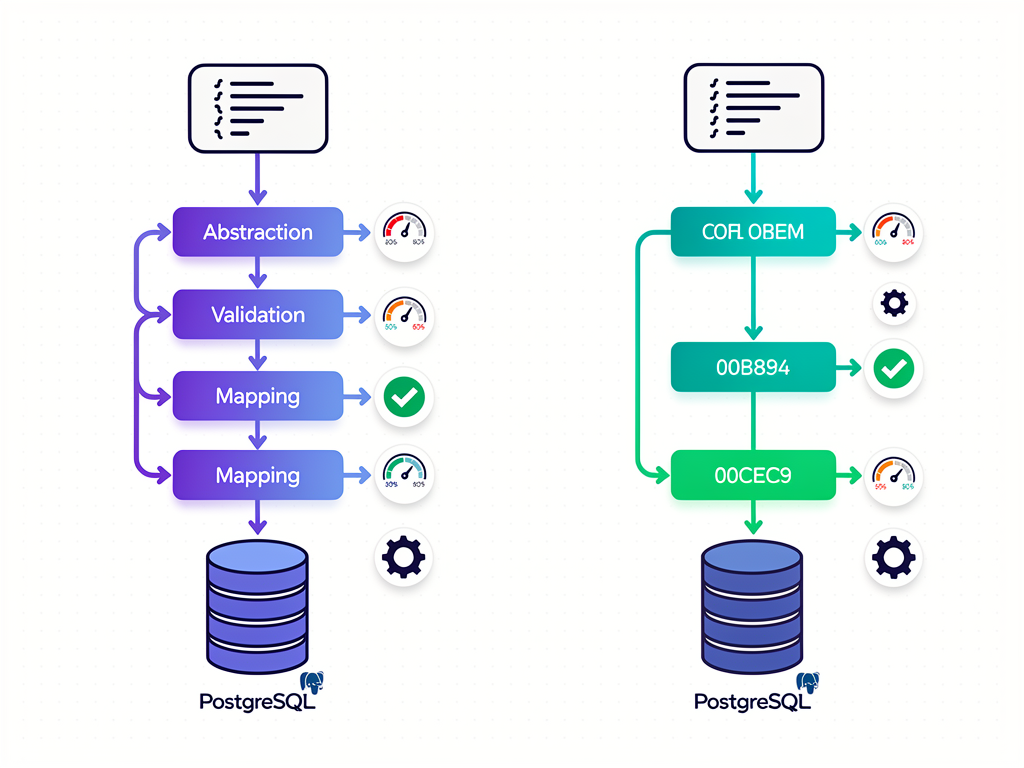
Database hosting has also evolved, with serverless PostgreSQL options like Neon and Supabase offering compelling alternatives to traditional managed databases. These platforms provide automatic scaling, branching for development environments, and generous free tiers that make them attractive for startups. Ensure your boilerplate works well with these modern hosting options rather than assuming traditional always-on database deployments.
Email Systems: Transactional, Marketing, and Beyond
Email functionality in SaaS applications spans multiple categories, each with different requirements and implementation approaches. Transactional emails handle account-related communications like welcome messages, password resets, and invoice receipts. Marketing emails include newsletters, product updates, and promotional campaigns. Notification emails alert users to activity within your application. A comprehensive boilerplate addresses all three categories rather than leaving you to implement email infrastructure from scratch.
Transactional email requires reliable delivery, proper formatting, and integration with your authentication and billing systems. When a user resets their password, the email must arrive promptly and render correctly across email clients. When a payment fails, the notification must reach the customer before their access is revoked. Providers like Resend, Postmark, and SendGrid specialize in transactional email with high deliverability rates and detailed analytics.
Marketing email capabilities have become increasingly important as SaaS founders recognize the value of owned audiences. Rather than relying entirely on third-party platforms like Mailchimp or ConvertKit, some boilerplates now include built-in email marketing systems. These allow you to create campaigns, manage subscriber lists, and send newsletters directly from your application. The advantage is tighter integration with your user data and lower costs at scale, though the tradeoff is additional complexity in your codebase.
Email template design deserves attention because poorly formatted emails damage your brand perception. Look for boilerplates that include well-designed email templates using libraries like React Email, which allows you to build emails with React components and preview them during development. The templates should be responsive, tested across major email clients, and easy to customize with your branding.
Provider flexibility matters for email just as it does for payments. Your boilerplate should support multiple email providers with a consistent interface, allowing you to switch from Resend to Postmark or SendGrid without rewriting your email-sending code. This flexibility protects you from provider pricing changes, deliverability issues, or feature gaps that might emerge as your needs evolve.
Admin Dashboards and Internal Tools
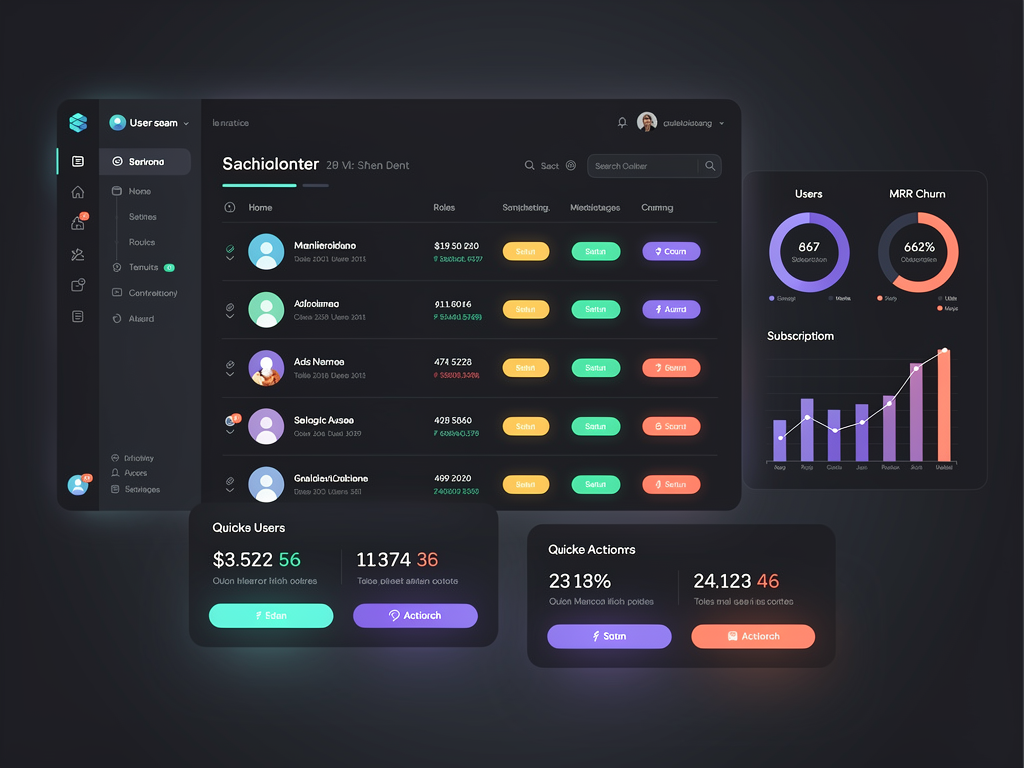
Every SaaS application needs administrative interfaces for managing users, viewing metrics, handling support issues, and operating the business. Building these internal tools from scratch is time-consuming and often deprioritized in favor of customer-facing features, leading to operational inefficiency as your user base grows. A well-designed boilerplate includes admin functionality that you can extend rather than build from zero.
The user management interface should allow administrators to view all users, search and filter by various criteria, inspect individual user details, and perform actions like password resets, subscription changes, and account suspension. For B2B applications with multi-tenancy, you also need organization management with similar capabilities at the team level.
Analytics dashboards provide visibility into business metrics without requiring external tools. Key metrics include new signups over time, subscription conversions, churn rates, revenue trends, and feature usage patterns. While you will likely integrate dedicated analytics tools like PostHog or Mixpanel for detailed product analytics, having basic metrics visible in your admin panel provides quick operational awareness.
Support tools help you assist customers efficiently. The ability to view a customer's account from their perspective, see their subscription history, and understand their usage patterns makes support interactions faster and more effective. Some boilerplates include impersonation features that let administrators log in as a specific user to diagnose issues, with proper audit logging to maintain security.
Affiliate program management has become a common boilerplate feature as more SaaS founders recognize the power of affiliate marketing for customer acquisition. SaasCore's built-in affiliate management system includes affiliate registration, tracking link generation, commission calculation, and payout management, saving you from integrating third-party affiliate platforms or building this functionality yourself.
AI-Coding Readiness: Working With Modern Development Tools
The way developers write code has fundamentally changed with the rise of AI coding assistants like Cursor, Claude Code, and GitHub Copilot. These tools can dramatically accelerate development when they understand your codebase, but they struggle with poorly documented or inconsistently structured projects. AI-coding readiness has become a meaningful differentiator between boilerplates, affecting how quickly you can build features after the initial setup.
AGENTS.md files have emerged as a standard for providing AI assistants with context about your project. These files describe your project structure, coding conventions, key architectural decisions, and common patterns. When an AI assistant reads this documentation, it generates code that matches your existing codebase rather than introducing inconsistent patterns. Boilerplates that include comprehensive AGENTS.md files work dramatically better with AI coding tools.
Beyond documentation files, code organization affects AI tool effectiveness. Consistent naming conventions, clear separation of concerns, and predictable file structures help AI assistants understand where new code should go and how it should be written. A boilerplate with chaotic organization will produce chaotic AI-generated code, multiplying technical debt rather than accelerating development.
Type safety throughout the codebase improves AI code generation because the assistant can infer correct types from context. When your database queries, API routes, and frontend components all use TypeScript with proper type definitions, AI tools generate code that integrates correctly without manual type fixes. This is another reason why TypeScript-first boilerplates outperform JavaScript alternatives in 2026.
Some boilerplates go further with quality gates that validate AI-generated code before it merges into your codebase. Automated tests, linting rules, and type checking catch common AI mistakes before they cause problems. This combination of good documentation for generation and automated validation for output creates a productive AI-assisted development workflow.
Developer Insight: When evaluating a boilerplate, try asking your AI coding assistant to add a simple feature. The quality of the generated code reveals how well the boilerplate supports AI-assisted development, which will significantly impact your long-term productivity.
Deployment and Infrastructure Considerations
A boilerplate that works perfectly in development but creates deployment headaches provides limited value. Understanding the deployment story before you commit helps you avoid vendor lock-in, unexpected costs, and operational complexity. The best boilerplates support multiple deployment targets and include the configuration files needed for production infrastructure.
Vercel remains the most popular deployment target for Next.js applications, offering seamless integration, automatic previews for pull requests, and excellent performance through their edge network. However, Vercel's pricing can become significant at scale, and some teams prefer to avoid platform lock-in. A quality boilerplate should work perfectly on Vercel while also supporting alternatives.
Docker support provides deployment flexibility by packaging your application in a container that runs consistently across environments. With Docker, you can deploy to any cloud provider's container service, run on your own servers, or use platforms like NextBuilder for building no-code SaaS platforms with custom deployment requirements. Docker configuration files (Dockerfile and docker-compose.yml) should be included and tested, not just present as untested examples.
Self-hosting options matter for applications with data residency requirements, cost optimization goals, or enterprise customers who demand on-premises deployment. Boilerplates that support self-hosting typically include configuration for platforms like Fly.io, Render, Railway, and DigitalOcean App Platform. The documentation should cover environment variable configuration, database connection setup, and any platform-specific considerations.
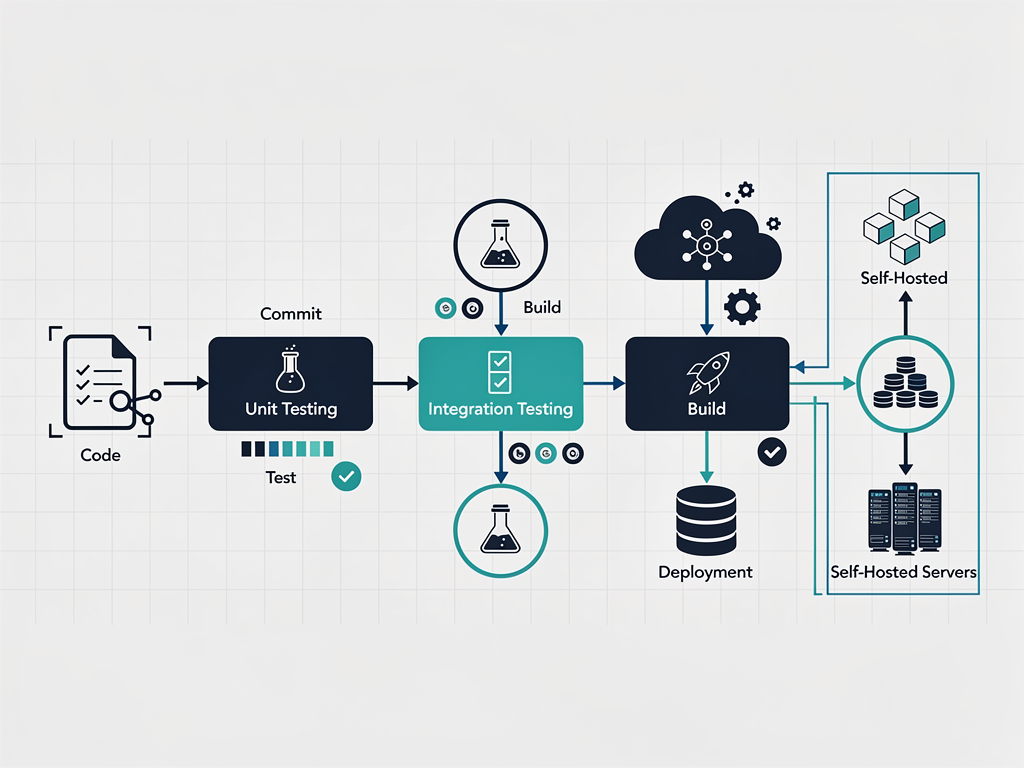
CI/CD pipelines automate testing and deployment, catching bugs before they reach production and enabling rapid iteration. Look for boilerplates that include GitHub Actions workflows or similar automation for running tests on pull requests, building production images, and deploying to your chosen platform. Setting up CI/CD from scratch is tedious work that a good boilerplate eliminates.
Infrastructure-as-code using tools like Terraform or Pulumi represents the gold standard for production deployments. These tools define your infrastructure in version-controlled configuration files, making it reproducible, auditable, and easier to manage across environments. While not all boilerplates include IaC, those targeting serious production use cases increasingly do.
Landing Pages and Marketing Site Components
Your SaaS needs more than just the application itself. Marketing pages, pricing tables, blog functionality, and documentation sites are essential for acquiring and converting customers. Boilerplates that include these components save significant design and development time while ensuring visual consistency across your entire web presence.
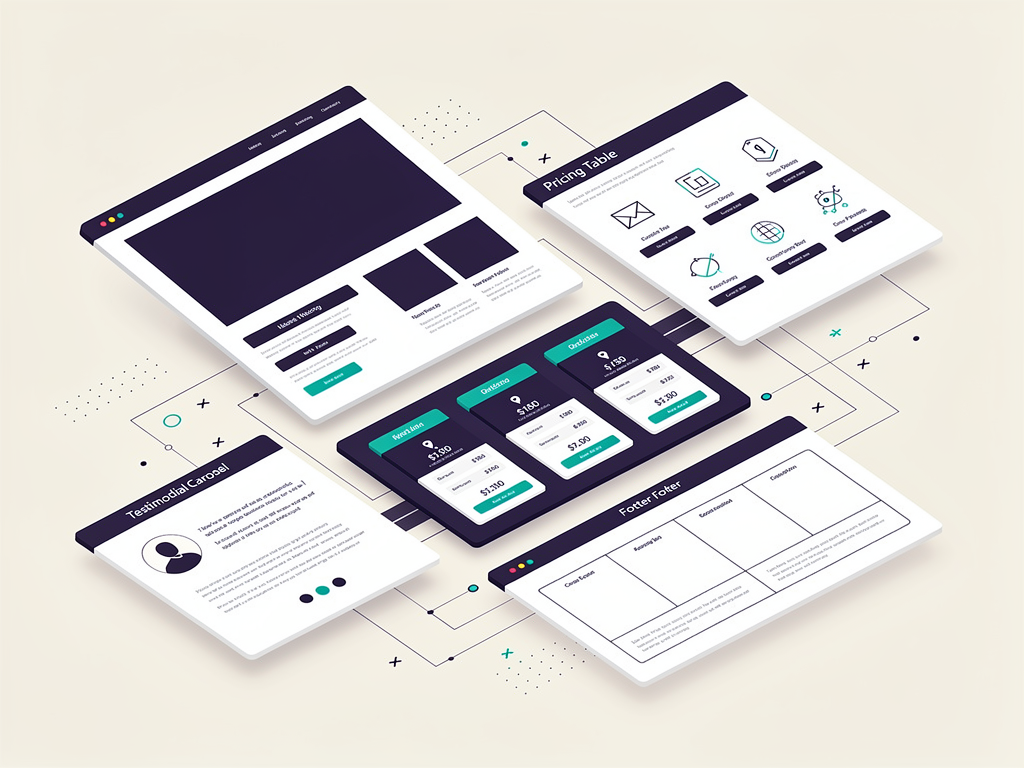
Landing page components should be conversion-optimized and easy to customize. Hero sections, feature grids, testimonial displays, call-to-action blocks, and footer layouts form the building blocks of effective marketing pages. The best boilerplates include multiple variations of each component type, allowing you to quickly assemble pages that match your brand and messaging without starting from blank designs.
Pricing page functionality goes beyond static display. Your pricing table should dynamically reflect the plans configured in your payment provider, handle currency display for international visitors, and connect seamlessly to your checkout flow. Toggle switches for monthly versus annual billing, feature comparison tables, and FAQ sections are common patterns that quality boilerplates implement well.
Blog functionality supports content marketing, which remains one of the most effective customer acquisition channels for SaaS products. Markdown-based blog systems allow you to write posts in a familiar format while the boilerplate handles rendering, SEO optimization, and integration with your site design. Look for features like syntax highlighting for code blocks, image optimization, and social sharing metadata.
Documentation sites become important as your product grows. Whether you need API documentation, user guides, or knowledge bases, having documentation infrastructure in your boilerplate saves time. Some boilerplates include MDX support for interactive documentation, search functionality, and versioning for different product releases.
The UI library foundation matters for all these components. Tailwind CSS has become the dominant styling approach in the Next.js ecosystem, and Shadcn UI provides a collection of beautifully designed, accessible components built on Tailwind. Boilerplates using this combination offer the best balance of design quality, customization flexibility, and developer experience.
Evaluating Boilerplate Quality: Red Flags and Green Flags
Not all boilerplates are created equal, and the marketing pages often oversell capabilities while hiding limitations. Learning to evaluate boilerplate quality before purchase saves you from discovering problems after you have already built on a shaky foundation. Here are the signals that distinguish excellent boilerplates from problematic ones.
Green flags that indicate quality:
- Active maintenance: Recent commits, regular updates, and responsiveness to issues show ongoing investment in the project.
- Comprehensive documentation: Quality boilerplates include setup guides, architecture explanations, and customization instructions that go beyond basic README files.
- Working demo: A live demo that you can interact with reveals the actual user experience rather than just screenshots.
- Test coverage: The presence of automated tests indicates code quality and makes your own modifications safer.
- Community or support: Discord servers, GitHub discussions, or dedicated support channels help when you encounter issues.
- Clear licensing: Understand exactly what you can do with the code, including whether you can use it for client projects.
Red flags that suggest problems:
- Outdated dependencies: If the boilerplate uses Next.js 13 when version 16 is current, you are starting with technical debt.
- No TypeScript: JavaScript-only boilerplates lack the type safety that modern development requires.
- Minimal documentation: If you cannot understand the architecture from the docs, you will struggle to customize it.
- No demo available: Unwillingness to show a working demo often indicates the product does not work as advertised.
- Abandoned issues: GitHub issues that go unanswered for months suggest the maintainer has moved on.
- Overpromising features: Marketing that claims dozens of features without depth in any of them usually indicates shallow implementation.
Before purchasing, take time to review the actual codebase if possible. Many boilerplates offer partial code previews or detailed documentation that reveals their architecture. Look at how they structure folders, name functions, handle errors, and organize components. Code that feels clean and understandable will be easier to work with than clever but confusing implementations.
Pricing Models and Total Cost of Ownership
Boilerplate pricing varies dramatically, from free open-source options to premium packages costing over $1,000. Understanding the pricing landscape and calculating total cost of ownership helps you make an informed decision that balances upfront cost against long-term value.
Free and open-source boilerplates like the official Next.js SaaS starter, ixartz/SaaS-Boilerplate, and Open SaaS provide genuine value for learning and simple projects. However, they typically lack advanced features like comprehensive multi-tenancy, multiple payment providers, and polished UI components. The hidden cost is the development time required to add these features yourself, which often exceeds the price of a paid boilerplate.
Budget options in the $150 to $250 range offer more features while remaining accessible for indie hackers and bootstrapped founders. These typically include core functionality like authentication, basic payments, and landing pages, but may lack advanced features or have less polished implementations. They represent a reasonable middle ground for MVPs and validation projects.
Premium boilerplates ranging from $300 to $600 or more include comprehensive feature sets, better documentation, and often dedicated support. For serious projects where development time has significant opportunity cost, the premium price pays for itself quickly. A boilerplate that saves 100 hours of development time is worth far more than its sticker price for most professional developers.
Team and agency tiers at higher price points typically include additional seats, priority support, and sometimes access to premium components or templates. If you are building multiple projects or have a team that will use the boilerplate, these tiers often provide better value than purchasing multiple individual licenses.
| Pricing Tier | Typical Cost | Best For | Typical Limitations |
|---|---|---|---|
| Free/Open Source | $0 | Learning, simple projects | Limited features, no support |
| Budget | $150-$250 | MVPs, validation | Basic features, minimal support |
| Standard | $300-$500 | Production SaaS | Single developer license |
| Team/Agency | $500-$1,500 | Teams, multiple projects | Higher upfront cost |
Consider the licensing model carefully. One-time purchases provide lifetime access to the codebase, while subscription models require ongoing payments. One-time purchases are generally preferable because you own the code outright and can continue using it indefinitely, even if the vendor discontinues the product. Subscription models make sense only if they include ongoing updates and support that justify the recurring cost.
Internationalization and Localization Support
If your SaaS targets international markets, internationalization (i18n) support becomes a critical boilerplate feature. Retrofitting i18n into an application that was not designed for it is painful and error-prone, while boilerplates with built-in i18n make multi-language support straightforward from the start.
Translation infrastructure includes the libraries and patterns for managing translated strings throughout your application. Modern approaches use libraries like next-intl or react-i18next with JSON translation files organized by language. The boilerplate should include examples of how to structure translations, handle pluralization, and manage translation workflows as your content grows.
Locale routing determines how different language versions of your site are accessed. URL-based approaches (example.com/en versus example.com/es) are generally preferred for SEO, while cookie or header-based detection can provide automatic language selection. Your boilerplate should support your preferred approach and handle the routing complexity automatically.
Date, number, and currency formatting varies by locale and must be handled correctly to avoid confusing international users. A well-internationalized boilerplate uses the Intl API or libraries like date-fns with locale support to format these values appropriately. Displaying prices in local currencies with correct formatting is particularly important for conversion optimization.
Some boilerplates advertise support for many languages out of the box, meaning the boilerplate's own UI strings (button labels, error messages, etc.) are already translated. This saves translation effort for the boilerplate components, though you will still need to translate your own product-specific content. Having 14 or more languages available from day one, as some boilerplates offer, provides a significant head start for global products.
Analytics and Monitoring Integration
Understanding how users interact with your product and catching errors before they impact customers requires analytics and monitoring infrastructure. While you can add these tools to any codebase, boilerplates with pre-configured integrations save setup time and ensure best practices are followed from the start.
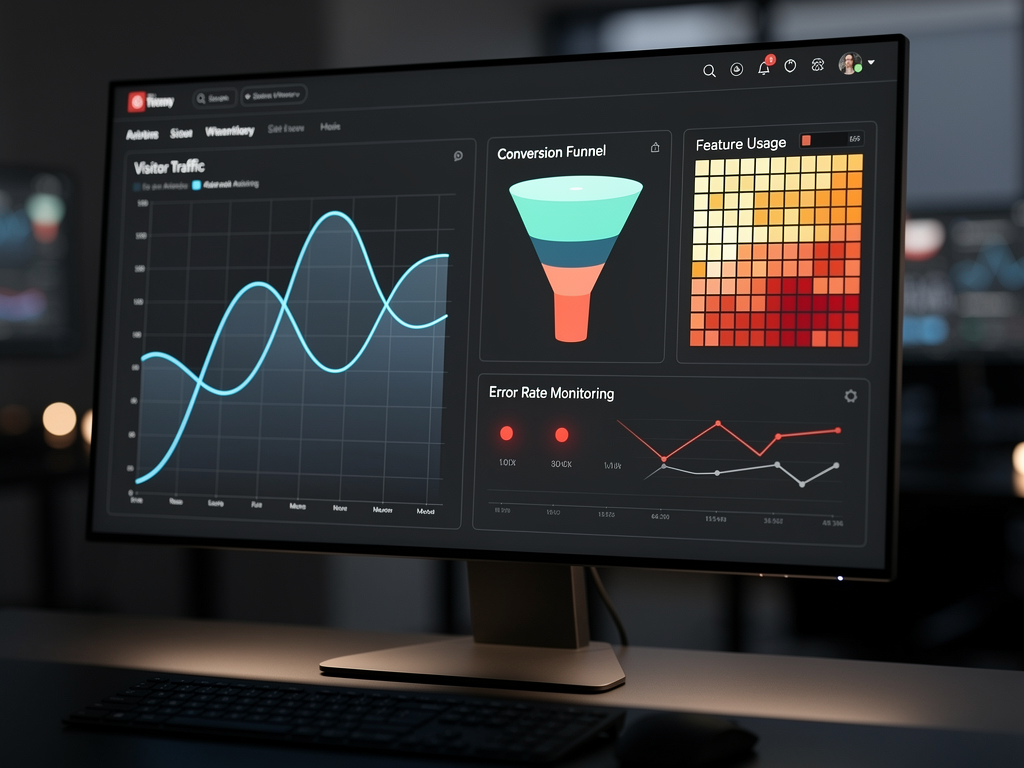
Product analytics tools like PostHog, Mixpanel, and Amplitude help you understand user behavior, track feature adoption, and identify conversion bottlenecks. A boilerplate with analytics integration includes the tracking code setup, event helpers for common actions, and potentially a dashboard for viewing key metrics. PostHog has become particularly popular because it offers a generous free tier and can be self-hosted for data privacy requirements.
Error monitoring through services like Sentry catches exceptions in both frontend and backend code, providing stack traces and context that make debugging faster. Proper Sentry integration includes source map uploads for readable stack traces, environment tagging to distinguish production from development errors, and user context attachment to understand which users are affected by issues.
Visitor analytics for your marketing site help you understand traffic sources, popular pages, and visitor demographics. Privacy-focused alternatives to Google Analytics, such as Plausible and Fathom, have gained popularity as developers and users alike become more privacy-conscious. Some boilerplates include their own lightweight analytics systems that avoid third-party data sharing entirely.
Performance monitoring tracks page load times, API response times, and other metrics that affect user experience. Vercel Analytics, built into the Vercel platform, provides this for Next.js applications, but alternatives exist for other deployment targets. Understanding performance characteristics helps you identify optimization opportunities and catch regressions before they impact users significantly.
Making Your Final Decision: A Practical Framework
With so many options available, making a final decision can feel overwhelming. This practical framework helps you narrow down choices based on your specific situation and priorities, leading to a confident selection that serves your project well.
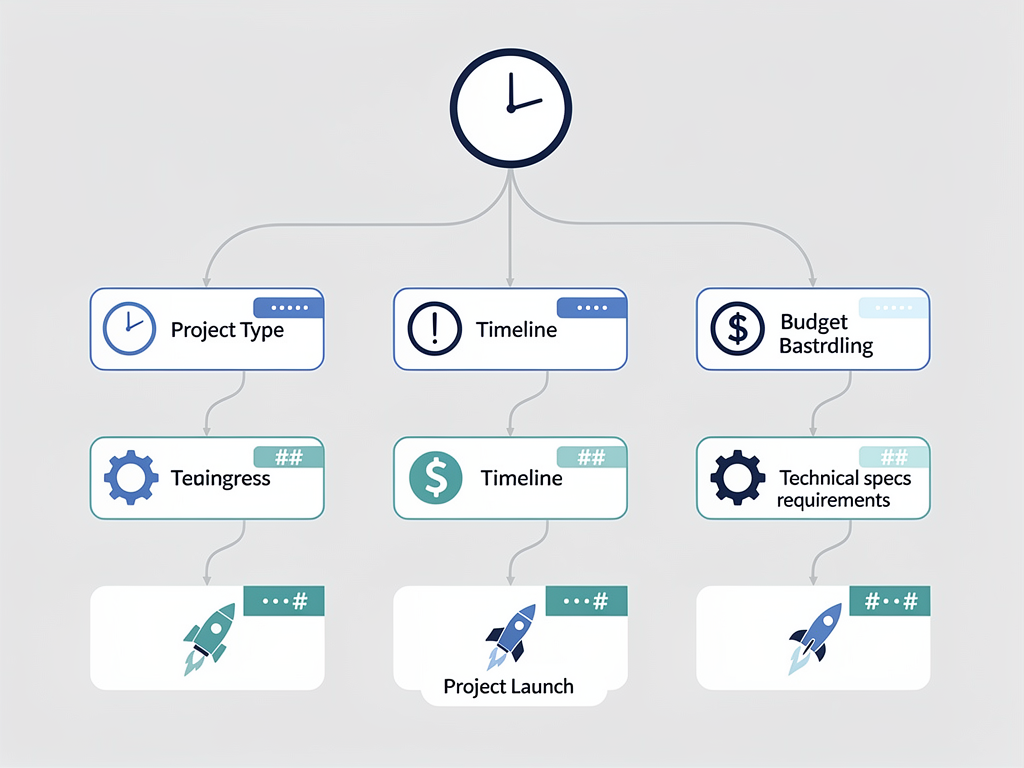
Step 1: Define your project type. Are you building a B2C product for individual consumers, a B2B product for teams and organizations, or a developer tool? B2B products require deep multi-tenancy support, while B2C products can often use simpler single-tenant architectures. Developer tools may need API documentation and SDK generation capabilities.
Step 2: Assess your timeline. If you need to launch this week, prioritize boilerplates with polished landing pages and minimal configuration required. If you have more time, you can consider options that require more setup but offer greater flexibility. Your timeline also affects whether you can afford to learn a new stack or should stick with technologies you already know.
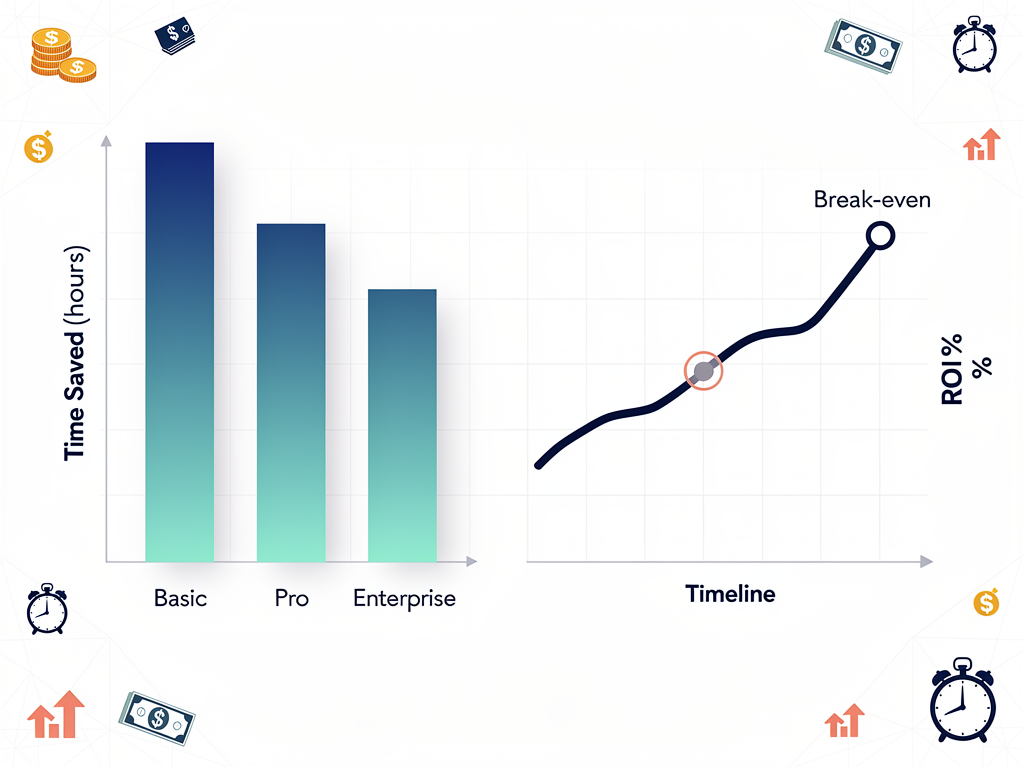
Step 3: Consider your budget holistically. A $300 boilerplate that saves 80 hours of development time costs less than a free boilerplate that requires 80 hours of additional work. Calculate your effective hourly rate and compare the true cost of each option, including the time investment required to get productive.
Step 4: Evaluate the demo thoroughly. Sign up, explore the admin panel, test the authentication flows, and examine the code structure if available. The demo experience reveals more about quality than any marketing page. If a boilerplate does not offer a demo, treat that as a significant red flag.
Step 5: Check the community and support. Join the Discord or forum before purchasing to see how questions are answered and how active the community is. A responsive community can save you hours of debugging when you encounter issues. Conversely, an abandoned community suggests the boilerplate may not receive future updates.
Step 6: Verify the tech stack matches your skills. A boilerplate using technologies you do not know will slow you down initially, even if those technologies are objectively better. Unless you have time to learn, prioritize boilerplates using your existing stack. The best boilerplate is one you can be productive with immediately.
Conclusion
Selecting the right Next.js SaaS template in 2026 is one of the most impactful decisions you will make in your product development journey. The hours saved on authentication, payments, and infrastructure translate directly into faster launches, earlier customer feedback, and more time spent on the features that differentiate your product. Whether you choose a free open-source option for learning, a budget boilerplate for MVP validation, or a premium solution for production deployment, the key is matching the boilerplate's capabilities to your specific requirements.
The landscape has matured significantly, with options available for every budget and use case. Modern boilerplates support the latest Next.js features including App Router and React Server Components, offer flexible authentication through solutions like Better Auth, integrate with multiple payment providers, and increasingly include AI-coding support that accelerates development with tools like Cursor and Claude Code. Multi-tenancy depth, deployment flexibility, and documentation quality have become the differentiators that separate excellent boilerplates from merely adequate ones.
As you evaluate options, remember that the goal is not to find the theoretically best boilerplate, but to find the best boilerplate for your situation. Consider your project type, timeline, budget, and technical skills. Test the demos thoroughly. Check the community activity. And once you have made your choice, commit to it and start building. The real value of any boilerplate is realized only when you ship your product to customers, and the sooner you start, the sooner you will learn what your market actually needs.
Frequently Asked Questions
What Is the Difference Between a Free and Paid SaaS Boilerplate?
Free and open-source boilerplates like the official Next.js SaaS starter provide basic functionality including simple authentication, basic database setup, and minimal UI components. They are excellent for learning and understanding SaaS architecture patterns. However, they typically lack advanced features that production applications require, such as comprehensive multi-tenancy with team management, multiple payment provider support, polished admin dashboards, and dedicated support channels. Paid boilerplates invest significant development time into these advanced features, documentation, and ongoing maintenance. For a serious SaaS project, the time saved by using a paid boilerplate with complete features typically exceeds the purchase price within the first week of development. The hidden cost of free boilerplates is the development time required to add missing features yourself, which often totals 40 to 100 hours depending on your requirements.
How Long Does It Take to Customize a Boilerplate for My Specific Product?
Customization time varies based on your product complexity and familiarity with the boilerplate's technology stack. For a straightforward SaaS with standard features, expect to spend 2 to 4 hours on initial setup including environment configuration, database connection, and payment provider integration. Basic branding changes including colors, logos, and copy typically require another 4 to 8 hours. Building your first custom feature on top of the boilerplate foundation usually takes 1 to 2 days as you learn the codebase patterns. Most developers report feeling productive and confident with their chosen boilerplate within one week. The key to fast customization is choosing a boilerplate with comprehensive documentation, following its established patterns rather than fighting against them, and starting with small modifications before attempting major changes. Boilerplates with AI-coding support through AGENTS.md files can accelerate customization significantly when used with tools like Cursor.
Should I Use a Boilerplate or Build From Scratch?
Building from scratch makes sense in very specific situations: when you have unusual technical requirements that no boilerplate supports, when learning is your primary goal rather than shipping a product, or when you have extensive experience and can implement the foundational features faster than learning a new codebase. For the vast majority of SaaS projects, a boilerplate provides dramatically better time-to-market. The authentication, payment, and infrastructure code in a quality boilerplate represents hundreds of hours of development and testing that you would need to replicate. Even experienced developers typically underestimate the time required to build production-ready auth flows, handle payment edge cases correctly, and create polished admin interfaces. The opportunity cost of building from scratch, measured in delayed launches and deferred customer feedback, usually exceeds any benefits of complete control over the codebase. Start with a boilerplate, ship faster, and customize as you learn what your specific product actually needs.
How Do I Handle Updates When the Boilerplate Releases New Versions?
Boilerplate updates present a genuine challenge because your customizations may conflict with upstream changes. The best approach is to treat the boilerplate as a starting point rather than a dependency. Once you clone the repository and begin customization, your codebase diverges from the original. For minor updates like bug fixes or security patches, you can often cherry-pick specific commits or manually apply changes to affected files. For major updates with architectural changes, evaluate whether the new features justify the migration effort. Many developers maintain a separate branch tracking the original boilerplate to facilitate comparison when updates release. Some boilerplates provide migration guides for major versions, which significantly ease the upgrade process. The reality is that most customized boilerplates diverge enough within months that wholesale updates become impractical, and selective adoption of specific improvements becomes the more practical approach.
Can I Use a Single Boilerplate for Multiple Client Projects?
License terms vary between boilerplates, so verify the specific license before using any boilerplate for client work. Most commercial boilerplates offer tiers that explicitly permit use in multiple projects or client work. Standard individual licenses typically allow unlimited projects for yourself but may restrict client work. Team and agency tiers usually include explicit permission for client projects, sometimes with seat limits for team members who can access the codebase. Using a single boilerplate across multiple client projects is one of the most effective ways to build efficiency in an agency or consultancy, as your team develops deep expertise with the codebase and can deliver projects faster with each iteration. Some agencies even contribute improvements back to their chosen boilerplate, benefiting from community development while maintaining their competitive advantage through implementation expertise rather than proprietary code.
What Happens If the Boilerplate Maintainer Stops Updating the Project?
This risk is real and worth considering, especially for smaller or newer boilerplates. With one-time purchase licenses, you own the code regardless of whether the maintainer continues development, so your existing projects continue working indefinitely. However, you lose access to future updates, security patches, and community support. Mitigation strategies include choosing boilerplates with active communities that could potentially fork and continue development, selecting boilerplates built on stable, well-documented technologies that you can maintain yourself, and avoiding boilerplates with proprietary dependencies that would be difficult to replace. Larger, more established boilerplates with significant revenue and active maintainers present lower abandonment risk. Before purchasing, check the commit history, issue response times, and community activity to assess the project's health. If a boilerplate shows signs of declining maintenance, consider alternatives even if the feature set is attractive, because technical debt accumulates quickly in unmaintained codebases.
Start Building Your SaaS Today
Ready to skip the months of foundational development work and start building features that matter? Explore SaasCore's comprehensive Next.js boilerplate with authentication, payments, admin panels, affiliate programs, email marketing, and everything else you need to ship your SaaS faster. Try the demo to see why it truly stands out from the competition, and join thousands of developers who have accelerated their path from idea to launched product.
Subscribe to our newsletter
Subscribe to our newsletter and stay up-to-date with the latest news and updates.