React Router DOM vs Next.js: Best Navigation for Your SaaS
Discover the strengths of React Router DOM and Next.js App Router for SaaS applications. Learn how each impacts performance, SEO, and developer productivity to choose the best fit for your software's growth.

Zakariae
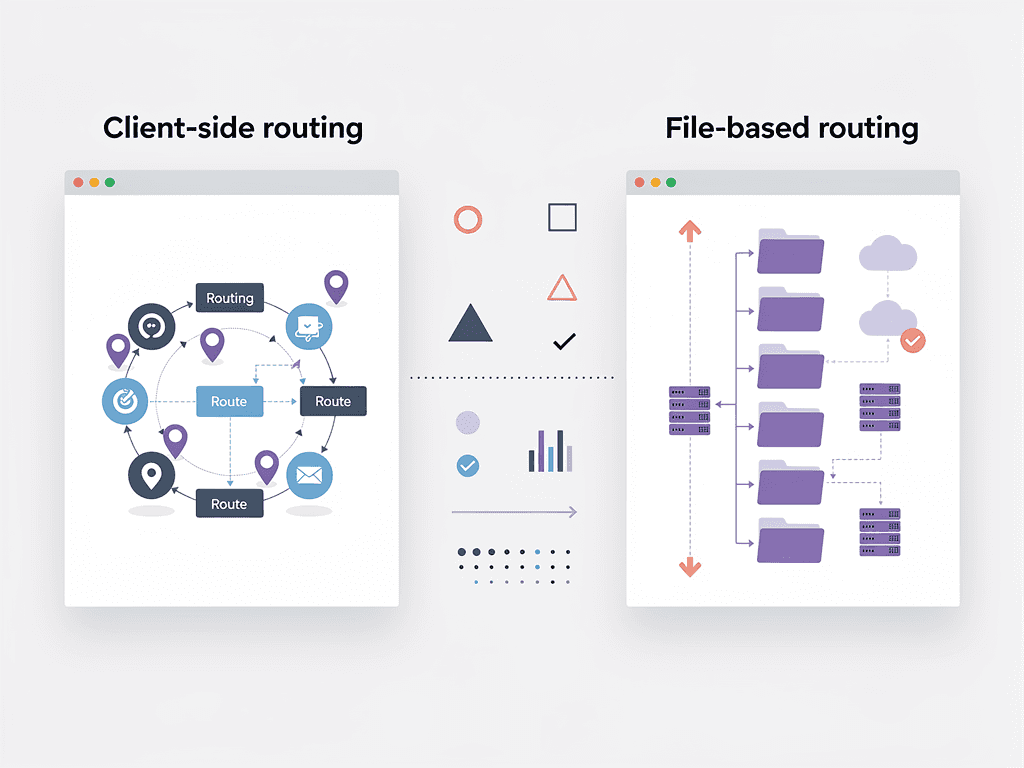
When building a SaaS application, few architectural decisions carry as much weight as your choice of routing solution. The navigation system you select influences everything from user experience and performance to SEO rankings and developer productivity. For React developers in the United States building subscription-based software products, two dominant options emerge: the flexible, client-side approach of react router dom and the integrated, server-first philosophy of the Next.js App Router.
This decision has become increasingly nuanced in 2024 and beyond. The Next.js App Router has matured significantly since its initial release, addressing many early stability concerns while introducing powerful features like React Server Components and streaming SSR. Meanwhile, React Router has evolved into a sophisticated library that handles complex routing scenarios with elegance. Understanding the strengths, limitations, and ideal use cases for each approach will help you make an informed choice that supports your SaaS product's growth trajectory.
Key Takeaways
- React Router excels for SPAs and dashboards where client-side navigation speed matters more than SEO, offering maximum flexibility and control over routing logic.
- Next.js App Router provides built-in SSR and SEO benefits that are critical for content-heavy SaaS applications, marketing pages, and products that need strong search engine visibility.
- Performance gains from App Router are not automatic: improper use of client components can negate Server Component benefits entirely.
- Migration complexity varies significantly: moving from React Router to Next.js requires restructuring your entire component architecture, not just swapping routing code.
- Your SaaS business model should influence your choice: B2C products with public-facing content benefit more from Next.js, while B2B dashboards often work better with React Router.
- Using a well-architected SaaS boilerplate can eliminate months of routing configuration and let you focus on building features that differentiate your product.
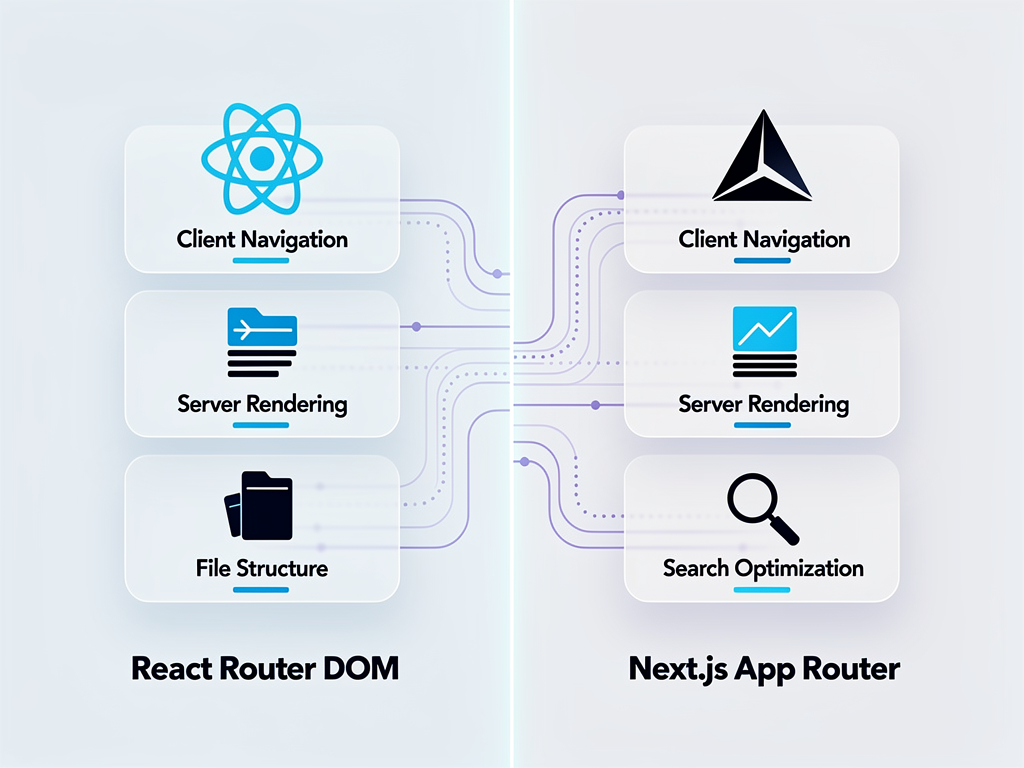
Understanding the Fundamental Differences Between Routing Approaches
Before diving into specific features and use cases, it is essential to understand the philosophical differences between these two routing solutions. React Router operates as a standalone library that you install and configure within any React application. It handles routing entirely on the client side, meaning the browser manages navigation without making requests to the server for new pages. This approach creates fast, app-like experiences where transitions between views feel instantaneous.
The Next.js App Router, introduced as the default routing system in Next.js 13 and significantly improved through subsequent versions, takes a fundamentally different approach. It uses file-based routing where your folder structure within the app directory automatically defines your application's routes. More importantly, it integrates deeply with React Server Components, enabling server-side rendering, static site generation, and incremental static regeneration out of the box.
This distinction matters enormously for SaaS applications. Consider a typical SaaS product with three main sections: a public marketing website, an authentication flow, and a protected dashboard. With React Router, you would build this as a single-page application where all three sections load as part of one JavaScript bundle (though you can implement code splitting). With Next.js, each section can use different rendering strategies optimized for its specific needs.
The architectural implications extend beyond initial page loads. React Router gives you complete control over how navigation works, allowing custom transitions, complex nested routing scenarios, and programmatic navigation patterns. Next.js App Router provides sensible defaults and conventions that reduce decision fatigue but may feel constraining if you need highly customized navigation behavior.
Core Features of React Router for SaaS Development
React Router has been the de facto routing solution for React applications since 2014, and its feature set reflects years of refinement based on real-world usage. For SaaS developers, several capabilities stand out as particularly valuable when building complex, interactive applications.
Client-Side Navigation and State Preservation
Instant navigation between routes is React Router's primary strength. When users click a link, the browser does not make a server request. Instead, React Router updates the URL and renders the appropriate component immediately. For SaaS dashboards where users frequently switch between views, this creates a fluid experience that feels native rather than web-based.
State preservation across navigation is another significant advantage. When a user navigates away from a form and returns, React Router can maintain the component's state without additional configuration. This behavior proves invaluable for complex SaaS workflows where users might need to reference information from one view while working in another.
Dynamic and Nested Routing Capabilities
SaaS applications frequently require dynamic routes that respond to user-specific data. React Router handles this elegantly with parameterized routes using the :param syntax. A route like /projects/:projectId/tasks/:taskId automatically extracts both IDs and makes them available to your components through the useParams hook.
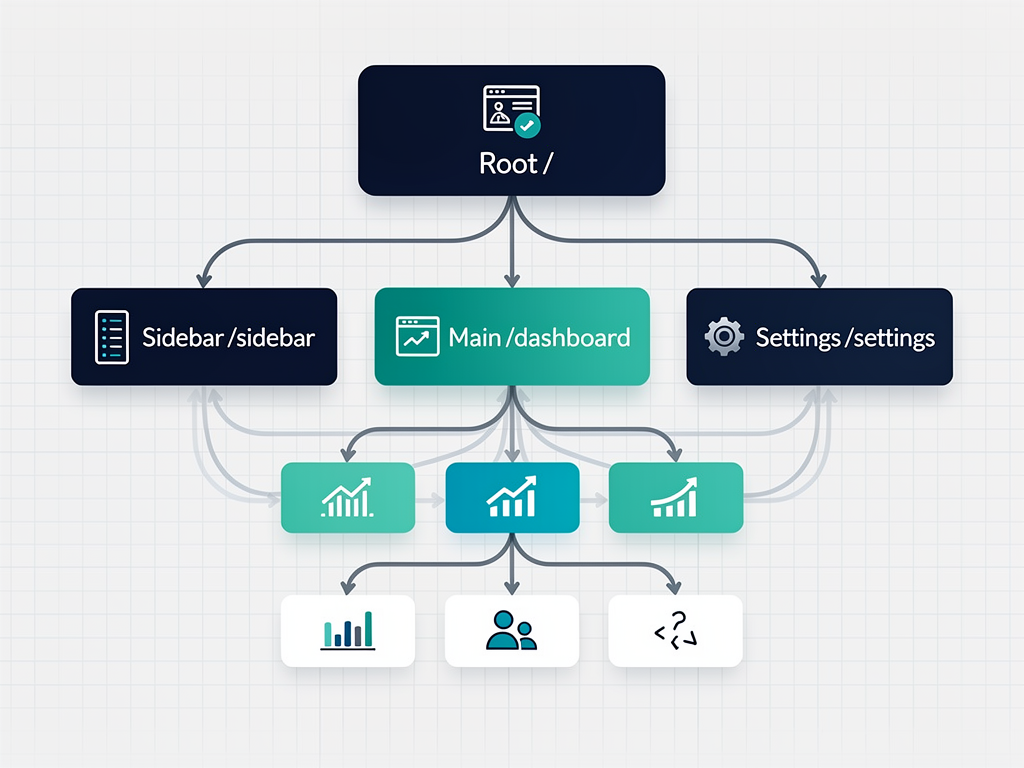
Nested routing through the <Outlet> component enables sophisticated layout patterns common in SaaS products. You can define a dashboard layout with a sidebar and header that persists while the main content area changes based on the current route. This pattern reduces code duplication and ensures consistent user experiences across your application.
Programmatic Navigation and Guards
The useNavigate hook provides programmatic navigation capabilities essential for SaaS workflows. After a user submits a form, you can redirect them to a success page. When a subscription expires, you can automatically route them to the billing page. These patterns are straightforward to implement with React Router's imperative API.
Route guards, while not built-in, are easy to implement using wrapper components or custom hooks. You can create protected route components that check authentication status and redirect unauthorized users to login pages. This flexibility allows you to implement complex authorization logic that matches your SaaS product's specific requirements.
Core Features of Next.js App Router for SaaS Development
The Next.js App Router represents a paradigm shift in how React applications handle routing and rendering. Rather than treating routing as a separate concern, Next.js integrates it deeply with the framework's rendering capabilities, creating opportunities for performance optimizations that are difficult to achieve with client-side routing alone.
File-Based Routing and Convention Over Configuration
Next.js eliminates routing configuration entirely through its file-based approach. Creating a file at app/dashboard/settings/page.tsx automatically creates a route at /dashboard/settings. This convention reduces boilerplate and makes your application's structure immediately apparent from the file system.
For SaaS applications with many routes, this approach significantly reduces cognitive overhead. New team members can understand the application's navigation structure by browsing the folder hierarchy. There is no separate routing configuration file to maintain, and adding new routes requires only creating new files in the appropriate locations.
Server Components and Reduced JavaScript Bundles
React Server Components are the App Router's most significant feature for SaaS performance. Components that do not require interactivity render entirely on the server, and their JavaScript never ships to the browser. For data-heavy SaaS dashboards with tables, charts, and reports, this can reduce client-side JavaScript by 30 to 50 percent.
Consider a SaaS analytics dashboard that displays user metrics. With React Router, the component that fetches and renders this data must be included in the JavaScript bundle sent to the browser. With App Router and Server Components, the server fetches the data, renders the HTML, and sends only the markup to the client. The component's code never increases your bundle size.
Built-In Data Fetching and Caching
Next.js provides integrated data fetching patterns through async Server Components. You can write components that directly await database queries or API calls without useEffect hooks or state management libraries. This simplification reduces code complexity and eliminates common bugs related to loading states and race conditions.
The caching system has evolved significantly in recent Next.js versions. Earlier versions cached fetch requests by default, causing confusion when developers expected fresh data. Current versions use opt-in caching through the "use cache" directive, giving you explicit control over what gets cached and for how long. This change addresses one of the most common complaints about the App Router's early releases.
Streaming SSR and Progressive Loading
Streaming server-side rendering allows Next.js to send HTML to the browser progressively as it becomes available. Instead of waiting for all data fetches to complete before rendering anything, the framework can send the page shell immediately and fill in data-dependent sections as they resolve.
For SaaS applications, this means users see meaningful content within 100 to 200 milliseconds rather than staring at blank screens while multiple API calls complete. You can wrap slow-loading sections in <Suspense> boundaries with loading skeletons, providing immediate feedback while data loads in the background.
SEO Implications for Your SaaS Product
Search engine optimization often determines whether potential customers discover your SaaS product. The routing solution you choose has profound implications for how search engines crawl, index, and rank your pages. Understanding these implications helps you make decisions aligned with your marketing strategy.
React Router and SEO Challenges
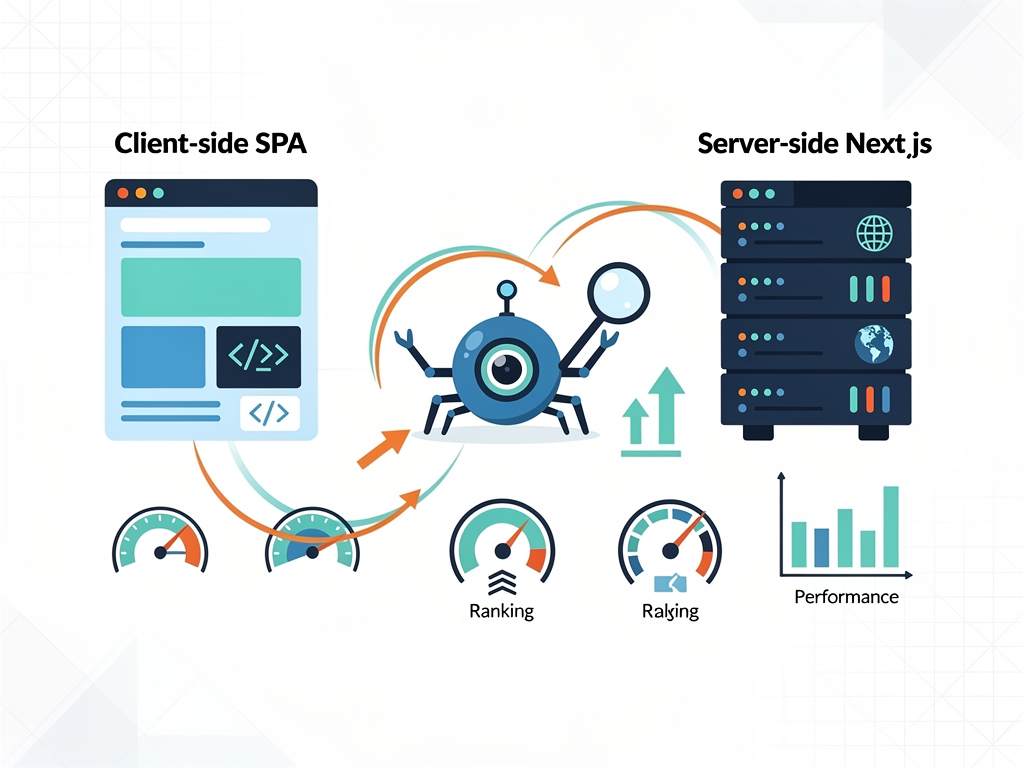
Single-page applications built with React Router face inherent SEO challenges. When search engine crawlers visit your site, they initially receive a minimal HTML document with a JavaScript bundle. The crawler must execute that JavaScript to see your actual content. While Google's crawler handles JavaScript reasonably well, other search engines and social media preview generators often struggle.
For SaaS products with public-facing content, this limitation can be significant. Blog posts, documentation, pricing pages, and feature descriptions all benefit from strong search rankings. If your marketing site relies entirely on client-side rendering, you may find these pages underperforming in search results compared to server-rendered alternatives.
Solutions exist, including server-side rendering frameworks like React Router's own SSR capabilities or pre-rendering services, but they add complexity. You must configure and maintain additional infrastructure that Next.js provides out of the box.
Next.js App Router and SEO Advantages
The App Router's server-first approach naturally produces SEO-friendly pages. Every route can be server-rendered, ensuring search engine crawlers receive complete HTML content without executing JavaScript. This advantage extends to social media sharing, where preview images and descriptions reliably appear because the metadata exists in the initial HTML response.
Next.js provides built-in metadata management through the generateMetadata function, allowing you to set page titles, descriptions, and Open Graph tags dynamically based on route parameters. For a SaaS blog, you can automatically generate appropriate metadata for each post without manual configuration.
Static site generation and incremental static regeneration further enhance SEO performance. Marketing pages can be pre-rendered at build time, resulting in near-instant load times that search engines reward with higher rankings. The Next.js documentation on routing provides comprehensive guidance on implementing these patterns effectively.
Performance Considerations and Real-World Benchmarks
Performance directly impacts user satisfaction, conversion rates, and ultimately your SaaS product's revenue. Research consistently shows that slower load times correlate with higher bounce rates and lower engagement. Choosing the right routing solution can meaningfully affect these metrics.
Initial Load Performance
Next.js App Router typically wins on initial page load metrics, particularly Largest Contentful Paint (LCP). Server-rendered HTML arrives faster than client-rendered content because the browser does not need to download, parse, and execute JavaScript before displaying meaningful content. For SaaS landing pages where first impressions matter, this advantage is significant.
However, the performance gap narrows considerably for authenticated dashboard views. Once a user logs in, they typically remain within your application for extended sessions. The initial load time becomes less important relative to navigation speed between views, where React Router's client-side approach excels.
Navigation Speed and Perceived Performance
React Router provides faster perceived navigation between routes because it does not make server requests for new pages. Clicking a link updates the URL and renders the new component instantaneously. For SaaS dashboards where users navigate frequently, this responsiveness creates a more pleasant experience.
Next.js App Router can achieve similar navigation speed through client-side navigation with prefetching. When users hover over links, Next.js can prefetch the destination page's data, making the actual navigation feel nearly instant. However, this requires careful configuration and may not match React Router's raw navigation speed in all scenarios.
Bundle Size and Code Splitting
Both solutions support code splitting, but they approach it differently. React Router requires explicit configuration using React.lazy and dynamic imports to split your bundle by route. Without this configuration, your entire application ships as a single JavaScript file, potentially causing slow initial loads.
Next.js automatically code-splits by route, ensuring users only download the JavaScript needed for the current page. Combined with Server Components that never ship to the client, this automatic optimization can result in significantly smaller bundles without developer intervention.
| Metric | React Router (Typical SaaS) | Next.js App Router (Optimized) |
|---|---|---|
| Initial Page Load (LCP) | 1.5 to 3.0 seconds | 0.5 to 1.2 seconds |
| Navigation Between Routes | 50 to 100 milliseconds | 100 to 300 milliseconds |
| JavaScript Bundle Size | 300 to 600 KB (without splitting) | 150 to 300 KB (with Server Components) |
| Time to Interactive | 2.0 to 4.0 seconds | 0.8 to 1.5 seconds |
Developer Experience and Learning Curve
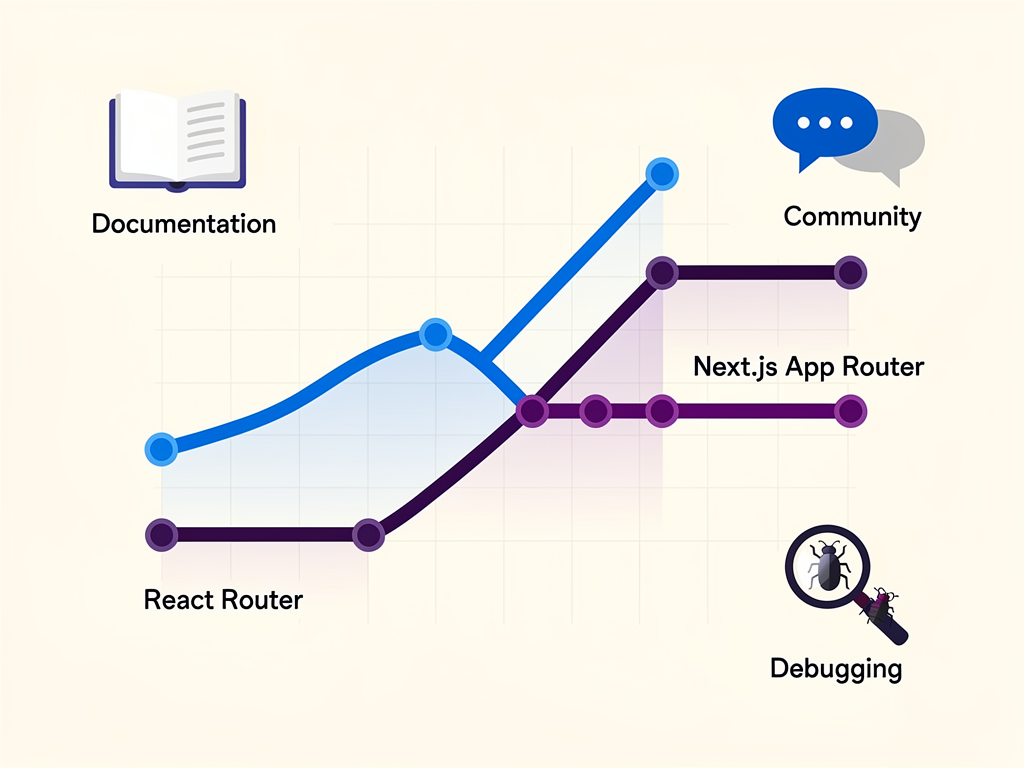
The routing solution you choose affects not only your product but also your team's productivity and satisfaction. Developer experience considerations include learning curve, debugging capabilities, ecosystem compatibility, and long-term maintainability.
React Router Learning Curve
Developers familiar with React find React Router intuitive because it follows React's component-based paradigm. Routes are components, and routing logic uses familiar patterns like props, hooks, and context. The mental model is straightforward: define routes, render components, and use hooks for navigation and parameters.
The documentation is comprehensive, and the library's long history means abundant tutorials, Stack Overflow answers, and community resources exist. When you encounter problems, solutions are usually a quick search away. This maturity reduces the time spent debugging routing issues.
Next.js App Router Learning Curve
The App Router introduces concepts that challenge developers accustomed to client-side React. Understanding when components render on the server versus the client, managing the boundary between Server and Client Components, and working with the new caching model all require mental model adjustments.
The distinction between 'use client' and default server components trips up many developers initially. Placing this directive incorrectly can either break your application or negate the performance benefits you sought. The framework's conventions, while powerful once mastered, take time to internalize.
That said, Next.js's opinionated approach reduces decision fatigue. You do not need to choose between routing libraries, configure server-side rendering, or set up code splitting. The framework makes these decisions for you, which can accelerate development once you understand its patterns.
Authentication and Protected Routes
Every SaaS application requires authentication, and your routing solution must integrate seamlessly with your auth system. Both React Router and Next.js App Router can handle protected routes, but they do so differently.
Implementing Protected Routes with React Router
React Router does not include built-in authentication support, giving you flexibility to implement auth however you prefer. A common pattern involves creating a ProtectedRoute wrapper component that checks authentication status and either renders children or redirects to login.
This approach works well with popular auth libraries like Auth0, Firebase Authentication, or custom JWT-based systems. You maintain complete control over the authentication flow, including where to store tokens, how to handle refresh logic, and what happens when sessions expire.
The downside is that authentication checks happen on the client after JavaScript loads. Users might briefly see protected content before being redirected, creating a flash of unauthorized content. Preventing this requires additional loading states and careful component architecture.
Implementing Protected Routes with Next.js App Router
Next.js enables server-side authentication checks through middleware (now called proxy in Next.js 16) and Server Components. You can verify authentication before any HTML reaches the browser, eliminating the flash of unauthorized content entirely.
The proxy.ts file runs on every request, allowing you to check cookies, validate tokens, and redirect unauthenticated users before rendering begins. This server-first approach provides stronger security guarantees because sensitive routes never render for unauthorized users, even partially.
Integration with NextAuth.js (now Auth.js) provides a comprehensive authentication solution specifically designed for Next.js. Session management, OAuth providers, and database adapters work seamlessly with the App Router's server-side patterns. For teams that want authentication solved rather than built, this integration saves significant development time.
Pro Tip: When building a SaaS product with complex authentication requirements, consider using a Next.js SaaS template that includes pre-configured authentication flows. This approach lets you focus on your product's unique features rather than reimplementing common patterns.
Data Fetching Patterns and State Management
SaaS applications are data-intensive by nature. Users expect real-time updates, complex filtering, and responsive interfaces. Your routing solution influences how you fetch, cache, and manage data throughout your application.
Data Fetching with React Router
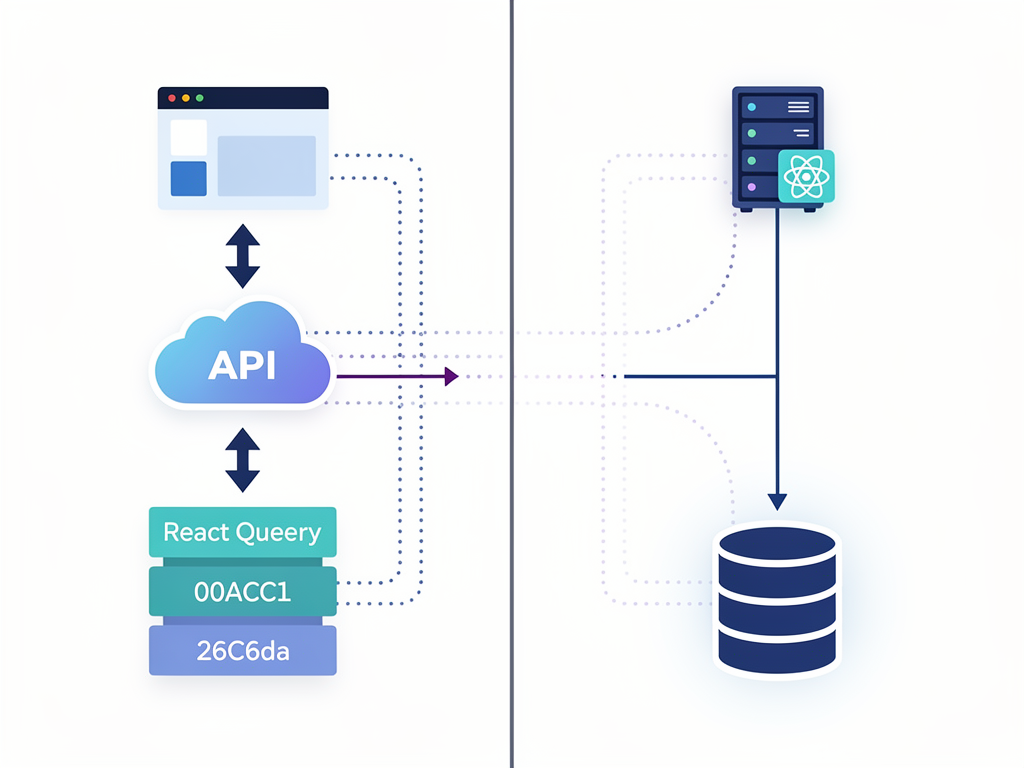
React Router traditionally leaves data fetching to the developer's discretion. You might use useEffect hooks, React Query, SWR, or Redux with async thunks. This flexibility allows you to choose the best tool for your specific needs but requires more decisions and configuration.
React Router 6.4 introduced data loading capabilities through loader functions, bringing some server-side data fetching patterns to client-side applications. However, these features work differently from Next.js's approach and still execute on the client after the initial page load.
For complex SaaS dashboards, libraries like TanStack Query (React Query) provide sophisticated caching, background refetching, and optimistic updates that enhance user experience. These libraries integrate well with React Router and offer fine-grained control over data synchronization.
Data Fetching with Next.js App Router
The App Router's Server Components enable direct data fetching without client-side libraries. You can await database queries directly in components, and the framework handles caching, revalidation, and error states. This simplification reduces boilerplate and eliminates entire categories of bugs related to loading states and race conditions.
Server Actions provide a mechanism for mutations (creating, updating, deleting data) that integrates with the framework's caching system. When a Server Action completes, Next.js can automatically revalidate affected data, ensuring your UI stays synchronized with your database.
However, highly interactive features still require client-side state management. Real-time collaboration, optimistic updates, and complex form state often necessitate client components with traditional state management approaches. The App Router does not eliminate these needs; it provides additional tools for scenarios where server rendering makes sense.
Choosing Based on Your SaaS Product Type
Different SaaS products have different requirements, and your routing choice should align with your specific use case. Let us examine common SaaS archetypes and which routing solution serves them best.
B2C SaaS with Public Content
Products like blogging platforms, e-commerce builders, or content management systems often have significant public-facing content. Marketing pages, user-generated content, and documentation all benefit from strong SEO. For these products, Next.js App Router is typically the better choice.
The ability to server-render public pages, generate static content at build time, and provide excellent Core Web Vitals scores directly impacts user acquisition. When potential customers search for solutions, your pages need to rank well and load quickly to convert visitors into users.
B2B Dashboards and Internal Tools
Enterprise SaaS products often consist primarily of authenticated dashboards with complex data visualization and workflow management. Users access these tools through direct links or bookmarks rather than search engines. For these products, React Router often provides a better experience.
The instant navigation between dashboard views, simpler mental model, and flexibility for complex routing scenarios align well with B2B dashboard requirements. SEO matters less because users do not discover these tools through search, and the performance characteristics favor client-side navigation patterns.
Hybrid Products
Many SaaS products combine public marketing content with authenticated application features. A project management tool might have a marketing site, documentation, and a complex dashboard. For these products, Next.js App Router provides the best of both worlds.
You can server-render marketing pages for SEO while using client components for interactive dashboard features. The framework's flexibility allows different rendering strategies for different sections of your application, optimizing each for its specific requirements.
Migration Considerations and Strategies
If you have an existing SaaS application and are considering switching routing solutions, understanding the migration complexity helps you plan appropriately. Neither migration path is trivial, and both require careful consideration.
Migrating from React Router to Next.js
This migration involves more than swapping routing code. You are adopting an entirely new framework with different conventions, build processes, and deployment requirements. Your component architecture may need restructuring to take advantage of Server Components, and third-party libraries may require updates or replacements.
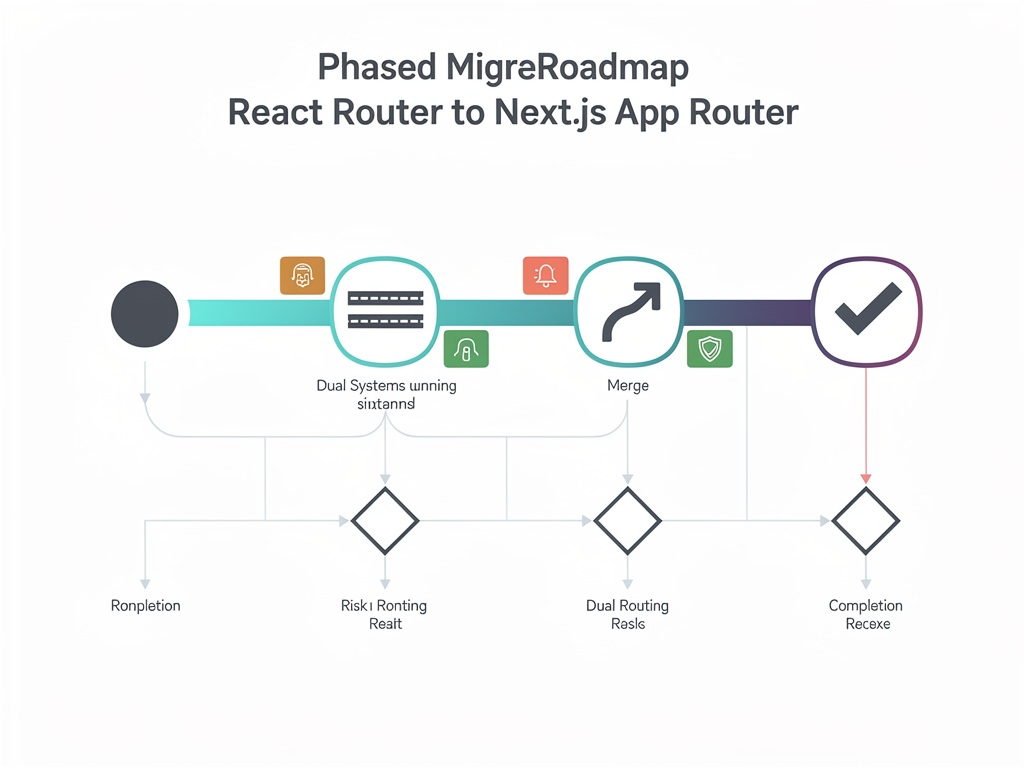
A phased approach often works best. Start by migrating your marketing pages to Next.js while keeping your dashboard as a separate React Router application. Once the marketing site is stable, gradually migrate dashboard features, learning the framework's patterns along the way.
Expect the migration to take several months for a substantial SaaS application. The investment pays off through improved SEO, better performance, and access to Next.js's ecosystem, but it requires significant engineering resources.
Migrating from Next.js to React Router
This migration is less common but sometimes necessary when teams find Next.js's opinions too constraining. You would extract your components into a standalone React application, configure a build system (Vite is popular), and set up React Router.
The primary challenge is replacing Next.js's built-in features: server-side rendering, image optimization, API routes, and middleware. You either sacrifice these capabilities or implement them using other tools, adding complexity to your stack.
Ecosystem and Third-Party Library Compatibility
Your routing choice affects which libraries and tools integrate smoothly with your application. Both ecosystems are mature, but compatibility considerations exist.
React Router Ecosystem
React Router works with virtually any React library because it operates as a standard React component library. State management solutions (Redux, Zustand, Jotai), UI component libraries (Material UI, Chakra UI), and data fetching libraries (React Query, SWR) all integrate without friction.
This compatibility extends to deployment. React Router applications can deploy anywhere that serves static files: Netlify, Vercel, AWS S3, or traditional web servers. You are not locked into specific infrastructure, giving you flexibility as your needs evolve.
Next.js App Router Ecosystem
The App Router's Server Components introduce compatibility considerations. Libraries that rely on browser APIs, React context, or hooks cannot run in Server Components. You must either use these libraries in Client Components or find alternatives designed for the server environment.
Most popular libraries have adapted to support Next.js, but you may encounter edge cases, especially with newer or less maintained packages. The Next.js documentation on composition patterns provides guidance on integrating client-side libraries with Server Components.
Deployment options are broader than they once were. While Vercel provides the most seamless experience, Next.js applications can deploy to AWS, Google Cloud, Docker containers, and other platforms. Self-hosting requires more configuration but is entirely viable for teams with specific infrastructure requirements.
Cost and Infrastructure Implications
Your routing choice influences hosting costs and infrastructure complexity. These factors matter especially for bootstrapped startups and indie hackers watching every dollar.
React Router Hosting Costs
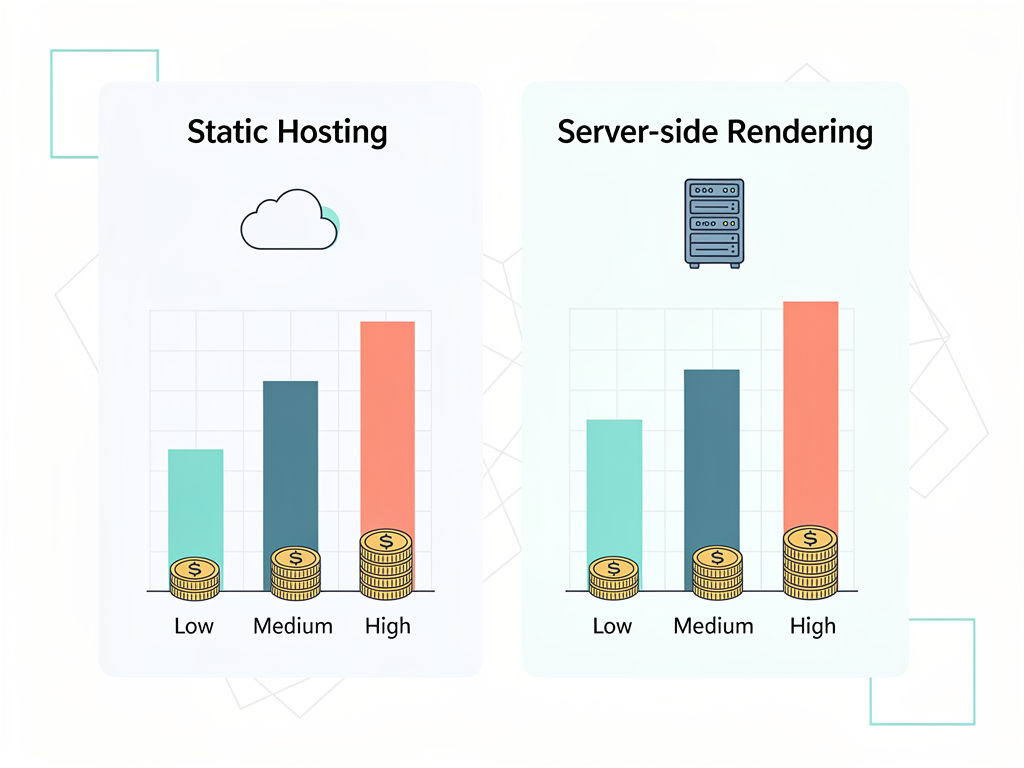
Client-side React applications are essentially static files. You can host them on CDNs for minimal cost, often within free tiers for low-traffic applications. Services like Netlify, Vercel, and Cloudflare Pages offer generous free plans that accommodate many early-stage SaaS products.
Your backend API runs separately, which you would need regardless of routing choice. The frontend hosting cost is typically negligible compared to database, compute, and third-party service costs.
Next.js Hosting Costs
Next.js applications with server-side rendering require compute resources beyond static file hosting. Each request potentially triggers server-side code execution, which costs more than serving cached static files.
Vercel's pricing model charges based on function invocations and bandwidth. For high-traffic SaaS applications, these costs can become significant. Alternative hosting on AWS Lambda, Google Cloud Run, or traditional servers may offer better economics at scale but requires more operational expertise.
Static generation and aggressive caching can reduce server-side rendering costs substantially. Pages that do not change frequently can be pre-rendered, serving from CDN caches rather than triggering server execution.
Building with a SaaS Starter Kit
Regardless of which routing solution you choose, starting from scratch means solving problems that thousands of developers have solved before. Authentication, payments, user management, and admin dashboards are table stakes for SaaS products but consume months of development time.
A well-designed SaaS starter kit provides these foundational features pre-built and tested, letting you focus on the unique value your product provides. When evaluating starter kits, consider how they handle routing and whether their architectural decisions align with your product's needs.
For Next.js applications, look for starter kits that properly leverage Server Components, implement efficient data fetching patterns, and provide clear separation between server and client code. The routing architecture should support both public marketing pages and protected dashboard routes with appropriate rendering strategies for each.
Teams building no-code platforms or multi-tenant applications might explore specialized solutions like NextBuilder for building no-code SaaS platforms, which provides infrastructure specifically designed for these complex use cases.
Future-Proofing Your Architecture
Technology evolves rapidly, and decisions made today affect your ability to adopt improvements tomorrow. Both routing solutions continue to develop, and understanding their trajectories helps you make forward-looking choices.
React Router's Evolution
React Router continues to add features that bring some server-side capabilities to client-side applications. The Remix framework, created by React Router's maintainers, represents their vision for full-stack React development. Understanding this relationship helps you anticipate where React Router might head.
The library's commitment to backward compatibility means your existing code will likely continue working through future versions. This stability is valuable for long-term projects where major rewrites are costly.
Next.js App Router's Evolution
Next.js moves quickly, sometimes introducing breaking changes between major versions. The transition from Pages Router to App Router demonstrated both the framework's willingness to make significant architectural changes and the migration burden these changes create.
Recent versions have focused on stability and developer experience improvements rather than new paradigms. The caching model has become more predictable, Turbopack has matured as the default bundler, and React 19 features integrate smoothly. This stabilization suggests the framework is entering a more mature phase.
Vercel's investment in Next.js ensures continued development and improvement. The framework will likely remain at the forefront of React innovation, though this also means staying current requires ongoing learning and occasional migration work.
Making the Decision: A Framework for Choosing
After examining features, performance, developer experience, and ecosystem considerations, how do you actually decide? Here is a framework that synthesizes the key factors.
Choose React Router When:
- Your SaaS product is primarily an authenticated dashboard with minimal public content
- SEO is not a significant customer acquisition channel for your business
- Your team has deep React experience but limited Next.js exposure
- You need maximum flexibility for complex, custom routing scenarios
- You want to minimize framework lock-in and maintain deployment flexibility
- Your product requires extensive real-time features and client-side interactivity
Choose Next.js App Router When:
- Your SaaS product has significant public-facing content that needs SEO optimization
- Initial page load performance is critical for user acquisition and conversion
- You want built-in solutions for common problems like image optimization and API routes
- Your team is comfortable learning new paradigms and staying current with framework updates
- You are building a hybrid product with both marketing content and application features
- You want to leverage React Server Components for reduced bundle sizes
Implementation Best Practices
Whichever routing solution you choose, certain best practices apply to building maintainable, performant SaaS applications.
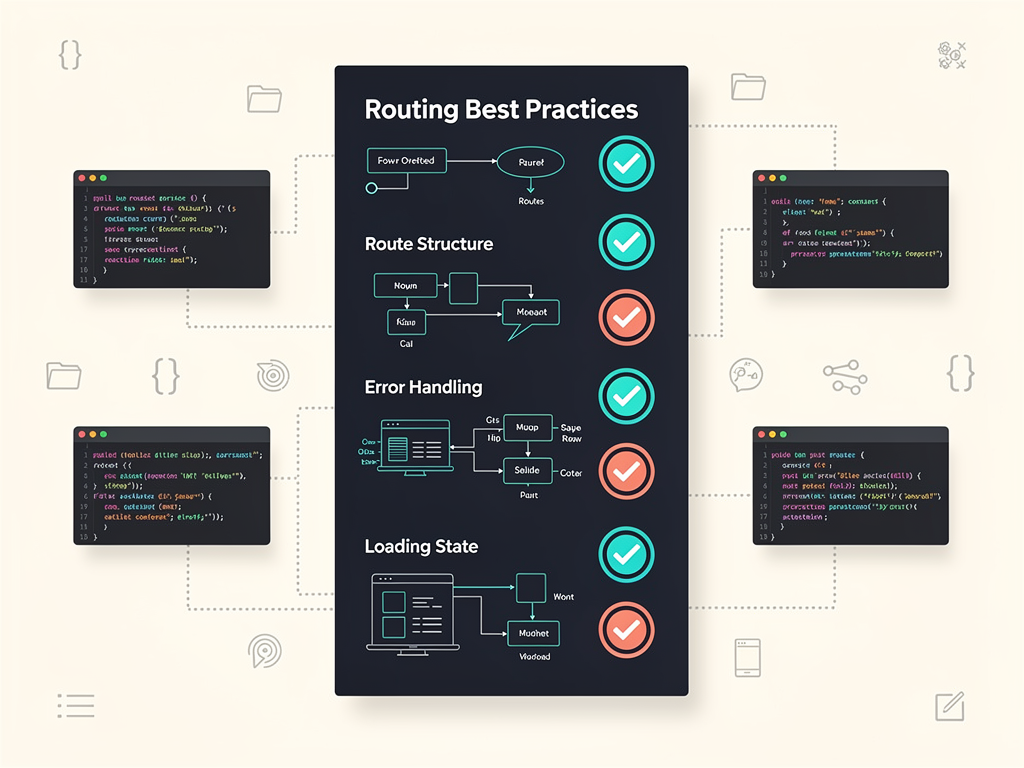
Organize Routes Logically
Group related routes together, whether through React Router's nested route configuration or Next.js's folder structure. A clear organization makes your application easier to navigate for developers and reduces the likelihood of routing conflicts or confusion.
Implement Proper Error Handling
Both solutions support error boundaries and fallback UIs. Implement these consistently throughout your application to provide graceful degradation when things go wrong. Users should never see cryptic error messages or blank screens.
Use Loading States Appropriately
Navigation should feel responsive even when data fetching takes time. Implement skeleton screens, progress indicators, or optimistic UI updates to maintain the perception of speed. Both React Router and Next.js provide mechanisms for handling loading states effectively.
Test Navigation Thoroughly
Routing bugs are particularly frustrating for users because they disrupt the fundamental experience of using your application. Write integration tests that verify navigation works correctly, including edge cases like deep links, browser back/forward buttons, and authentication redirects.
Conclusion
Choosing between React Router and Next.js App Router is not about finding the objectively better solution. It is about matching your routing architecture to your SaaS product's specific requirements, your team's expertise, and your business goals.
React Router excels for dashboard-heavy applications where client-side navigation speed matters most and SEO is secondary. Its flexibility, mature ecosystem, and straightforward mental model make it an excellent choice for B2B SaaS products and internal tools.
Next.js App Router shines for products with significant public content, where SEO and initial load performance directly impact customer acquisition. Its integrated approach to rendering, data fetching, and optimization provides powerful capabilities for teams willing to invest in learning its patterns.
Many successful SaaS products use a Next.js boilerplate as their foundation, benefiting from pre-configured routing, authentication, and payment systems that would otherwise take months to build. Starting with a proven SaaS template accelerates your time to market while ensuring architectural decisions are sound.
Ultimately, the best routing solution is the one that lets your team ship features quickly, provides the performance your users expect, and supports your product's growth. Make your choice based on your specific context, not abstract comparisons, and you will build a foundation that serves your SaaS product well for years to come.
Frequently Asked Questions
Can I use React Router inside a Next.js application?
Technically, you can install React Router in a Next.js project, but doing so is strongly discouraged and creates significant complications. Next.js's App Router and React Router both try to control the browser's history and URL state, leading to conflicts and unpredictable behavior. You would lose most of Next.js's benefits, including server-side rendering, automatic code splitting, and file-based routing, while adding unnecessary complexity. If you need React Router's specific features, you are better off building a standalone React application. If you want Next.js's capabilities, embrace its built-in routing system fully. Hybrid approaches create maintenance burdens and debugging challenges that outweigh any perceived benefits.
How do I handle dynamic routes with parameters in Next.js App Router?
Next.js App Router uses folder naming conventions for dynamic routes. Create a folder with square brackets around the parameter name, such as app/projects/[projectId]/page.tsx. Inside your page component, access the parameter through the params prop, which Next.js automatically provides. For multiple dynamic segments, nest folders accordingly: app/projects/[projectId]/tasks/[taskId]/page.tsx. You can also use catch-all routes with [...slug] syntax for paths with variable numbers of segments. The generateStaticParams function allows you to pre-render dynamic routes at build time when you know the possible parameter values in advance, improving performance for content that does not change frequently.
What happens to my SEO if I switch from Next.js to React Router?
Switching from Next.js to React Router typically negatively impacts SEO for public-facing pages. Search engine crawlers will receive minimal HTML content initially, relying on JavaScript execution to see your actual page content. While Google's crawler handles JavaScript reasonably well, you may see ranking drops for content-heavy pages, reduced visibility in search results, and issues with social media preview cards. To mitigate these effects, you could implement server-side rendering using a separate solution, use a pre-rendering service that generates static HTML for crawlers, or accept reduced SEO performance if organic search is not a primary customer acquisition channel. Carefully evaluate whether the benefits of switching outweigh the SEO costs for your specific business model.
Is the Next.js App Router stable enough for production SaaS applications?
As of 2024, the Next.js App Router has matured significantly and is suitable for production SaaS applications. Early versions had legitimate stability concerns, including unpredictable caching behavior, confusing error messages, and incomplete documentation. Recent releases have addressed most of these issues. The caching model is now opt-in rather than implicit, Turbopack provides reliable builds, and the ecosystem has adapted to support Server Components. Major companies run production applications on the App Router, and the framework receives continuous improvements. That said, staying current with Next.js requires ongoing learning as the framework evolves. Teams should evaluate whether they have the capacity to keep up with updates and occasional migration work.
How do React Router and Next.js App Router handle code splitting differently?
React Router requires explicit configuration for code splitting. You use React.lazy and dynamic imports to split your bundle by route, wrapping lazy-loaded components in Suspense boundaries. Without this configuration, your entire application ships as a single JavaScript file, potentially causing slow initial loads for larger applications. Next.js App Router automatically code-splits by route without any configuration. Each page in your app directory becomes a separate chunk that loads only when users navigate to that route. Additionally, Server Components never ship to the client at all, further reducing bundle sizes. This automatic optimization means Next.js applications typically have smaller initial bundles with less developer effort, though React Router can achieve similar results with proper configuration.
Should I use a SaaS starter kit or build routing from scratch?
For most SaaS founders and development teams, using a well-designed SaaS starter kit saves significant time and reduces architectural mistakes. Routing is just one piece of a SaaS application; you also need authentication, payment processing, user management, email systems, and admin dashboards. Building these from scratch takes months and introduces opportunities for security vulnerabilities and architectural missteps. A quality starter kit provides battle-tested implementations of these common features, letting you focus on your product's unique value proposition. The investment in a starter kit typically pays for itself within the first few weeks of development time saved. However, if your product has highly unusual requirements that no existing starter kit addresses, or if learning the underlying systems is a primary goal, building from scratch may be appropriate.
Ready to Build Your SaaS Product Faster?
Stop spending months on routing configuration, authentication systems, and payment integration. SaasCore provides a complete Next.js boilerplate with everything you need to launch your SaaS product quickly. From pre-built authentication flows and Stripe integration to admin dashboards and email marketing systems, SaasCore handles the foundational features so you can focus on building what makes your product unique. View the demo today and see why developers choose SaasCore to accelerate their SaaS development journey.
Subscribe to our newsletter
Subscribe to our newsletter and stay up-to-date with the latest news and updates.