Next.js: The Ultimate Framework for SaaS Developers in 2026
Discover why Next.js has become the go-to framework for SaaS applications, offering unmatched performance, flexibility, and developer experience. Learn how its full-stack capabilities, ecosystem integrations, and production-ready defaults accelerate your SaaS product development.

Zakariae

If you are building a software as a service product in 2026, you have likely encountered the question: what is next js, and why does it dominate conversations among modern web developers? The answer lies in a framework that has fundamentally transformed how teams approach full-stack development, offering a powerful combination of performance, flexibility, and developer experience that makes it the preferred choice for SaaS applications worldwide.
Next.js has evolved from a simple React enhancement into a comprehensive full-stack framework that powers everything from small startup MVPs to enterprise-grade applications serving millions of users. For SaaS developers specifically, it provides the architectural patterns, rendering strategies, and ecosystem integrations that directly address the unique challenges of building subscription-based software products. Whether you need server-side rendering for SEO, real-time dashboards for users, or complex multi-tenant architectures, Next.js delivers the tools you need without requiring you to assemble a framework from disparate parts.
Key Takeaways
Next.js is a full-stack React framework developed by Vercel that handles both frontend and backend development in a single, cohesive project structure.
Server Components and Server Actions in Next.js 16 reduce client-side JavaScript, improve performance, and simplify data fetching patterns critical for SaaS dashboards.
Multiple rendering strategies (SSR, SSG, ISR) allow SaaS developers to optimize different parts of their application for speed, SEO, or real-time data requirements.
Built-in features like file-based routing, API routes, middleware, and image optimization eliminate the need for extensive third-party configuration.
The massive React ecosystem ensures that authentication libraries, payment integrations, and UI component systems work seamlessly with Next.js out of the box.
Multi-tenancy patterns are well-supported through dynamic routing and middleware, making Next.js ideal for B2B SaaS applications.
Turbopack, now production-ready in Next.js 16, dramatically reduces development server startup times and build durations for large codebases.
Understanding Next.js: The Foundation for Modern SaaS Development
Next.js is an open-source React framework created and maintained by Vercel that enables developers to build production-ready web applications with server-side rendering, static site generation, and full-stack capabilities. Unlike vanilla React, which primarily handles the view layer, Next.js provides a complete application architecture including routing, data fetching, API endpoints, and deployment optimization.
The framework sits at the intersection of frontend and backend development, allowing you to write React components that render on the server, create API routes that handle business logic, and deploy everything as a unified application. This architectural approach eliminates the traditional separation between your frontend application and backend services, reducing complexity and accelerating development velocity.
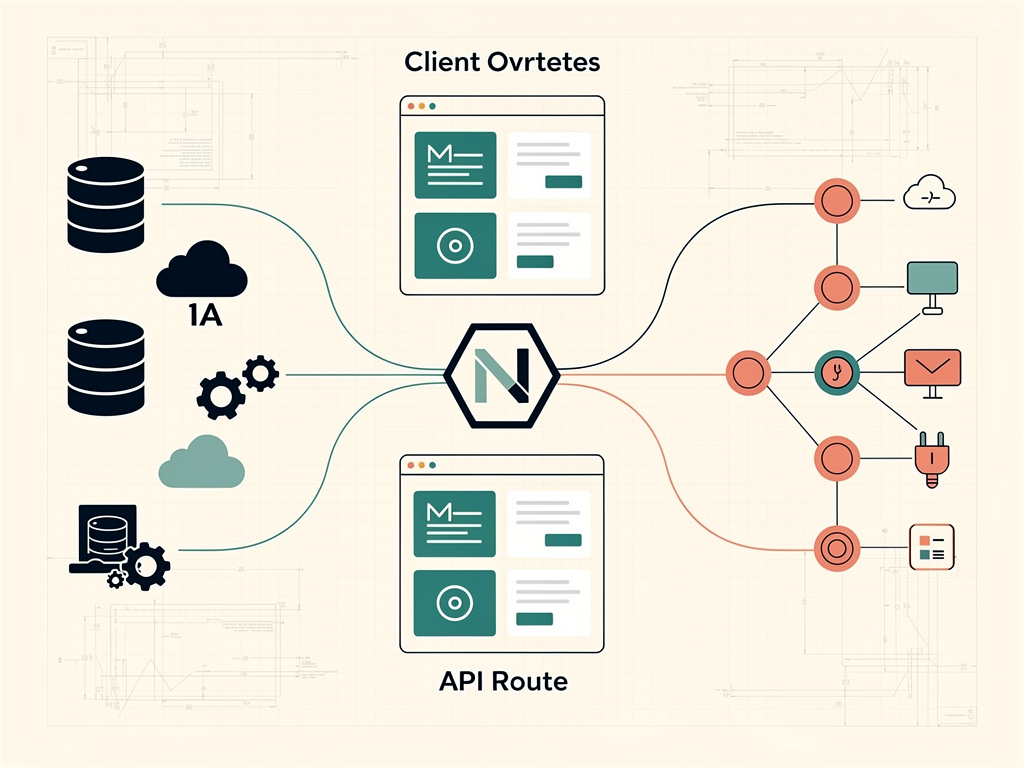
Next.js unifies frontend and backend development into a single cohesive framework architecture
For SaaS developers, this unification is particularly valuable. You can build your marketing pages, user authentication flows, subscription management dashboards, and administrative interfaces all within the same codebase, sharing components, utilities, and business logic across different parts of your application. The official Next.js documentation provides comprehensive guidance on leveraging these capabilities effectively.
The 2025 Stack Overflow Developer Survey ranked Next.js as the fourth most popular web framework, reflecting its widespread adoption across the industry. This popularity translates into practical benefits: extensive documentation, active community support, abundant learning resources, and a large talent pool of developers familiar with the framework.
Why Next.js Has Become the Default Choice for SaaS Applications
Several factors have converged to make Next.js the predominant framework for building SaaS products in 2026. Understanding these factors helps explain why so many successful startups and established companies have standardized on this technology.
Ecosystem scale represents perhaps the most significant advantage. More npm packages work out of the box with Next.js than with any other React framework. Authentication libraries like NextAuth.js, payment processors like Stripe, analytics platforms, UI component libraries such as Shadcn UI, and AI SDKs all provide first-party Next.js support. This means you spend less time configuring integrations and more time building features that differentiate your product.
The hiring pool consideration cannot be overlooked when building a SaaS business. React developers outnumber those specializing in any other frontend framework, and most React developers either know Next.js or can learn it quickly. When you are scaling your team or eventually selling your company, this matters enormously. Acquirers and investors understand Next.js codebases, and finding developers to maintain and extend your application becomes significantly easier.
Pro Tip: When evaluating frameworks for your SaaS product, consider not just the technical capabilities but also the long-term implications for hiring, maintenance, and potential acquisition. Next.js scores highly across all these dimensions.
Production-ready defaults accelerate your time to market. Routing, code splitting, image optimization, font loading, and metadata APIs work immediately without configuration. You are not assembling a framework from individual parts or making dozens of architectural decisions before writing your first feature. This opinionated approach means you can focus on your product's unique value proposition rather than reinventing infrastructure.
Finally, Vercel's backing provides confidence in the framework's longevity. Vercel employs React core team members and invests heavily in tooling like Turbopack and SWC. The framework receives consistent updates, security patches, and performance improvements. For a SaaS business that needs to operate for years, this stability matters.
Next.js 16 Features That Transform SaaS Development
Next.js 16, released in late 2025, introduced significant improvements focused on performance and developer experience. These features directly impact how SaaS applications are built and deployed.
Turbopack Reaches Production Readiness
Turbopack is now the default bundler for development and stable for production builds. This Rust-based bundler dramatically outperforms Webpack, particularly for large codebases typical of mature SaaS applications. Development server cold starts now complete in seconds rather than minutes, hot module replacement feels instantaneous, and production builds finish faster in continuous integration pipelines.
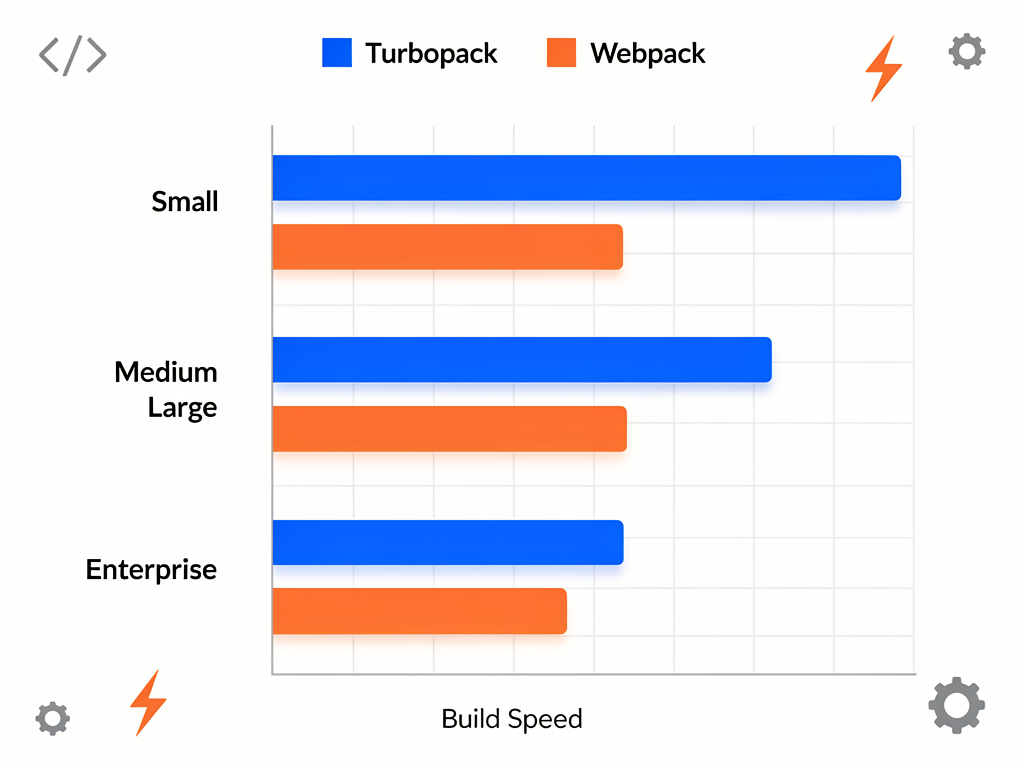
Turbopack delivers substantial performance improvements over Webpack for SaaS codebases
For SaaS developers working on applications with hundreds of components, dozens of pages, and complex business logic, these performance improvements translate into tangible productivity gains. Faster feedback loops mean more iterations, better code quality, and ultimately a superior product.
Server Components as the Default Paradigm
React Server Components run on the server by default in Next.js 16, fundamentally changing how you think about component architecture. Authentication logic, database queries, and business logic no longer ship to the browser, resulting in smaller client bundles and faster page loads.
For SaaS applications, this paradigm shift offers multiple benefits. Your dashboard pages can fetch user data, subscription status, and usage metrics directly within components without prop drilling or client-side loading states. Search engines and AI answer engines see fully rendered content, improving discoverability. Security improves because sensitive business logic never reaches the client.
Server Actions Eliminate API Boilerplate
Server Actions allow you to call server functions directly from client components without building separate API endpoints. For common SaaS operations like creating projects, updating user settings, or processing forms, this eliminates substantial boilerplate code.
Consider a typical SaaS feature: creating a new workspace. Previously, you would define an API route, handle authentication, validate input, perform the database operation, and return a response. The client would then call this endpoint, handle loading states, and process the response. With Server Actions, this entire flow simplifies into a single function that handles everything with full type safety across the client-server boundary.
Explicit Caching with the use cache Directive
Next.js 16 moves from implicit to explicit caching, giving developers precise control over what gets cached and for how long. The use cache directive lets you cache at the component or function level, optimizing performance without fighting framework defaults.
For SaaS applications, this means you can cache your marketing pages and pricing information while keeping dashboard data dynamic. Public content that changes infrequently benefits from aggressive caching, while user-specific data remains fresh. This granular control helps you achieve optimal performance across your entire application.
Rendering Strategies: Choosing the Right Approach for Each Page
One of Next.js's greatest strengths lies in its support for multiple rendering strategies within a single application. Understanding when to use each approach is essential for building performant SaaS products.
Server-Side Rendering for Dynamic Content
Server-side rendering (SSR) generates HTML on each request, making it ideal for pages that display user-specific or frequently changing data. Your SaaS dashboard, account settings, and billing pages typically benefit from SSR because they need to reflect the current state of the user's account.
SSR ensures that users always see fresh data without client-side loading spinners. The server fetches the necessary information, renders the complete page, and sends it to the browser ready for immediate display. For authenticated routes in your SaaS application, this approach provides the best user experience.
Static Site Generation for Marketing and Documentation
Static site generation (SSG) pre-renders pages at build time, producing HTML files that can be served from a CDN with minimal latency. Your landing pages, feature descriptions, pricing tables, and documentation benefit enormously from this approach.

Static site generation enables lightning-fast delivery of marketing content through CDN distribution
For SaaS companies, fast-loading marketing pages directly impact conversion rates. When potential customers visit your site, they expect instant responsiveness. SSG delivers this experience while also providing excellent SEO performance, as search engines can easily crawl and index pre-rendered content.
Incremental Static Regeneration for the Best of Both Worlds
Incremental Static Regeneration (ISR) combines the performance benefits of static generation with the freshness of server rendering. Pages are pre-rendered at build time but can be updated after deployment without requiring a complete rebuild.
This approach works exceptionally well for SaaS content that changes periodically but not on every request. Blog posts, case studies, integration documentation, and changelog entries can be statically generated for performance while automatically updating when content changes. You specify a revalidation interval, and Next.js handles the rest.
Rendering Strategy | Best For | SaaS Use Cases |
|---|---|---|
Server-Side Rendering (SSR) | Dynamic, user-specific content | Dashboards, account settings, billing pages |
Static Site Generation (SSG) | Content that rarely changes | Landing pages, pricing, documentation |
Incremental Static Regeneration (ISR) | Periodically updated content | Blog posts, changelogs, case studies |
Client-Side Rendering (CSR) | Highly interactive features | Real-time collaboration, live dashboards |
File-Based Routing and the App Router Architecture
Next.js uses a file-based routing system where your folder structure directly determines your application's URL structure. The App Router, introduced in Next.js 13 and now the standard approach, provides powerful features for organizing complex SaaS applications.
Creating a new route is as simple as adding a folder with a page.tsx file. A folder named dashboard containing page.tsx automatically creates the /dashboard route. This convention eliminates the need for explicit route configuration and makes your application's structure immediately understandable to new team members.
Layouts for Consistent User Experience
The App Router introduces layouts that persist across page navigations, maintaining state and avoiding unnecessary re-renders. For SaaS applications, this means your sidebar navigation, header, and other persistent UI elements remain stable as users move between pages.
You can nest layouts to create sophisticated page structures. Your authenticated area might have a layout with navigation and user context, while individual features within that area have their own sub-layouts for feature-specific controls. This hierarchical approach keeps your code organized and your user experience consistent.
Dynamic Routes for Multi-Tenant Applications
Dynamic segments allow you to create routes that capture variable path parameters. A route defined as [teamId]/dashboard matches any team identifier, making it straightforward to implement multi-tenant architectures where each customer has their own workspace.
![Code editor screenshot showing Next.js App Router folder structure for a multi-tenant SaaS application, with folders for app, [teamId], dashboard, settings, and members, each containing page.tsx and layout.tsx files, demonstrating the hierarchical organization with syntax highlighting and file icons](https://dclitzxet147h.cloudfront.net/ai-generated/669e96c6-7971-49b9-b250-cd52bc9dbca9.png)
The App Router's file-based structure makes multi-tenant routing intuitive and maintainable
For B2B SaaS products where organizations need isolated workspaces, this pattern is invaluable. Combined with middleware for authentication and authorization checks, you can build secure, scalable multi-tenant applications without complex routing configuration.
Building Multi-Tenant SaaS Architectures with Next.js
Multi-tenancy represents one of the most common architectural requirements for SaaS applications, and Next.js provides excellent support for both major approaches.
Path-Based Multi-Tenancy
The simpler approach uses URL paths to identify tenants: app.com/[team]/dashboard. This pattern works with any hosting provider, requires no special DNS configuration, and is straightforward to implement using Next.js dynamic routes.
Path-based tenancy suits applications where brand separation is less critical, such as internal tools, project management systems, or collaboration platforms. Users understand they are accessing their team's space through the URL structure, and you avoid the complexity of subdomain management.
Subdomain-Based Multi-Tenancy
For applications requiring stronger brand separation, subdomain-based tenancy (team.app.com) provides a more polished experience. Customers see their organization's name in the URL, which feels more professional and branded.
Implementing subdomain tenancy requires wildcard SSL certificates and middleware to parse the subdomain and route requests appropriately. Next.js middleware runs at the edge before your application code, making it ideal for this type of request-level decision making. You can extract the tenant identifier from the hostname and make it available throughout your application.
Database Strategies for Multi-Tenancy
Beyond routing, multi-tenant applications must consider data isolation. Common approaches include shared databases with tenant identifiers on each record, separate schemas per tenant, or completely isolated databases. Next.js works well with all these patterns, particularly when combined with ORMs like Prisma that support schema-based isolation.
The choice depends on your security requirements, compliance needs, and operational complexity tolerance. Many SaaS applications start with shared databases and tenant identifiers, migrating to more isolated approaches as they acquire enterprise customers with stricter requirements.
Authentication and Authorization Patterns
Every SaaS application needs robust authentication, and Next.js integrates seamlessly with modern authentication solutions. The framework's architecture supports multiple authentication patterns depending on your requirements.
NextAuth.js for Comprehensive Authentication
NextAuth.js (now Auth.js) provides a complete authentication solution that works natively with Next.js. It supports dozens of OAuth providers, email/password authentication, magic links, and custom credentials. The library handles session management, CSRF protection, and secure cookie handling automatically.
For SaaS applications, NextAuth.js offers features particularly relevant to subscription businesses: callbacks for customizing session data, events for triggering actions on sign-in or sign-out, and adapters for various databases. You can easily include subscription status, team membership, and role information in the session, making authorization checks straightforward throughout your application.
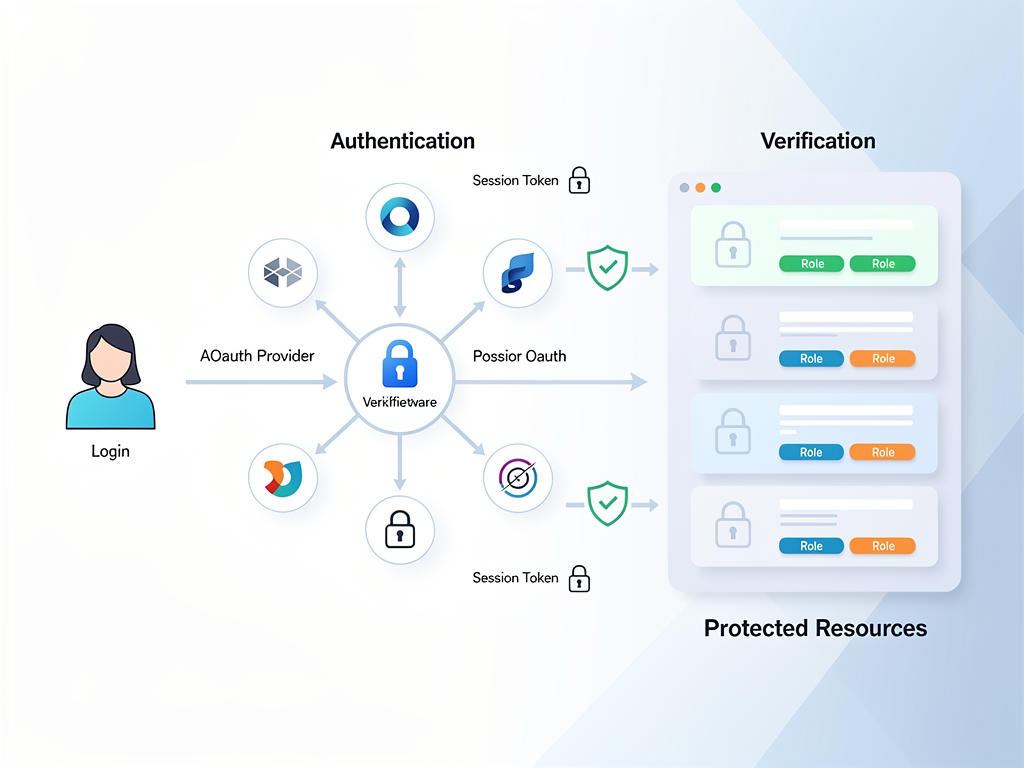
NextAuth.js provides comprehensive authentication with minimal configuration for SaaS applications
Middleware for Route Protection
Next.js middleware enables you to protect routes at the edge, before your application code runs. This approach is more efficient than checking authentication in each page component and provides a centralized location for access control logic.
You can define patterns for which routes require authentication, which require specific roles, and which remain public. The middleware intercepts requests, validates sessions, and either allows the request to proceed or redirects to a login page. This pattern keeps your page components focused on their primary responsibility: rendering the user interface.
Role-Based Access Control
SaaS applications typically need role-based access control (RBAC) to manage permissions across different user types. Administrators need access to billing and team management, regular users need access to core features, and viewers might have read-only access to shared resources.
Implementing RBAC in Next.js involves storing role information in your database, including it in session data, and checking permissions in middleware and components. Server Components make this particularly elegant because permission checks happen on the server, preventing unauthorized content from ever reaching the client.
Integrating Payments and Subscriptions
Monetization sits at the heart of every SaaS business, and Next.js provides excellent patterns for integrating payment processors and managing subscriptions.
Stripe Integration Patterns
Stripe remains the dominant payment processor for SaaS applications, and its JavaScript SDK works seamlessly with Next.js. You can create checkout sessions using Server Actions, handle webhooks through API routes, and manage subscriptions through the Stripe Billing Portal.
The typical integration flow involves creating a checkout session when users select a plan, redirecting them to Stripe's hosted checkout page, and processing webhook events when payments succeed or subscriptions change. Next.js API routes handle webhook verification and database updates, while Server Actions manage the checkout session creation.
Implementation Note: Always verify Stripe webhook signatures to ensure events are legitimate. Store webhook secrets in environment variables and never expose them to the client.
Managing Subscription State
Subscription state needs to be accessible throughout your application to control feature access, display appropriate UI, and enforce usage limits. A common pattern involves syncing subscription data from Stripe webhooks to your database and including relevant information in user sessions.
When a subscription changes (upgrade, downgrade, cancellation, or renewal), Stripe sends webhook events. Your API route processes these events, updates the database, and optionally invalidates cached data. The next time the user loads a page, they see their updated subscription status reflected in the interface.
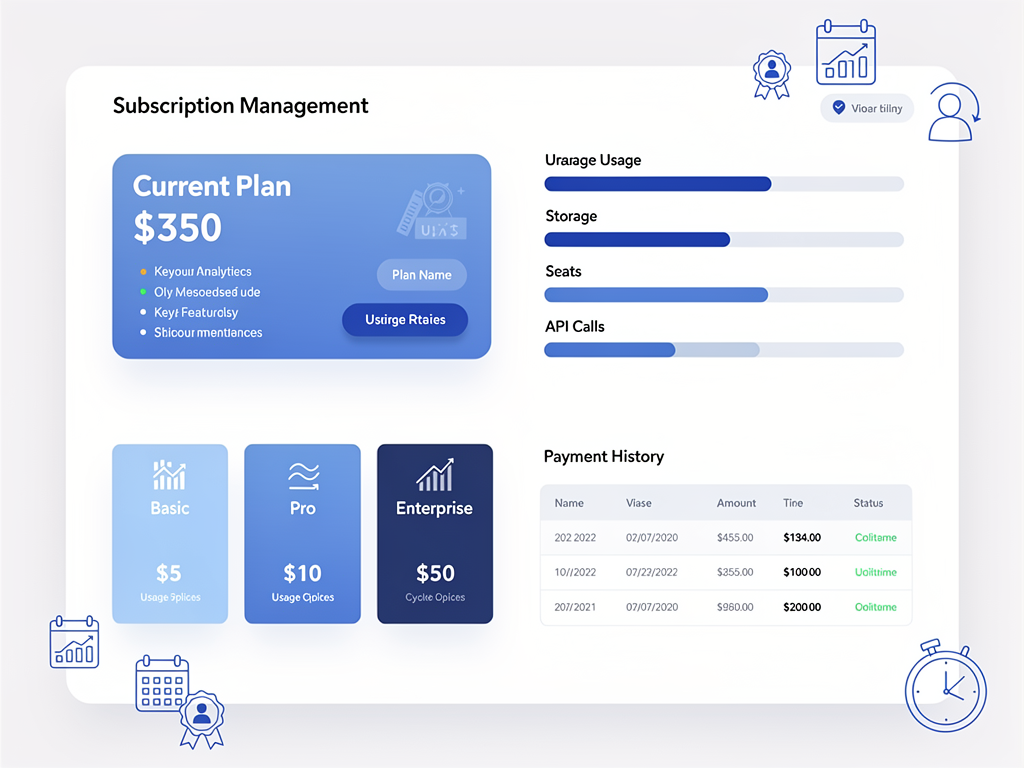
Next.js enables building sophisticated subscription management interfaces with real-time data
Feature Gating Based on Plans
Different subscription tiers typically unlock different features. Implementing feature gates in Next.js involves checking the user's plan against feature requirements and conditionally rendering UI or blocking access to protected functionality.
Server Components excel at this pattern because the gate logic runs on the server. Users on lower tiers never receive the JavaScript for premium features, reducing bundle size and preventing client-side circumvention. You can create reusable components that wrap premium features and handle the access check consistently across your application.
Performance Optimization Strategies for SaaS Applications
Performance directly impacts user satisfaction, conversion rates, and even search engine rankings. Next.js provides numerous built-in optimizations, but understanding how to leverage them effectively requires deliberate attention.
Image Optimization with next/image
The next/image component automatically optimizes images for different devices and screen sizes. It serves modern formats like WebP when supported, lazy loads images below the fold, and prevents layout shift by reserving space for images before they load.
For SaaS applications with user-uploaded content, image optimization becomes particularly important. Profile pictures, uploaded documents, and shared media all benefit from automatic optimization. You can configure external image domains and set quality levels appropriate for different use cases.
Font Optimization with next/font
Custom fonts often cause layout shift and slow page loads. The next/font module automatically optimizes font loading, self-hosts font files, and eliminates layout shift by using CSS size-adjust. Popular fonts like Inter are available directly through the module.
For SaaS products where brand consistency matters, optimized font loading ensures your typography appears correctly without performance penalties. The fonts load with your application, avoiding external requests and the associated latency.
Code Splitting and Bundle Optimization
Next.js automatically splits your code into smaller chunks, loading only what is necessary for each page. This automatic optimization means users downloading your dashboard do not also download the code for your marketing pages.
You can further optimize by using dynamic imports for heavy components that are not immediately needed. A complex chart library, for example, can be loaded only when the user navigates to the analytics section. This approach keeps initial page loads fast while still providing rich functionality when needed.
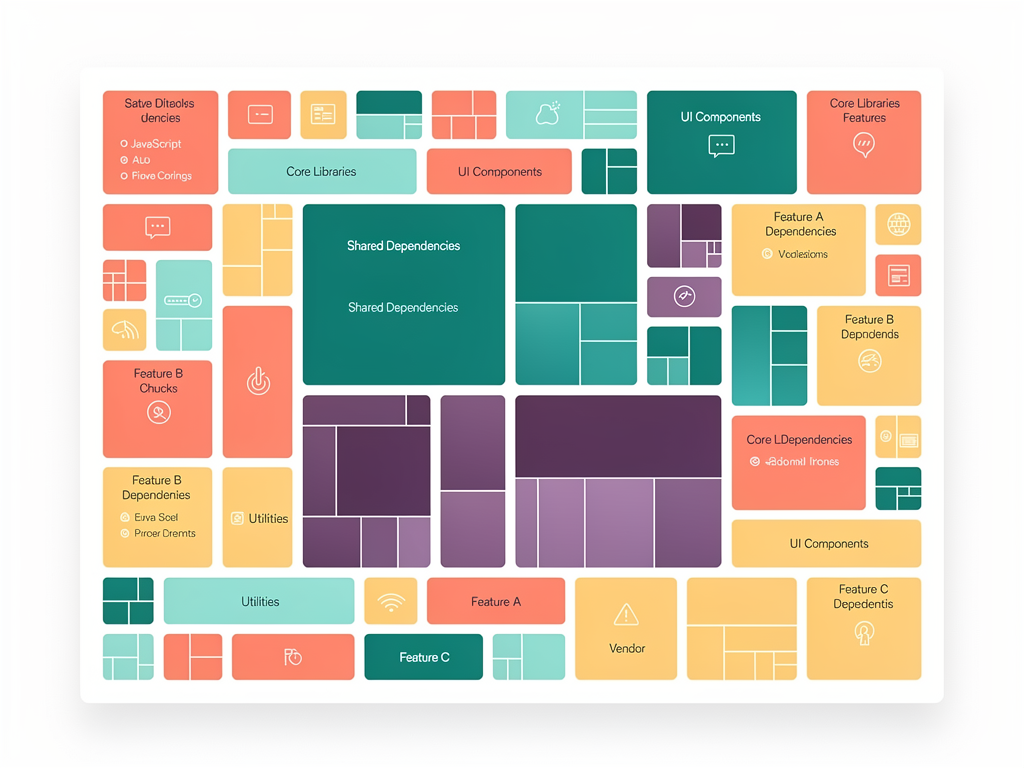
Effective code splitting keeps initial bundle sizes small while supporting rich functionality
SEO and Discoverability for SaaS Marketing
For SaaS companies, organic search traffic often represents a significant customer acquisition channel. Next.js provides powerful tools for optimizing your marketing pages and content for search engines.
Metadata API for Dynamic SEO
The Metadata API allows you to define page titles, descriptions, Open Graph images, and other SEO-relevant information at the page or layout level. You can generate metadata dynamically based on content, ensuring each page has appropriate, unique metadata.
For blog posts, case studies, and documentation pages, dynamic metadata ensures search engines understand each page's unique content. You can pull titles and descriptions from your CMS or database, automatically generating appropriate metadata without manual configuration for each page.
Structured Data for Rich Results
Structured data helps search engines understand your content and can result in rich search results with additional information. Next.js makes it straightforward to include JSON-LD structured data in your pages, describing your organization, products, articles, and FAQs.
For SaaS companies, structured data can highlight pricing information, feature lists, and customer reviews directly in search results. This enhanced visibility can significantly improve click-through rates from search engine results pages.
Sitemap and Robots Configuration
Next.js supports generating sitemaps and robots.txt files programmatically. You can create dynamic sitemaps that include all your marketing pages, blog posts, and documentation while excluding authenticated routes that should not be indexed.
Proper sitemap configuration ensures search engines discover all your public content while respecting boundaries around private areas of your application. Combined with appropriate robots directives, you maintain control over how search engines interact with your site.
Deploying and Scaling Next.js SaaS Applications
Getting your application into production requires thoughtful consideration of hosting, scaling, and operational concerns. Next.js supports multiple deployment approaches depending on your requirements.
Vercel for Seamless Deployment
Vercel, the company behind Next.js, offers a deployment platform optimized specifically for the framework. Deployments happen automatically on git push, preview deployments are created for pull requests, and the platform handles scaling automatically.
For many SaaS startups, Vercel provides the fastest path to production. You avoid managing infrastructure, benefit from global CDN distribution, and receive automatic HTTPS. The platform's pricing scales with usage, making it economical for early-stage products while capable of handling significant traffic.
Self-Hosting with Docker
For teams requiring more control over their infrastructure, Next.js can be containerized and deployed to any platform supporting Docker. This approach suits organizations with existing Kubernetes clusters, specific compliance requirements, or cost optimization needs at scale.
Self-hosting requires more operational expertise but provides complete control over your environment. You can deploy to AWS, Google Cloud, Azure, or any other infrastructure provider, integrating with existing monitoring, logging, and security tools.
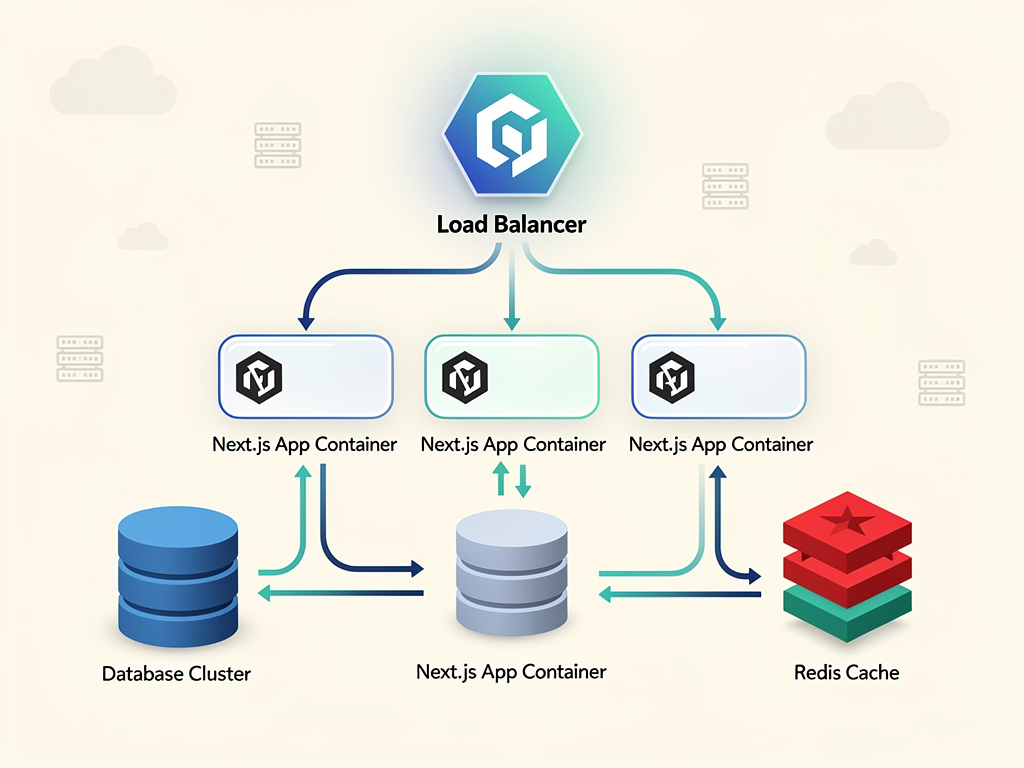
Self-hosted Next.js deployments provide complete infrastructure control for enterprise requirements
Edge Deployment for Global Performance
Next.js supports edge deployment, running your application code at CDN edge locations around the world. This approach minimizes latency for users regardless of their geographic location, providing consistently fast experiences globally.
Edge functions are particularly valuable for SaaS applications serving international customers. Authentication checks, personalization logic, and A/B testing can all run at the edge, reducing round-trip times to origin servers and improving perceived performance.
Accelerating Development with Pre-Built Solutions
While Next.js provides excellent foundations, building a complete SaaS application from scratch still requires significant effort. Authentication, billing, email systems, admin panels, and numerous other features need implementation before you can focus on your product's unique value proposition.
This reality has driven the popularity of SaaS starter kit solutions that provide pre-built implementations of common functionality. A well-designed Next.js boilerplate can save weeks or months of development time by providing production-ready implementations of features every SaaS needs.
When evaluating a SaaS boilerplate, consider the completeness of its feature set, the quality of its code, and how well it aligns with your technical preferences. The best solutions provide not just code but also documentation, community support, and ongoing updates as the underlying frameworks evolve.
A comprehensive Next.js SaaS template typically includes authentication with multiple providers, subscription management with Stripe integration, admin dashboards for managing users and content, email systems for transactional and marketing communications, and landing pages optimized for conversion. These components represent substantial development effort that you can avoid by starting with a proven foundation.
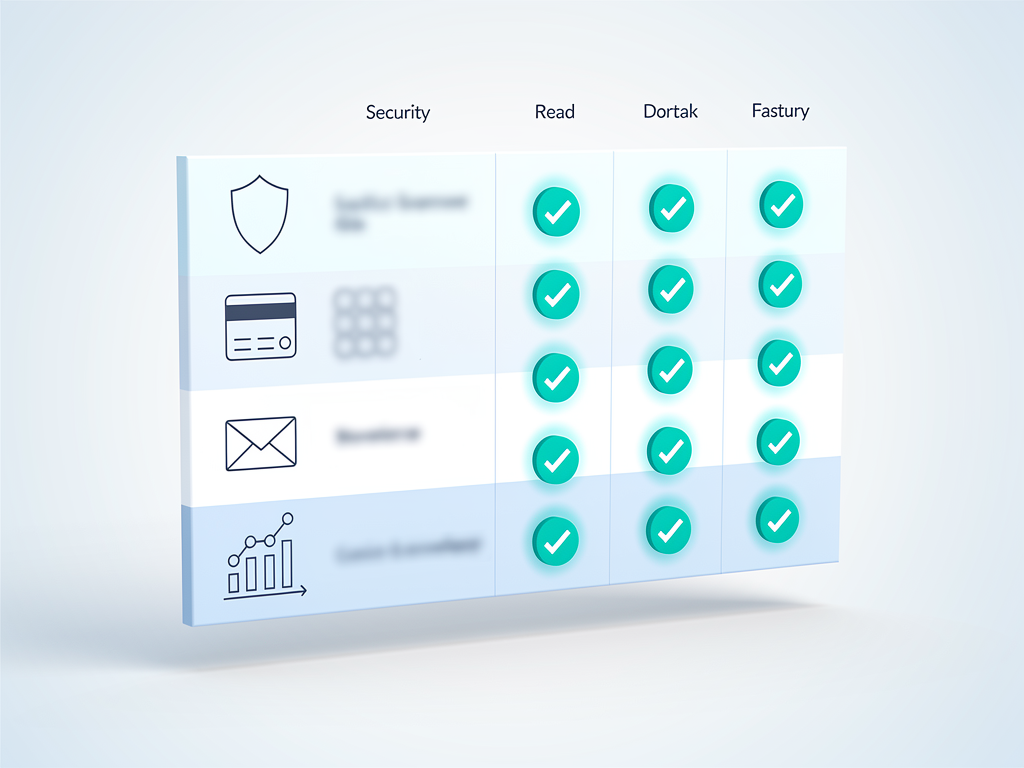
Comprehensive SaaS templates provide extensive functionality out of the box
For teams looking to build no-code or low-code platforms on top of Next.js, specialized solutions like NextBuilder provide multi-tenant boilerplates specifically designed for creating platforms where clients can build their own applications with custom subdomains and SSL certificates.
Common Pitfalls and How to Avoid Them
Even experienced developers encounter challenges when building SaaS applications with Next.js. Understanding common pitfalls helps you avoid them in your own projects.
Overusing Client Components
A common mistake involves marking too many components as client components when they could remain server components. Every 'use client' directive increases your JavaScript bundle and shifts work to the browser. Reserve client components for genuinely interactive elements: forms, buttons with click handlers, and components using browser APIs.
Review your component tree periodically and question whether each client component truly needs client-side interactivity. Often, you can refactor to keep the interactive portion small while rendering the majority of content on the server.
Ignoring Caching Strategies
Next.js 16's explicit caching model requires deliberate decisions about what to cache. Failing to implement appropriate caching results in unnecessary server load and slower page loads. Conversely, over-caching can serve stale data to users.
Develop a caching strategy early in your project. Identify which data changes frequently and which remains stable. Use the use cache directive for stable content and ensure dynamic data fetches appropriately. Monitor your application's performance to identify caching opportunities you might have missed.
Neglecting Error Handling
Production SaaS applications must handle errors gracefully. Users will encounter network failures, expired sessions, and unexpected edge cases. Next.js provides error boundaries and error pages, but you must implement them thoughtfully.
Create custom error pages that maintain your brand identity and help users recover from problems. Implement proper error logging to identify issues in production. Consider how errors in Server Components and Server Actions should be communicated to users without exposing sensitive information.
The Future of Next.js for SaaS Development
Next.js continues evolving rapidly, with each release bringing improvements relevant to SaaS developers. Understanding the framework's trajectory helps you make informed architectural decisions.
The React team's continued investment in Server Components suggests this paradigm will become increasingly central to how we build web applications. Next.js sits at the forefront of this evolution, often implementing React features before they become widely available elsewhere.
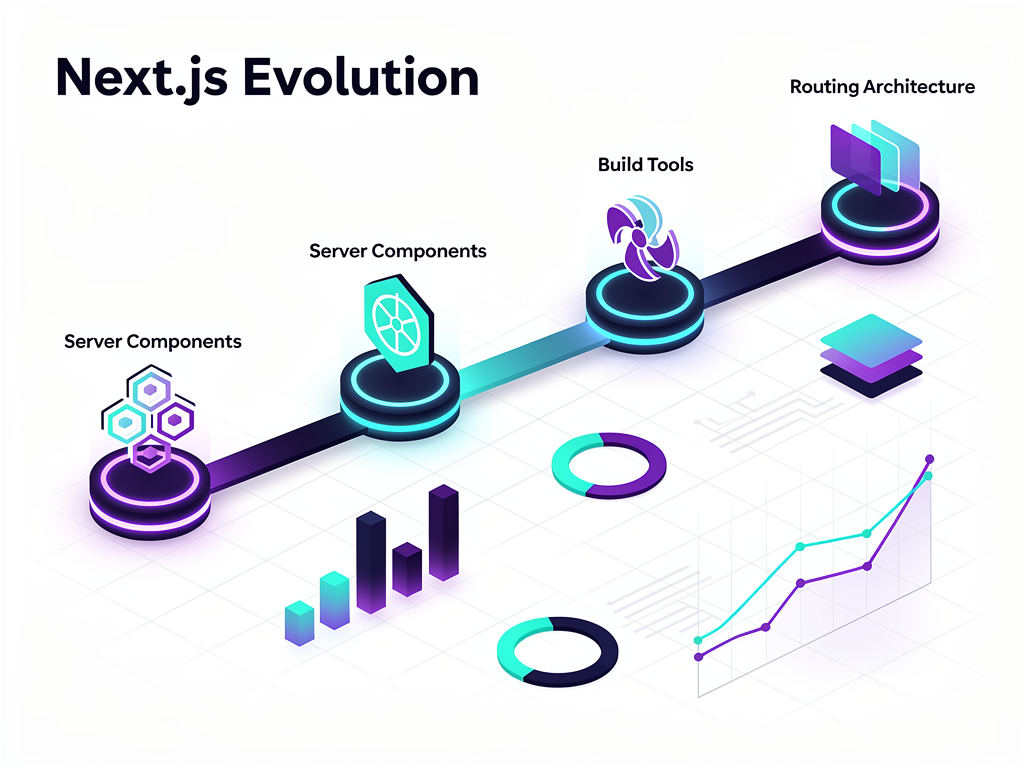
Next.js continues rapid evolution with each release bringing significant improvements
Edge computing capabilities will likely expand, enabling more application logic to run closer to users. AI integration features may become more prominent as the industry increasingly incorporates machine learning into web applications. Build performance will continue improving as Turbopack matures.
For SaaS developers, these trends suggest that investing in Next.js expertise pays dividends over time. The skills you develop today will remain relevant as the framework evolves, and the architectural patterns you learn translate well to future versions.
Conclusion
Next.js has established itself as the premier framework for building SaaS applications in 2026, offering a compelling combination of performance, developer experience, and ecosystem support. From Server Components that reduce client-side JavaScript to Turbopack that accelerates development workflows, the framework addresses the specific challenges SaaS developers face.
The multiple rendering strategies available in Next.js allow you to optimize each part of your application appropriately: static generation for marketing pages, server-side rendering for dashboards, and incremental regeneration for content that changes periodically. This flexibility, combined with built-in features for routing, image optimization, and metadata management, means you spend less time on infrastructure and more time building features that differentiate your product.
Whether you are building your first SaaS MVP or scaling an established product, Next.js provides the foundation you need. The massive React ecosystem ensures that authentication, payments, analytics, and countless other integrations work seamlessly. The large developer community means help is always available, and the framework's backing by Vercel provides confidence in its long-term viability.
Starting with a proven SaaS template can accelerate your journey significantly, providing production-ready implementations of common features while allowing you to focus on your product's unique value proposition. The combination of Next.js's powerful capabilities and pre-built solutions makes 2026 an excellent time to build your SaaS vision.
Frequently Asked Questions
Is Next.js suitable for large-scale enterprise SaaS applications?
Next.js absolutely supports large-scale enterprise applications, with companies like Netflix, TikTok, and Notion using it in production. The framework's architecture scales horizontally, meaning you can add more server instances as traffic grows. Turbopack's performance improvements specifically address the build time challenges that large codebases face, reducing development server startup from minutes to seconds. Enterprise features like middleware for authentication, API routes for complex backend logic, and support for multiple deployment strategies (including self-hosted Kubernetes clusters) make Next.js viable for organizations with strict compliance and security requirements. The key is architecting your application thoughtfully from the start, using appropriate caching strategies, database connection pooling, and edge deployment where beneficial.
How does Next.js compare to other frameworks like Remix or SvelteKit for SaaS development?
Each framework has strengths, but Next.js offers the largest ecosystem and hiring pool, which matters significantly for SaaS businesses. Remix provides excellent data loading patterns and progressive enhancement, making it strong for content-heavy applications. SvelteKit offers impressive performance through compile-time optimization and a simpler mental model. However, Next.js's React foundation means more available libraries, more developers familiar with the technology, and more community resources. For SaaS specifically, the abundance of authentication libraries, payment integrations, and UI component systems with first-party Next.js support provides practical advantages. If your team already knows React, Next.js is almost certainly the most productive choice. If starting fresh and prioritizing bundle size above all else, SvelteKit merits consideration.
What database should I use with Next.js for my SaaS application?
PostgreSQL remains the most popular choice for SaaS applications built with Next.js, offering robust relational capabilities, excellent JSON support, and mature tooling. Services like Neon provide serverless PostgreSQL that scales automatically and integrates well with edge deployments. Prisma serves as the most common ORM, providing type-safe database access that works seamlessly with TypeScript. For applications requiring real-time features, consider Supabase, which combines PostgreSQL with real-time subscriptions and built-in authentication. MongoDB works well for applications with flexible schema requirements, though relational databases typically suit SaaS better due to the structured nature of subscription and user data. The key consideration is choosing a database that supports your scaling needs while providing the query capabilities your application requires.
How long does it take to build a SaaS MVP with Next.js?
Building a SaaS MVP from scratch with Next.js typically takes three to six months for a small team, depending on feature complexity and team experience. This timeline includes authentication, subscription management, core product features, and basic administrative capabilities. Using a comprehensive SaaS template can reduce this timeline to four to eight weeks by providing pre-built implementations of authentication, billing, email systems, and admin panels. The time savings come not just from avoiding code writing but also from bypassing the research and decision-making required for each component. Teams using boilerplates report spending 80% of their time on unique product features rather than infrastructure. For solo founders or very small teams, starting with a template is almost always the right choice, as it allows you to validate your product idea before investing months in foundational development.
Can I migrate an existing React application to Next.js?
Migrating from a client-side React application to Next.js is definitely possible and often worthwhile for the SEO and performance benefits. The migration typically proceeds incrementally: you can start by wrapping your existing React app in Next.js, then gradually move pages to use Next.js routing and rendering features. The official Next.js documentation provides migration guides for common scenarios. The complexity depends on your current architecture: applications using React Router require route restructuring, those with custom webpack configurations need adaptation, and client-side data fetching patterns benefit from refactoring to Server Components. Most teams report the migration taking two to four weeks for medium-sized applications, with the effort paying off through improved performance, better SEO, and access to Next.js's full feature set. Consider migrating during a planned refactoring phase rather than as an isolated project.
Ready to Build Your SaaS with Next.js?
Stop spending months building authentication, payments, and admin panels from scratch. SaasCore provides a comprehensive Next.js boilerplate with everything you need to launch your SaaS product quickly: authentication with NextAuth 5.0, Stripe subscription management, custom email marketing, visitor analytics, internationalization supporting 14+ languages, and both client and admin panels ready to customize. Built with Next.js 15, Tailwind CSS, Shadcn UI, and TypeScript, SaasCore lets you focus on what makes your product unique. View the demo and start building today.
Subscribe to our newsletter
Subscribe to our newsletter and stay up-to-date with the latest news and updates.