Mastering TypeScript Enums for SaaS Applications
Discover how TypeScript enums can enhance your SaaS applications by providing type-safe constants for subscription tiers, user roles, and more. Learn when to use string enums over numeric ones and explore best practices for maintaining a robust, readable codebase.

Zakariae
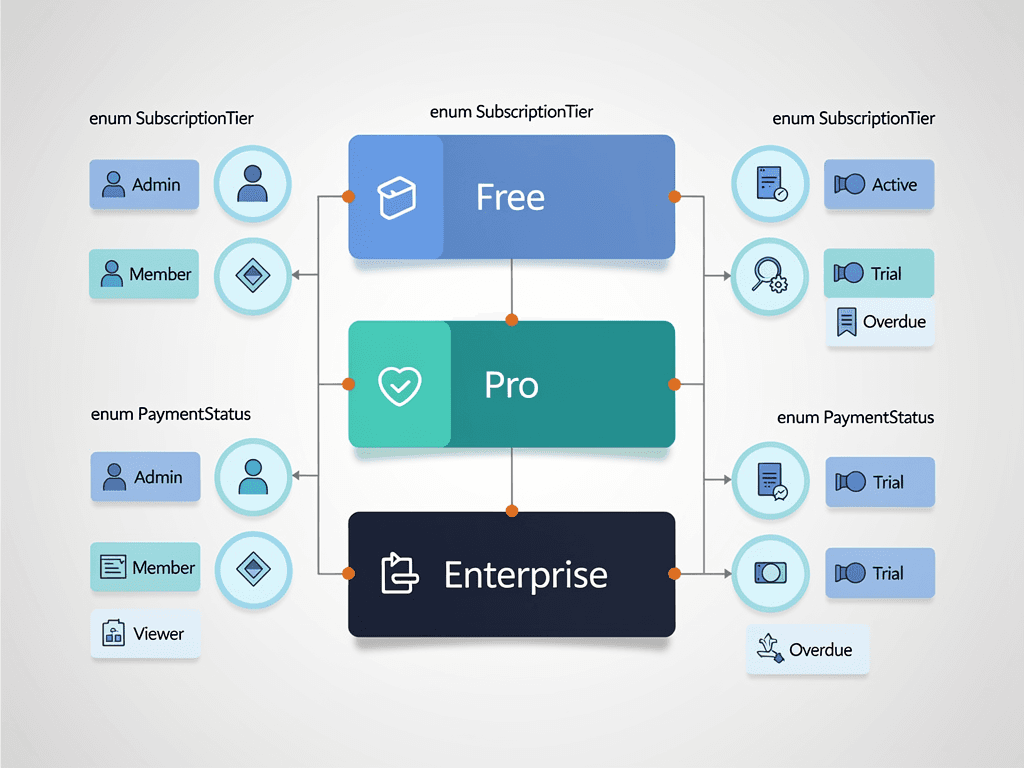
Building robust SaaS applications requires thoughtful decisions about how you structure and manage your code. One of the most fundamental choices TypeScript developers face involves defining sets of related constants that appear throughout their applications. Subscription tiers, user roles, payment statuses, feature flags, and workflow states all demand a consistent, type-safe approach. Enter the typescript enum, a powerful construct that has sparked considerable debate within the development community.
Whether you are building your first SaaS product or scaling an existing platform, understanding when and how to leverage enums effectively can dramatically improve your codebase's maintainability, readability, and type safety. This comprehensive guide explores the nuances of TypeScript enums specifically through the lens of SaaS application development, helping you make informed decisions that will serve your project well as it grows.
Key Takeaways
- TypeScript enums provide type-safe constants that prevent magic strings and numbers from proliferating throughout your SaaS codebase
- String enums are generally preferred over numeric enums in SaaS applications due to better debugging, serialization, and database compatibility
- Const enums offer performance benefits but come with significant limitations around module boundaries and dynamic access patterns
- Union types and const objects serve as viable alternatives when enum limitations become problematic for your specific use case
- Proper enum design patterns can dramatically reduce bugs in subscription management, user permissions, and workflow state machines
- Database synchronization strategies are critical when enums define values that must persist and remain consistent across your application stack
- Tree-shaking considerations matter for bundle size optimization, especially in client-side SaaS dashboard applications
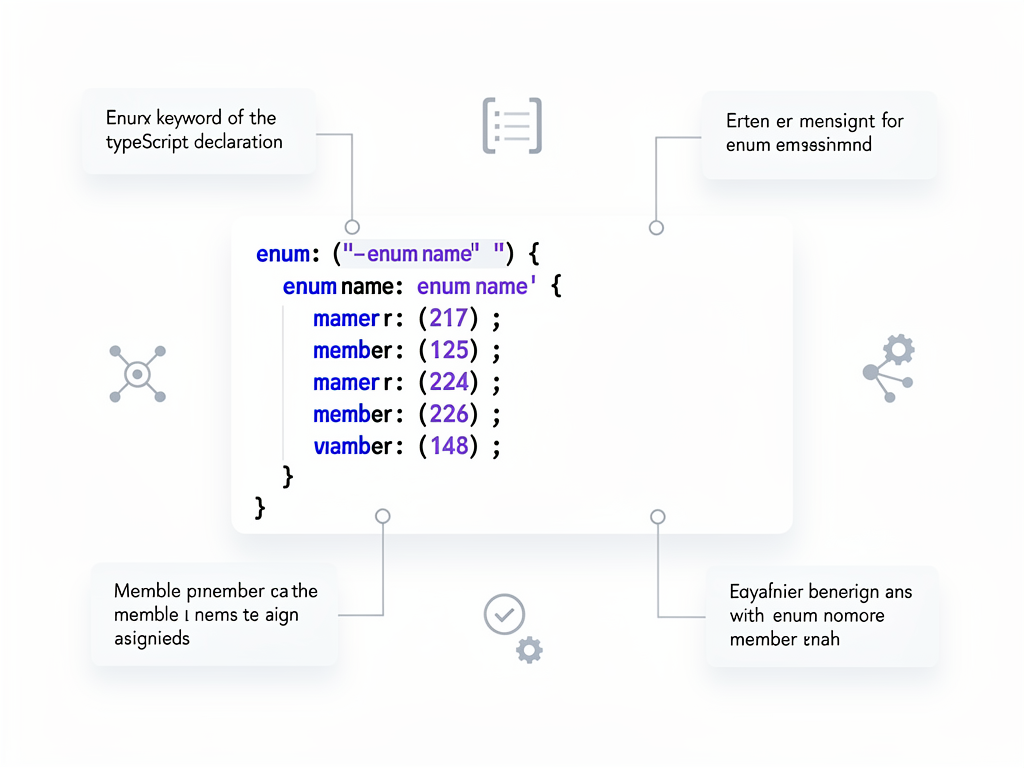
Understanding TypeScript Enums: The Foundation
TypeScript enums were introduced in version 0.9 around 2013, drawing inspiration from statically typed languages like C# and Java. According to the official TypeScript documentation, enums allow developers to define a set of named constants, making it easier to document intent or create a set of distinct cases. This seemingly simple feature carries significant implications for how you architect your SaaS applications.
At their core, enums solve a fundamental problem that plagues JavaScript applications: the proliferation of magic values. Consider a typical SaaS scenario where you need to track subscription statuses. Without enums, you might scatter string literals like "active", "cancelled", "past_due", and "trialing" throughout your codebase. This approach invites typos, makes refactoring hazardous, and provides no compile-time guarantees about valid values.
The TypeScript compiler transforms enums into JavaScript code during compilation, which represents a departure from most TypeScript features that simply erase type annotations. This compilation behavior has important implications for bundle size, runtime behavior, and how you structure your code across module boundaries. Understanding this transformation is essential for making informed decisions about when enums serve your needs and when alternatives might be more appropriate.
Numeric Enums Explained
Numeric enums represent the default enum type in TypeScript. When you define an enum without explicit values, TypeScript automatically assigns incrementing numbers starting from zero. This auto-incrementing behavior can be convenient but also introduces subtle risks that SaaS developers should understand.
Consider this example of a numeric enum for user roles:
Code Example: enum UserRole { Guest, Member, Admin, SuperAdmin } results in Guest = 0, Member = 1, Admin = 2, SuperAdmin = 3
The danger with numeric enums becomes apparent when you reorder members or insert new values. If you later add a "Moderator" role between Member and Admin, every subsequent role's numeric value shifts, potentially breaking stored data, API contracts, and any code that relied on specific numeric values. This fragility makes numeric enums particularly problematic in SaaS applications where data persistence and API stability matter enormously.
String Enums: The Preferred Choice for SaaS
String enums require explicit string values for each member, eliminating the auto-increment pitfalls of numeric enums. They serialize cleanly to JSON, display meaningful values in logs and debugging sessions, and map naturally to database columns and API responses.
For SaaS applications, string enums offer several compelling advantages. When a payment webhook arrives with a status value, seeing "payment_succeeded" in your logs provides immediate clarity compared to deciphering what "3" means. When storing subscription states in your database, string values remain human-readable and self-documenting. When debugging production issues at 2 AM, you will appreciate every bit of clarity your code provides.
Common SaaS Use Cases for Enums
SaaS applications present numerous scenarios where enums shine. Understanding these patterns helps you recognize opportunities to improve your codebase's type safety and maintainability. Let us explore the most impactful use cases that appear across virtually every subscription-based software product.
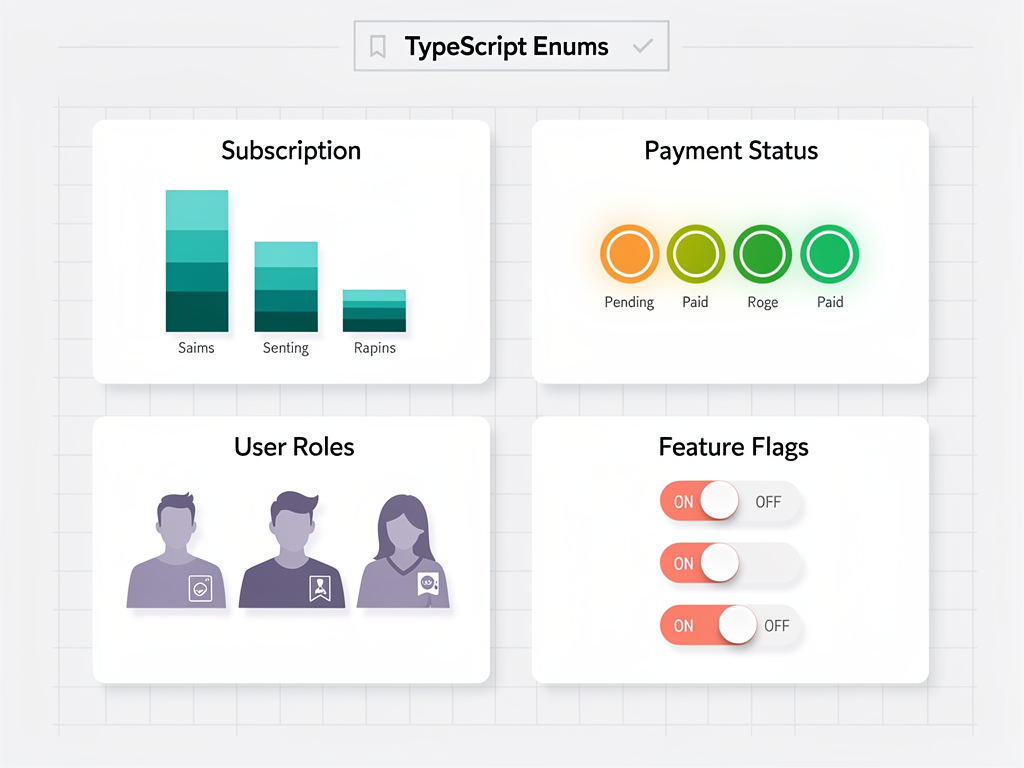
Subscription and Billing States
Subscription management lies at the heart of every SaaS business model. The lifecycle of a subscription involves multiple states that must be tracked accurately and handled consistently throughout your application. Enums provide the perfect mechanism for modeling these states.
A well-designed subscription status enum might include values like "trialing", "active", "past_due", "cancelled", "paused", and "expired". Each state carries specific implications for feature access, billing behavior, and user communication. By centralizing these states in an enum, you ensure that every component of your application, from the billing service to the frontend dashboard, speaks the same language.
When integrating with payment processors like Stripe, your enum values should align with the provider's status terminology. This alignment simplifies webhook handling and reduces the translation logic needed between external systems and your internal data model. The SaasCore platform demonstrates this pattern effectively with its Stripe integration, automatically updating user plans via webhooks while maintaining consistent status tracking.
User Roles and Permissions
Authorization systems require clear definitions of user roles and the permissions associated with each role. Enums provide compile-time safety when checking user capabilities, preventing the common bug of mistyping a role name in a conditional check.
Consider a multi-tenant SaaS application where each organization has its own hierarchy of users. You might define roles like "owner", "admin", "member", and "viewer", each with distinct capabilities. Your authorization middleware can use enum comparisons to gate access to sensitive operations, and TypeScript will catch any invalid role references at compile time rather than letting them slip through to production.
Feature Flags and Plan Tiers
SaaS products typically offer multiple pricing tiers with different feature sets. Enums help you model both the plan tiers themselves and the individual features that might be enabled or disabled based on subscription level. This pattern supports clean conditional rendering in your UI and straightforward access control in your API endpoints.
A plan tier enum might include "free", "starter", "professional", and "enterprise" values. Your feature gating logic can then compare the user's plan against required tiers, with TypeScript ensuring you never reference a non-existent plan name. This type safety becomes increasingly valuable as your pricing model evolves and you add or rename tiers.
Enum Compilation and Bundle Size Implications
Unlike most TypeScript features that simply erase during compilation, enums generate actual JavaScript code that ships to your users. Understanding this compilation behavior is crucial for making informed decisions about enum usage, particularly in client-side code where bundle size directly impacts user experience.
When the TypeScript compiler processes a numeric enum, it generates an Immediately Invoked Function Expression (IIFE) that creates a bidirectional mapping object. This means a simple four-member enum produces an object with eight properties: four for the name-to-value mappings and four for the reverse value-to-name lookups. While this overhead is minimal for a single enum, it accumulates across a large codebase.

String Enum Compilation Differences
String enums compile differently than their numeric counterparts. The TypeScript compiler omits the reverse mapping for string enums, producing a simpler object with only the forward name-to-value mappings. This results in smaller compiled output and eliminates the rarely-used reverse lookup capability that numeric enums provide.
For SaaS applications where you are building both server-side logic and client-side dashboards, this compilation difference matters. Your Next.js boilerplate might share enum definitions between server components and client bundles. Choosing string enums over numeric enums reduces the JavaScript payload delivered to browsers, improving initial load times for your application.
Const Enums: A Double-Edged Sword
TypeScript offers const enums as a performance optimization. When you prefix an enum declaration with the const keyword, the compiler inlines all enum references directly into the consuming code, eliminating the runtime enum object entirely. This can significantly reduce bundle size when an enum is used frequently throughout your codebase.
However, const enums come with significant limitations that make them problematic for many SaaS scenarios. They cannot be used across module boundaries in certain compilation configurations, they break when you need to iterate over enum values, and they prevent dynamic access patterns where you look up enum values using computed keys. These limitations often outweigh the bundle size benefits in real-world applications.
The Great Enum Debate: Alternatives and Trade-offs
The TypeScript community has engaged in extensive debate about whether enums represent the best approach for defining constant sets. Several alternatives have emerged, each with distinct advantages and disadvantages. Understanding these alternatives helps you choose the right tool for each situation in your SaaS application.
Union Types as an Alternative
String literal union types offer a lightweight alternative to enums that many developers prefer. Instead of defining an enum, you create a type alias that unions together the valid string values. This approach provides similar type safety without generating any runtime JavaScript code.
Union Type Example: type SubscriptionStatus = "active" | "cancelled" | "past_due" | "trialing"
Union types excel when you need simple type checking without runtime value enumeration. They work seamlessly with TypeScript's type narrowing and produce no bundle overhead. However, they lack the ability to iterate over valid values at runtime, which limits their utility for scenarios like populating dropdown menus or validating API inputs against allowed values.
Const Objects with Type Inference
Another popular pattern uses const objects combined with TypeScript's type inference capabilities. You define a plain JavaScript object marked with "as const" to preserve literal types, then extract a union type from its values. This approach provides both runtime access to values and compile-time type safety.
The const object pattern offers flexibility that enums lack. You can easily add metadata to each value, create nested structures, and leverage all standard object manipulation techniques. However, the type extraction syntax can feel verbose and unfamiliar to developers accustomed to traditional enum declarations.
Best Practices for Enum Design in SaaS Applications
Effective enum design requires thoughtful consideration of how values will be used throughout your application stack. These best practices, drawn from real-world SaaS development experience, will help you avoid common pitfalls and create maintainable enum definitions.
Always Use Explicit String Values
Never rely on implicit numeric values for enums in SaaS applications. The risks of value shifting during refactoring far outweigh the minor convenience of omitting explicit assignments. String values provide self-documenting code, stable serialization, and meaningful log output that will save countless debugging hours over your project's lifetime.
Choose string values that align with your API contracts and database schemas. If your REST API returns subscription statuses in snake_case, define your enum values in snake_case. Consistency across your stack eliminates translation logic and reduces opportunities for mapping errors.
Adopt Consistent Naming Conventions
Establish clear naming conventions for both enum types and their members. Most TypeScript style guides recommend PascalCase for enum type names and either PascalCase or SCREAMING_SNAKE_CASE for member names. Whatever convention you choose, apply it consistently across your entire codebase.
Consider how enum names will read in consuming code. A well-named enum like "SubscriptionStatus.Active" clearly communicates its purpose, while a poorly named "Status.A" leaves readers guessing. Invest time in thoughtful naming, as these identifiers will appear throughout your application and shape how developers understand your domain model.
Document Enum Values Thoroughly
Add JSDoc comments to your enum declarations explaining the purpose of each value and any business rules associated with it. This documentation becomes invaluable as your team grows and new developers need to understand the semantics of different states.
For complex enums like workflow states, consider documenting the valid transitions between states. Which statuses can transition to which other statuses? What triggers each transition? This information helps developers implement correct state machine logic and prevents invalid state transitions from corrupting your data.
Database Synchronization Strategies
SaaS applications persist enum values to databases, creating a synchronization challenge between your TypeScript definitions and your database schema. Misalignment between code and database can cause subtle bugs that are difficult to diagnose. Implementing robust synchronization strategies prevents these issues.
Enum Tables vs. String Columns
Database designers face a choice between storing enum values as foreign keys to dedicated lookup tables or as string values in regular columns. Each approach has merits depending on your specific requirements and database system.
Lookup tables provide referential integrity at the database level, preventing invalid values from being stored regardless of application bugs. They also enable easy querying for all possible values and support adding metadata like display names and sort orders. However, they require additional joins and complicate migrations when enum values change.
String columns offer simplicity and flexibility. Your application code defines the valid values, and the database simply stores whatever strings you provide. This approach works well with Prisma and other modern ORMs that can generate TypeScript types from your schema. The SaaS boilerplate pattern of using Prisma with PostgreSQL naturally supports this approach.
Migration Strategies for Enum Changes
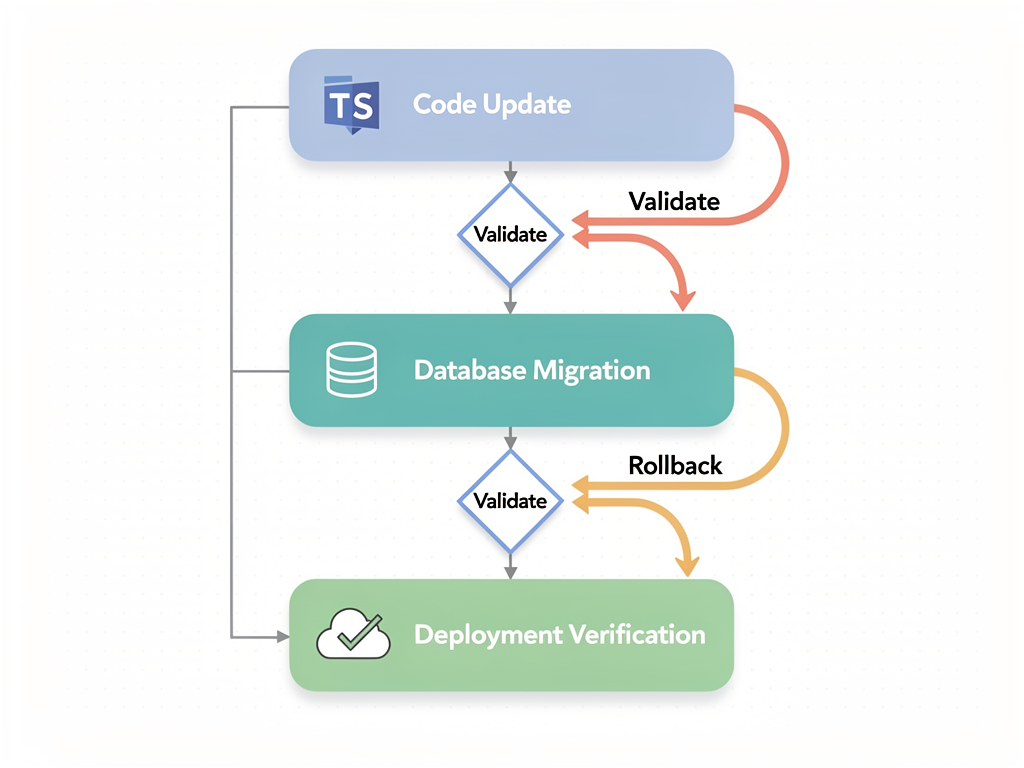
Adding, removing, or renaming enum values requires careful migration planning. Unlike code changes that take effect immediately upon deployment, database changes must account for existing data and potential rollback scenarios.
When adding new enum values, ensure your application code handles the new value before deploying the migration that allows it in the database. When removing values, first migrate existing data to valid alternatives, then update your code, and finally remove the value from your enum definition. This sequencing prevents runtime errors during the transition period.
Enums in API Design and Validation
APIs serve as the contract between your SaaS backend and its consumers, whether those consumers are your own frontend applications, mobile apps, or third-party integrations. Enums play a crucial role in defining valid values for request parameters and response fields, but they also introduce versioning and validation challenges.
Request Validation with Enums
When accepting enum values in API requests, you must validate that incoming values match your defined enum members. TypeScript's type checking only operates at compile time; runtime validation requires additional logic to reject invalid values before they corrupt your data.
Libraries like Zod integrate beautifully with TypeScript enums for runtime validation. You can define a Zod schema that references your enum, and the library will automatically validate incoming data against the allowed values. This pattern ensures that your API endpoints reject malformed requests with clear error messages rather than propagating invalid data through your system.
API Versioning Considerations
Enum changes can break API consumers who depend on specific values. Adding new values is generally safe, as well-designed clients should handle unknown values gracefully. However, removing or renaming values constitutes a breaking change that requires careful versioning strategy.
Consider implementing a deprecation period for enum values you plan to remove. Document the deprecation in your API changelog, emit warning headers when deprecated values are used, and provide migration guidance for affected consumers. This approach maintains trust with your API users and gives them time to adapt their integrations.
Frontend Patterns for Enum Usage
SaaS dashboards and admin panels frequently need to display enum values to users, populate selection controls, and handle user input that maps to enum members. Establishing consistent frontend patterns for enum handling improves code quality and user experience.
Display Name Mapping
Enum member names optimized for code readability often differ from the display text appropriate for user interfaces. "PAST_DUE" makes sense in code but should appear as "Past Due" or "Payment Required" in a user-facing dashboard. Creating display name mappings bridges this gap.
Define a companion object that maps each enum value to its display string. This pattern keeps your enum definition clean while providing the flexibility to customize presentation. You can extend this pattern to include icons, colors, and other UI metadata associated with each enum value.
Form Integration Patterns
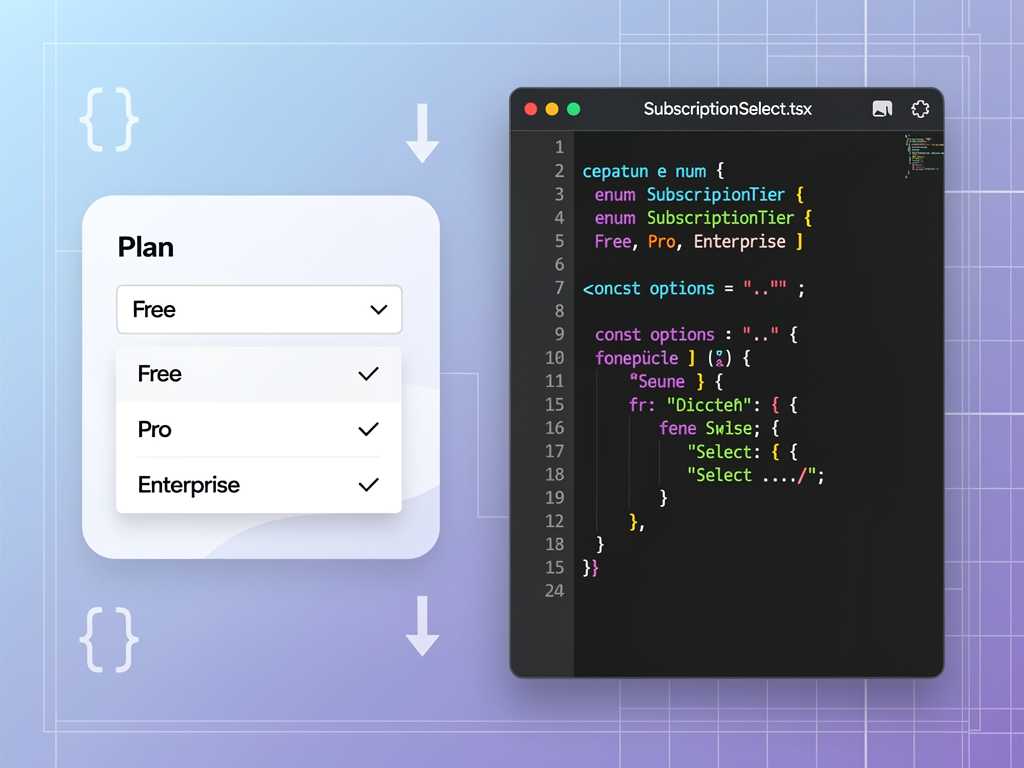
Forms that include enum-based fields require special handling to convert between the string values users select and the typed enum values your application expects. React Hook Form, Formik, and other popular form libraries work well with enums when you establish consistent patterns.
Create reusable select components that accept an enum type parameter and automatically generate options from the enum values. This approach reduces boilerplate, ensures consistency across your application, and makes it easy to add new enum-based fields to forms. When working with a Next.js SaaS template, these reusable components become part of your standard component library.
Testing Strategies for Enum-Heavy Code
Code that relies heavily on enums requires thoughtful testing strategies to ensure all enum values are handled correctly. Incomplete switch statements, missing case handlers, and edge cases around enum boundaries can all introduce bugs that testing should catch.
Exhaustiveness Checking
TypeScript's exhaustiveness checking ensures that switch statements handle all enum cases. By adding a default case that attempts to assign the switched value to a "never" type, you create a compile-time error if any enum value lacks explicit handling. This technique catches missing cases when you add new enum values.
Implement exhaustiveness checking consistently across your codebase, particularly in critical paths like payment processing and permission checking. The small overhead of adding these checks pays dividends when enum definitions evolve and you need confidence that all code paths remain valid.
Property-Based Testing with Enums
Property-based testing libraries like fast-check can generate random enum values to test your code against all possible inputs. This approach complements traditional example-based tests by exploring edge cases you might not anticipate.
For SaaS applications, property-based testing proves particularly valuable for testing state machines and workflow transitions. Generate random sequences of enum values representing state transitions and verify that your code maintains invariants regardless of the specific sequence. This testing strategy uncovers subtle bugs in complex business logic.

Performance Optimization Techniques
While enums rarely represent performance bottlenecks in SaaS applications, understanding their performance characteristics helps you make informed decisions in performance-critical code paths. Several optimization techniques can reduce enum-related overhead when necessary.
Avoiding Repeated Enum Lookups
In hot code paths that execute frequently, repeated enum property access can accumulate measurable overhead. Consider caching enum values in local variables when you need to reference them multiple times within a tight loop or frequently-called function.
This optimization matters most in data processing pipelines, real-time features, and other scenarios where code executes thousands or millions of times. For typical request handling and UI rendering, the overhead of enum lookups is negligible compared to network latency and database queries.
Tree-Shaking Considerations
Modern bundlers like webpack and esbuild attempt to eliminate unused code through tree-shaking. However, the IIFE structure of compiled enums can interfere with tree-shaking algorithms, causing unused enum definitions to remain in your production bundles.
If bundle size is a critical concern for your SaaS template, consider using const objects with "as const" instead of traditional enums. This pattern produces simpler compiled output that bundlers can analyze and tree-shake more effectively. The trade-off is slightly more verbose type definitions in exchange for smaller production bundles.
Enums in Multi-Tenant SaaS Architectures
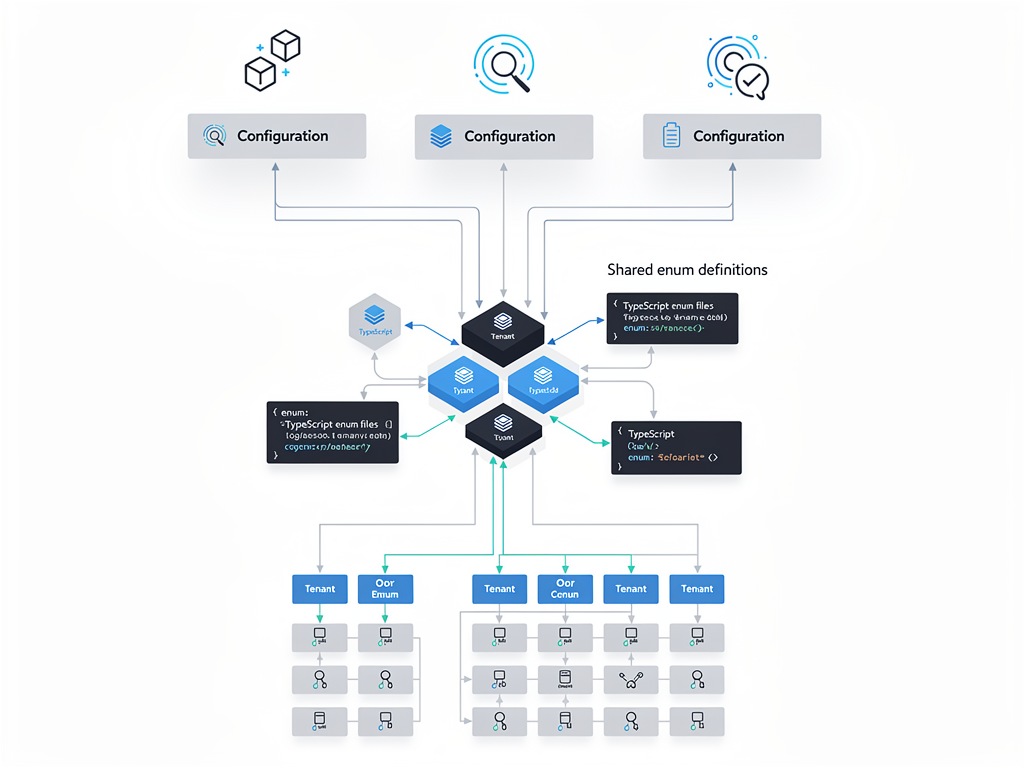
Multi-tenant SaaS applications introduce additional complexity around enum usage. Different tenants might require different sets of valid values, custom labels, or tenant-specific business rules associated with enum states. Designing your enum strategy with multi-tenancy in mind prevents painful refactoring later.
Tenant-Specific Enum Extensions
Some SaaS applications allow tenants to define custom values that extend base enum sets. For example, a project management SaaS might define standard task statuses while allowing enterprise customers to add custom statuses specific to their workflows.
Implementing tenant-specific extensions requires separating the core enum definition from tenant customizations stored in the database. Your application logic must handle both the statically-defined base values and dynamically-loaded custom values, which complicates type checking but provides valuable flexibility for enterprise customers.
Localization and Internationalization
Global SaaS products must display enum values in multiple languages. Your SaaS starter kit should establish patterns for localizing enum display names early in development, as retrofitting internationalization into an existing codebase proves challenging.
Create localization key mappings that connect enum values to translation strings. Your i18n library can then resolve the appropriate display text based on the user's locale. This pattern keeps your enum definitions language-agnostic while supporting fully localized user interfaces.
Real-World Enum Patterns from Production SaaS
Examining how successful SaaS applications use enums provides practical insights you can apply to your own projects. These patterns emerge from real production codebases and represent battle-tested approaches to common challenges.
Subscription Lifecycle State Machine
A well-designed subscription status enum serves as the foundation for your billing system's state machine. The enum defines all valid states, while companion code defines valid transitions between states and the events that trigger each transition.
| Current Status | Valid Transitions | Trigger Events |
|---|---|---|
| trialing | active, cancelled | trial_end, user_cancellation |
| active | past_due, cancelled, paused | payment_failed, user_cancellation, user_pause |
| past_due | active, cancelled | payment_succeeded, max_retries_exceeded |
| paused | active, cancelled | user_resume, pause_limit_exceeded |
| cancelled | active | user_resubscribe |
This state machine approach prevents invalid transitions that could corrupt your billing data. When a webhook arrives indicating a payment failure, your code can verify that the transition from "active" to "past_due" is valid before updating the subscription status. Invalid transition attempts trigger alerts for investigation rather than silently corrupting data.
Permission and Feature Flag Patterns
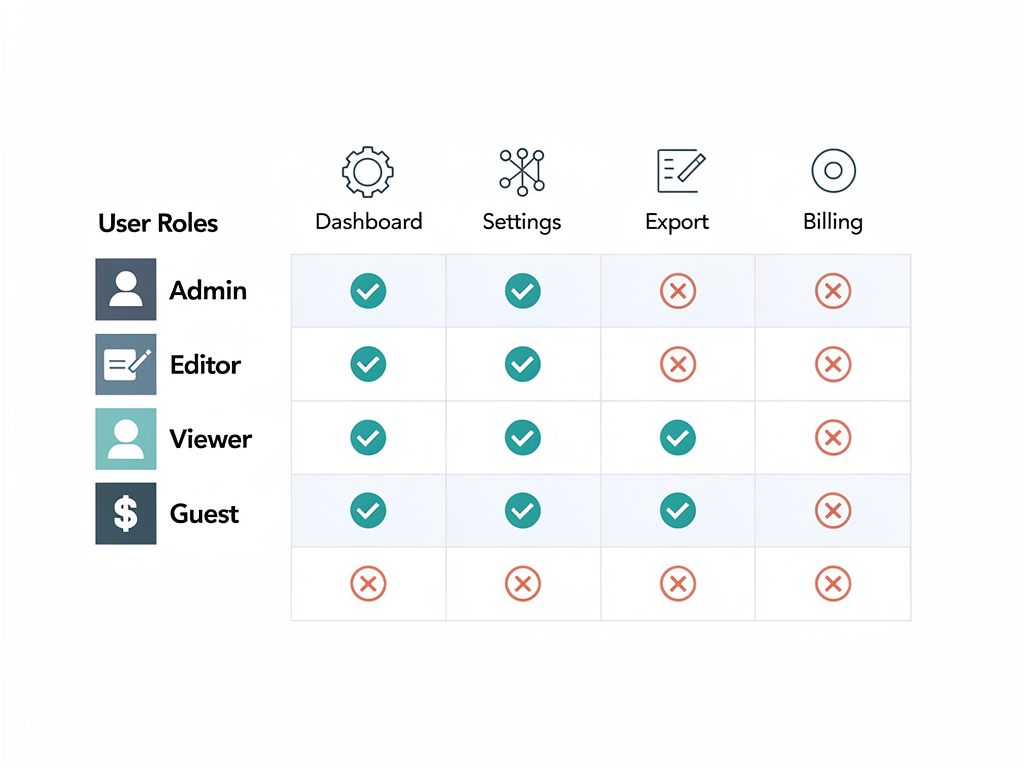
Combining role enums with feature flag enums creates a flexible authorization system. Define separate enums for user roles and feature identifiers, then create a permission matrix that maps roles to allowed features. This separation of concerns makes it easy to adjust permissions without modifying enum definitions.
For platforms like NextBuilder that enable building no-code SaaS platforms, this pattern proves especially valuable. The platform can define base permission sets while allowing individual deployments to customize access controls for their specific use cases.
Common Pitfalls and How to Avoid Them
Even experienced TypeScript developers fall into enum-related traps that cause bugs and maintenance headaches. Learning from these common mistakes helps you avoid repeating them in your own SaaS applications.
The Numeric Enum Reordering Trap
As noted by experienced developers in detailed analyses of enum pitfalls, relying on implicit numeric values creates fragile code. A seemingly innocent refactoring that reorders enum members or inserts a new member in the middle can change numeric values throughout your application, breaking serialized data and API contracts.
The solution is straightforward: always use explicit string values for enums in SaaS applications. The minor verbosity of typing out string assignments pays for itself many times over in avoided debugging sessions and data corruption incidents.
The Const Enum Module Boundary Problem
Const enums inline their values at compile time, which causes problems when enum definitions and their consumers exist in different compilation units. If you publish a library containing const enums, consumers may receive stale inlined values when you update the enum definition.
Avoid const enums in any code that might be consumed across package boundaries. For internal application code compiled as a single unit, const enums remain safe, but the bundle size savings rarely justify the added complexity and potential for subtle bugs.
The Missing Case Handler Bug
Adding a new value to an enum without updating all switch statements that handle that enum creates runtime bugs. The code compiles successfully, but the new value falls through to default cases or causes unexpected behavior.
Implement exhaustiveness checking using the "never" type pattern in all switch statements over enums. This technique converts potential runtime bugs into compile-time errors, ensuring you update all relevant code paths when enum definitions change.
Integrating Enums with Your Development Workflow
Effective enum usage extends beyond code patterns to encompass your entire development workflow. Linting rules, code review practices, and documentation standards all contribute to maintaining high-quality enum usage across your team.
ESLint Rules for Enum Quality
Configure ESLint with TypeScript-specific rules that enforce enum best practices. Rules can require explicit string values, prohibit numeric enums, and flag potential exhaustiveness issues. Automated enforcement removes the burden of manually checking for common mistakes during code review.
The typescript-eslint plugin provides several enum-related rules out of the box. Consider enabling rules that prefer string enums, require explicit member values, and warn about potentially unsafe enum patterns. These rules catch issues early in the development cycle when they are cheapest to fix.
Code Review Checklist for Enum Changes
Establish a code review checklist specifically for pull requests that modify enum definitions. Reviewers should verify that new values have explicit string assignments, that all switch statements have been updated, that database migrations are included if necessary, and that API documentation reflects any changes.
This checklist becomes especially important as your team grows and developers with varying experience levels contribute to the codebase. Consistent review practices ensure that enum changes receive appropriate scrutiny regardless of who authored or reviewed the code.
Conclusion
TypeScript enums provide powerful capabilities for defining type-safe constants in SaaS applications, but they require thoughtful usage to avoid common pitfalls. By preferring string enums over numeric enums, implementing exhaustiveness checking, establishing clear naming conventions, and planning for database synchronization, you can leverage enums effectively while avoiding the issues that give them a controversial reputation.
The patterns and practices outlined in this guide apply whether you are building a new SaaS product from scratch or improving an existing codebase. Start by auditing your current enum usage against these best practices, then gradually refactor problematic patterns as you encounter them. The investment in clean enum design pays dividends through reduced bugs, easier maintenance, and more confident refactoring.
Remember that enums are just one tool in your TypeScript toolkit. Union types and const objects serve as viable alternatives when enum limitations become problematic for specific use cases. Choose the right tool for each situation, and your SaaS application will benefit from improved type safety and code clarity throughout its evolution.
Frequently Asked Questions
Should I use TypeScript enums or union types in my SaaS application?
The choice between enums and union types depends on your specific requirements. Enums excel when you need runtime access to the set of valid values, such as populating dropdown menus, validating API inputs, or iterating over all possible states. They also provide a single source of truth that you can import throughout your codebase. Union types work better when you only need compile-time type checking without runtime value enumeration, and they produce zero bundle overhead since they erase completely during compilation. For most SaaS applications, string enums offer the best balance of type safety, runtime utility, and developer experience. Consider using union types for simple cases with few values and enums for complex domain concepts that benefit from centralized definition and runtime accessibility.
How do I handle enum values that need to change over time in a production SaaS?
Changing enum values in production requires careful planning to avoid breaking existing data and API consumers. For adding new values, first deploy code that handles the new value, then update your database schema and enum definition. For removing values, first migrate all existing data to valid alternatives using a database migration, then remove the value from your code. For renaming values, treat this as a combination of adding the new name and removing the old one, with a migration that updates all stored instances. Always maintain backward compatibility in your APIs by supporting deprecated values during a transition period, and communicate changes through your API changelog. Testing your migration path in a staging environment that mirrors production data helps catch issues before they affect real users.
What is the performance impact of using enums in a high-traffic SaaS application?
The performance impact of enums is negligible for the vast majority of SaaS applications. Enum property access compiles to simple object property lookups, which JavaScript engines optimize extremely well. The primary performance consideration is bundle size rather than runtime speed. A typical enum adds a few hundred bytes to your compiled JavaScript, which accumulates if you define hundreds of enums. For client-side code where bundle size matters, consider using const objects with "as const" instead of traditional enums, as they tree-shake more effectively. For server-side code, enum overhead is completely insignificant compared to network latency, database queries, and business logic processing. Focus your optimization efforts on actual bottlenecks identified through profiling rather than preemptively avoiding enums for performance reasons.
How should I structure enums when building a multi-tenant SaaS with customizable workflows?
Multi-tenant SaaS applications with customizable workflows require a hybrid approach combining static enum definitions with dynamic, tenant-specific extensions. Define your core enum values in TypeScript for type safety and compile-time checking of standard workflows. Store tenant-specific custom values in your database with a schema that references the base enum type. Create a runtime type that unions your static enum with a string type to accommodate custom values, allowing your code to handle both standard and custom values safely. Implement validation logic that checks incoming values against both the static enum and the tenant's custom value list. This pattern provides type safety for standard workflows while offering the flexibility enterprise customers expect. Document clearly which enum values are standard versus custom to help developers understand the system's behavior.
Can I use TypeScript enums with Prisma and PostgreSQL in my SaaS backend?
Yes, Prisma works excellently with TypeScript enums, and you have several integration options. Prisma can generate TypeScript enums from PostgreSQL enum types defined in your schema, ensuring your application code stays synchronized with your database. Alternatively, you can define enums in your TypeScript code and use string columns in PostgreSQL, relying on application-level validation to enforce valid values. The Prisma approach generates enums automatically during schema introspection, reducing manual synchronization effort. The string column approach offers more flexibility for runtime changes but requires explicit validation. For most SaaS applications, using Prisma-generated enums provides the best developer experience with automatic type synchronization. When you need to add new enum values, update your Prisma schema and run a migration, and Prisma regenerates the TypeScript types automatically.
What are the best practices for documenting enums in a SaaS codebase?
Comprehensive enum documentation improves code maintainability and helps new team members understand your domain model. Add JSDoc comments above each enum declaration explaining its purpose, where it is used, and any business rules governing its values. Document each enum member with a brief description of what that value represents and when it applies. For state machine enums, document valid transitions between states and the events that trigger each transition. Include examples showing typical usage patterns in your documentation. Consider generating documentation automatically from your JSDoc comments using tools like TypeDoc. Store additional documentation in your team wiki covering the business context, historical decisions about enum design, and migration procedures for enum changes. Well-documented enums serve as living documentation of your domain model, reducing onboarding time and preventing misunderstandings that lead to bugs.
Ready to Build Your SaaS Application with Best Practices?
Implementing TypeScript enums effectively is just one aspect of building a production-ready SaaS application. SaasCore provides a comprehensive Next.js boilerplate that incorporates these best practices and many more, giving you a solid foundation for your SaaS product. With built-in authentication, Stripe integration, admin panels, and a custom email marketing system, you can focus on your unique business logic rather than reinventing infrastructure. Try the demo today and see how a well-architected SaaS template accelerates your development timeline.
Subscribe to our newsletter
Subscribe to our newsletter and stay up-to-date with the latest news and updates.