Mastering React Hook Form for Efficient SaaS Applications
Discover how React Hook Form optimizes form handling in SaaS applications, enhancing user experience and performance with minimal re-renders and robust validation strategies.

Zakariae

Forms represent the critical touchpoints where users interact with your SaaS application, from authentication flows and onboarding sequences to complex data entry interfaces and subscription management. The quality of your form implementation directly impacts user experience, conversion rates, and ultimately, your application's success. For developers building modern SaaS products, choosing the right form management solution can mean the difference between a frustrating development experience and a streamlined, maintainable codebase.
React Hook Form has emerged as the dominant form library in the React ecosystem, offering a unique approach that prioritizes performance, developer experience, and flexibility. Unlike traditional controlled component patterns that trigger re-renders on every keystroke, this library leverages uncontrolled inputs with refs to minimize unnecessary updates while maintaining full control over form state and validation. For SaaS applications handling complex multi-step forms, dynamic field arrays, and real-time validation requirements, understanding how to effectively implement robust form handling becomes essential knowledge.
Key Takeaways
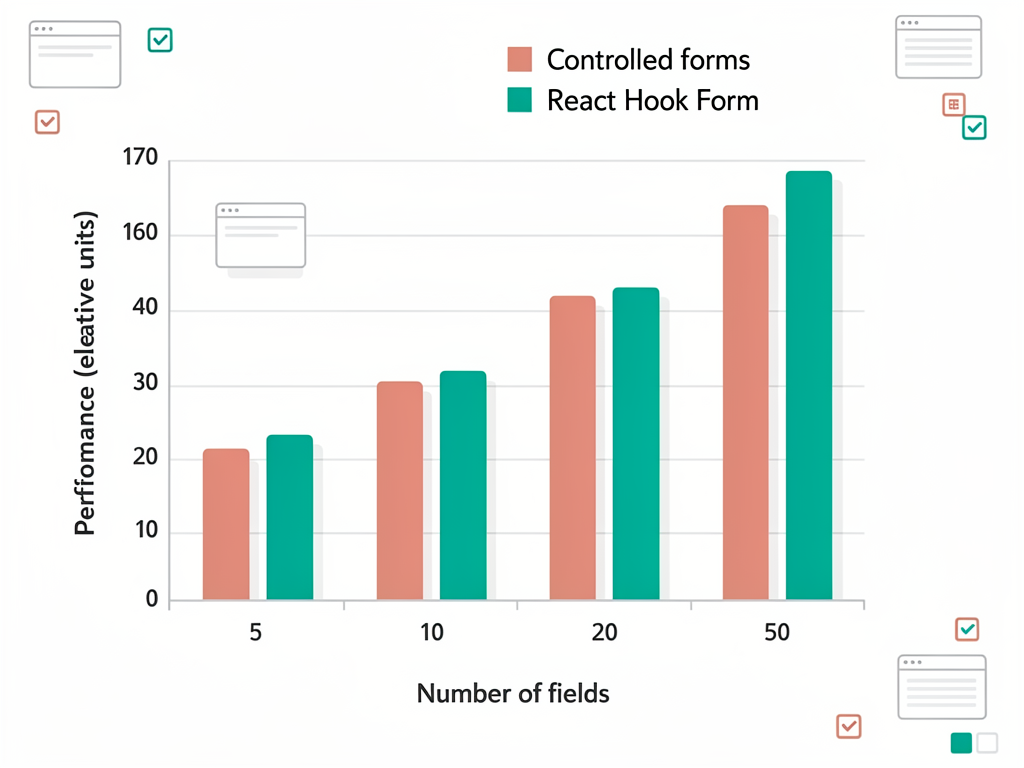
- Performance optimization through uncontrolled inputs reduces re-renders by up to 70% compared to traditional form libraries, critical for complex SaaS interfaces
- Type-safe form development with TypeScript integration ensures compile-time error catching and improved maintainability across large codebases
- Flexible validation strategies support both native HTML validation and schema-based approaches using Zod, Yup, or custom resolvers
- Seamless UI library integration through the Controller component enables compatibility with Shadcn UI, Material UI, and other design systems
- Dynamic form capabilities handle array fields, nested objects, and conditional rendering patterns common in SaaS applications
- Minimal bundle impact at approximately 8.6 kB minified and gzipped with zero dependencies keeps your application lightweight
- Enterprise-ready patterns support multi-step wizards, form persistence, and complex submission workflows
Understanding the Fundamentals of Modern Form Management
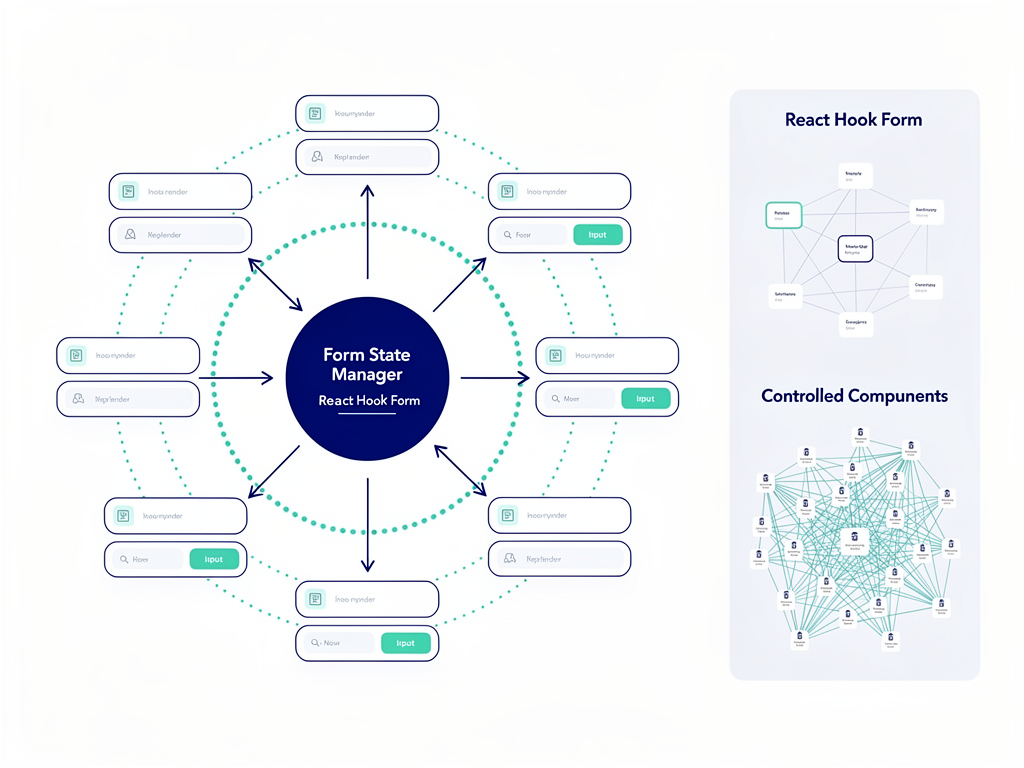
Before diving into implementation details, it is important to understand why form management in React applications has historically been challenging. Traditional approaches using controlled components require storing every input value in component state, triggering re-renders on each change. In a form with twenty fields, typing a single character could cause the entire form to re-render, leading to performance degradation and a sluggish user experience.
The uncontrolled component pattern that React Hook Form employs takes a fundamentally different approach. Instead of managing input values through React state, the library registers inputs using refs and only accesses values when needed (typically during validation or submission). This architectural decision results in dramatically fewer re-renders while maintaining full control over form behavior.
Consider a typical SaaS onboarding form with fields for company name, industry, team size, billing address, and payment information. With controlled components, every keystroke in any field triggers a state update and potential re-render of the entire form tree. With the uncontrolled approach, the DOM handles input state natively, and React only intervenes when validation or submission occurs.
The library's API design reflects this philosophy through three core concepts: registration (connecting inputs to the form), validation (defining rules and constraints), and submission (handling form data). This separation of concerns creates clean, maintainable code that scales well as forms grow in complexity. For teams building a SaaS boilerplate or production application, this architectural clarity translates directly into reduced technical debt.
Setting Up Your First Form with the useForm Hook
The foundation of every form implementation starts with the useForm hook, which returns an object containing methods and state for managing your form. Understanding each returned property enables you to build forms that handle any requirement your SaaS application might encounter.
The basic setup involves importing the hook and destructuring the properties you need:
Pro Tip: Always define your form's TypeScript interface first. This creates a contract between your form structure and the data your application expects, catching errors at compile time rather than runtime.
The register function connects input elements to the form instance. When you spread the register return value onto an input, it attaches the necessary ref, onChange, onBlur, and name attributes automatically. This approach eliminates boilerplate while maintaining full compatibility with native HTML form behavior.
The handleSubmit function wraps your submission handler, performing validation before calling your function with the validated form data. This pattern ensures that your submission logic only receives data that has passed all validation rules, simplifying error handling and data processing.
The formState object provides real-time information about your form, including errors, touched fields, dirty state, submission status, and validation state. Accessing these properties enables you to build responsive interfaces that guide users through the form completion process with appropriate feedback.
Configuring Form Defaults and Options
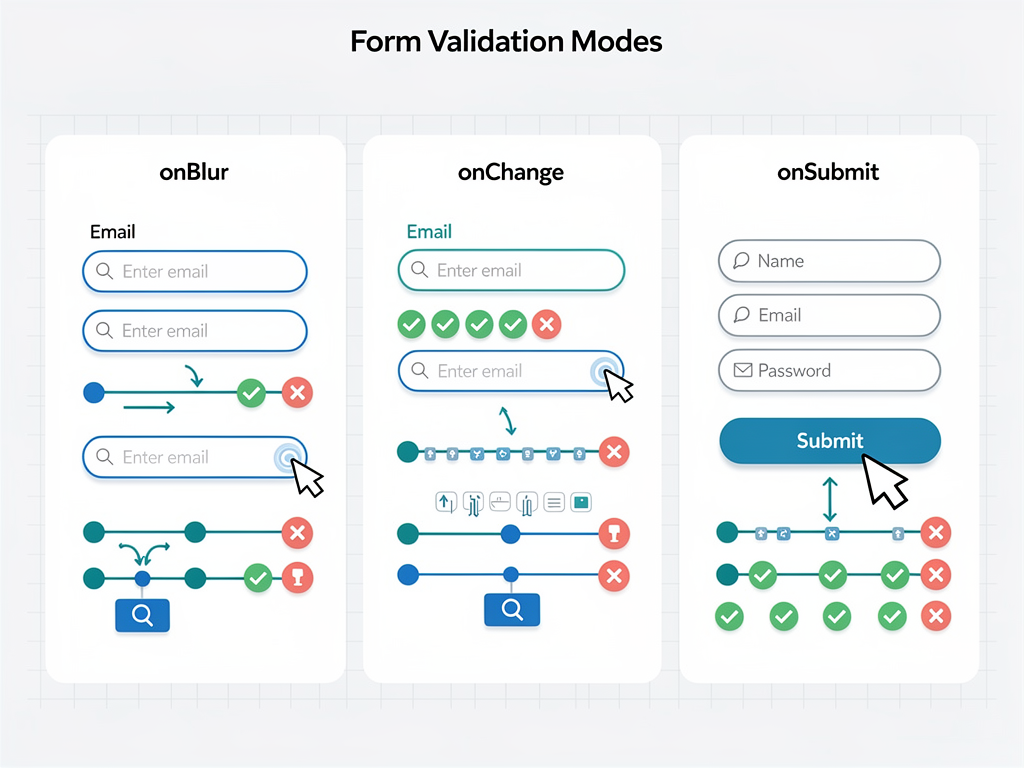
The useForm hook accepts a configuration object that controls form behavior. Key options include defaultValues for pre-populating fields, mode for controlling when validation runs, and resolver for integrating external validation schemas. Setting appropriate defaults ensures consistent behavior across your application.
For SaaS applications, the mode option deserves particular attention. Setting mode to "onBlur" validates fields when users leave them, providing immediate feedback without interrupting typing. The "onChange" mode validates on every change (useful for real-time feedback on critical fields), while "onSubmit" delays all validation until form submission (reducing visual noise during initial entry).
Implementing Type-Safe Forms with TypeScript
TypeScript integration transforms form development from a error-prone process into a guided experience where your IDE catches mistakes before they reach production. For teams building enterprise SaaS applications, type safety across form implementations reduces bugs, improves maintainability, and accelerates development velocity.
The pattern begins with defining an interface that represents your form's structure. This interface serves multiple purposes: it documents the expected shape of form data, enables autocomplete in your editor, and creates compile-time checks that prevent accessing non-existent fields or passing incorrect types to your submission handler.
When working with API data, you often need separate types for form values and API payloads. A common pattern involves creating bidirectional mapping functions that transform between these representations. For example, your API might expect URL arrays while your form displays them as newline-separated strings in a textarea. Mapping functions handle this translation cleanly.
The generic parameter passed to useForm enables full type inference throughout your form implementation. When you register a field, TypeScript knows which field names are valid. When you access errors, TypeScript knows which fields can have errors and what shape those error objects take. This comprehensive type coverage eliminates entire categories of runtime errors.
Creating Reusable Form Components
Type-safe forms enable the creation of reusable form field components that maintain type safety across your application. By accepting generic type parameters, these components can work with any form while preserving autocomplete and error checking for field names and validation rules.
A well-designed form field component encapsulates the registration logic, error display, label rendering, and styling in a single reusable unit. This approach ensures consistency across your application while reducing the code needed for each new form. For a Next.js boilerplate targeting rapid SaaS development, such components become foundational building blocks.
Mastering Validation Strategies for SaaS Requirements
Validation represents one of the most critical aspects of form implementation, directly impacting data quality, user experience, and application security. The library supports multiple validation approaches, from simple inline rules to complex schema-based validation with external libraries like Zod or Yup.
The inline validation approach uses the register function's second parameter to define rules directly on each field. This approach works well for simple forms with straightforward validation requirements. You can specify required fields, minimum and maximum lengths, pattern matching with regular expressions, and custom validation functions.
For complex SaaS applications, schema-based validation offers significant advantages. By defining your validation schema separately from your form components, you create reusable validation logic that can be shared across forms, tested independently, and maintained in a single location. The resolver option connects your chosen validation library to the form instance.
Zod has become the preferred choice for many TypeScript developers because it provides both runtime validation and type inference from a single schema definition. This means your form types and validation rules stay synchronized automatically, eliminating the maintenance burden of keeping separate type definitions and validation schemas in sync.
Custom Validation Functions
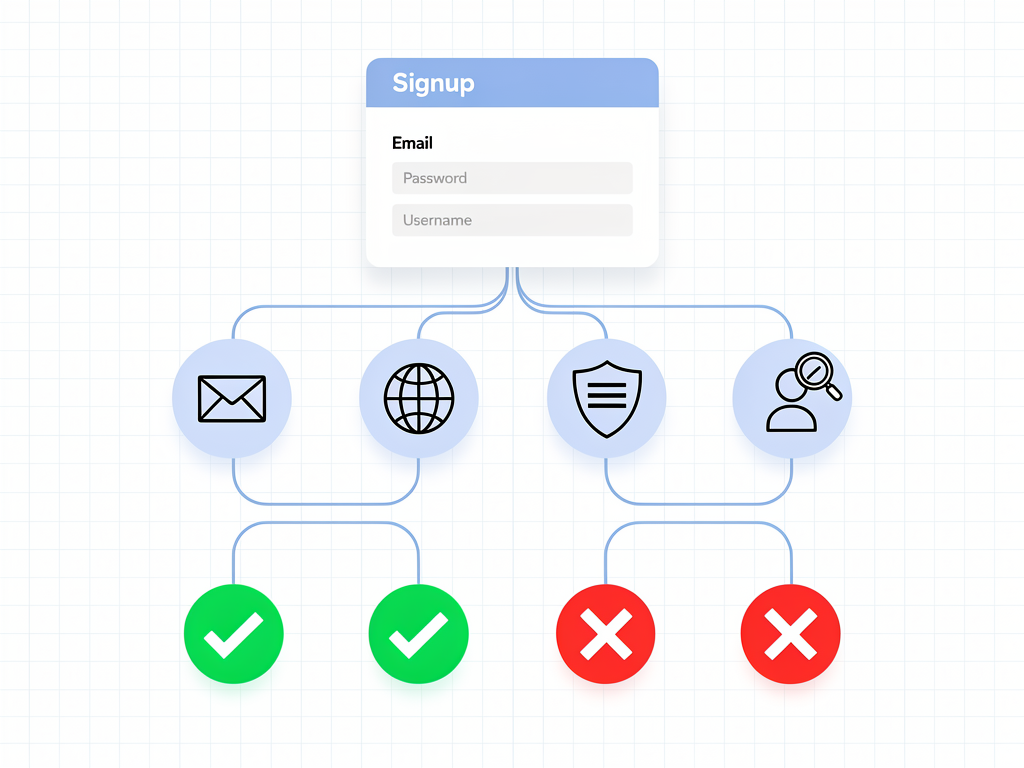
Beyond built-in rules and schema libraries, custom validation functions handle business-specific requirements. These functions receive the field value and can return a boolean (true for valid) or a string error message. For asynchronous validation (like checking username availability), the function can return a Promise.
Common SaaS validation scenarios include:
- Email domain restrictions for enterprise customers requiring corporate email addresses
- Password strength requirements with complexity rules beyond simple length checks
- Cross-field validation ensuring password confirmation matches or date ranges are valid
- Async uniqueness checks for usernames, slugs, or other unique identifiers
- Conditional validation where rules depend on other field values
Integrating with UI Component Libraries
Modern SaaS applications typically use component libraries like Shadcn UI, Radix UI, or Material UI for consistent, accessible interfaces. These libraries often use controlled components internally, requiring special handling to integrate with the uncontrolled approach. The Controller component bridges this gap elegantly.
The Controller component wraps controlled inputs, managing the connection between the external component and the form state. It accepts a render prop that receives field properties (value, onChange, onBlur, ref) and fieldState (error, invalid, isTouched). You pass these properties to your UI component, enabling full integration with the form system.
For Shadcn UI specifically, the integration pattern involves wrapping Select, Checkbox, RadioGroup, and other controlled components with Controller. The field object from the render prop provides all necessary properties, while fieldState enables conditional styling for error states. This pattern maintains the performance benefits of uncontrolled inputs while supporting rich UI components.
Building a Design System Integration Layer
Rather than wrapping every UI component usage with Controller, consider building an integration layer that creates form-aware versions of your design system components. These wrapper components accept a name prop and internally handle the Controller logic, providing a cleaner API for form developers.
This abstraction layer offers several benefits for SaaS development teams:
- Consistent error handling across all form fields without repetitive code
- Centralized styling for error states, focus rings, and validation indicators
- Simplified form code that focuses on business logic rather than integration details
- Easier testing with standardized component interfaces
Handling Dynamic Forms and Field Arrays
SaaS applications frequently require dynamic forms where users can add or remove fields. Common examples include adding multiple team members during onboarding, configuring multiple webhook endpoints, or creating line items in an invoice. The useFieldArray hook provides first-class support for these scenarios.
The hook returns an array of fields along with methods for manipulating the array: append, prepend, insert, remove, swap, move, and replace. Each field in the array receives a unique identifier that must be used as the key prop when rendering, ensuring React can efficiently track additions and removals.
When registering fields within an array, the field name follows a specific pattern: the array name, followed by the index, followed by the field name within each item. This nested naming convention enables the form to track each field's value and validation state independently while maintaining the array structure.
Validation for Array Fields
Validating array fields requires attention to both individual item validation and array-level constraints. Individual fields within array items use standard validation rules applied during registration. Array-level validation (minimum items, maximum items, uniqueness constraints) requires custom validation logic or schema-based approaches.
With Zod, you can define array schemas that validate both the array structure and individual items:
Implementation Note: When removing items from a field array, always use the remove method provided by useFieldArray rather than filtering the fields array directly. The hook manages internal state that must stay synchronized with the rendered fields.

Building Multi-Step Form Wizards
Complex SaaS workflows often benefit from multi-step forms that break lengthy processes into manageable chunks. Subscription setup, detailed profile creation, and complex configuration flows all benefit from wizard-style interfaces. Implementing these patterns requires careful state management and validation coordination across steps.
The form context approach using FormProvider and useFormContext enables sharing form state across multiple components without prop drilling. The parent component wraps the entire wizard in FormProvider, and each step component accesses the form methods through useFormContext. This architecture keeps step components focused on their specific fields while maintaining unified form state.
Step validation can follow two strategies: validate on step change (preventing progression until current fields are valid) or validate on final submission (allowing free navigation with final validation). The first approach provides immediate feedback but can frustrate users who want to skip around. The second approach offers flexibility but may result in users reaching the end with multiple errors to fix.
A hybrid approach validates the current step before allowing forward progression but permits backward navigation without validation. This balances user freedom with data quality, ensuring users cannot submit incomplete data while allowing them to review previous steps.
Persisting Form State Across Sessions
For lengthy forms, persisting state across browser sessions improves user experience by preventing data loss. The watch function provides current form values that can be saved to localStorage, sessionStorage, or a backend API. On form initialization, defaultValues can be populated from the persisted state.
Consider implementing auto-save functionality that triggers after a debounced period of inactivity. This approach captures user progress without excessive storage operations. For sensitive data, ensure appropriate encryption and consider the security implications of client-side persistence.
Performance Optimization Techniques
While the library inherently optimizes performance through its uncontrolled approach, additional techniques can further improve responsiveness in complex forms. Understanding these optimizations becomes crucial when building forms with dozens of fields or implementing real-time features.
The watch function subscribes to form value changes, but watching all fields can reintroduce performance issues. Instead, watch specific fields that need reactive behavior, or use the useWatch hook for isolated subscriptions that do not cause parent component re-renders.
For forms with expensive validation (async checks, complex computations), debouncing validation prevents excessive operations during rapid input. The delayError option in useForm configuration delays error display, reducing visual flickering during typing. Custom debounce logic can wrap async validation functions for API-based checks.
Memoization Strategies
When form components receive props from parent components, ensure proper memoization to prevent unnecessary re-renders. The useCallback hook should wrap submission handlers and other functions passed to form components. The useMemo hook can optimize expensive computations like generating validation schemas from dynamic data.
Component-level optimization using React.memo prevents re-renders when props have not changed. For field components, this optimization ensures that updating one field does not cause other fields to re-render, maintaining the performance benefits of the uncontrolled approach throughout your component tree.
Error Handling and User Feedback Patterns
Effective error handling transforms frustrating form experiences into guided interactions that help users succeed. The library provides comprehensive error state through formState.errors, but how you present these errors significantly impacts user experience and form completion rates.
Inline error messages displayed directly below fields provide immediate, contextual feedback. This approach works well for most forms, keeping errors visible without requiring users to search for problems. Ensure error messages are specific and actionable, explaining what is wrong and how to fix it.
Error summaries at the top of the form help users understand the overall state, particularly useful for long forms where inline errors might scroll out of view. Clicking summary items can scroll to and focus the relevant field, creating a smooth correction workflow.
Consider the timing of error display carefully. Showing errors before users have attempted input feels presumptuous and can create anxiety. The touched state indicates whether a field has received focus, enabling error display only after users have interacted with a field. Combining touched state with validation mode creates nuanced feedback timing.
Accessibility Considerations
Accessible forms ensure all users can complete your SaaS workflows regardless of how they interact with your application. Key accessibility requirements include:
- ARIA attributes connecting error messages to their fields (aria-describedby, aria-invalid)
- Focus management moving focus to the first error field after failed submission
- Screen reader announcements for dynamic error messages using live regions
- Keyboard navigation ensuring all form controls are reachable and operable
- Color-independent error indication using icons or text in addition to color changes
Building accessibility into your form components from the start is far easier than retrofitting it later. The integration layer approach mentioned earlier provides an excellent opportunity to implement accessibility features once and apply them consistently across all forms.
Server-Side Integration and API Patterns
Forms ultimately exist to collect data for your backend systems. Clean integration between form handling and API calls ensures reliable data flow and appropriate error handling. Several patterns have emerged as best practices for SaaS applications.
The submission handler pattern wraps your API call in the function passed to handleSubmit. This function receives validated form data, transforms it as needed for your API, makes the request, and handles success or failure responses. Using formState.isSubmitting enables disabling the submit button during processing.
For server-side validation errors, the setError method allows programmatically setting field errors based on API responses. If your backend returns field-specific errors (like "email already exists"), you can display these inline with the relevant fields rather than as generic error messages.
The optimistic update pattern updates UI state immediately on submission, then reconciles with the actual API response. This approach creates snappy interfaces but requires careful error handling to revert optimistic changes when requests fail. For SaaS applications where perceived performance matters, this pattern can significantly improve user experience.
Working with React 19 Server Actions
React 19 introduces native form handling through Server Actions, raising questions about the continued relevance of form libraries. While Server Actions provide basic form handling, they lack the sophisticated validation, state management, and performance optimizations that complex SaaS forms require.
The recommended approach combines both: use the library for client-side form management and validation, then integrate with Server Actions for submission. This hybrid pattern provides the best of both worlds, maintaining rich client-side interactions while leveraging server-side processing capabilities.

Testing Form Implementations
Comprehensive testing ensures your forms behave correctly across all scenarios, from happy paths to edge cases. Testing strategies should cover validation logic, submission handling, error states, and user interactions.
Unit testing validation schemas (when using Zod or Yup) provides fast, focused tests for your validation logic. These tests can verify that valid data passes, invalid data fails with appropriate messages, and edge cases are handled correctly. Schema tests run quickly and can cover many scenarios efficiently.
Integration testing with React Testing Library verifies that your form components work correctly together. These tests render forms, simulate user input, trigger submissions, and verify expected outcomes. Focus on user-visible behavior rather than implementation details to create resilient tests that survive refactoring.
End-to-end testing with Cypress or Playwright validates complete workflows in a real browser environment. These tests are slower but catch issues that unit and integration tests might miss, like CSS affecting clickability or JavaScript errors in production builds.
Testing Patterns for Common Scenarios
| Scenario | Testing Approach | Key Assertions |
|---|---|---|
| Required field validation | Submit empty form | Error message appears, submission prevented |
| Format validation | Enter invalid format | Specific error message, field marked invalid |
| Successful submission | Fill valid data, submit | API called with correct data, success feedback |
| Server error handling | Mock API failure | Error displayed, form remains editable |
| Dynamic fields | Add/remove items | Correct number of fields, values preserved |
Real-World Implementation Patterns for SaaS
Moving from theory to practice, let us examine implementation patterns that address common SaaS requirements. These patterns have been refined through production use and represent battle-tested approaches to form challenges.
Subscription and Billing Forms
Payment forms require special attention to security, validation, and user experience. When integrating with Stripe Elements or similar payment processors, the Controller component wraps the payment input while the form manages surrounding fields like billing address and plan selection.
Key considerations for payment forms include:
- PCI compliance by never handling raw card data in your form state
- Progressive disclosure showing payment fields only after plan selection
- Clear pricing display updating dynamically based on selected options
- Retry handling for failed payment attempts without losing form data
User Settings and Profile Forms
Settings forms often involve partial updates where users modify only some fields. The isDirty state and dirtyFields object identify which fields have changed, enabling PATCH-style updates that only send modified data to your API.
For forms with many sections (account settings, notification preferences, security options), consider using multiple form instances or a tabbed interface where each tab manages its own form state. This approach prevents validation errors in one section from blocking saves in another.
Search and Filter Forms
Unlike submission-focused forms, search and filter interfaces often need to update results in real-time as users type. The watch function enables reactive updates, while debouncing prevents excessive API calls. Consider whether filters should persist in URL parameters for shareability and browser history support.

Scaling Form Architecture in Large Applications
As your SaaS application grows, form architecture decisions compound in their impact. Establishing patterns early prevents technical debt and enables consistent experiences across your application. Consider these architectural principles for scaling form implementations.
Centralized form configuration stores validation schemas, default values, and transformation functions in dedicated modules. This approach enables reuse across forms, simplifies testing, and creates a single source of truth for form behavior. When business rules change, updates propagate automatically to all forms using that configuration.
Form composition patterns build complex forms from smaller, reusable form sections. An address form component, for example, can be embedded in checkout forms, profile forms, and shipping configuration forms. The useFormContext hook enables these composed sections to integrate with their parent form seamlessly.
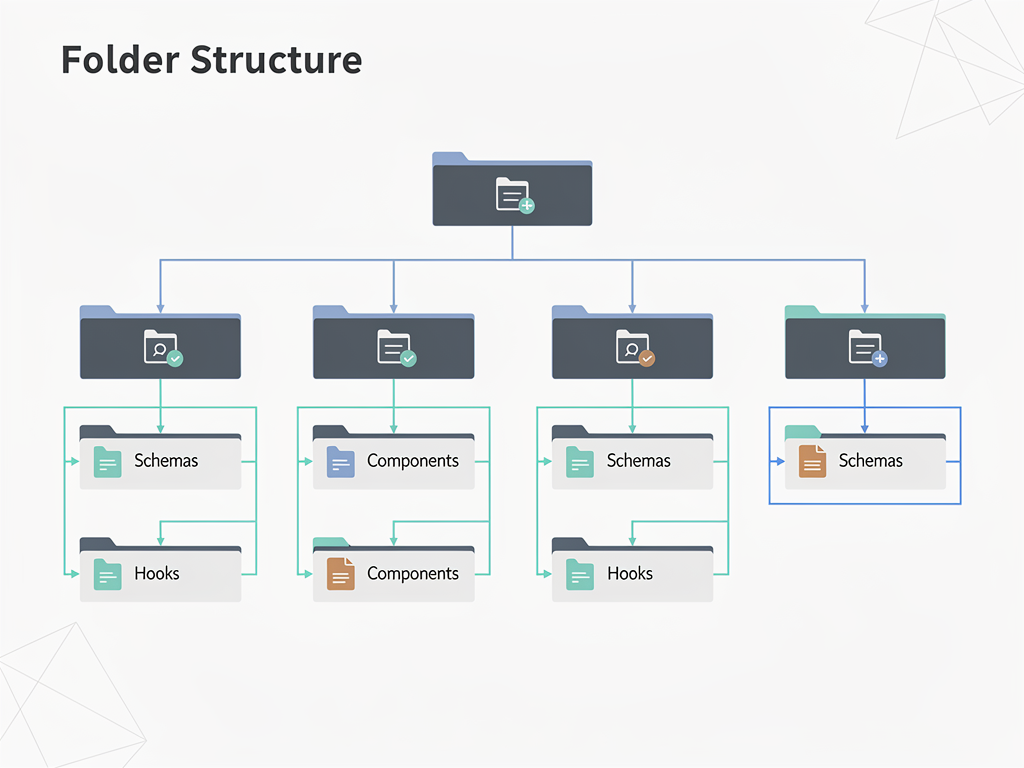
Feature-based organization groups form components, schemas, and types with their related features rather than in generic "forms" or "components" directories. This colocation makes it easier to understand and modify feature-specific form behavior without searching across the codebase.
Documentation and Team Standards
For teams building a SaaS starter kit or maintaining a large application, documenting form patterns ensures consistency as the team grows. Consider creating:
- Pattern library with examples of common form types and their implementations
- Component documentation for your form field components and their props
- Validation rule catalog documenting reusable validation functions and schemas
- Decision records explaining why certain patterns were chosen
Comparing Form Solutions for SaaS Development
Understanding how different form solutions compare helps you make informed decisions for your specific requirements. While this library excels in many scenarios, knowing its tradeoffs enables appropriate tool selection.
| Feature | React Hook Form | Formik | React 19 Native |
|---|---|---|---|
| Bundle Size | ~8.6 kB | ~13 kB | 0 (built-in) |
| Re-render Performance | Excellent | Good | Varies |
| TypeScript Support | Excellent | Good | Good |
| Learning Curve | Moderate | Gentle | Low |
| Complex Validation | Excellent | Excellent | Limited |
| Field Arrays | Built-in | Built-in | Manual |
| UI Library Integration | Excellent | Good | Manual |
For most SaaS applications, the performance benefits and comprehensive feature set make this library the preferred choice. React 19's native form handling suits simple forms without complex validation, while Formik remains viable for teams already invested in its ecosystem.
When evaluating a Next.js SaaS template or SaaS template for your project, check which form solution it includes and whether that choice aligns with your requirements. Templates using modern form handling patterns will serve you better as your application grows in complexity.
Future Considerations and Ecosystem Evolution
The React ecosystem continues evolving, with React 19 introducing new patterns for form handling and server integration. Understanding these trends helps you make decisions that remain relevant as the ecosystem matures.
React 19's form Actions provide native submission handling that works well for simple forms but lacks the sophisticated state management and validation that complex applications require. The library maintainers have responded by improving integration with these new patterns, ensuring compatibility while maintaining the advanced features that differentiate the library.
The trend toward server components and streaming affects how forms integrate with data fetching and mutation. Forms increasingly need to work seamlessly with server-side data loading, optimistic updates, and real-time synchronization. Libraries that adapt to these patterns will remain relevant.
AI-assisted form filling represents an emerging capability that may change how users interact with forms. Browser autofill has existed for years, but AI-powered assistants may soon help users complete complex forms by understanding context and suggesting appropriate values. Form implementations should remain compatible with these emerging interaction patterns.

Conclusion
Building robust user input handling in SaaS applications requires thoughtful architecture, appropriate tooling, and attention to both developer experience and end-user needs. React hook form provides the foundation for creating performant, maintainable, and feature-rich forms that scale with your application's complexity.
The patterns explored in this guide, from basic setup through advanced multi-step wizards and dynamic field arrays, represent proven approaches used in production SaaS applications. By leveraging TypeScript for type safety, integrating cleanly with UI component libraries, and implementing comprehensive validation strategies, you create forms that delight users while maintaining code quality.
Remember that form implementation is not just a technical challenge but a user experience opportunity. Every interaction with your forms shapes how users perceive your product. Investing in quality form handling pays dividends through improved conversion rates, reduced support requests, and higher user satisfaction.
As you build your SaaS application, consider how the patterns and techniques discussed here apply to your specific requirements. Start with solid fundamentals, add complexity only when needed, and always keep the end user's experience at the center of your decisions. The result will be forms that work reliably, perform excellently, and contribute to your application's success.
Frequently Asked Questions
Is React Hook Form Still Relevant with React 19's Native Form Handling?
Absolutely. While React 19 introduces native form handling through Actions, these features target simple use cases and lack the sophisticated capabilities that complex SaaS applications require. React 19's native forms do not provide built-in validation beyond HTML5 constraints, offer no field array support, and require manual implementation of features like error state management and submission status tracking. For applications with multi-step forms, dynamic fields, complex validation rules, or integration with UI component libraries, the library remains essential. The recommended approach combines both: use the library for client-side form management and validation, then integrate with Server Actions for submission processing. This hybrid pattern provides rich client-side interactions while leveraging server-side capabilities.
How Do I Handle File Uploads with React Hook Form?
File uploads require special handling because file inputs behave differently from text inputs. For single file uploads, register the input normally but access the file through the FileList object in your submission handler. For multiple files, the same approach works with iteration over the FileList. When you need preview functionality or progress tracking, use the Controller component to manage the file state explicitly. Store the File objects (not just filenames) in your form state, and create object URLs for image previews. Remember to revoke object URLs when components unmount to prevent memory leaks. For large files, consider implementing chunked uploads with progress indicators, handling this logic in your submission handler rather than within the form itself.
What Is the Best Way to Implement Conditional Form Fields?
Conditional fields that appear based on other field values use the watch function to observe the controlling field. When the watched value meets your condition, render the conditional fields normally. The key consideration is whether conditional fields should retain their values when hidden. By default, hidden fields keep their values in form state. If you want to clear values when fields hide, call unregister when the condition becomes false, or use shouldUnregister option in your form configuration. For complex conditional logic involving multiple fields, consider extracting the logic into a custom hook that returns which fields should display. This approach keeps your component clean and makes the conditional logic testable independently.
How Can I Integrate React Hook Form with Server-Side Rendering in Next.js?
The library works seamlessly with Next.js server-side rendering because form state initializes on the client after hydration. For forms that need server-provided default values, fetch the data in your server component or page, then pass it as props to your client component containing the form. The useForm hook's defaultValues option accepts these server-provided values. For forms in server components, you cannot use the library directly since hooks require client components. Instead, create a client component wrapper for your form and import it into your server component. When using the App Router, mark your form component with "use client" and handle data fetching in the parent server component, passing results as props.
What Are the Best Practices for Form Error Messages?
Effective error messages are specific, actionable, and appropriately timed. Instead of generic messages like "Invalid input," explain what is wrong and how to fix it: "Email must include @ symbol" or "Password needs at least one number." Display errors after users have interacted with fields (using touched state) rather than immediately on page load. For complex validation failures, consider providing examples of valid input. Ensure error messages are accessible by connecting them to their fields using aria-describedby and announcing dynamic errors to screen readers. Maintain consistent error message styling across your application, and consider using an error message component that handles accessibility attributes automatically. For forms with many potential errors, an error summary at the top helps users understand overall form state.
How Do I Optimize Forms with Many Fields for Performance?
Forms with dozens of fields benefit from several optimization strategies beyond the library's inherent performance advantages. First, use the useWatch hook instead of watch for reactive subscriptions, as useWatch isolates re-renders to the subscribing component rather than the entire form. Second, memoize expensive computations and callback functions using useMemo and useCallback. Third, consider splitting very large forms into sections with their own form instances, synchronizing data only when needed. Fourth, for fields with expensive validation (like async API checks), implement debouncing to prevent excessive operations during rapid input. Fifth, use React.memo on field components to prevent re-renders when their specific props have not changed. Finally, profile your form using React DevTools to identify specific bottlenecks rather than optimizing prematurely.
Ready to Build Your SaaS Application with Robust Form Handling?
Stop spending weeks configuring form libraries, authentication flows, and payment integrations. SaasCore provides a production-ready Next.js foundation with pre-configured form patterns, Shadcn UI integration, and everything you need to launch your SaaS product faster. Our boilerplate includes authentication, subscription management, admin dashboards, and the modern development patterns discussed in this guide. View the demo and start building today.
Subscribe to our newsletter
Subscribe to our newsletter and stay up-to-date with the latest news and updates.