Master React Interview Questions for SaaS Developer Roles in 2026
Prepare for SaaS developer interviews with a deep dive into React fundamentals, component architecture, and performance optimization. Learn how React 19 features enhance user experiences and streamline development workflows.

Zakariae
Landing a developer role at a SaaS company requires more than just knowing how to write React code. Interviewers at modern software-as-a-service organizations expect candidates to demonstrate deep understanding of component architecture, state management patterns, performance optimization techniques, and the ability to build scalable, maintainable applications. Whether you're preparing for your first SaaS developer position or aiming for a senior role at a high-growth startup, mastering these concepts will significantly boost your confidence and success rate during technical interviews.
The landscape of React development has evolved dramatically, with React 19 introducing Server Components, Actions, and the new compiler. SaaS companies are particularly interested in developers who understand how these modern features translate into better user experiences, faster load times, and more efficient development workflows. This comprehensive guide covers the most critical react interview questions you'll encounter in 2026, organized by topic and difficulty level to help you prepare systematically.
Key Takeaways
- Master React fundamentals including JSX, Virtual DOM, component lifecycle, and the reconciliation process before diving into advanced topics
- Understand hooks deeply, particularly useState, useEffect, useCallback, useMemo, and the newer React 19 hooks like useActionState and useOptimistic
- Learn state management patterns including Context API, Redux, Zustand, and when to use each approach in SaaS applications
- Practice performance optimization techniques such as code splitting, lazy loading, memoization, and bundle size reduction
- Familiarize yourself with Server Components and how they change the architecture of modern React applications
- Prepare real-world examples from your experience building or working with SaaS products to demonstrate practical knowledge
- Study testing strategies including unit testing with Jest, component testing with React Testing Library, and end-to-end testing approaches
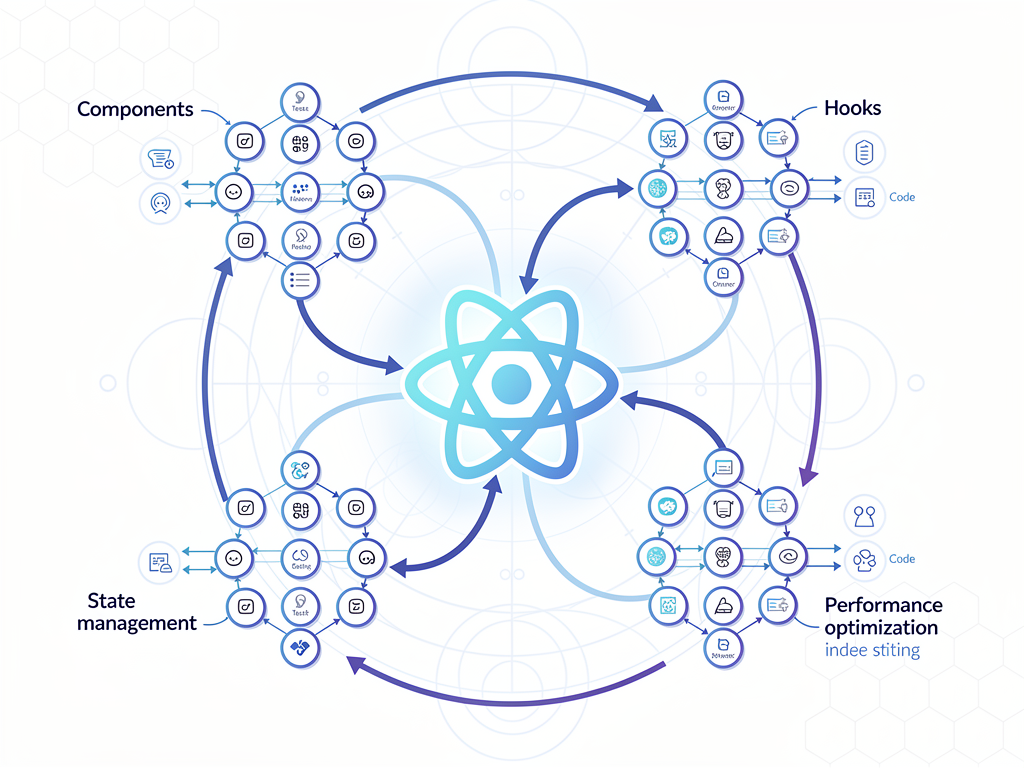
React Fundamentals Every SaaS Developer Must Know
Before tackling advanced topics, interviewers typically assess your grasp of React fundamentals. These foundational concepts form the building blocks of every React application, and demonstrating mastery here establishes credibility for more complex discussions. SaaS companies particularly value developers who can explain these concepts clearly because teaching and code review are essential parts of collaborative development environments.
What is React and why do SaaS companies prefer it? React is a JavaScript library developed by Meta for building user interfaces, particularly single-page applications. SaaS companies favor React because of its component-based architecture, which promotes code reusability and maintainability. The virtual DOM enables efficient updates, which is crucial for data-intensive SaaS dashboards. Additionally, React's massive ecosystem provides solutions for authentication, state management, routing, and other common SaaS requirements.
Explain JSX and its compilation process. JSX is a syntax extension that allows you to write HTML-like code within JavaScript. During the build process, tools like Babel transform JSX into React.createElement() calls. For example, <div className="container">Hello</div> becomes React.createElement('div', {className: 'container'}, 'Hello'). Understanding this transformation helps you debug issues and write more efficient code.
How does the Virtual DOM work? The Virtual DOM is a lightweight JavaScript representation of the actual DOM. When state changes occur, React creates a new Virtual DOM tree, compares it with the previous version using a diffing algorithm, and calculates the minimum number of changes needed to update the real DOM. This process, called reconciliation, significantly improves performance by batching updates and avoiding unnecessary DOM manipulations.
What is the difference between props and state? Props are read-only data passed from parent to child components, enabling unidirectional data flow. State is internal, mutable data managed within a component. In SaaS applications, props typically carry configuration data, user information, or callback functions, while state manages UI interactions, form inputs, and local component data. Understanding when to lift state up versus keeping it local is crucial for building maintainable applications.
Component Architecture and Design Patterns
SaaS applications often contain hundreds of components working together to create complex user interfaces. Interviewers assess your ability to design component hierarchies, manage component communication, and apply design patterns that promote scalability. Demonstrating knowledge of these patterns shows you can contribute to large codebases and make architectural decisions that benefit the entire team.
Explain the difference between functional and class components. Functional components are JavaScript functions that accept props and return JSX. Class components extend React.Component and use lifecycle methods. Since React 16.8 introduced hooks, functional components have become the standard because they're simpler, easier to test, and avoid the complexity of this binding. Modern SaaS codebases almost exclusively use functional components, though understanding class components helps when maintaining legacy code.
| Aspect | Functional Components | Class Components |
|---|---|---|
| Syntax | Simple function | ES6 class extending React.Component |
| State Management | useState hook | this.state and this.setState |
| Lifecycle | useEffect hook | componentDidMount, componentDidUpdate, etc. |
| Performance | Slightly better (no class overhead) | Additional memory for class instance |
| Testing | Easier to test | Requires more setup |
| Modern Usage | Recommended approach | Legacy pattern |
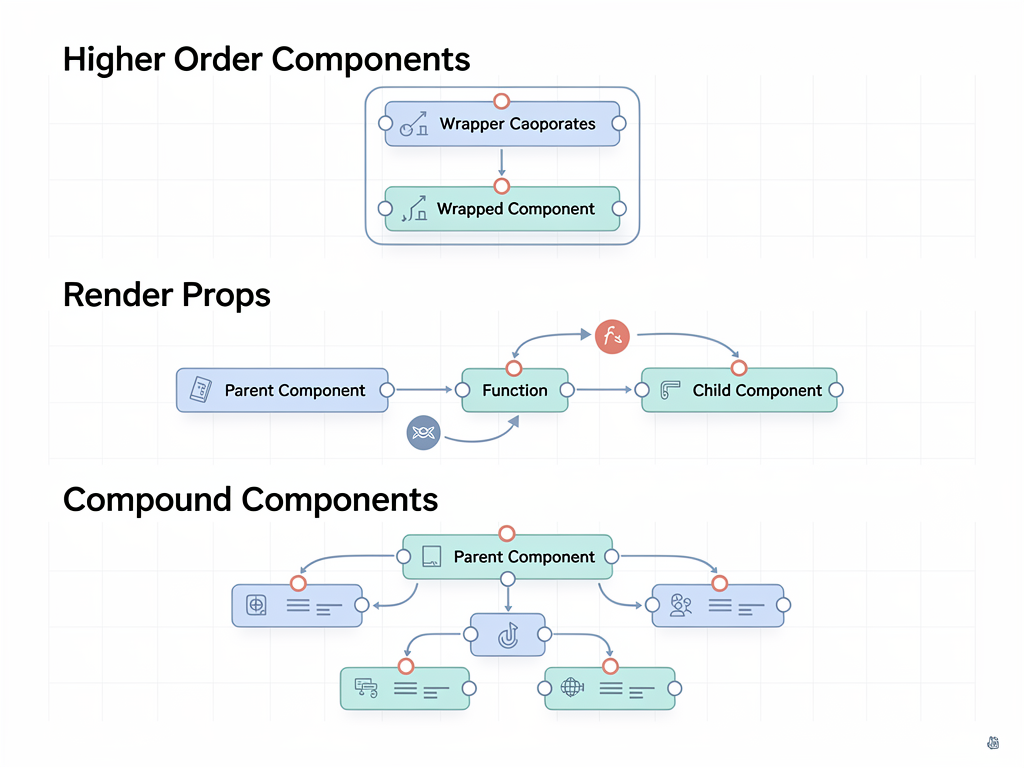
What are Higher-Order Components (HOCs)? HOCs are functions that take a component and return a new component with enhanced functionality. They're useful for cross-cutting concerns like authentication, logging, or data fetching. For example, a withAuth HOC might wrap components to verify user authentication before rendering. While hooks have replaced many HOC use cases, understanding this pattern remains valuable for maintaining existing codebases and certain advanced scenarios.
Explain the Compound Component pattern. Compound components share implicit state and work together to accomplish a task. Think of HTML's <select> and <option> elements. In React, you might create a <Tabs> component with <Tab> children that automatically manage active state. This pattern is common in SaaS UI libraries and provides flexible, declarative APIs for complex components like accordions, dropdown menus, and multi-step forms.
What is the Render Props pattern? Render props involve passing a function as a prop that returns React elements. This pattern enables component logic sharing without inheritance. A classic example is a <Mouse> component that tracks cursor position and passes coordinates to a render function. While hooks have largely superseded render props for new code, many popular libraries still use this pattern, making it important to understand.
Mastering React Hooks for Modern Development
Hooks revolutionized React development by enabling state and lifecycle features in functional components. SaaS interviewers expect deep understanding of built-in hooks and the ability to create custom hooks for reusable logic. This section covers the essential hooks you'll encounter in interviews and production codebases.
Explain useState and its update mechanics. The useState hook declares state variables in functional components. It returns an array containing the current state value and a setter function. State updates are asynchronous and batched for performance. When updating state based on the previous value, always use the functional form: setCount(prev => prev + 1). This prevents stale closure issues and ensures correct updates when multiple state changes occur in rapid succession.
How does useEffect work and what are its cleanup patterns? The useEffect hook handles side effects like API calls, subscriptions, and DOM manipulations. It runs after render and accepts a dependency array that controls when it re-executes. Returning a cleanup function from useEffect handles resource disposal, preventing memory leaks. Common patterns include fetching data on mount (empty dependency array), responding to prop changes (specific dependencies), and cleaning up event listeners or subscriptions.
Pro Tip: When using useEffect for data fetching in SaaS applications, always implement cleanup to handle component unmounting during async operations. This prevents the common "Can't perform a React state update on an unmounted component" warning and potential memory leaks.
What is the difference between useMemo and useCallback? Both hooks optimize performance through memoization, but they serve different purposes. useMemo memoizes computed values, recalculating only when dependencies change. useCallback memoizes function references, useful when passing callbacks to optimized child components. In SaaS dashboards with complex data transformations or large lists, proper use of these hooks can significantly improve rendering performance.
When should you use useReducer instead of useState? The useReducer hook manages complex state logic involving multiple sub-values or when the next state depends on the previous one. It's particularly useful for form handling with many fields, undo/redo functionality, or state machines. SaaS applications often use useReducer for multi-step workflows, complex filters, or any scenario where state transitions follow predictable patterns.
Explain useRef and its common use cases. The useRef hook creates a mutable reference that persists across renders without causing re-renders when changed. Common uses include accessing DOM elements directly, storing previous values, and maintaining mutable values that shouldn't trigger updates. In SaaS applications, useRef often manages focus states, integrates with third-party libraries, or tracks values for analytics without affecting the render cycle.
State Management Strategies for SaaS Applications
State management is one of the most discussed topics in React interviews because SaaS applications typically involve complex data flows, user sessions, real-time updates, and shared state across many components. Interviewers want to know you can choose appropriate solutions and implement them effectively.
When should you use Context API versus Redux? Context API is built into React and works well for low-frequency updates like themes, user authentication, or locale preferences. Redux excels at managing complex, frequently-changing state with predictable patterns and powerful debugging tools. For SaaS applications, Context often handles authentication and user preferences, while Redux or similar libraries manage application data, filters, and real-time updates.
What are the core principles of Redux? Redux follows three principles: single source of truth (one store), state is read-only (changes only through actions), and changes are made with pure functions (reducers). The unidirectional data flow makes state changes predictable and debuggable. In SaaS contexts, Redux's middleware ecosystem enables powerful patterns like optimistic updates, API request handling, and complex async workflows.
Explain Redux Toolkit and why it's recommended. Redux Toolkit (RTK) is the official, opinionated toolset for efficient Redux development. It includes utilities like createSlice for reducers, createAsyncThunk for async logic, and RTK Query for data fetching. RTK significantly reduces boilerplate code and enforces best practices. Modern SaaS applications using Redux should always use Redux Toolkit rather than manual Redux setup.
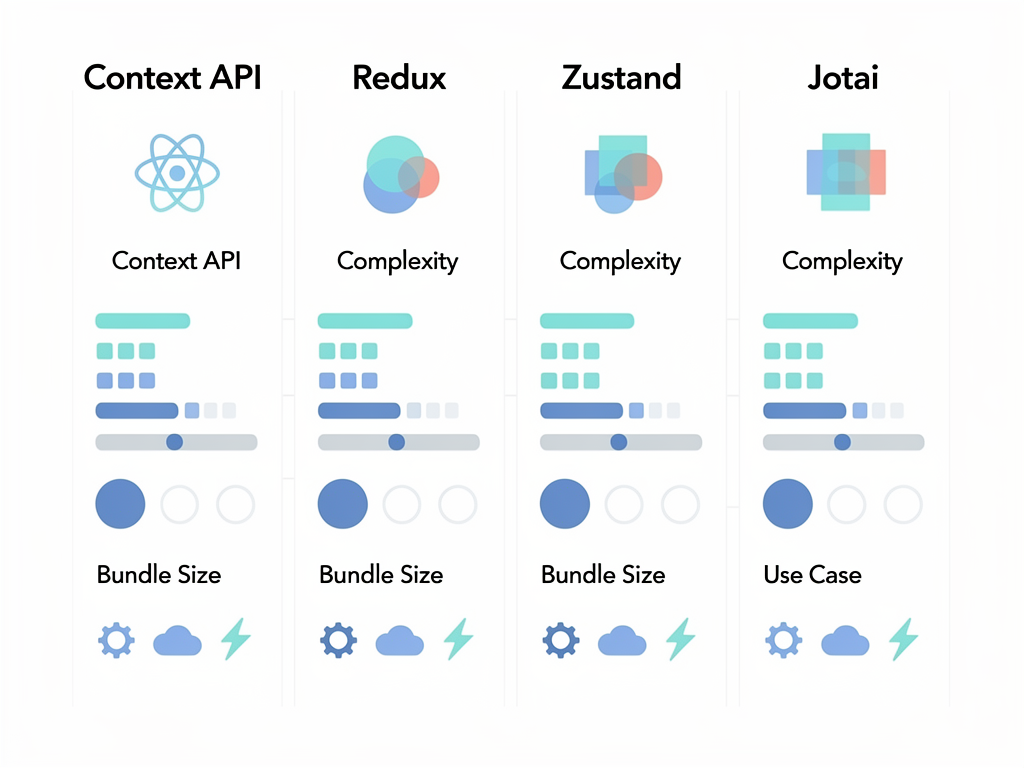
What are Zustand and Jotai, and when would you choose them? Zustand is a lightweight state management library with a simple API and minimal boilerplate. Jotai provides atomic state management inspired by Recoil. Both offer excellent TypeScript support and smaller bundle sizes than Redux. SaaS startups often prefer these libraries for their simplicity, especially when building with a Next.js boilerplate or similar modern stack where bundle size matters.
How do you handle server state versus client state? Server state represents data from external sources (APIs, databases), while client state manages UI interactions and local data. Libraries like React Query (TanStack Query) and SWR specialize in server state, handling caching, background updates, and synchronization. Separating these concerns simplifies architecture and improves user experience through features like optimistic updates and automatic revalidation.
Performance Optimization Techniques
SaaS applications must deliver fast, responsive experiences to retain users. Interviewers assess your ability to identify performance bottlenecks and apply appropriate optimizations. Understanding these techniques demonstrates you can build applications that scale with growing user bases and data volumes.
What is React.memo and when should you use it? React.memo is a higher-order component that memoizes functional components, preventing re-renders when props haven't changed. It's beneficial for expensive components that receive the same props frequently. However, overusing memo adds overhead, so apply it strategically to components that actually benefit from memoization, typically those rendering large lists or performing complex calculations.
Explain code splitting and lazy loading in React. Code splitting divides your bundle into smaller chunks loaded on demand. React's lazy() function enables component-level code splitting, while Suspense provides loading states. In SaaS applications, lazy loading dashboard sections, admin panels, or feature modules significantly improves initial load times. Route-based splitting is the most common pattern, loading page components only when users navigate to them.
How do you optimize large lists in React? Rendering thousands of items causes performance issues. Virtualization libraries like react-window or react-virtualized render only visible items, dramatically improving performance. Additional techniques include pagination, infinite scrolling, and windowing. SaaS dashboards displaying customer lists, transaction histories, or analytics data frequently require these optimizations.
What causes unnecessary re-renders and how do you prevent them? Common causes include creating new object or function references in render, not memoizing expensive computations, and improper dependency arrays in hooks. Prevention strategies include using useCallback for event handlers passed to children, useMemo for computed values, and ensuring stable references for objects and arrays. React DevTools Profiler helps identify components that re-render unnecessarily.
How do you measure and monitor React application performance? React DevTools Profiler records component render times and identifies bottlenecks. Lighthouse audits provide performance scores and recommendations. Real User Monitoring (RUM) tools track actual user experiences. SaaS companies typically implement performance budgets, automated testing, and monitoring dashboards to maintain application speed as features are added.
React 19 Features and Server Components
React 19 introduced significant changes that SaaS developers must understand. Server Components, Actions, and the new compiler represent a paradigm shift in how React applications are built. Interviewers increasingly ask about these features to assess your knowledge of modern React development.
What are React Server Components and how do they differ from Client Components? Server Components render on the server and send HTML to the client without JavaScript. They can directly access databases, file systems, and backend services. Client Components run in the browser and handle interactivity. Server Components reduce bundle size and improve initial load performance. In SaaS applications, data-heavy pages like dashboards benefit significantly from Server Components.
Explain the 'use client' and 'use server' directives. The 'use client' directive marks a component as a Client Component, enabling hooks and interactivity. The 'use server' directive marks functions as Server Actions, allowing them to run on the server when called from the client. These directives establish clear boundaries between server and client code, enabling the React compiler to optimize appropriately.
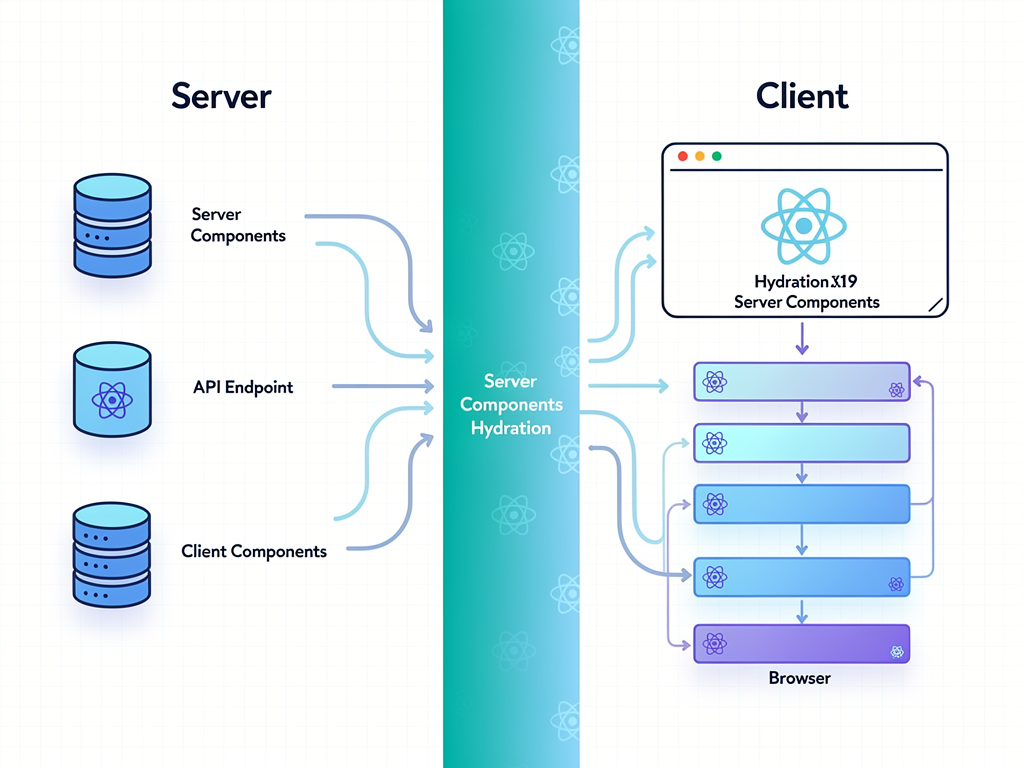
What are React Actions and useActionState? Actions are async functions that handle form submissions and mutations. The useActionState hook manages action state, including pending status and results. This pattern simplifies form handling by eliminating manual state management for loading and error states. SaaS applications with many forms benefit from cleaner, more maintainable code using Actions.
How does useOptimistic improve user experience? The useOptimistic hook enables optimistic UI updates, immediately reflecting changes before server confirmation. If the server request fails, the UI reverts to the previous state. This pattern is essential for responsive SaaS applications where users expect instant feedback when performing actions like updating settings, adding items, or submitting forms.
What is the React Compiler and how does it change development? The React Compiler (formerly React Forget) automatically memoizes components and values, reducing the need for manual useMemo and useCallback calls. It analyzes code at build time and inserts optimizations automatically. This represents a significant shift toward compiler-driven optimization, allowing developers to write simpler code while achieving better performance.
Routing and Navigation in SaaS Applications
SaaS applications require sophisticated routing for dashboards, settings pages, user management, and feature modules. Interviewers assess your understanding of routing concepts and your ability to implement common patterns like protected routes, nested layouts, and dynamic segments.
Compare React Router and Next.js App Router. React Router is the standard routing library for client-side React applications, offering declarative routing with components like <Route> and <Link>. Next.js App Router provides file-system-based routing with built-in support for layouts, loading states, and Server Components. SaaS applications using a Next.js SaaS template typically leverage the App Router for its integrated features and performance benefits.
How do you implement protected routes? Protected routes restrict access based on authentication status or user permissions. Implementation typically involves a wrapper component that checks authentication state and either renders the protected content or redirects to a login page. In SaaS applications, role-based access control (RBAC) extends this pattern to handle different permission levels for features like admin panels or premium content.
Explain nested routing and layout patterns. Nested routes enable shared layouts across related pages. Parent routes render layout components containing <Outlet> (React Router) or nested page components (Next.js). SaaS dashboards commonly use nested routing for sidebar navigation, where the main layout persists while content areas change. This pattern improves user experience by maintaining context during navigation.
How do you handle dynamic routes and parameters? Dynamic routes use URL parameters for variable segments like user IDs or project slugs. React Router uses :paramName syntax, while Next.js uses [paramName] folder conventions. The useParams hook (React Router) or params prop (Next.js) provides access to these values. SaaS applications extensively use dynamic routes for resource-specific pages like customer profiles, project details, or invoice views.
Forms and Data Validation
Forms are central to SaaS applications, from user registration to complex data entry workflows. Interviewers evaluate your understanding of controlled components, validation strategies, and form libraries that improve developer experience and user satisfaction.
What is the difference between controlled and uncontrolled components? Controlled components store form values in React state, with every change updating state through event handlers. Uncontrolled components let the DOM manage form values, accessed via refs when needed. Controlled components offer more control and enable features like validation on change, while uncontrolled components can be simpler for basic forms. Most SaaS applications prefer controlled components for their predictability.
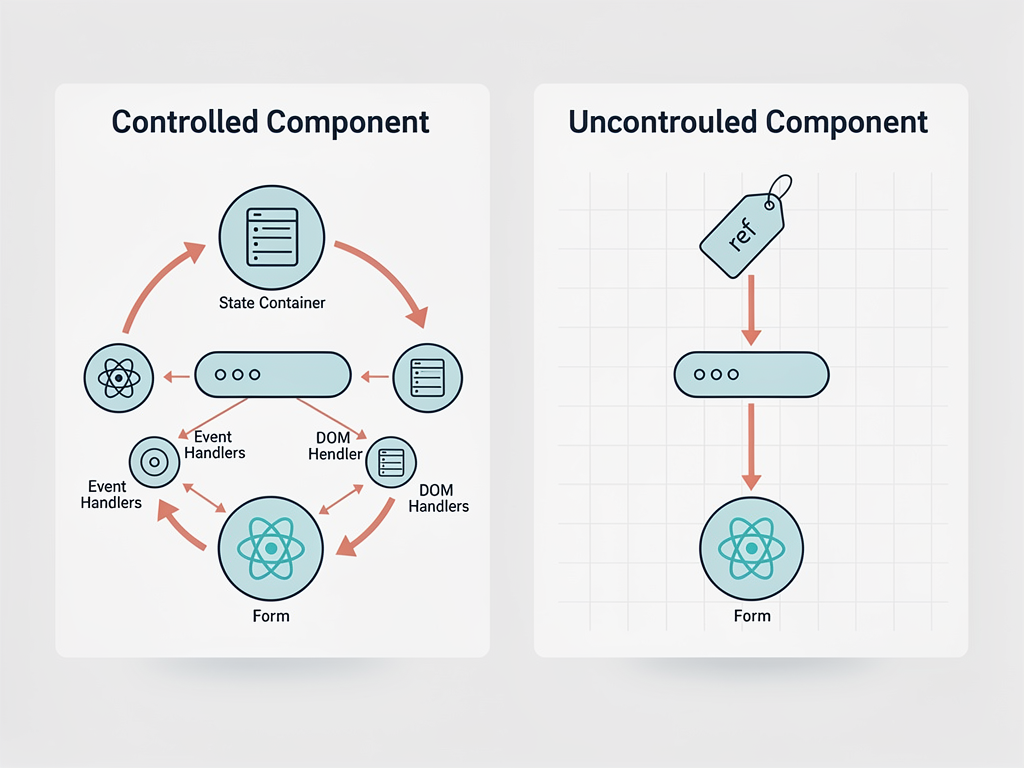
How do you implement form validation in React? Validation can occur on change, on blur, or on submit. Manual validation involves checking values in event handlers and maintaining error state. Libraries like React Hook Form and Formik provide validation integration with schemas from Yup or Zod. SaaS applications typically require both client-side validation for immediate feedback and server-side validation for security.
Compare React Hook Form and Formik. React Hook Form uses uncontrolled components and refs, resulting in fewer re-renders and better performance. Formik uses controlled components with more straightforward mental models. Both integrate with validation libraries and handle complex scenarios like dynamic fields and nested objects. React Hook Form has gained popularity in SaaS development for its performance characteristics and smaller bundle size.
How do you handle multi-step forms? Multi-step forms (wizards) require state persistence across steps, navigation controls, and often step validation. Common approaches include lifting state to a parent component, using Context, or employing state management libraries. SaaS onboarding flows, checkout processes, and complex data entry frequently use multi-step forms to improve user experience by breaking large forms into manageable sections.
Testing React Applications
Testing ensures application reliability and enables confident refactoring. SaaS companies value developers who write testable code and understand testing strategies. Interviewers often ask about testing approaches, tools, and best practices for React applications.
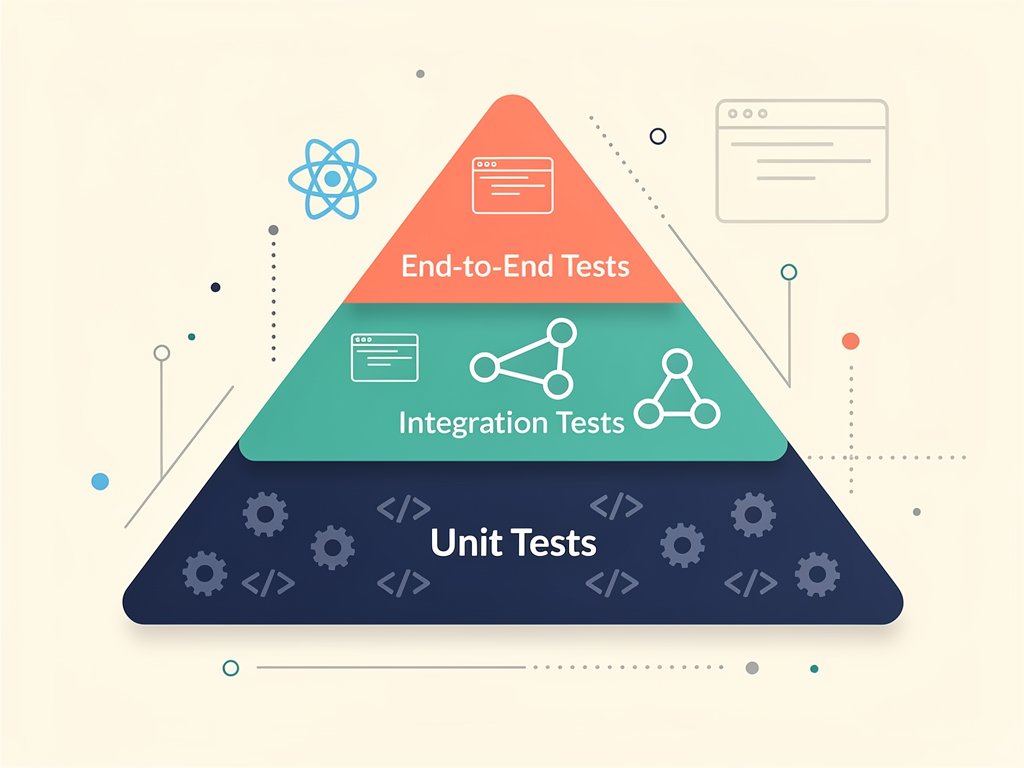
What testing approaches are used for React applications? React applications typically employ unit tests for individual functions and utilities, component tests for React components in isolation, integration tests for component interactions, and end-to-end tests for complete user flows. The testing trophy model suggests focusing on integration tests, which provide the best balance of confidence and maintenance cost.
Explain React Testing Library and its philosophy. React Testing Library encourages testing components as users interact with them, querying by accessible roles, labels, and text rather than implementation details. This approach produces more resilient tests that don't break during refactoring. The library's guiding principle is: "The more your tests resemble the way your software is used, the more confidence they can give you."
How do you test components with hooks? Components using hooks are tested like any other component with React Testing Library. For testing custom hooks in isolation, the renderHook utility from @testing-library/react enables hook testing outside components. This is useful for complex hooks with significant logic that warrants dedicated tests.
What is mocking and when should you use it in React tests? Mocking replaces real implementations with controlled substitutes. Common mocking targets include API calls (using MSW or jest.mock), browser APIs, and child components. Mock judiciously, as over-mocking reduces test confidence. In SaaS applications, mocking authentication state, API responses, and third-party integrations enables focused component testing.
Error Handling and Debugging
Production SaaS applications must handle errors gracefully to maintain user trust and enable debugging. Interviewers assess your ability to implement error boundaries, handle async errors, and debug React applications effectively.
What are Error Boundaries and how do you implement them? Error Boundaries are React components that catch JavaScript errors in their child component tree, log errors, and display fallback UI. They're implemented as class components using componentDidCatch and getDerivedStateFromError lifecycle methods. Error Boundaries don't catch errors in event handlers, async code, or server-side rendering. SaaS applications typically wrap major sections with Error Boundaries to prevent entire page crashes.
How do you handle errors in async operations? Async errors in event handlers or useEffect require try-catch blocks or .catch() methods. Displaying error states involves maintaining error state and conditionally rendering error UI. Libraries like React Query provide built-in error handling with retry logic and error boundaries integration. Comprehensive error handling includes user-friendly messages, error logging, and recovery options.
What debugging tools do you use for React applications? React DevTools enables component tree inspection, props and state examination, and performance profiling. Browser DevTools provide network inspection, console logging, and JavaScript debugging. Source maps enable debugging original code rather than bundled output. SaaS development often includes error tracking services like Sentry that capture and aggregate production errors.
How do you debug performance issues in React? The React DevTools Profiler identifies slow-rendering components and unnecessary re-renders. The Performance tab in browser DevTools shows detailed timing information. Common issues include missing memoization, expensive computations in render, and large component trees. Systematic profiling before and after optimizations validates improvements.
API Integration and Data Fetching
SaaS applications constantly communicate with backend services. Interviewers evaluate your understanding of data fetching patterns, caching strategies, and handling various API scenarios including authentication, pagination, and real-time updates.
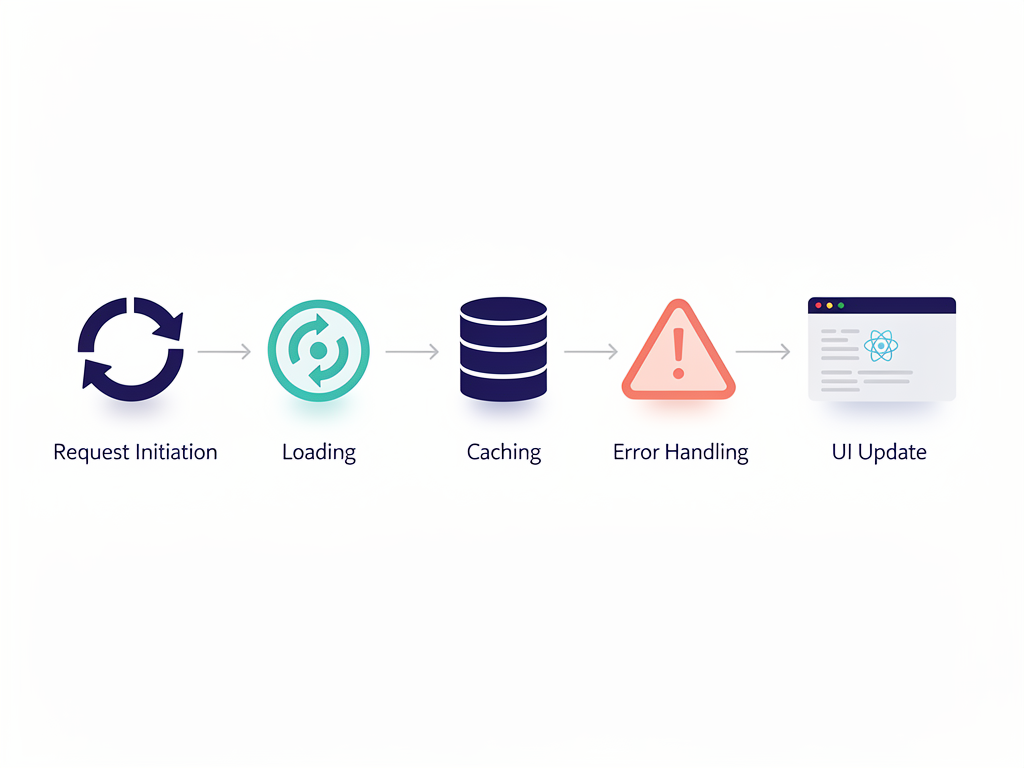
Compare different data fetching approaches in React. Options include native fetch or axios in useEffect, dedicated libraries like React Query or SWR, and framework-specific solutions like Next.js data fetching. Each approach has trade-offs regarding caching, loading states, error handling, and code complexity. Modern SaaS applications typically use React Query or SWR for their sophisticated caching and synchronization features.
What is React Query and why is it popular for SaaS applications? React Query (TanStack Query) manages server state with automatic caching, background refetching, and synchronization. It handles loading and error states, provides optimistic updates, and supports pagination and infinite queries. SaaS dashboards benefit from React Query's ability to keep data fresh while minimizing unnecessary requests.
How do you implement authentication in React applications? Authentication typically involves storing tokens (JWT or session), protecting routes, and attaching credentials to API requests. Context or state management libraries maintain authentication state. Interceptors add authorization headers to requests. SaaS applications often integrate with authentication providers like Auth0, Clerk, or implement custom solutions using a SaaS boilerplate that includes pre-built authentication flows.
How do you handle real-time data in React? Real-time features use WebSockets, Server-Sent Events, or polling. Libraries like Socket.io simplify WebSocket management. State updates from real-time events require careful handling to avoid race conditions and ensure UI consistency. SaaS applications use real-time updates for notifications, collaborative features, live dashboards, and chat functionality.
TypeScript Integration with React
TypeScript has become standard in professional React development, especially for SaaS applications where type safety prevents bugs and improves developer experience. Interviewers expect familiarity with typing React components, hooks, and common patterns.
How do you type React component props? Props are typed using interfaces or type aliases. The React.FC type was previously common but is now often avoided due to implicit children typing. Explicit prop typing with destructuring provides clearer, more maintainable code. Generic components use TypeScript generics for flexible, type-safe implementations.
How do you type useState and useRef hooks? TypeScript often infers types from initial values, but explicit typing is needed for complex types or null initial values. For useState: const [user, setUser] = useState<User | null>(null). For useRef: const inputRef = useRef<HTMLInputElement>(null). Proper typing enables autocompletion and catches type errors during development.
What are common TypeScript patterns for React? Useful patterns include discriminated unions for component variants, generic components for reusable logic, utility types like Partial, Pick, and Omit for prop manipulation, and ComponentProps for extracting prop types from existing components. These patterns enable flexible, type-safe component APIs common in SaaS UI libraries.
How do you handle event types in TypeScript React? React provides specific event types like React.ChangeEvent<HTMLInputElement> and React.MouseEvent<HTMLButtonElement>. Event handler types include React.ChangeEventHandler and React.MouseEventHandler. Proper event typing prevents common errors and provides excellent IDE support for accessing event properties.
Accessibility in React Applications
Accessibility (a11y) ensures applications are usable by everyone, including people with disabilities. SaaS companies increasingly prioritize accessibility for legal compliance, market reach, and ethical reasons. Interviewers assess your understanding of accessibility principles and implementation in React.
What accessibility considerations are important for React applications? Key considerations include semantic HTML, keyboard navigation, ARIA attributes, focus management, color contrast, and screen reader compatibility. React's JSX uses htmlFor instead of for and className instead of class, but otherwise supports standard accessibility practices. SaaS applications must ensure all features are accessible, not just core functionality.
How do you manage focus in React applications? Focus management involves directing keyboard focus appropriately, especially after navigation or modal interactions. The useRef hook combined with focus() method enables programmatic focus control. Focus trapping in modals prevents users from tabbing outside the modal. SaaS applications with complex interactions require careful focus management for keyboard users.
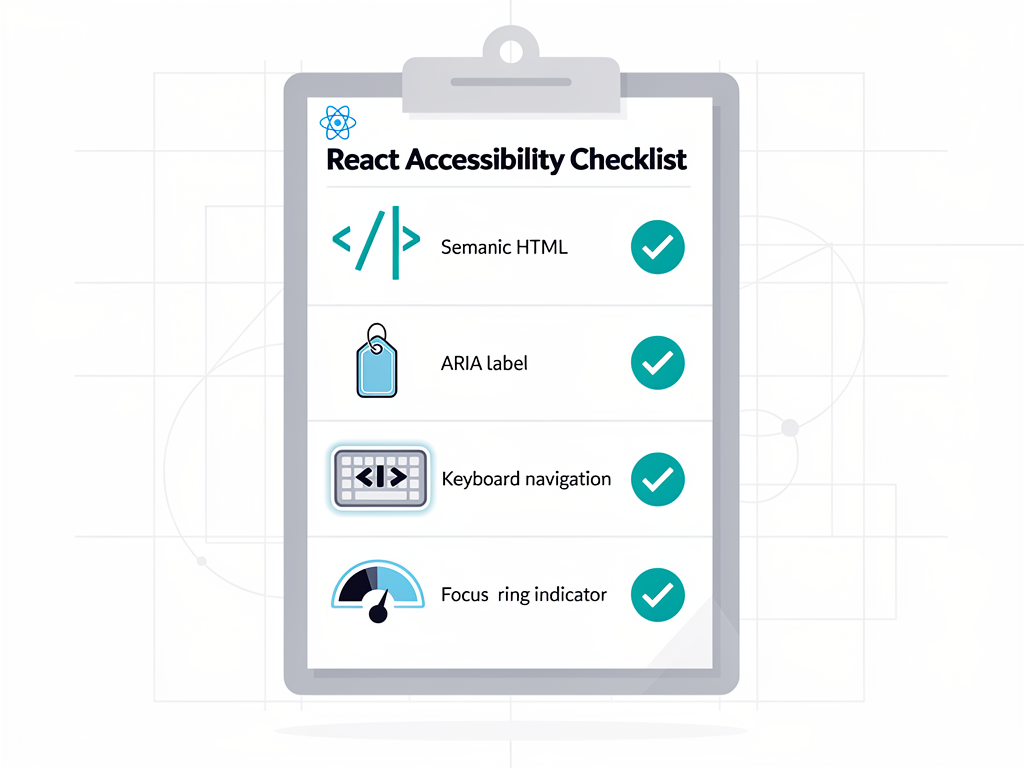
What tools help test React accessibility? Tools include eslint-plugin-jsx-a11y for static analysis, axe-core for automated testing, and screen readers for manual testing. React Testing Library encourages accessible queries by default. Lighthouse includes accessibility audits. Regular accessibility testing should be part of SaaS development workflows to catch issues early.
Building Scalable SaaS Architecture with React
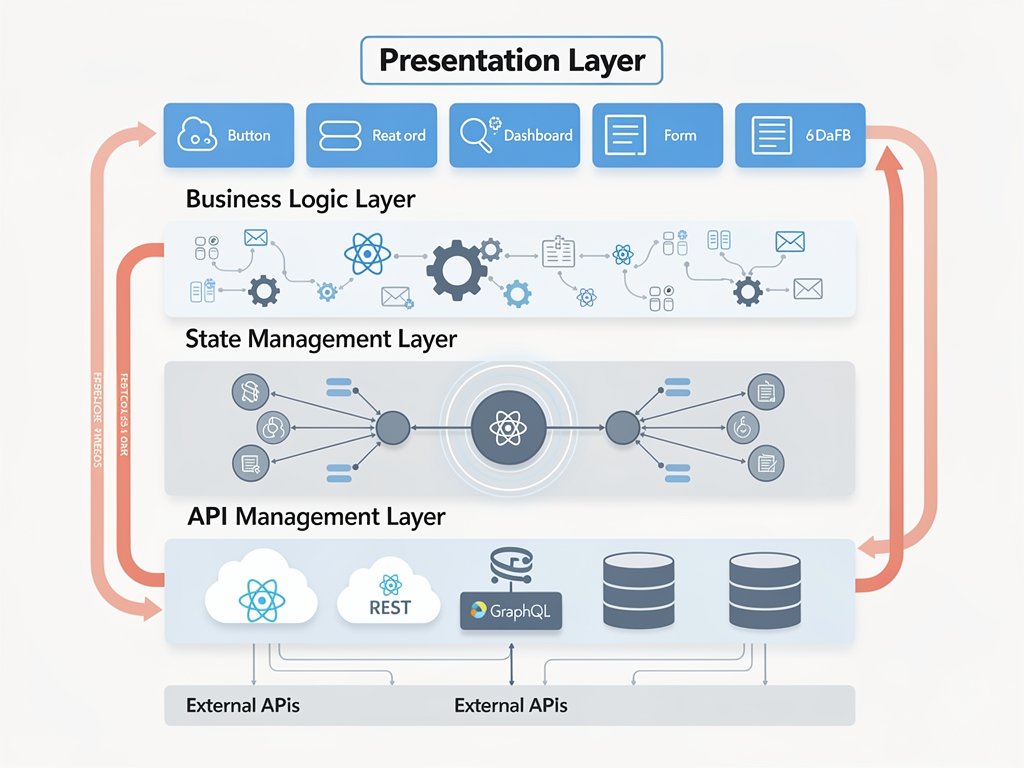
SaaS applications must scale with growing users, features, and team sizes. Interviewers assess your ability to make architectural decisions that support long-term maintainability and growth. This section covers patterns and practices for building enterprise-grade React applications.
How do you structure a large React codebase? Common approaches include feature-based organization (grouping by feature rather than file type), domain-driven design principles, and monorepo structures for multiple packages. Consistent naming conventions, clear module boundaries, and documentation support team collaboration. A well-organized SaaS starter kit provides established patterns that teams can follow.
What is micro-frontend architecture? Micro-frontends split applications into independently deployable pieces, often owned by different teams. Implementation approaches include Module Federation, iframe composition, and web components. Benefits include independent deployments, technology flexibility, and team autonomy. Large SaaS platforms with multiple product areas may benefit from micro-frontend architecture.
How do you implement feature flags in React? Feature flags enable toggling features without deployments, supporting A/B testing, gradual rollouts, and quick rollbacks. Implementation involves checking flag values and conditionally rendering features. Services like LaunchDarkly or open-source solutions provide flag management. SaaS applications use feature flags extensively for controlled feature releases and experimentation.
What monitoring and observability practices do you implement? Production monitoring includes error tracking (Sentry, Bugsnag), performance monitoring (Web Vitals), user analytics, and logging. React-specific monitoring tracks component errors, render performance, and user interactions. SaaS applications require comprehensive observability to maintain reliability and quickly diagnose issues.
Preparing for Behavioral and System Design Questions
Technical interviews often include behavioral questions about past experiences and system design questions about building features. Preparing for these complements your technical knowledge and demonstrates well-rounded capabilities.
How do you approach building a new feature? A strong answer covers understanding requirements, breaking down the problem, considering edge cases, planning component structure, implementing iteratively, testing thoroughly, and documenting decisions. Interviewers want to see systematic thinking and attention to quality. Providing specific examples from building SaaS features strengthens your response.
Describe a challenging React bug you solved. Structure your answer using the STAR method: Situation, Task, Action, Result. Describe the symptoms, your debugging process, the root cause, and the solution. Emphasize systematic problem-solving rather than lucky guesses. SaaS-specific examples involving state management, performance, or integration issues resonate with interviewers.
How would you design a dashboard component system? System design questions assess architectural thinking. Consider component hierarchy, data fetching strategies, state management, responsiveness, accessibility, and performance. Discuss trade-offs between approaches. SaaS dashboards are common design questions because they involve many React concepts working together.
How do you stay current with React developments? Demonstrate continuous learning by mentioning official React documentation, the React blog, community resources, conferences, and hands-on experimentation. Following React core team members on social media and participating in community discussions shows engagement. SaaS developers benefit from staying current as React evolves rapidly.
Conclusion
Preparing for React interviews at SaaS companies requires mastering both foundational concepts and modern practices. From understanding the Virtual DOM and component lifecycle to implementing Server Components and optimistic updates, the breadth of knowledge expected has grown significantly. However, this comprehensive preparation pays dividends not just in interviews but in your daily work building production applications.
Focus your preparation on areas where you have gaps, practice explaining concepts clearly, and build projects that demonstrate your skills. Remember that interviewers value practical experience and problem-solving ability alongside theoretical knowledge. Working with a SaaS template or building side projects gives you concrete examples to discuss and deepens your understanding of how concepts apply in real applications.
The React ecosystem continues evolving with Server Components, the React Compiler, and new patterns emerging regularly. Staying current while maintaining strong fundamentals positions you for success in interviews and your career. Approach each interview as a learning opportunity, and remember that even experienced developers continuously expand their knowledge in this dynamic field.
Frequently Asked Questions
How long should I prepare for a React interview at a SaaS company?
Preparation time varies based on your current experience level, but most candidates benefit from two to four weeks of focused study. If you're already working with React daily, focus on filling knowledge gaps in areas like performance optimization, testing strategies, and React 19 features. Dedicate time to practicing verbal explanations of concepts, as interviewers assess communication skills alongside technical knowledge. Building a small project that incorporates multiple concepts provides concrete examples to discuss. For career changers or those new to React, plan for six to eight weeks of preparation, including completing tutorials, building projects, and practicing coding challenges. Consistency matters more than intensity, so aim for regular study sessions rather than cramming.
What coding challenges should I expect in React interviews?
Common React coding challenges include building interactive components like todo lists, search filters, or data tables from scratch. You might implement custom hooks for specific functionality like debouncing, local storage synchronization, or API fetching. State management challenges often involve lifting state, implementing undo/redo, or managing complex form state. Performance-focused challenges ask you to optimize slow-rendering components or implement virtualization. Some companies include take-home projects building small features or entire mini-applications. Practice coding without IDE assistance since some interviews use basic editors. Focus on writing clean, readable code and explaining your thought process as you work. Platforms like GreatFrontEnd offer React-specific practice problems designed by ex-interviewers.
How important is knowing Next.js for SaaS developer roles?
Next.js knowledge has become increasingly important for SaaS roles, with many job postings specifically requiring or preferring Next.js experience. The framework's built-in features for routing, API routes, server-side rendering, and static generation align well with SaaS requirements. Server Components, which originated in Next.js before becoming part of React, are particularly relevant for data-heavy SaaS dashboards. However, strong React fundamentals remain the foundation, and companies hiring React developers expect you to learn framework-specific patterns quickly. If you haven't worked with Next.js, consider building a project using it before interviews. Understanding the App Router, data fetching patterns, and deployment considerations demonstrates readiness for modern SaaS development. Many companies use platforms like NextBuilder to rapidly prototype and build SaaS applications, making familiarity with the Next.js ecosystem valuable.
Should I memorize code syntax for React interviews?
Memorizing exact syntax is less important than understanding concepts and being able to implement solutions with reasonable accuracy. Interviewers expect you to know common patterns like useState and useEffect usage, but minor syntax errors during live coding are acceptable. Focus on understanding when and why to use specific hooks, patterns, and approaches rather than perfect recall. That said, you should be comfortable writing basic components, hooks, and event handlers without constant reference to documentation. Practice writing code by hand or in simple editors to build muscle memory for common patterns. During interviews, it's acceptable to mention that you'd normally look up specific API details while demonstrating you understand the overall approach. Interviewers evaluate your problem-solving process, code organization, and ability to reason about trade-offs more than syntax perfection.
What soft skills matter most in React developer interviews?
Communication skills rank highest among soft skills for React developers. You must explain technical concepts clearly to both technical and non-technical stakeholders, participate effectively in code reviews, and collaborate with designers and product managers. Interviewers assess this through your explanations during technical questions and behavioral discussions. Problem-solving approach matters significantly, including how you break down complex problems, consider edge cases, and handle ambiguity. Demonstrating curiosity and continuous learning shows you'll stay current in a rapidly evolving field. Teamwork and collaboration skills are evaluated through questions about past experiences working with others, handling disagreements, and mentoring junior developers. Finally, showing genuine interest in the company's product and understanding how your role contributes to business goals distinguishes strong candidates from those focused solely on technology.
How do I demonstrate practical experience if I haven't worked at a SaaS company?
Personal projects provide excellent opportunities to demonstrate SaaS-relevant experience. Build applications with authentication, subscription management, user dashboards, or multi-tenant architecture to show you understand SaaS patterns. Contributing to open-source React projects demonstrates collaboration skills and code quality standards. Freelance or contract work building web applications, even outside the SaaS domain, provides real-world experience to discuss. When describing projects, focus on challenges you solved, architectural decisions you made, and lessons learned rather than just listing features. Quantify impact where possible, such as performance improvements or user feedback. If you're currently employed in a different domain, identify React work that translates to SaaS contexts, like building internal tools, customer-facing features, or data visualization. Frame your experience in terms of transferable skills and express genuine enthusiasm for SaaS product development.
Ready to Accelerate Your SaaS Development Journey?
Mastering React interview questions is just the beginning of building successful SaaS applications. If you're ready to move from interview preparation to actually shipping products, explore SaasCore's comprehensive Next.js boilerplate designed specifically for SaaS applications. With built-in authentication, subscription management, admin dashboards, and affiliate programs, you can focus on your unique features while leveraging production-ready infrastructure. Whether you're a founder launching your first product or a developer building client projects, SaasCore helps you ship faster and more confidently.
Subscribe to our newsletter
Subscribe to our newsletter and stay up-to-date with the latest news and updates.