Master Essential React Hooks for Scalable SaaS Development
Discover how React hooks transform SaaS development with efficient state management and reusable patterns. Learn to build scalable applications effortlessly.

Zakariae
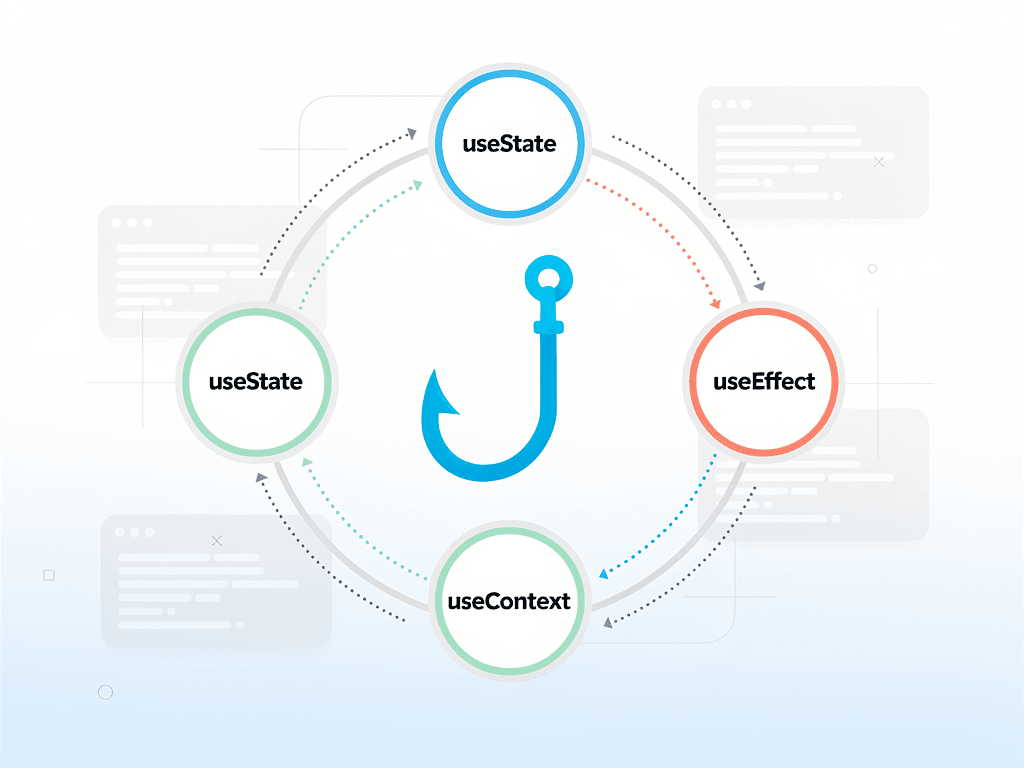
Building a successful SaaS application requires more than just a great idea. It demands efficient state management, seamless user experiences, and code that scales gracefully as your product grows. React hooks have fundamentally transformed how developers approach these challenges, offering a cleaner, more intuitive way to manage component logic and share functionality across your application. For SaaS developers working with modern frameworks and tools, mastering these patterns is not optional but essential for shipping products that users love and that remain maintainable over time.
Whether you are building authentication flows, subscription management systems, or complex dashboards, the patterns you establish early in development will determine how quickly you can iterate and how easily your team can collaborate. This comprehensive guide explores the essential hook patterns that power production SaaS applications, providing you with practical implementations you can adapt for your own projects. From foundational concepts to advanced composition techniques, you will gain the knowledge needed to build robust, scalable software as a service products.
Key Takeaways
- Custom hooks enable code reuse across your entire SaaS application, reducing duplication and improving maintainability significantly.
- State management patterns using useReducer and useContext provide scalable alternatives to external libraries for many SaaS use cases.
- Performance optimization through useMemo and useCallback is critical for data-heavy dashboards and real-time features common in SaaS products.
- Authentication and subscription hooks can be abstracted into reusable patterns that simplify complex business logic throughout your application.
- Error handling and loading states require consistent patterns that hooks naturally facilitate across all components in your codebase.
- Testing custom hooks becomes straightforward when following composition patterns that separate concerns effectively.
- Server state management with hooks integrates seamlessly with modern data fetching approaches used in Next.js applications.
Understanding the Foundation of React Hooks in SaaS Applications
React hooks represent a paradigm shift in how developers structure component logic. Introduced in React 16.8, they allow functional components to manage state, handle side effects, and access context without the complexity of class components. For SaaS development specifically, this translates to more predictable code, easier testing, and better collaboration among team members who can quickly understand component behavior at a glance.
The power of hooks extends far beyond simple state management. In a typical SaaS application, you are dealing with authentication states, subscription tiers, user preferences, real-time notifications, and complex data relationships. Hooks provide a consistent mental model for handling all these concerns. When you use a hook, you are essentially subscribing to a piece of functionality that automatically updates your component when relevant data changes.
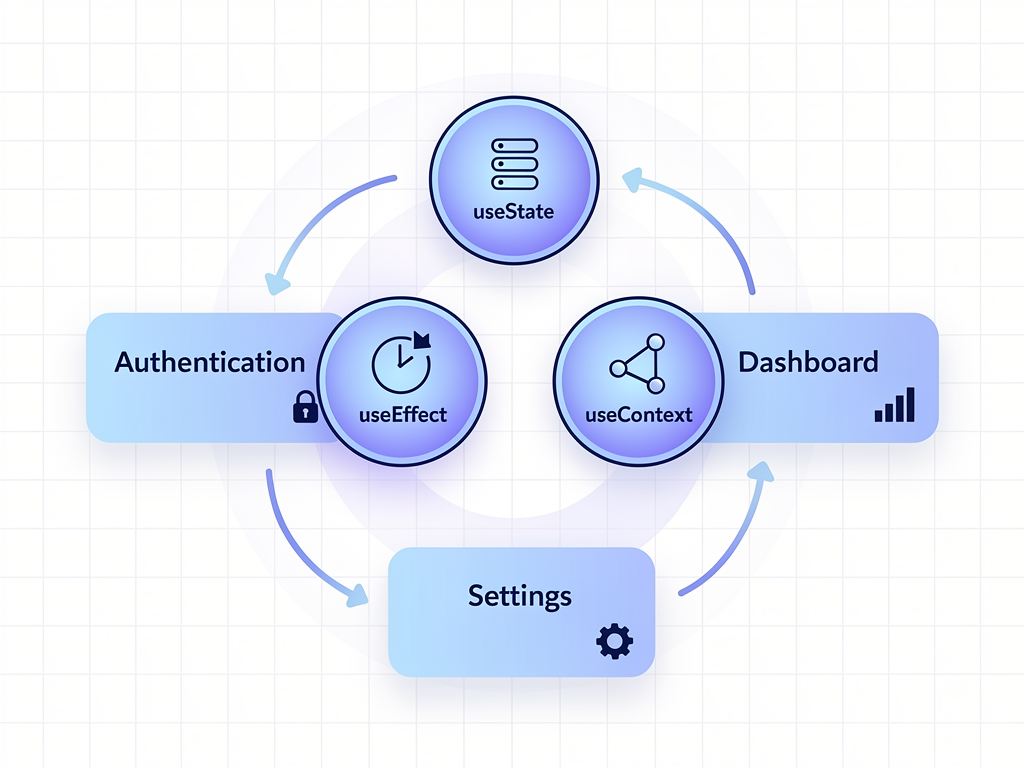
Consider the difference between managing user authentication in a class component versus a functional component with hooks. The class component requires lifecycle methods spread across componentDidMount, componentDidUpdate, and componentWillUnmount. With hooks, all related logic lives together in a single useEffect call, making it immediately clear what the component does and when. This colocation of concerns is particularly valuable in SaaS applications where authentication logic often needs to trigger multiple side effects, from loading user preferences to establishing WebSocket connections for real-time features.
The composability of hooks also addresses a common SaaS development challenge: sharing logic between components that have different visual representations but similar behavior. A subscription status indicator in the header and a detailed subscription panel in settings both need access to the same underlying data and update logic. Custom hooks allow you to extract this shared functionality once and reuse it everywhere, ensuring consistency and reducing the surface area for bugs.
Essential Built-in Hooks Every SaaS Developer Must Master
Before diving into custom hook patterns, it is crucial to have a deep understanding of the built-in hooks that form the foundation of all React development. These hooks handle the most common scenarios you will encounter, and knowing when to use each one will make your code more efficient and easier to understand.
useState for Local Component State
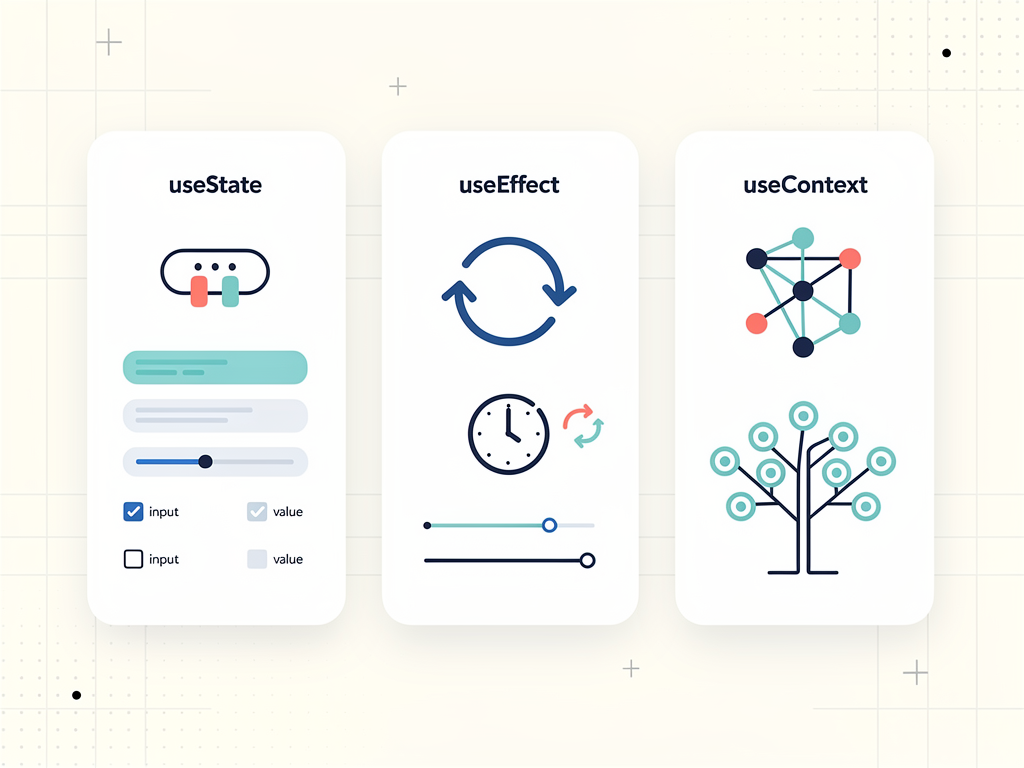
The useState hook manages local state within a component. In SaaS applications, this commonly handles form inputs, toggle states, and temporary UI conditions. The key insight is that useState should be used for state that is truly local to a component and does not need to be shared. For a pricing toggle that switches between monthly and annual billing display, useState is perfect because this state only matters to the pricing component itself.
One pattern that improves code clarity is using multiple useState calls for unrelated pieces of state rather than combining them into a single object. This makes updates more explicit and avoids the need to spread previous state values. However, when state values are closely related and always updated together, grouping them can reduce the number of re-renders and make the relationship between values clear.
useEffect for Side Effects and Subscriptions
Side effects are operations that reach outside the component to interact with external systems. In SaaS development, this includes API calls, WebSocket connections, analytics tracking, and subscription to external data sources. The useEffect hook provides a declarative way to perform these operations and clean them up when components unmount or dependencies change.
A critical pattern for SaaS applications is properly handling the cleanup function. When a user navigates away from a dashboard that has established a real-time data subscription, failing to clean up that subscription leads to memory leaks and potential errors when the subscription tries to update an unmounted component. Always return a cleanup function from useEffect when establishing subscriptions or timers.
useContext for Global State Access
The useContext hook provides access to React context values, enabling components to consume shared state without prop drilling. For SaaS applications, context is invaluable for providing authentication state, theme preferences, feature flags, and subscription information throughout the component tree. When combined with useReducer, context can serve as a lightweight state management solution that eliminates the need for external libraries in many cases.
useReducer for Complex State Logic
When state logic becomes complex, involving multiple sub-values or when the next state depends on the previous one, useReducer provides a more predictable pattern than useState. This is particularly relevant for SaaS features like multi-step onboarding flows, shopping carts with multiple operations, or form wizards where state transitions follow specific rules.
The reducer pattern also improves testability because the reducer function is pure and can be tested independently of any component. You can verify that given a specific state and action, the reducer produces the expected new state. This is especially valuable for critical SaaS functionality like subscription management where incorrect state transitions could have financial implications.
Building Custom Hooks for Authentication Flows
Authentication is the backbone of any SaaS application, and creating a robust custom hook for authentication can dramatically simplify your codebase. A well-designed authentication hook encapsulates all the complexity of managing user sessions, token refresh, and authentication state while providing a simple interface for components to consume.
The useAuth hook pattern typically manages several pieces of state: the current user object, loading state during authentication checks, and any authentication errors. It also exposes methods for signing in, signing out, and potentially refreshing the session. By centralizing this logic, you ensure that every component in your application handles authentication consistently.
Consider the implementation approach where the hook initializes by checking for an existing session, perhaps stored in cookies or local storage. During this check, the loading state is true, allowing components to display appropriate loading indicators. Once the check completes, the user state is populated if a valid session exists, or remains null if the user is not authenticated. This pattern prevents the flash of unauthenticated content that can occur when authentication state is not properly managed during initial render.
| Authentication State | Loading | User | Recommended UI |
|---|---|---|---|
| Initial Check | true | null | Loading spinner or skeleton |
| Authenticated | false | User object | Protected content |
| Unauthenticated | false | null | Login prompt or redirect |
| Error State | false | null | Error message with retry |
For SaaS applications using a Next.js boilerplate or similar framework, the authentication hook often integrates with server-side authentication libraries like NextAuth. The hook can wrap the session management provided by these libraries while adding application-specific logic such as role-based access control or subscription tier checks. This layered approach keeps your authentication logic organized and allows you to switch underlying authentication providers without rewriting component code.
Error handling within the authentication hook deserves special attention. Users expect clear feedback when authentication fails, whether due to invalid credentials, network issues, or server errors. The hook should distinguish between these cases and provide enough information for components to display appropriate messages. Additionally, implementing automatic retry logic for transient network failures can improve the user experience significantly.
Subscription and Billing Hooks for SaaS Products
Managing subscriptions is a defining characteristic of SaaS applications, and the complexity of subscription logic makes it an ideal candidate for custom hooks. A useSubscription hook can abstract the details of checking subscription status, handling plan changes, and managing billing information while providing components with a clean interface for rendering subscription-dependent features.
The subscription hook typically needs to track several pieces of information: the current plan, billing cycle, subscription status (active, past due, canceled), and available features based on the plan tier. This information drives feature gating throughout the application, determining what users can access and what prompts them to upgrade.
One powerful pattern is combining the subscription hook with feature flags. Rather than scattering subscription checks throughout your components, the hook can expose a hasFeature function that accepts a feature identifier and returns whether the current subscription includes that feature. This approach makes it trivial to add new features and assign them to specific tiers without modifying component code. When you launch a new premium feature, you simply update the feature configuration, and all existing hasFeature checks automatically respect the new rules.
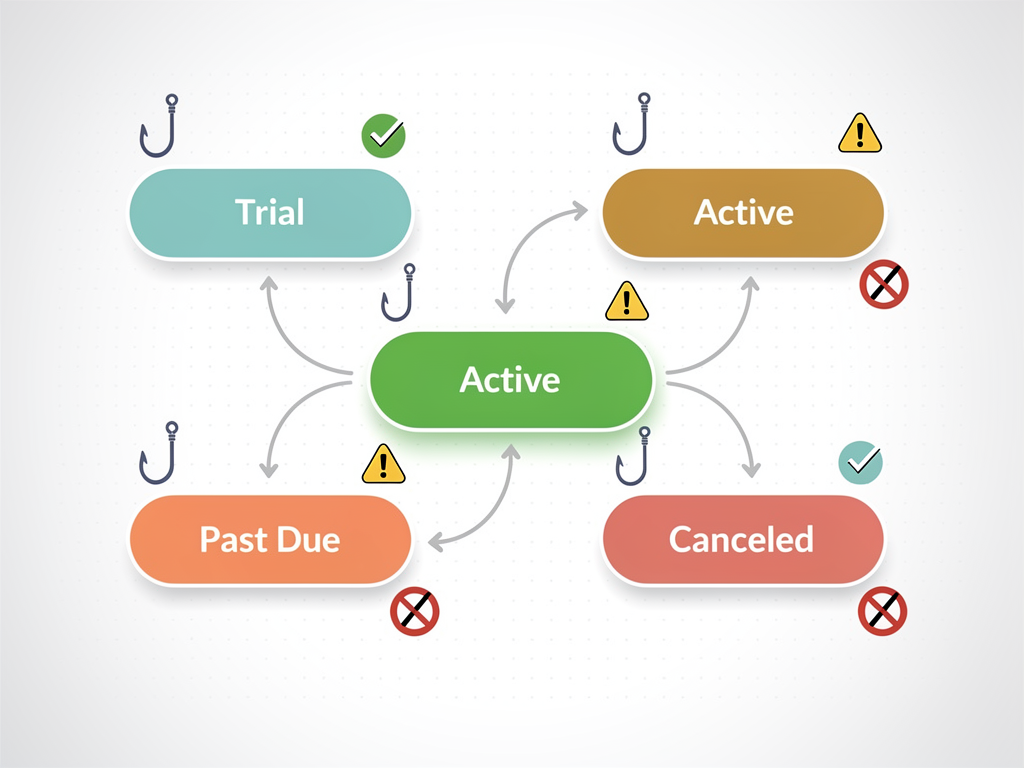
Integration with payment providers like Stripe requires careful handling of webhooks and state synchronization. The subscription hook should not rely solely on client-side state but should validate subscription status against your backend, which receives authoritative updates from the payment provider. This prevents users from accessing premium features by manipulating client-side state and ensures your application reflects the true subscription status even when webhook processing is delayed.
For applications built with a SaaS boilerplate, subscription management is often partially implemented, providing a foundation you can extend. Understanding the hook patterns involved allows you to customize this functionality for your specific business model, whether you offer usage-based pricing, seat-based licensing, or traditional tiered subscriptions. The hook abstraction makes it possible to support multiple pricing models within the same application by switching the underlying logic while maintaining a consistent component interface.
Data Fetching Patterns with Custom Hooks
Data fetching is among the most common operations in SaaS applications, and establishing consistent patterns early prevents a proliferation of inconsistent approaches throughout your codebase. Custom hooks for data fetching can handle loading states, error handling, caching, and automatic refetching while providing components with a simple interface for accessing data.
The basic useFetch pattern accepts a URL or query configuration and returns an object containing the data, loading state, error state, and potentially a refetch function. This pattern works well for simple cases but often needs extension for SaaS applications where data relationships are more complex. You might need to fetch user data, then fetch their organization, then fetch organization settings, with each request depending on the previous result.
For these dependent queries, a pattern using multiple useEffect hooks with appropriate dependencies ensures requests execute in the correct order. Alternatively, you can design hooks that accept configuration objects describing the dependency chain, automatically managing the sequence of requests. This approach is particularly valuable for dashboard pages that aggregate data from multiple endpoints.
Pro Tip: When building data fetching hooks for SaaS applications, always include a mechanism for canceling in-flight requests. Users navigating quickly through your application can trigger multiple requests for the same data, and without cancellation, you risk race conditions where an older request completes after a newer one, displaying stale data.
Caching strategies within data fetching hooks can dramatically improve perceived performance. A stale-while-revalidate approach shows cached data immediately while fetching fresh data in the background, providing instant feedback to users while ensuring they eventually see current information. This pattern is especially effective for data that changes infrequently, such as organization settings or user profiles.
Modern SaaS applications often benefit from integrating with established data fetching libraries like React Query or SWR, which provide sophisticated caching, background refetching, and optimistic updates out of the box. Your custom hooks can wrap these libraries, adding application-specific logic while leveraging their battle-tested data management capabilities. This layered approach gives you the best of both worlds: the power of established libraries and the flexibility of custom abstractions tailored to your needs.
Performance Optimization Hooks for Data-Heavy Dashboards
SaaS dashboards often display large amounts of data with complex visualizations, making performance optimization critical for user experience. The useMemo and useCallback hooks are essential tools for preventing unnecessary recalculations and re-renders that can make dashboards feel sluggish.
The useMemo hook memoizes expensive calculations, only recomputing when dependencies change. For a dashboard displaying aggregated metrics from thousands of data points, computing these aggregations on every render would be wasteful. By wrapping the calculation in useMemo with the raw data as a dependency, you ensure the computation only runs when the underlying data actually changes.
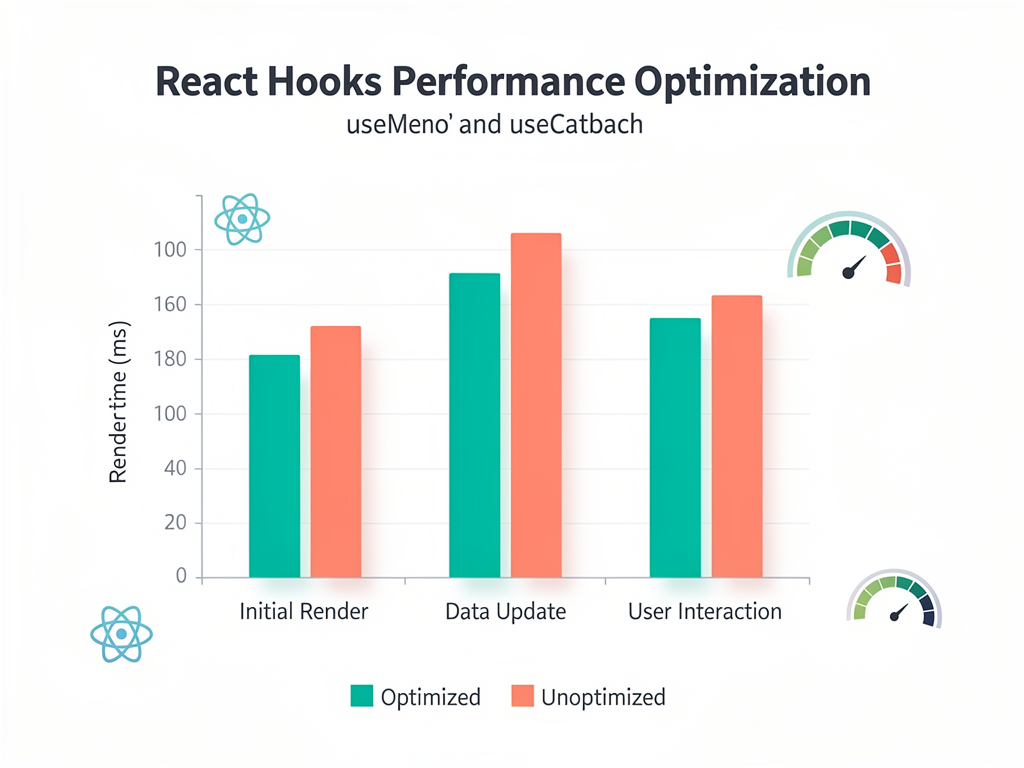
The useCallback hook serves a related but distinct purpose: it memoizes function references. This becomes important when passing callbacks to child components that use React.memo for optimization. Without useCallback, a new function reference is created on every render, causing memoized children to re-render unnecessarily. For dashboards with many interactive elements, this optimization can significantly reduce render times.
A common pattern in SaaS dashboards combines these hooks with virtualization for displaying large lists or tables. The virtualization library renders only visible items, while useMemo ensures that the data transformation needed for display only runs when source data changes. Together, these optimizations allow dashboards to handle thousands of rows without performance degradation.
It is worth noting that premature optimization can make code harder to understand without meaningful performance benefits. Profile your application to identify actual bottlenecks before adding memoization. React's development tools include a profiler that shows which components are re-rendering and how long renders take, helping you target optimization efforts where they will have the greatest impact.
Form Management Hooks for Complex SaaS Workflows
SaaS applications frequently feature complex forms for user onboarding, settings configuration, and data entry. Custom hooks for form management can dramatically reduce boilerplate while ensuring consistent validation and error handling across your application.
A useForm hook typically manages form values, validation errors, touched fields, and submission state. It provides handlers for input changes, blur events, and form submission. The key insight is that most forms share the same fundamental behavior, differing only in their fields and validation rules. By parameterizing these differences, a single hook can power forms throughout your application.
Validation logic within form hooks can range from simple required field checks to complex cross-field validation. For SaaS applications, you often need to validate against server-side constraints, such as checking if a username is available or if an email is already registered. The form hook can integrate asynchronous validation, debouncing requests to avoid overwhelming your server while providing real-time feedback to users.
| Form State | Validation Status | Submit Button | Error Display |
|---|---|---|---|
| Initial | Not validated | Enabled | None |
| Editing | Validating | Enabled | Inline as fields touched |
| Invalid | Failed | Disabled | All errors visible |
| Submitting | Passed | Loading state | None |
| Success | Passed | Success state | None |
| Server Error | Passed | Enabled | Server error message |
Multi-step forms, common in SaaS onboarding flows, benefit from hooks that manage step state alongside form state. The hook tracks which step the user is on, validates step-specific fields before allowing progression, and maintains all form data across steps. This pattern prevents the frustration of losing entered data when navigating between steps and enables features like saving progress for later completion.
For applications using a SaaS starter kit, form management is often a key consideration. Understanding hook patterns for forms allows you to extend or replace the provided implementations to match your specific requirements. Whether you need conditional fields based on previous answers, dynamic field arrays, or integration with specific validation libraries, the hook abstraction provides the flexibility to implement these features cleanly.
Real-Time Features with WebSocket Hooks
Modern SaaS applications increasingly rely on real-time features: live collaboration, instant notifications, real-time dashboards, and presence indicators. Custom hooks provide an elegant way to manage WebSocket connections and distribute real-time updates throughout your component tree.
A useWebSocket hook encapsulates connection management, including establishing the connection, handling reconnection on failure, and cleaning up when components unmount. The hook can expose the connection state, allowing components to display connectivity indicators, and provide methods for sending messages through the socket.
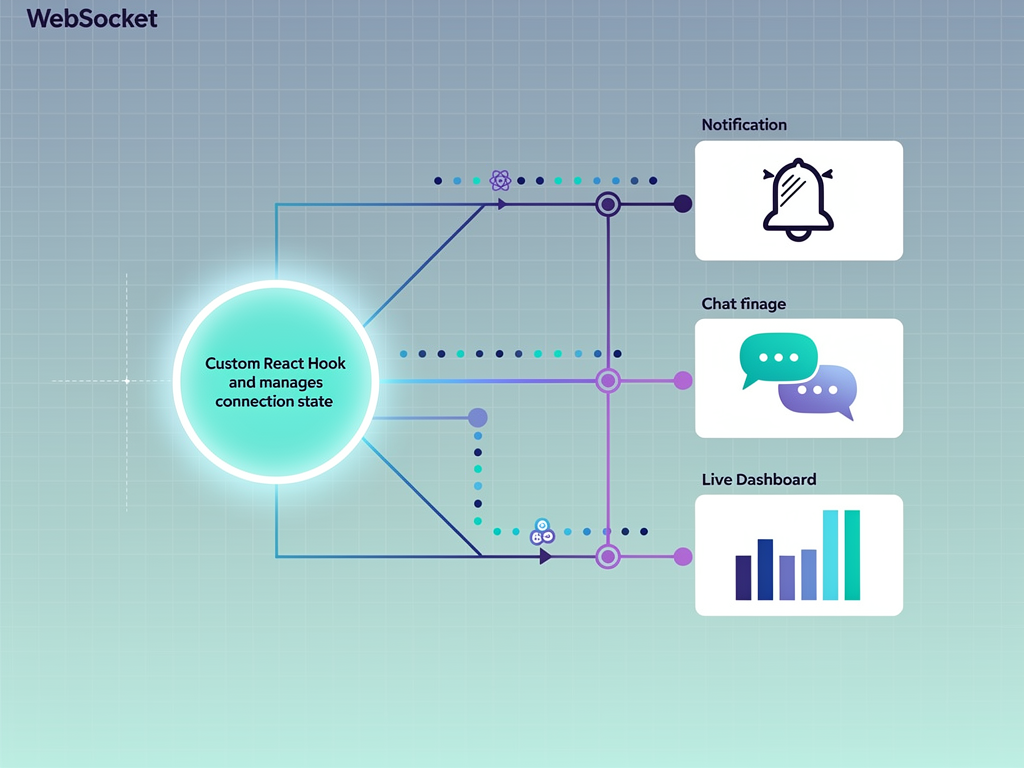
For applications with multiple real-time features, a pattern using context to share a single WebSocket connection prevents the overhead of multiple connections. The useWebSocket hook establishes the connection and provides it through context, while feature-specific hooks subscribe to relevant message types. A useNotifications hook might filter for notification messages, while a usePresence hook filters for presence updates, all sharing the same underlying connection.
Handling reconnection gracefully is crucial for SaaS applications where users may have unstable connections or switch between networks. The WebSocket hook should implement exponential backoff for reconnection attempts, preventing server overload while ensuring users regain connectivity as quickly as possible. During disconnection, the hook can queue outgoing messages for delivery once the connection is restored, preventing data loss.
Optimistic updates combined with real-time confirmation create responsive experiences. When a user performs an action, the UI updates immediately based on the expected outcome, then confirms or corrects based on the server response received through the WebSocket. This pattern is particularly effective for collaborative features where multiple users might be editing the same data simultaneously.
Error Handling and Loading State Patterns
Consistent error handling across a SaaS application builds user trust and simplifies debugging. Custom hooks can standardize how errors are captured, reported, and displayed, ensuring users always receive helpful feedback when something goes wrong.
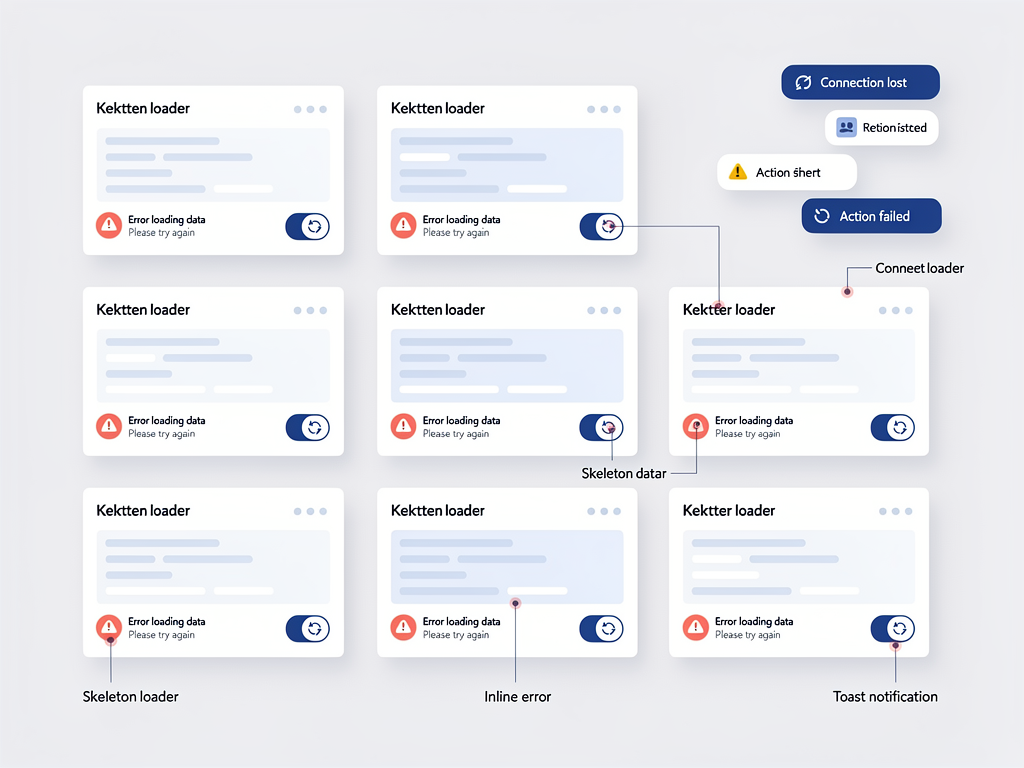
A useAsync hook pattern wraps any asynchronous operation, managing loading state, success state, and error state in a consistent structure. Components using this hook receive a predictable interface regardless of what async operation they are performing, whether fetching data, submitting forms, or processing files. This consistency makes it easier for developers to build components and for users to understand application behavior.
Error boundaries in React catch JavaScript errors in component trees, but they do not catch errors in event handlers or asynchronous code. Custom hooks fill this gap by providing error state that components can render appropriately. The hook can also integrate with error reporting services, automatically logging errors with relevant context for debugging while displaying user-friendly messages in the UI.
Best Practice: Design your error handling hooks to distinguish between recoverable and unrecoverable errors. A network timeout is recoverable with a retry, while an authorization error requires user action. Providing this distinction allows components to offer appropriate recovery options.
Loading states deserve similar attention. A naive approach shows a loading spinner whenever data is being fetched, but this can create jarring experiences when data loads quickly or when refreshing already-displayed data. Hooks can implement minimum loading times to prevent flicker, skeleton states that maintain layout during loading, and background refresh indicators that do not obscure existing content.
Testing Custom Hooks Effectively
Testing is essential for maintaining quality in SaaS applications, and custom hooks require specific testing approaches. The React Testing Library provides utilities specifically designed for testing hooks in isolation, allowing you to verify behavior without rendering full components.
The renderHook utility from React Testing Library renders a hook in a test environment, returning the current result and functions to trigger updates. This allows you to test that hooks return expected values, respond correctly to state changes, and handle edge cases appropriately. For a useSubscription hook, you might test that it correctly identifies premium features, handles subscription expiration, and updates when the subscription changes.
Mocking external dependencies is crucial for hook testing. A data fetching hook should not make actual network requests during tests. Instead, mock the fetch function or API client to return controlled responses, allowing you to test how the hook handles success, failure, and various data shapes. This isolation ensures tests are fast, reliable, and focused on the hook's logic rather than external systems.
Integration testing complements unit testing by verifying that hooks work correctly within components. These tests render actual components that use your hooks, interacting with them as users would. For a form hook, integration tests might fill out fields, trigger validation, and submit the form, verifying that the entire flow works as expected. This level of testing catches issues that unit tests might miss, such as problems with how hooks interact with the React rendering cycle.
For teams building with a Next.js SaaS template or similar foundation, testing infrastructure is often partially configured. Understanding how to test hooks allows you to extend this infrastructure for your custom functionality, ensuring that new features are as well-tested as the template's built-in capabilities.
Composing Hooks for Complex Features
The true power of hooks emerges when you compose them to build complex features from simple building blocks. A sophisticated SaaS feature might combine authentication, subscription, data fetching, and real-time updates, each handled by a dedicated hook that composes into a cohesive whole.
Consider a team collaboration feature that displays team members with their online status and allows messaging. This feature might use useAuth to get the current user, useTeam to fetch team member data, usePresence to track online status via WebSocket, and useMessages for the chat functionality. Each hook handles its specific concern, and the component orchestrates them into the complete feature.
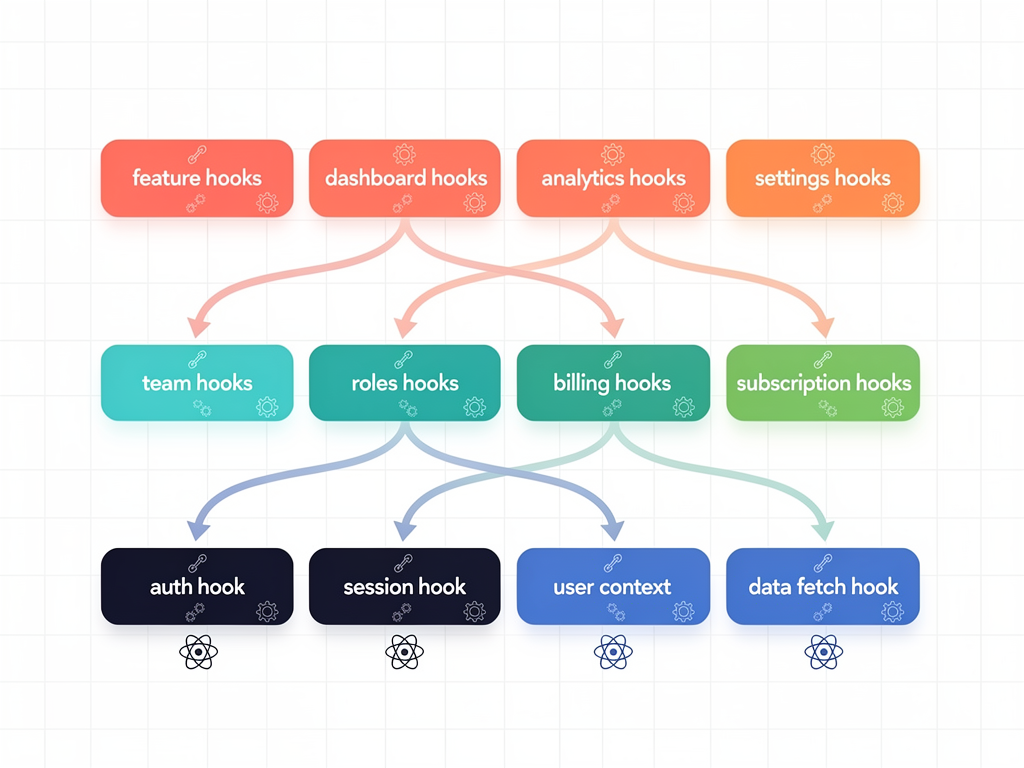
This composition pattern promotes separation of concerns and makes each piece independently testable and reusable. The usePresence hook might be used in the team collaboration feature, in a user profile component, and in a header showing online teammates. Changes to presence logic only need to happen in one place, and all consumers benefit automatically.
When composing hooks, pay attention to the order of operations and dependencies between hooks. If useTeam depends on the user ID from useAuth, ensure useAuth has completed its initial check before useTeam attempts to fetch data. This often means checking loading states and conditionally calling hooks or their methods based on the state of other hooks.
Creating domain-specific hooks that compose lower-level hooks is a powerful pattern for SaaS applications. A useOrganization hook might internally use useAuth for the current user, useFetch for organization data, and useSubscription for the organization's subscription status. Components using useOrganization get a unified interface without needing to understand the underlying complexity.
Integrating Hooks with Next.js Server Components
Next.js 13 and later introduced Server Components, which change how data fetching and rendering work. Understanding how hooks interact with this new paradigm is essential for SaaS developers building with modern Next.js applications.
Server Components cannot use hooks because they render on the server without access to React's client-side features. This means data fetching in Server Components happens through async functions rather than hooks like useEffect. However, Client Components within a Next.js application can still use hooks, and the interplay between Server and Client Components creates new patterns for SaaS development.
A common pattern is fetching initial data in Server Components and passing it to Client Components that use hooks for interactivity and real-time updates. The Server Component might fetch the initial list of dashboard widgets, while a Client Component uses hooks to handle drag-and-drop reordering and real-time updates when widgets are added or removed by team members.
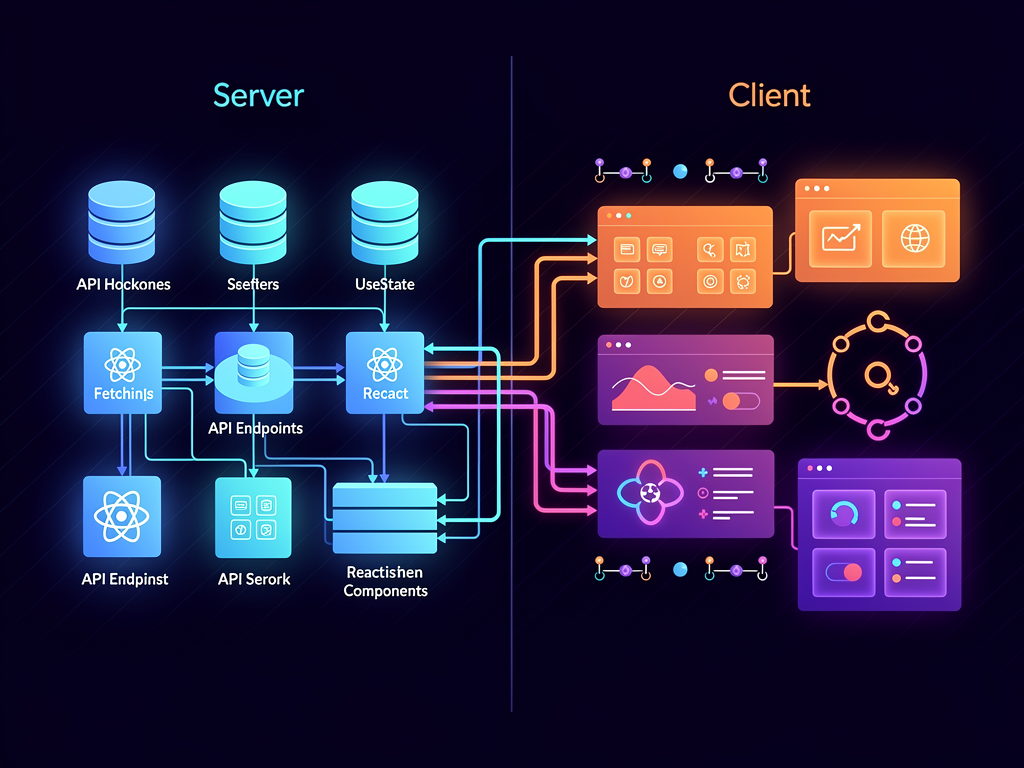
For SaaS applications leveraging a SaaS template built on Next.js, understanding these patterns helps you make informed decisions about where to place logic. Data that does not need client-side interactivity can be fetched and rendered on the server, improving initial load performance. Interactive features use Client Components with hooks, providing the dynamic experiences users expect.
The transition between server and client rendering also affects authentication patterns. Server Components can access session data through server-side methods, while Client Components use the useAuth hook. Ensuring these two sources of truth stay synchronized requires careful architecture, often involving passing initial auth state from server to client and using hooks to maintain it thereafter.
Building a Hook Library for Your SaaS Product
As your SaaS application grows, organizing custom hooks into a coherent library improves discoverability and encourages reuse. A well-structured hook library becomes a valuable asset that accelerates development and ensures consistency across your product.
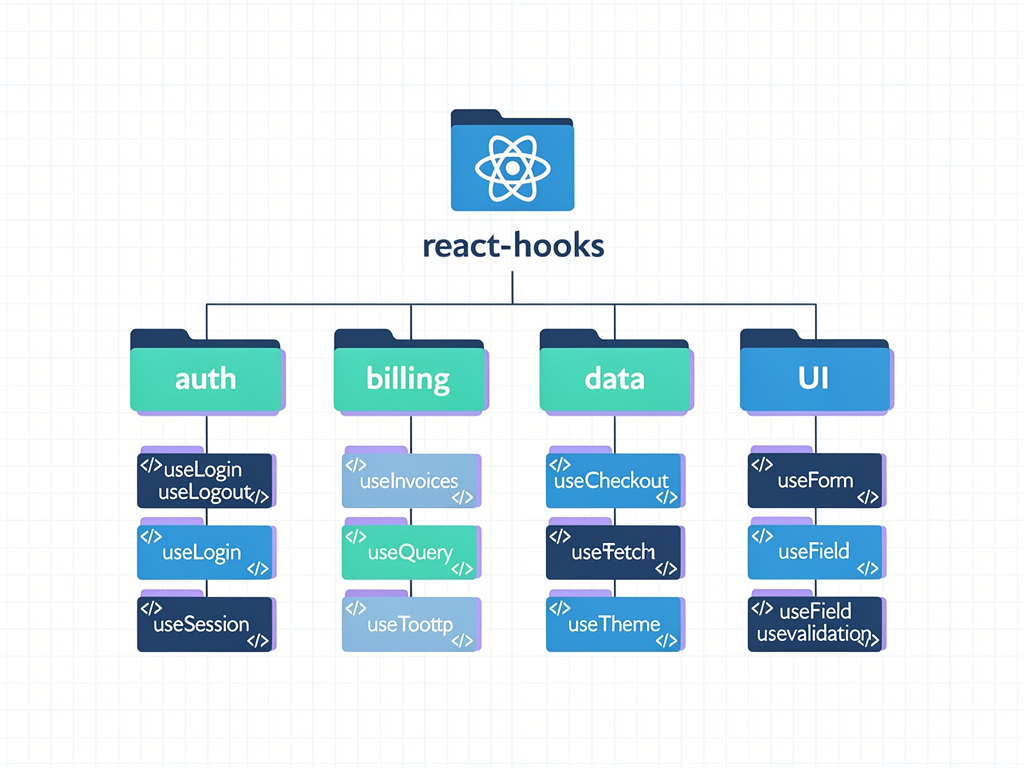
Organize hooks by domain rather than by technical function. A hooks directory might contain subdirectories for auth, billing, team, and features, each containing hooks relevant to that domain. This organization makes it easy for developers to find existing hooks and understand where new hooks should be added.
Documentation is crucial for hook libraries. Each hook should have clear documentation explaining its purpose, parameters, return values, and usage examples. TypeScript types provide self-documenting interfaces, but prose documentation explaining when and why to use a hook helps developers make good decisions. Consider generating documentation automatically from code comments using tools like TypeDoc.
| Hook Category | Examples | Typical Dependencies |
|---|---|---|
| Authentication | useAuth, usePermissions, useSession | Auth context, API client |
| Billing | useSubscription, usePlans, useInvoices | Auth, API client, Stripe |
| Data | useFetch, useInfiniteList, useSearch | API client, caching layer |
| Real-time | useWebSocket, usePresence, useNotifications | WebSocket client, Auth |
| UI | useModal, useToast, useTheme | UI context providers |
| Forms | useForm, useField, useValidation | Validation schemas |
Version your hook library if it is shared across multiple projects or teams. Semantic versioning communicates the nature of changes, and a changelog helps consumers understand what has changed between versions. For internal libraries, even informal versioning helps teams coordinate updates and understand compatibility.
Common Pitfalls and How to Avoid Them
Even experienced developers encounter pitfalls when working with hooks. Understanding common mistakes helps you avoid them and debug issues more quickly when they arise.
Stale closures are among the most common hook issues. When a callback created in a hook captures variables from its closure, those variables reflect their values at the time the callback was created, not their current values. This leads to bugs where callbacks use outdated state. Using the functional update form of setState and ensuring useCallback dependencies are correct helps avoid this issue.
Infinite loops occur when useEffect dependencies are not properly specified. If an effect updates a value that is also in its dependency array, it triggers itself repeatedly. Similarly, creating objects or arrays inline in the dependency array causes effects to run on every render because the reference changes even if the contents are identical. Extract these values to useMemo or move them outside the component to maintain stable references.
Over-fetching happens when multiple components independently fetch the same data. Without coordination, navigating to a page might trigger several identical API requests. Centralized data fetching through context or a data management library prevents this waste and ensures all components see consistent data.
Warning: Calling hooks conditionally or inside loops violates the Rules of Hooks and leads to unpredictable behavior. React relies on the order of hook calls being consistent between renders. If you need conditional logic, put it inside the hook rather than around the hook call.
Memory leaks from uncleared subscriptions or timers accumulate over time, degrading application performance. Always return cleanup functions from useEffect when establishing subscriptions, and verify that cleanup actually runs by logging during development. React's StrictMode helps catch these issues by intentionally mounting and unmounting components twice during development.
Future-Proofing Your Hook Patterns
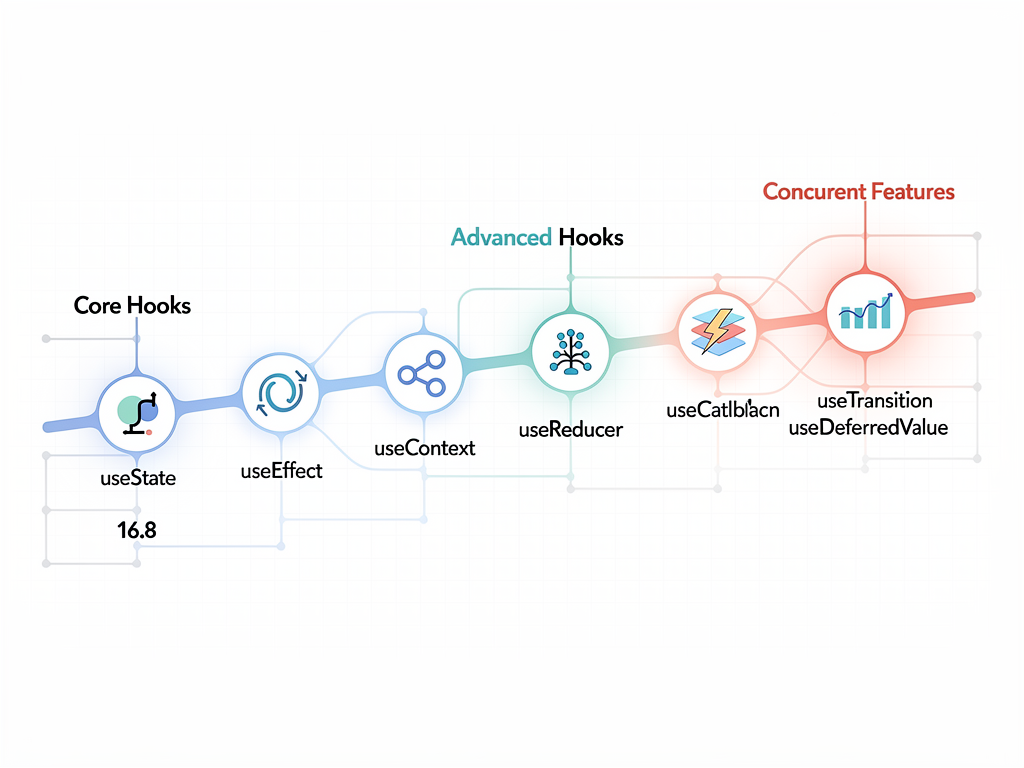
React continues to evolve, and staying informed about upcoming features helps you write hooks that remain relevant. React 18 introduced concurrent features that affect how hooks behave, and future versions will likely bring additional changes.
The useTransition and useDeferredValue hooks from React 18 enable concurrent rendering patterns that improve perceived performance for complex updates. For SaaS dashboards with expensive renders, these hooks allow you to mark updates as non-urgent, keeping the UI responsive while processing heavy computations in the background.
Server Components and the increasing emphasis on server-side rendering affect hook patterns. While hooks remain essential for client-side interactivity, understanding when to fetch data on the server versus the client helps you build applications that are both performant and interactive. This hybrid approach is likely to become more prominent as React's server capabilities mature.
Staying engaged with the React community through official documentation, RFCs, and community discussions helps you anticipate changes and adapt your patterns accordingly. The investment in understanding hooks deeply pays dividends as the ecosystem evolves, because the fundamental concepts remain stable even as specific APIs change.
Conclusion
Mastering react hooks is fundamental to building successful SaaS applications with React and Next.js. From basic state management to complex real-time features, hooks provide a consistent, composable approach to handling component logic that scales with your application. The patterns explored in this guide, including authentication flows, subscription management, data fetching, and performance optimization, form the foundation of production-ready SaaS products.
The key to success lies not just in understanding individual hooks but in recognizing how they compose to solve complex problems. By building a library of well-tested, well-documented custom hooks, you create reusable assets that accelerate development and ensure consistency across your application. Whether you are starting a new project or improving an existing one, investing in solid hook patterns pays dividends in maintainability, performance, and developer experience.
As React continues to evolve with features like Server Components and concurrent rendering, the fundamental skills of hook development remain valuable. The patterns you learn today will adapt to tomorrow's features, making your investment in understanding hooks deeply worthwhile. Start applying these patterns in your projects, iterate based on your specific needs, and build SaaS products that delight users and scale gracefully.
Frequently Asked Questions
When Should I Create a Custom Hook Instead of Using Built-in Hooks Directly?
Create a custom hook when you find yourself duplicating the same combination of built-in hooks across multiple components. The threshold is typically two or three instances of similar logic. Custom hooks are also valuable when the logic is complex enough that extracting it improves component readability, even if used only once. For SaaS applications, domain-specific logic like authentication checks, subscription validation, and feature flag evaluation almost always benefit from custom hooks because they are used throughout the application and their implementation details should not clutter component code. A good rule of thumb is that if explaining what a component does requires explaining how it manages state or side effects, that logic is a candidate for extraction into a custom hook.
How Do I Handle Authentication State Across Server and Client Components in Next.js?
In Next.js applications with Server Components, authentication state needs to be accessible in both contexts through different mechanisms. Server Components access session data through server-side functions, typically provided by authentication libraries like NextAuth through their server-side APIs. Client Components use hooks like useSession or custom useAuth hooks that access the same session data through client-side APIs. The key is ensuring both mechanisms read from the same source of truth, usually a secure HTTP-only cookie. Pass initial authentication state from Server Components to Client Components as props when possible, allowing the client to hydrate with the correct state immediately rather than showing a loading state while fetching authentication status. This approach provides the best user experience while maintaining security.
What Is the Best Way to Handle Loading States Without Creating Jarring User Experiences?
Effective loading state management involves several techniques working together. First, implement minimum loading times of around 200 to 300 milliseconds to prevent flicker when data loads quickly. Second, use skeleton loaders that maintain the layout of the content being loaded, preventing layout shift when data arrives. Third, distinguish between initial loading and background refresh, showing full loading indicators only for initial loads while using subtle indicators like a refresh icon for subsequent fetches. Fourth, implement optimistic updates for user actions, showing the expected result immediately while confirming with the server in the background. Custom hooks can encapsulate these patterns, providing components with loading states that already incorporate these best practices without requiring each component to implement them independently.
How Can I Prevent Memory Leaks When Using Hooks with Subscriptions or Timers?
Memory leaks from hooks typically occur when cleanup functions are missing or incomplete. Every useEffect that establishes a subscription, sets a timer, or creates any resource that persists beyond the render must return a cleanup function that releases that resource. For subscriptions, this means calling unsubscribe or removing event listeners. For timers, this means calling clearTimeout or clearInterval. For fetch requests, this means using AbortController to cancel in-flight requests. A common mistake is forgetting to clean up when the component unmounts or when dependencies change. React's StrictMode helps catch these issues by intentionally running effects twice during development. Additionally, using the useRef hook to track whether a component is still mounted can prevent state updates on unmounted components, though proper cleanup is the preferred solution.
Should I Use External State Management Libraries or Build Custom Hooks with useContext and useReducer?
The choice depends on your application's complexity and team preferences. For many SaaS applications, useContext combined with useReducer provides sufficient state management without adding external dependencies. This approach works well when state is relatively simple, updates are straightforward, and the team is comfortable with React's built-in tools. External libraries like Redux, Zustand, or Jotai become valuable when you need features like middleware, devtools integration, or sophisticated caching and synchronization. They also help when multiple developers need to work on state management simultaneously, as established patterns reduce coordination overhead. A pragmatic approach is starting with built-in hooks and migrating to external libraries if you encounter limitations. Custom hooks abstract the underlying implementation, making such migrations less disruptive because components interact with your hooks rather than directly with the state management solution.
How Do I Optimize Hook Performance in Data-Heavy SaaS Dashboards?
Dashboard optimization requires a multi-faceted approach. Start by profiling your application using React DevTools to identify which components re-render frequently and which renders are expensive. Apply useMemo to expensive calculations, ensuring the dependency array accurately reflects when recalculation is necessary. Use useCallback for functions passed to memoized child components to prevent unnecessary re-renders. Implement virtualization for long lists or large tables, rendering only visible items. Consider data normalization to prevent cascading updates when nested data changes. For real-time data, batch updates using React 18's automatic batching or manual batching techniques to reduce render frequency. Finally, evaluate whether all data needs to be in React state, as some data can be managed outside React and accessed through refs when needed for rendering, reducing the state that triggers re-renders.
Ready to Accelerate Your SaaS Development?
Building a SaaS application from scratch requires implementing countless patterns like those discussed in this guide. From authentication and subscription management to real-time features and performance optimization, the foundation you establish determines how quickly you can iterate and scale. SaasCore provides a comprehensive Next.js boilerplate that implements these hook patterns and more, giving you a production-ready starting point for your SaaS product. With built-in authentication, Stripe integration, admin dashboards, and affiliate management, you can focus on building features that differentiate your product rather than reinventing infrastructure. Explore the demo and see how SaasCore can accelerate your development journey.
Subscribe to our newsletter
Subscribe to our newsletter and stay up-to-date with the latest news and updates.