How TypeScript Playgrounds Streamline SaaS Prototyping
Discover how TypeScript playgrounds can reduce development time for SaaS applications by allowing you to experiment with type definitions and business logic before implementation. Learn practical techniques for validating subscription models, testing API integrations, and designing robust type systems in a sandbox environment.

Zakariae

Every successful SaaS product begins with an idea, but the journey from concept to production code is fraught with uncertainty. Will your subscription billing logic handle edge cases correctly? Does your user authentication flow account for all scenarios? How will your data models interact when real users start pushing the boundaries of your application? These questions can consume weeks of development time if you dive straight into implementation without proper validation.
The typescript playground offers a powerful solution to this challenge, providing a sandbox environment where you can experiment with type definitions, test business logic, and validate architectural decisions before writing a single line of production code. For SaaS founders and developers building complex applications, this approach to prototyping can dramatically reduce development time, catch type errors early, and ensure your codebase remains maintainable as it scales.
In this comprehensive guide, we will explore how to leverage TypeScript playgrounds effectively for SaaS feature prototyping. You will learn practical techniques for validating subscription models, testing API integrations, designing robust type systems, and building confidence in your implementation approach before committing to your production codebase.
Key Takeaways
- Rapid validation: TypeScript playgrounds enable you to test complex business logic and type definitions in minutes rather than hours, reducing the risk of architectural mistakes in your SaaS application.
- Type safety exploration: Experiment with generics, conditional types, and mapped types to design robust interfaces for subscriptions, user management, and billing systems before implementation.
- Cost-effective prototyping: Catch type errors and logic flaws during the design phase when fixes cost minutes instead of days of refactoring production code.
- Team collaboration: Share playground links with team members to discuss implementation approaches, conduct code reviews, and align on type contracts before development begins.
- Learning acceleration: Use playgrounds to understand third-party library types, test API response shapes, and experiment with TypeScript features without affecting your production environment.
- Integration testing: Validate how different modules will interact by prototyping their type interfaces together in an isolated environment.
Understanding the Value of TypeScript Playgrounds for SaaS Development
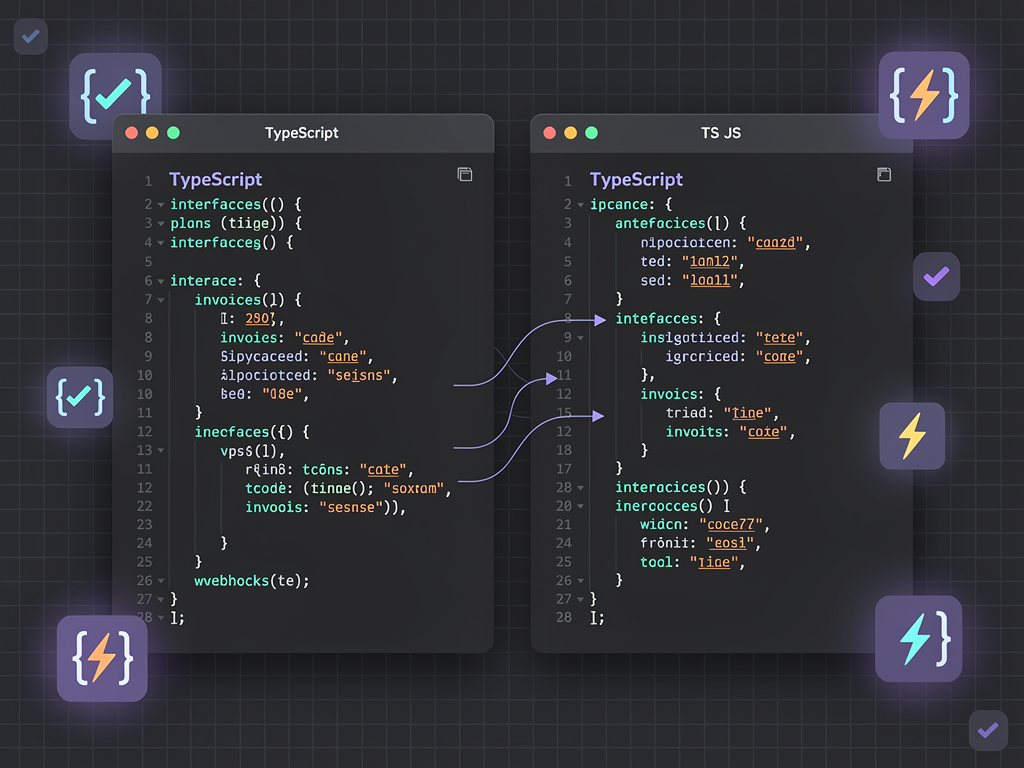
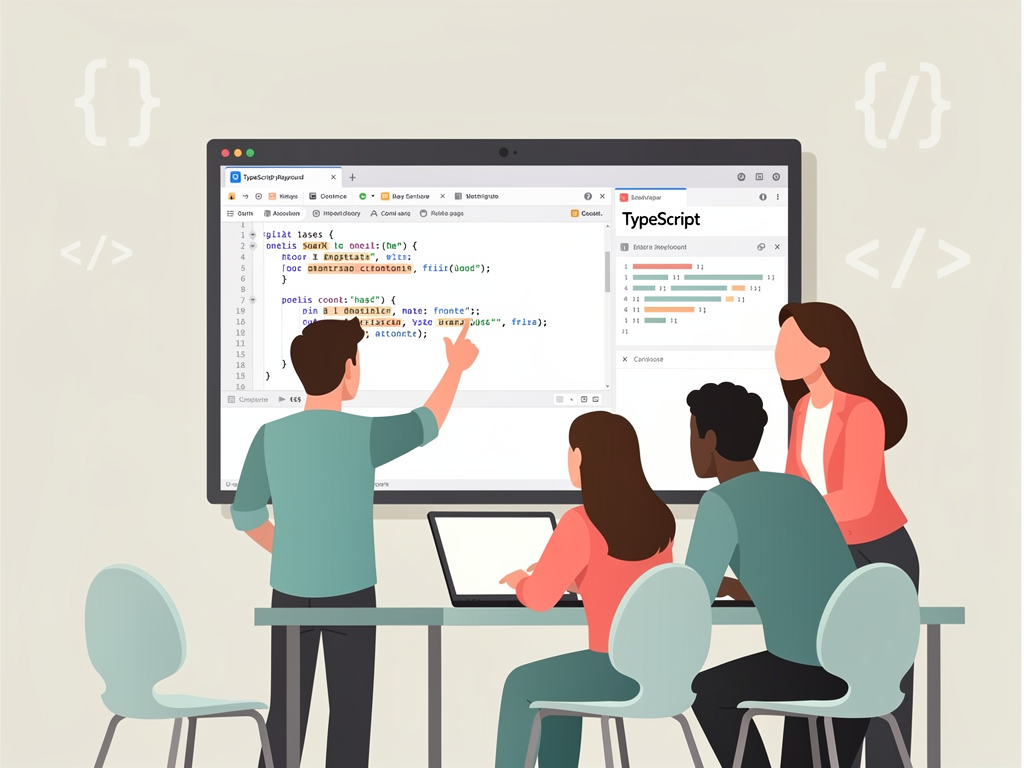
TypeScript playgrounds serve as isolated environments where developers can write, compile, and test TypeScript code without any local setup requirements. The official TypeScript Playground maintained by Microsoft provides a browser-based editor with real-time type checking, IntelliSense autocomplete, and instant compilation to JavaScript. This immediate feedback loop transforms how you approach feature design and validation.
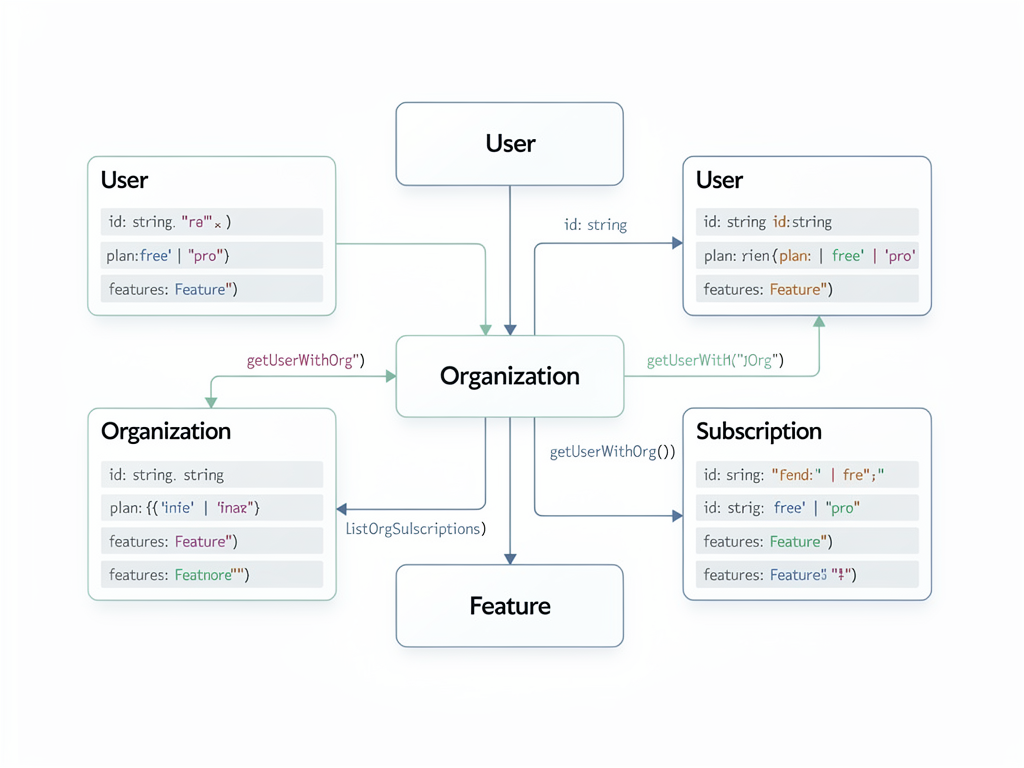
For SaaS applications, where business logic complexity often exceeds typical web applications, this prototyping approach becomes invaluable. Consider the intricate relationships between users, organizations, subscriptions, feature flags, and billing cycles that characterize most SaaS products. Each of these domains requires carefully designed type definitions that accurately represent your business rules while remaining flexible enough to accommodate future changes.
The playground environment allows you to explore these relationships without the overhead of spinning up a development server, configuring a database, or managing dependencies. You can focus purely on the type system and logic, iterating rapidly until you achieve a design that satisfies your requirements. This focused approach often reveals edge cases and potential issues that would otherwise surface only during integration testing or, worse, in production.
Modern playgrounds like PlayCode's TypeScript environment extend these capabilities with multi-file support, npm package integration, and collaborative features. These enhancements make it possible to prototype entire feature modules, complete with external library integrations and realistic data structures, all within the browser.
Setting Up Your Prototyping Workflow
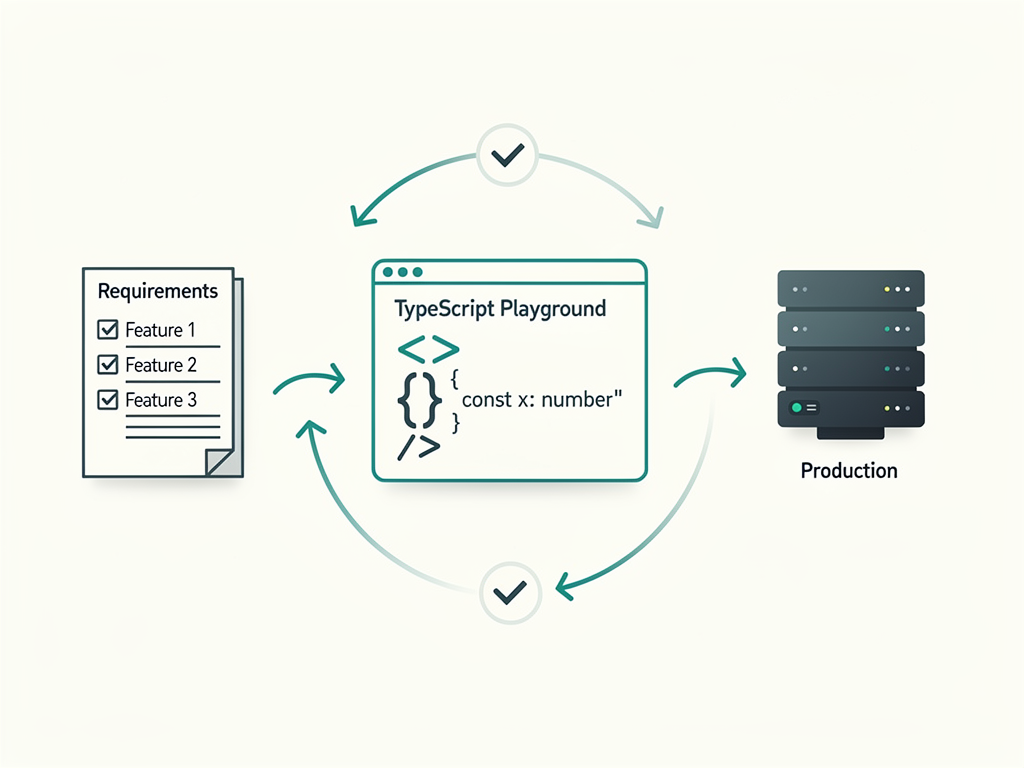
Establishing an effective prototyping workflow requires understanding when and how to use playground environments within your development process. The goal is not to replace your local development environment but to augment it with a rapid experimentation phase that precedes implementation. This workflow shift can save countless hours by validating approaches before you commit to them in your codebase.
Begin each new feature by identifying the core types and interfaces it will require. Before opening your IDE, open a playground and sketch out these type definitions. Consider what data structures your feature will consume and produce. Think about the relationships between entities and how they will be represented in your type system. This upfront investment in type design pays dividends throughout the implementation phase.
Create a personal library of playground snippets for common SaaS patterns. Subscription models, user authentication states, permission systems, and billing calculations appear repeatedly across SaaS applications. Having tested, validated type definitions for these patterns accelerates your prototyping process and ensures consistency across features.
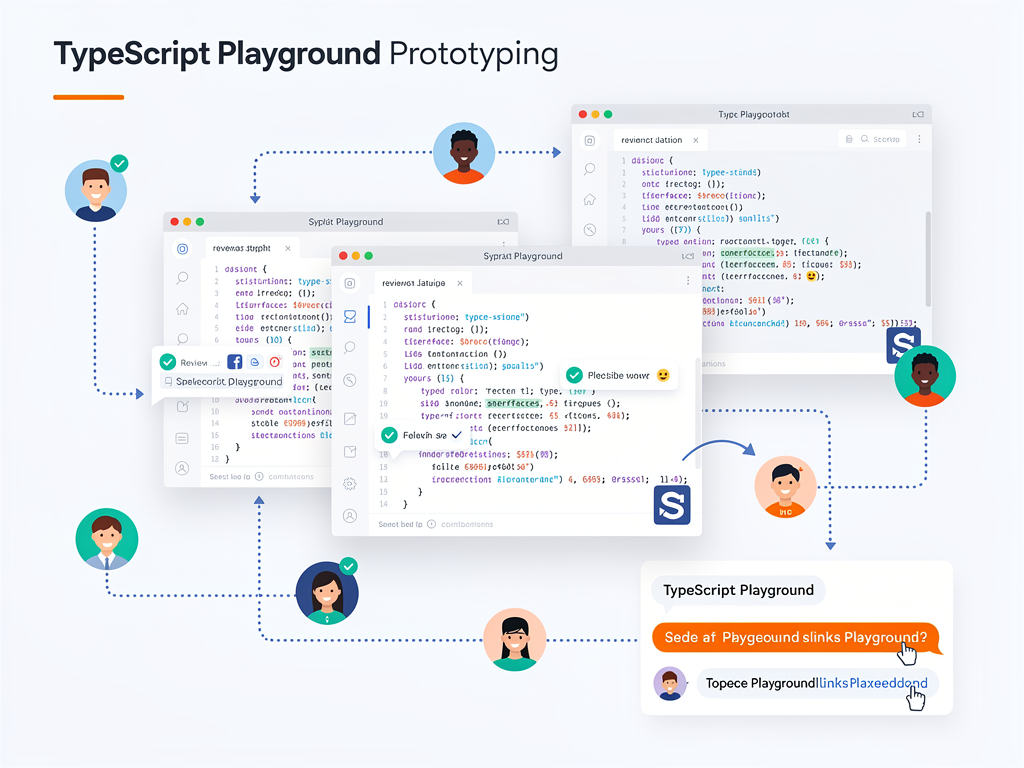
When working with a team, establish conventions for sharing playground links during design discussions. Instead of describing a proposed type structure in a Slack message, share a playground link where team members can see the actual code, experiment with modifications, and provide concrete feedback. This practice elevates architectural discussions from abstract concepts to tangible, testable implementations.
Prototyping Subscription and Billing Models
Subscription management represents one of the most complex domains in SaaS development. The interplay between plans, pricing tiers, billing cycles, usage limits, and payment states creates a web of relationships that must be accurately modeled in your type system. Mistakes in this domain can lead to billing errors, customer confusion, and revenue leakage, making thorough prototyping essential.
Start by defining your core subscription types in a playground. Consider the different states a subscription can occupy: active, canceled, past due, trialing, paused. Each state has implications for feature access, billing behavior, and user interface presentation. Your type system should make these states explicit and ensure that code handling subscriptions accounts for all possibilities.
Here is an example of how you might prototype a subscription model:
Prototyping Tip: When designing subscription types, use discriminated unions to represent different subscription states. This pattern enables TypeScript to narrow types based on a status field, ensuring you handle all cases and preventing impossible states from being represented in your system.
Consider how your subscription model interacts with your pricing structure. Many SaaS applications offer multiple plans with different feature sets, usage limits, and pricing. Your type system should capture these relationships clearly, making it easy to determine what features a given subscription grants access to and what limits apply.
Test edge cases in your playground before implementation. What happens when a subscription transitions from trialing to active? How do you handle a subscription that is past due but within a grace period? What about subscriptions that were canceled but later reactivated? Each of these scenarios should have clear type representations and handling logic that you can validate in isolation.
Integration with payment processors like Stripe adds another layer of complexity. Prototype the types for webhook payloads, API responses, and the mapping between your internal subscription model and the payment processor's representation. This preparation ensures smooth integration when you implement the actual Stripe connection in your SaaS boilerplate.
Designing User Authentication and Authorization Types
Authentication and authorization form the security foundation of any SaaS application. The types you define for users, sessions, permissions, and roles must accurately represent your security model while remaining practical to work with throughout your codebase. Playground prototyping allows you to explore different approaches and validate that your type system enforces your security requirements.
Begin with your user model. Beyond basic fields like email and name, consider what authentication-related data you need to track. Does your application support multiple authentication methods? Do you need to track email verification status, two-factor authentication enrollment, or password reset tokens? Each of these requirements should be reflected in your user type.
Role-based access control (RBAC) and permission systems require particularly careful type design. Your types should make it impossible to represent invalid permission states and should enable TypeScript to catch authorization errors at compile time rather than runtime. Prototype different approaches in your playground to find the right balance between type safety and practical usability.
Consider multi-tenant scenarios common in SaaS applications. Users often belong to organizations, and their permissions may vary depending on which organization context they are operating in. Your type system should capture these relationships and enable clean, type-safe access control checks throughout your application.
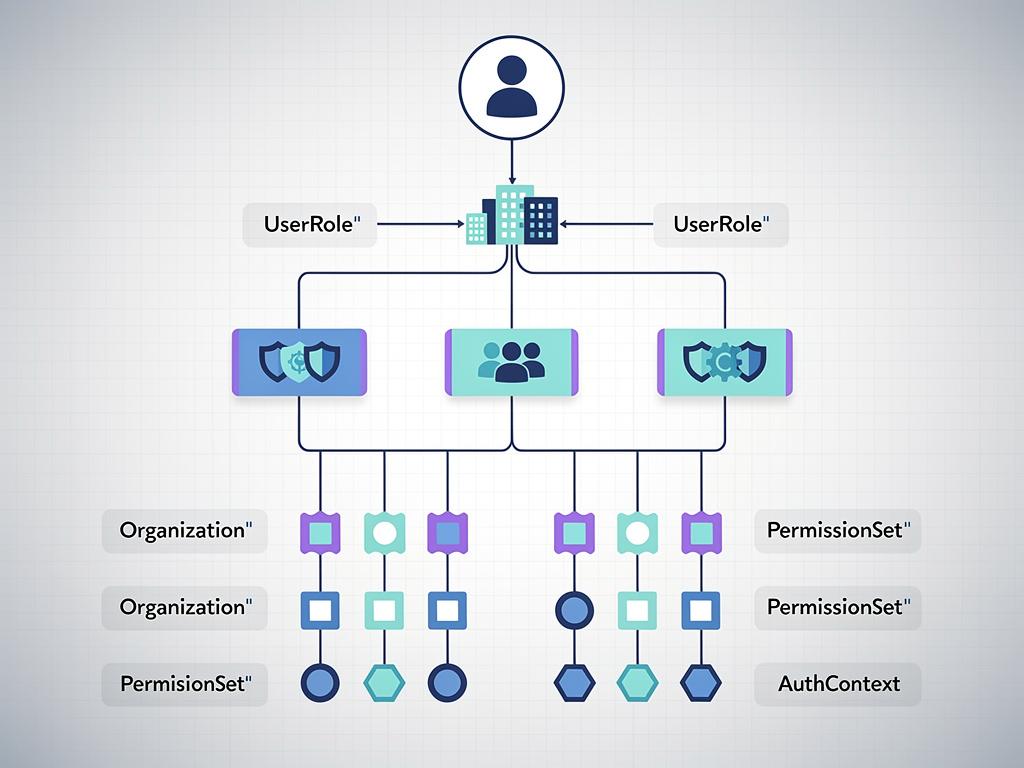
Session management types deserve attention as well. How do you represent an authenticated versus unauthenticated user in your type system? Can TypeScript help ensure that protected routes and API endpoints only receive authenticated user contexts? Prototype these patterns in your playground to develop conventions that your entire team can follow.
Testing API Response Shapes and Data Transformations
SaaS applications typically interact with numerous external APIs, from payment processors and email services to analytics platforms and third-party integrations. Each of these integrations introduces external data shapes that must be validated, transformed, and integrated with your internal type system. Playgrounds provide an ideal environment for exploring these integrations before implementation.
When integrating a new API, start by defining types for its response shapes in a playground. Many APIs provide OpenAPI specifications or TypeScript definitions, but these often require adaptation to fit your application's conventions. Use the playground to experiment with transformation functions that convert external data shapes into your internal representations.
Validate your assumptions about API responses by testing with realistic sample data. Copy actual API responses into your playground and verify that your type definitions accurately describe them. This practice often reveals fields you overlooked, optional values you assumed were required, or nested structures that need special handling.
Design your transformation layer with error handling in mind. External APIs can return unexpected data, and your transformation functions should handle these cases gracefully. Prototype validation logic that checks for required fields, validates data formats, and produces meaningful error messages when data does not match expectations.
Consider versioning implications for external API integrations. APIs evolve over time, and your type system should accommodate this evolution. Prototype approaches for handling multiple API versions, migrating data between versions, and deprecating old response shapes while maintaining backward compatibility.
Leveraging Generics for Reusable SaaS Patterns
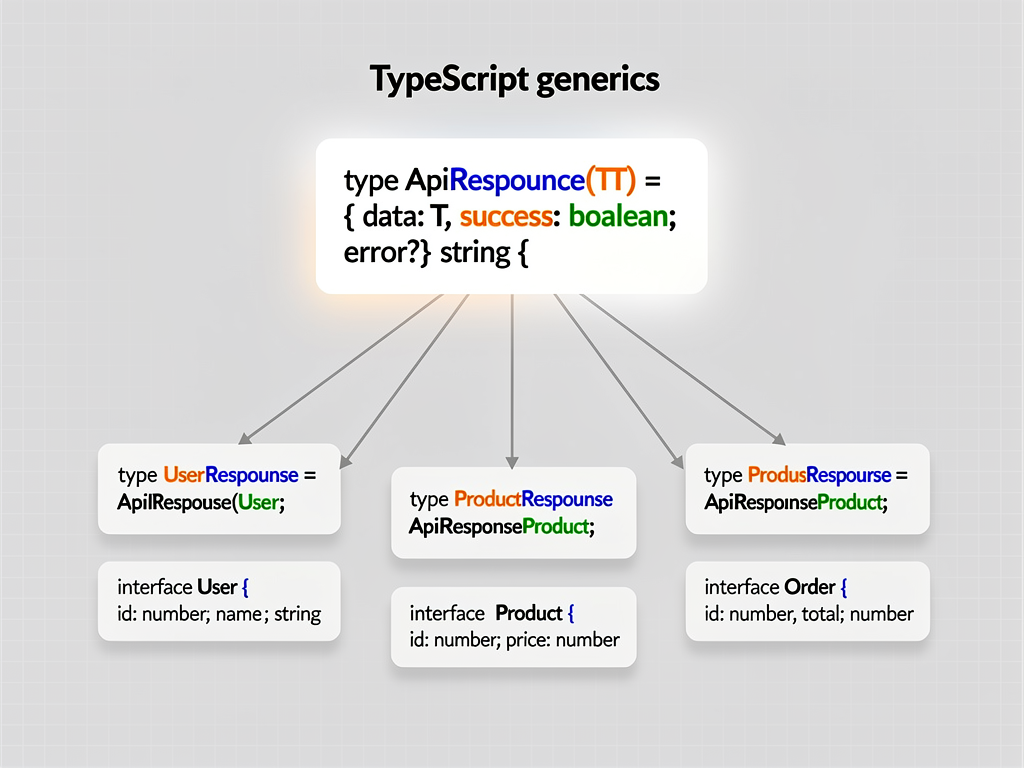
Generic types enable you to create reusable, type-safe abstractions that work across different data types while maintaining full type information. For SaaS applications, generics are essential for building patterns like paginated lists, API response wrappers, form state management, and CRUD operations. Playground prototyping helps you design generics that are both powerful and practical.
Start with common patterns that appear throughout your application. Paginated API responses, for example, share a common structure regardless of the underlying data type. A generic pagination wrapper can capture this pattern, ensuring consistent handling of page metadata while preserving type information for the actual data items.
Form state management benefits enormously from well-designed generics. Your forms need to track values, validation errors, touched states, and submission status for various data types. A generic form state type can provide this structure while remaining type-safe for any form data shape you define.
API response handling is another area where generics shine. Design a generic response type that can represent success and error states for any data type. This pattern ensures consistent error handling throughout your application while maintaining full type information for successful responses.
Experiment with more advanced generic patterns in your playground. Conditional types can create types that change based on input types. Mapped types can transform existing types into new shapes. Infer keywords can extract type information from complex structures. These advanced features enable sophisticated type-level programming that can catch entire categories of bugs at compile time.
Prototyping Feature Flag Systems
Feature flags enable controlled rollouts, A/B testing, and customer-specific feature access in SaaS applications. The type system for feature flags must balance flexibility with type safety, ensuring that flag checks are consistent throughout your codebase while remaining easy to add and modify. Playground prototyping helps you design a system that meets these requirements.
Define your feature flag types to capture all relevant metadata. Beyond a simple boolean enabled state, consider what additional information each flag might need: description, default value, rollout percentage, customer segment targeting, and expiration date. Your type system should accommodate these properties while making common operations straightforward.
Consider how feature flags interact with your subscription model. Many SaaS applications tie feature access to subscription tiers, with feature flags providing additional granularity for beta features or customer-specific customizations. Prototype the relationship between these systems to ensure clean integration.
Type-safe feature flag checks prevent a common category of bugs: checking for a flag that does not exist. Design your flag checking interface so that TypeScript catches references to undefined flags at compile time. This approach requires maintaining a type-level registry of valid flag names, which you can prototype and validate in your playground.
Explore patterns for feature flag defaults and fallbacks. What happens when your feature flag service is unavailable? How do you handle flags that have been removed from your system but are still referenced in code? Your type system should guide developers toward safe handling of these edge cases.
Building Type-Safe Database Query Patterns
Database interactions form the backbone of most SaaS applications, and type safety in this layer prevents a wide range of bugs related to data access and manipulation. Modern ORMs like Prisma provide excellent TypeScript support, but you still need to design your own patterns for queries, filters, and data transformations. Playground prototyping helps you develop these patterns before implementing them in your Next.js SaaS template.
Start by prototyping your filter and query builder types. Users often need to search, sort, and filter data in your application, and these operations should be type-safe. Design types that represent valid filter operations for each field type, ensuring that string fields support string operations, numeric fields support numeric comparisons, and so forth.
Pagination and cursor-based navigation require careful type design. Your query types should capture pagination parameters, and your response types should include the necessary metadata for clients to request subsequent pages. Prototype these types to ensure they work together seamlessly.
Consider soft delete patterns common in SaaS applications. When records are soft-deleted rather than permanently removed, your type system should help ensure that queries appropriately filter deleted records unless explicitly requested. Prototype approaches for making this behavior automatic and consistent.
Multi-tenant data access is another critical area for type safety. Your query patterns should ensure that data access is always scoped to the appropriate tenant, preventing accidental data leakage between customers. Prototype type-level enforcement of tenant scoping to catch potential issues before they reach production.
Validating Webhook and Event Handler Types
Webhooks and event-driven architectures are fundamental to modern SaaS applications. Payment processors send subscription updates, email services report delivery status, and your own application generates events for analytics and automation. Each of these event types requires careful definition and handling. Playground prototyping ensures your event system is robust and type-safe.
Define discriminated union types for your webhook payloads. Each webhook type should have a distinct event field that TypeScript can use to narrow the payload type, ensuring that handlers receive properly typed data for the specific event they are processing. This pattern prevents entire categories of runtime errors.
Prototype your event handler signatures to ensure consistency. All handlers should follow a common pattern, making it easy to add new event types and ensuring that error handling is consistent across your event system. Design generic handler types that enforce this consistency while remaining flexible enough to accommodate different event shapes.
Consider retry and idempotency requirements in your event handling types. Webhooks may be delivered multiple times, and your handlers must be idempotent to prevent duplicate processing. Prototype types that capture idempotency keys and processing status, ensuring that your handlers can safely handle repeated deliveries.
Validation is critical for webhook handling, as external services may send malformed or unexpected data. Prototype validation functions that verify webhook signatures, check required fields, and transform raw payloads into your internal types. These functions should produce clear error messages when validation fails, aiding debugging and monitoring.
Designing State Management Types for Complex UI
SaaS applications often feature complex user interfaces with intricate state management requirements. Dashboard views, multi-step wizards, real-time collaboration features, and interactive data visualizations all require carefully designed state types. Playground prototyping helps you explore state shapes and transitions before implementing them in your components.
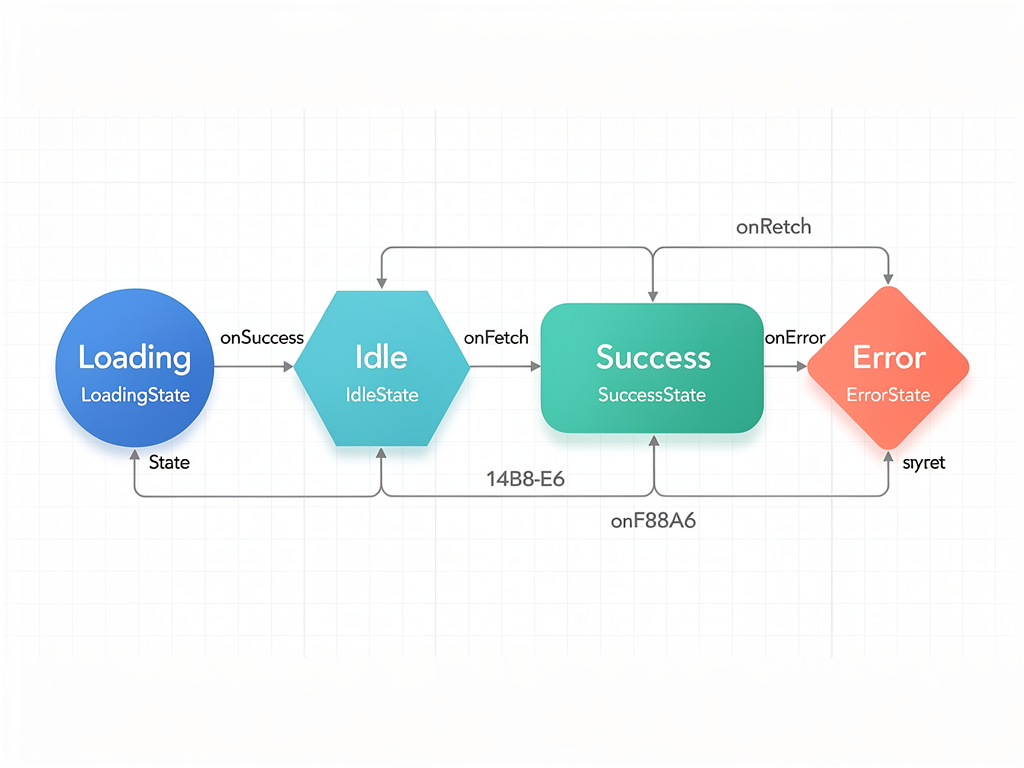
Start by mapping out the different states your UI can occupy. A data loading component, for example, might be in idle, loading, success, or error states. Each state has different data requirements and UI implications. Design discriminated union types that capture these states explicitly, enabling TypeScript to ensure your UI handles all possibilities.
Multi-step workflows require state types that track progress, capture data from each step, and enable navigation between steps. Prototype these types to ensure they support all required operations: moving forward and backward, validating step data, and submitting the complete workflow. Consider edge cases like users abandoning workflows midway and returning later.
Real-time features add complexity to state management. Collaborative editing, live notifications, and presence indicators all require state that synchronizes across clients. Prototype the types for these features, considering how optimistic updates, conflict resolution, and connection status affect your state shape.
Form state deserves particular attention in SaaS applications, where complex forms are common. Beyond simple value tracking, forms need validation state, submission status, and field-level metadata. Prototype generic form state types that can accommodate any form shape while providing consistent handling for these common requirements.
Testing Third-Party Library Integrations
SaaS applications rely on numerous third-party libraries for functionality ranging from UI components to data processing. Understanding how these libraries' types interact with your application is essential for smooth integration. Playgrounds provide a safe environment to explore library APIs and design integration patterns before committing to them in your codebase.
When evaluating a new library, start by exploring its types in a playground. Import the library and experiment with its API, observing how TypeScript infers types and what type errors arise from incorrect usage. This exploration helps you understand the library's design philosophy and identify potential integration challenges.
Many libraries require configuration objects with complex type requirements. Prototype your configuration in a playground to ensure it satisfies the library's type constraints. This approach catches configuration errors immediately rather than at runtime, saving debugging time and preventing deployment issues.
Consider how library types interact with your application's types. You may need to create adapter types that bridge between library conventions and your internal representations. Prototype these adapters in your playground, ensuring they preserve type safety while providing a clean interface for the rest of your application.
Version upgrades for third-party libraries can introduce breaking type changes. Use playgrounds to test your code against new library versions before upgrading in your production codebase. This practice identifies type incompatibilities early, giving you time to plan migration strategies rather than scrambling to fix broken builds.
Collaborating on Type Designs with Your Team
Type design decisions affect your entire team, and collaborative prototyping ensures that everyone understands and agrees on the types that will shape your codebase. Playground sharing features enable asynchronous collaboration on type designs, making it easy to propose, discuss, and refine types before implementation begins.
Establish a practice of sharing playground links during design discussions. When proposing a new feature or architectural change, include a playground link that demonstrates the proposed types. This concrete representation enables more productive discussions than abstract descriptions and ensures everyone is aligned on the actual implementation approach.
Use playgrounds for code review of type-heavy changes. Before a pull request is opened, share a playground demonstrating the new types and their usage patterns. Reviewers can experiment with the types, test edge cases, and provide feedback based on hands-on experience rather than static code reading.
Create a shared library of playground templates for common patterns in your application. When team members need to implement a new feature that follows an established pattern, they can start from a template that demonstrates the correct approach. This practice promotes consistency and reduces the learning curve for new team members.
Document type design decisions with playground links. When you make a non-obvious type design choice, create a playground that demonstrates the reasoning and alternatives considered. This documentation helps future team members understand why types are designed as they are and prevents well-intentioned but misguided refactoring.
Optimizing Your Playground Workflow with Advanced Features
Modern TypeScript playgrounds offer advanced features that can significantly enhance your prototyping workflow. Understanding and leveraging these features helps you get more value from your playground sessions and enables more sophisticated prototyping scenarios.
The official TypeScript Playground supports different compiler options, enabling you to test how your code behaves under various strictness settings. Experiment with strict mode, noImplicitAny, and other compiler flags to understand their impact on your types. This knowledge helps you make informed decisions about your project's TypeScript configuration.
Playground plugins extend functionality for specific use cases. The TypeScript team maintains several official plugins, and the community has created many more. Explore available plugins to find tools that support your specific prototyping needs, whether that is visualizing type relationships, testing with specific frameworks, or integrating with external services.
Multi-file support in advanced playgrounds like PlayCode enables prototyping of realistic module structures. Instead of cramming everything into a single file, organize your prototype as you would your actual codebase. This approach helps validate that your module boundaries and import structures work as intended.
Some playgrounds support npm package imports, enabling you to prototype with actual library code rather than mocked types. This capability is invaluable for testing integrations with complex libraries and ensures your prototypes accurately reflect how your production code will behave.
Common Pitfalls and How to Avoid Them
While playground prototyping offers significant benefits, certain pitfalls can undermine its effectiveness. Understanding these common mistakes helps you avoid them and maximize the value of your prototyping sessions.
Over-engineering types in the playground is a frequent mistake. The goal of prototyping is to validate approaches, not to create production-ready code. Keep your playground types focused on the specific question you are trying to answer. You can refine and expand them during implementation.
Ignoring runtime behavior is another pitfall. TypeScript types exist only at compile time and are erased during compilation. Your playground prototype might have perfect types but still represent logic that fails at runtime. Always consider how your types translate to actual JavaScript behavior.
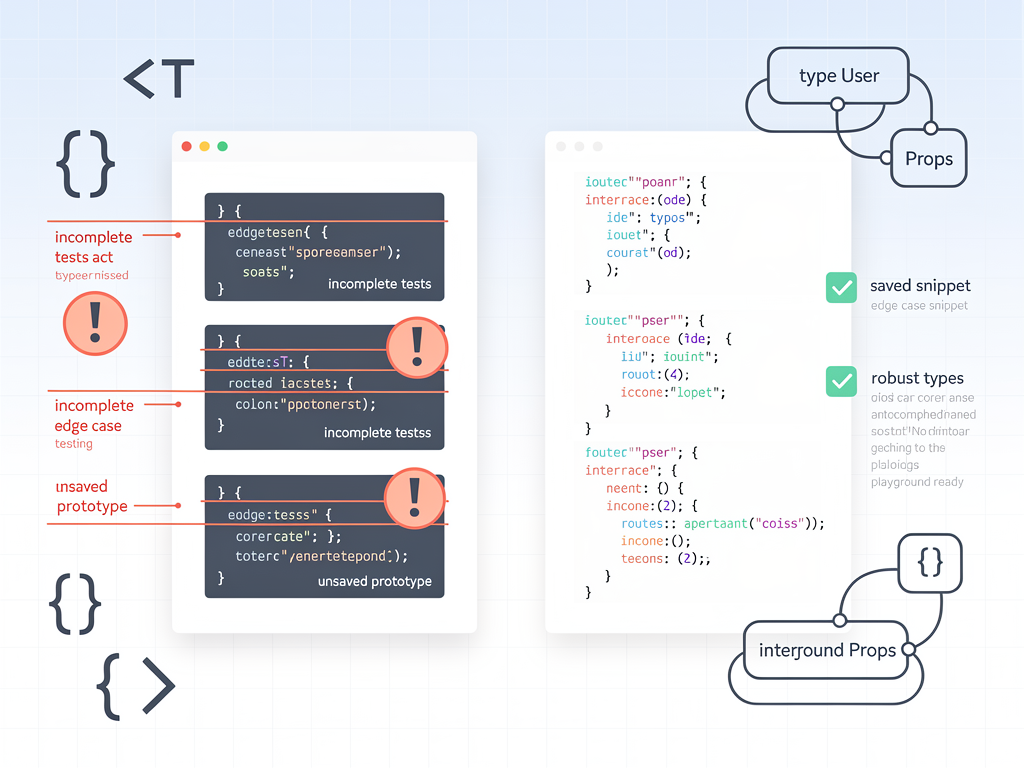
Failing to test edge cases undermines the value of prototyping. It is easy to prototype the happy path and declare success, but the real value comes from exploring edge cases, error states, and unusual inputs. Push your prototype with challenging scenarios to uncover potential issues.
Not preserving valuable prototypes leads to repeated work. When you develop a useful type pattern or solve a tricky typing problem, save the playground link or export the code. Building a personal library of solved problems accelerates future prototyping sessions.
Integrating Playground Insights into Your SaaS Starter Kit
The insights gained from playground prototyping should flow smoothly into your production codebase. Establishing clear processes for this integration ensures that prototyping work translates into production value rather than remaining isolated experiments.
When a prototype validates an approach, extract the core types and patterns into your codebase systematically. Do not simply copy and paste playground code; instead, adapt it to your project's conventions, add appropriate documentation, and ensure it integrates cleanly with existing types. This disciplined approach maintains code quality while preserving the validated design.
Create tickets or documentation linking production code to the prototypes that informed it. This traceability helps team members understand the reasoning behind type designs and provides a reference point for future modifications. When questions arise about why a type is designed a certain way, the original prototype provides context.
Use playground prototyping as part of your technical specification process. Before beginning implementation of significant features, require a playground prototype that demonstrates the core types and patterns. This requirement ensures that type design receives appropriate attention and catches issues before development begins.
When using a SaaS starter kit or Next.js boilerplate, playground prototyping helps you understand and extend the existing type system. Prototype modifications and extensions in isolation before integrating them with the boilerplate's types, ensuring compatibility and preventing unintended interactions.
Measuring the Impact of Playground Prototyping
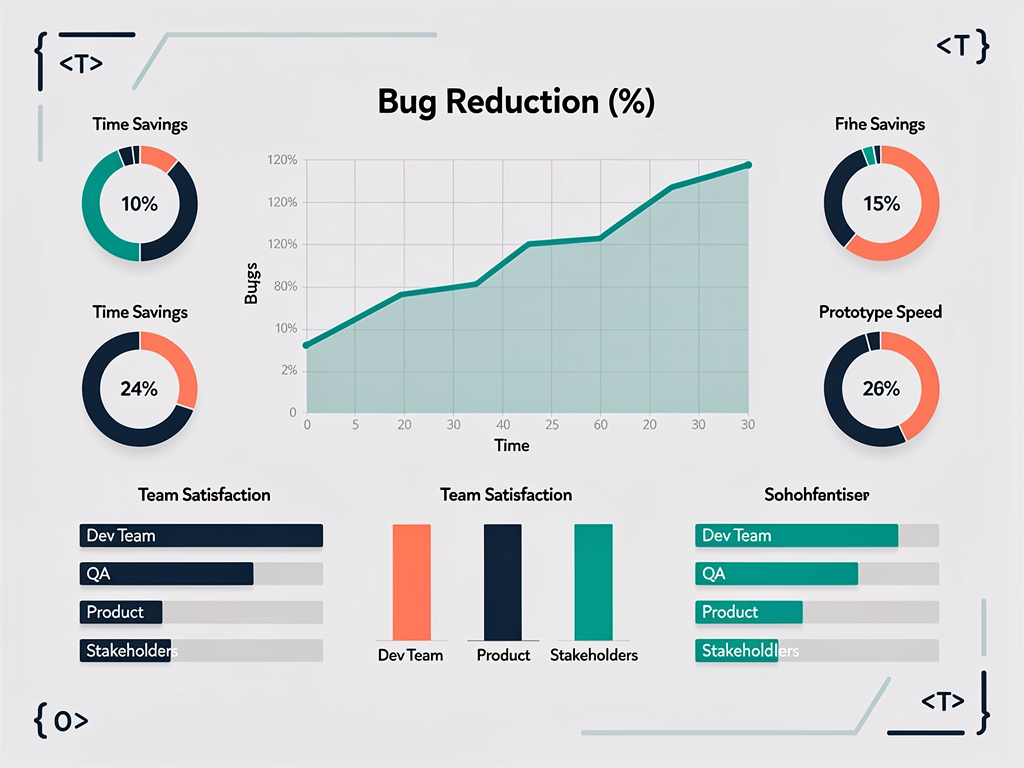
Quantifying the benefits of playground prototyping helps justify the time investment and identify opportunities for improvement. While some benefits are difficult to measure directly, several indicators can demonstrate the value of your prototyping practice.
Track type-related bugs in your production application. A well-implemented prototyping practice should reduce the frequency of type errors, null reference exceptions, and data shape mismatches. Compare bug rates before and after adopting playground prototyping to quantify its impact.
Measure time spent on refactoring type systems. When types are designed well upfront, less refactoring is needed as features evolve. Track the time your team spends on type-related refactoring and observe whether it decreases as your prototyping practice matures.
Gather qualitative feedback from your team. Do developers feel more confident implementing features after prototyping? Are code reviews faster because type designs are validated before implementation? Are architectural discussions more productive with playground links as reference points? This feedback helps assess benefits that are difficult to quantify.
Monitor the reuse of prototyped patterns. When playground prototypes become templates that accelerate future development, the compounding benefits can be substantial. Track how often team members reference or build upon previous prototypes to understand this multiplier effect.
Future Trends in TypeScript Prototyping
The TypeScript ecosystem continues to evolve, bringing new capabilities that will enhance playground prototyping for SaaS development. Understanding these trends helps you prepare for future opportunities and make informed decisions about your tooling investments.
AI-assisted coding is transforming how developers interact with playgrounds. Tools that can generate type definitions from natural language descriptions, suggest improvements to existing types, and identify potential issues are becoming increasingly capable. These assistants can accelerate prototyping while helping developers learn advanced TypeScript patterns.
Improved integration between playgrounds and development environments is emerging. Future tools may enable seamless synchronization between playground experiments and local codebases, reducing friction in the prototyping workflow. Watch for developments in this area that could streamline your process.
Type-level programming capabilities in TypeScript continue to expand with each release. New features like const type parameters, satisfies operators, and improved inference enable more sophisticated type designs. Playground prototyping helps you explore these features and understand how to apply them in your SaaS applications.
Collaborative features in playgrounds are becoming more sophisticated. Real-time collaboration, commenting, and version history enable team-based prototyping workflows that were previously impractical. These capabilities make playground prototyping viable for larger teams and more complex projects.
Building a Culture of Type-First Development
The greatest benefits of playground prototyping come when it becomes embedded in your team's culture rather than remaining an individual practice. Building a type-first development culture requires intentional effort but yields compounding returns as your application and team grow.
Lead by example in your prototyping practice. When you share playground links, explain your reasoning, and demonstrate how prototyping caught potential issues, team members learn the value of the practice. Your enthusiasm for type-first development is contagious and helps establish it as a team norm.
Include playground prototyping in your onboarding process. New team members should understand that prototyping is an expected part of feature development, not an optional extra. Provide examples of effective prototypes and explain how they contributed to successful implementations.
Celebrate wins that result from prototyping. When a playground session catches a significant issue before implementation, share the story with your team. These success stories reinforce the value of the practice and motivate continued investment in prototyping.
Continuously refine your prototyping practices based on experience. What works for one team or project may not work for another. Regularly discuss what is working well and what could be improved, and adjust your practices accordingly. This iterative improvement ensures your prototyping workflow remains effective as your needs evolve.
Conclusion
TypeScript playground prototyping represents a powerful approach to SaaS feature development that can dramatically improve your code quality, reduce development time, and build confidence in your architectural decisions. By validating types, testing business logic, and exploring integrations before implementation, you catch issues when they are cheapest to fix and ensure your production code is built on a solid foundation.
The techniques covered in this guide, from subscription model prototyping to collaborative type design, provide a comprehensive toolkit for leveraging playgrounds effectively. Whether you are building your first SaaS application or scaling an established product, these practices will help you ship faster with fewer bugs and more maintainable code.
Remember that playground prototyping is a skill that improves with practice. Start with simple experiments and gradually tackle more complex scenarios as your confidence grows. Build a library of patterns, establish team conventions, and continuously refine your workflow based on experience. The investment you make in prototyping today will pay dividends throughout your application's lifecycle.
As you integrate these practices into your development workflow, whether using a SaaS template or building from scratch, you will find that the upfront investment in type design and validation accelerates your overall development velocity. The confidence that comes from validated types enables faster iteration, easier refactoring, and more reliable deployments. Embrace playground prototyping as a core part of your SaaS development practice, and watch your code quality and team productivity soar.
Frequently Asked Questions
What Is the Best TypeScript Playground for SaaS Development?
The choice of TypeScript playground depends on your specific needs and workflow preferences. The official TypeScript Playground maintained by Microsoft is excellent for pure TypeScript experimentation, offering the latest compiler features, multiple configuration options, and reliable performance. For more complex prototyping involving multiple files, npm packages, or framework-specific code, PlayCode provides a more feature-rich environment with multi-file support and real-time collaboration. When working with React or Next.js specifically, CodeSandbox offers a complete development environment that can simulate realistic SaaS application structures. Consider starting with the official playground for type-focused prototyping and graduating to more full-featured environments when your prototypes require additional capabilities like external dependencies or complex file structures.
How Much Time Should I Spend Prototyping Before Implementation?
The appropriate prototyping investment varies based on feature complexity and risk. For straightforward features with well-understood patterns, a brief 15 to 30 minute prototyping session may suffice to validate your approach. Complex features involving new integrations, intricate business logic, or significant architectural decisions warrant more substantial prototyping, potentially several hours spread across multiple sessions. A useful heuristic is to prototype until you feel confident that you understand the types and patterns required for implementation. If you find yourself uncertain about how to handle edge cases or how different components will interact, that uncertainty signals a need for more prototyping. The time invested in prototyping typically returns multiples in reduced debugging, refactoring, and bug-fixing time during and after implementation.
Can Playground Prototypes Replace Unit Tests?
Playground prototypes and unit tests serve complementary but distinct purposes and should not be viewed as substitutes for each other. Prototypes validate type designs and explore implementation approaches before code is written, catching issues during the design phase. Unit tests verify that implemented code behaves correctly and continues to work as the codebase evolves. A prototype might validate that your subscription type system correctly represents all possible states, while unit tests verify that your actual subscription handling code transitions between states correctly and handles edge cases as expected. The most effective approach uses both: prototype to design your types and patterns, then implement with comprehensive unit tests that verify behavior. This combination catches both type-level design issues and runtime behavior bugs, providing thorough coverage of potential problems.
How Do I Share Playground Prototypes with Non-Technical Stakeholders?
Sharing TypeScript prototypes with non-technical stakeholders requires translation from code to concepts they can understand and evaluate. Rather than sharing raw playground links, create accompanying documentation that explains what the prototype demonstrates in business terms. For example, a subscription type prototype might be accompanied by a diagram showing the different subscription states and transitions, with explanations of what each state means for the customer experience. Screenshots of the playground with annotations highlighting key type definitions can help stakeholders understand the structure without needing to read code. When presenting prototypes, focus on the business rules and constraints that the types enforce rather than technical implementation details. This approach enables stakeholders to validate that your understanding of requirements is correct while keeping the discussion at an appropriate level of abstraction.
What Should I Do When My Prototype Works but Implementation Fails?
Discrepancies between successful prototypes and failed implementations typically indicate gaps in the prototype's coverage or differences between the playground environment and your production codebase. First, verify that your prototype accurately represents your production environment's TypeScript configuration, including strictness settings and compiler options. Next, examine whether your prototype accounted for all the integration points and dependencies present in your actual implementation. Often, prototypes succeed because they operate in isolation, while implementations fail due to interactions with existing code. Review the specific errors or failures in your implementation and create targeted prototypes that reproduce those scenarios. This iterative approach helps identify exactly where the prototype's assumptions diverged from reality. Finally, consider whether runtime behavior, which TypeScript cannot check, might be causing the failure, and add appropriate runtime validation to complement your type-level protections.
How Can I Convince My Team to Adopt Playground Prototyping?
Introducing playground prototyping to a team requires demonstrating value through concrete examples rather than abstract arguments. Start by using prototyping in your own work and sharing success stories where it caught issues or accelerated development. When a prototype helps you avoid a significant bug or design mistake, document the scenario and share it with your team. Propose a trial period where the team agrees to prototype one or two upcoming features and evaluate the results. Choose features with moderate complexity where prototyping is likely to provide clear benefits. After the trial, gather feedback on what worked well and what could be improved. Address concerns about time investment by tracking actual time spent and comparing it to time saved in implementation and debugging. Over time, as team members experience the benefits firsthand, adoption will grow organically. Remember that cultural change takes time, so be patient and persistent in advocating for practices you believe will benefit the team.
Ready to Accelerate Your SaaS Development?
Playground prototyping is just one piece of the puzzle for building successful SaaS applications. If you are ready to move beyond prototyping and start building production-ready features with confidence, explore SaasCore's comprehensive Next.js boilerplate. With built-in authentication, subscription management, admin panels, and affiliate systems, you can focus on your unique features while leveraging battle-tested patterns for the foundational elements every SaaS needs. Try the demo today and see how a well-architected boilerplate can transform your development workflow.
Subscribe to our newsletter
Subscribe to our newsletter and stay up-to-date with the latest news and updates.