Essential Next.js Starter Template Features for SaaS Developers in 2026
Discover the crucial features every SaaS developer needs in a Next.js starter template for 2026. Learn how to save time and avoid pitfalls with the right foundation.

Zakariae
Building a SaaS application from scratch in 2026 means navigating an increasingly complex landscape of authentication providers, payment processors, database solutions, and deployment platforms. For developers who want to ship products quickly without sacrificing code quality, choosing the right nextjs starter template has become one of the most consequential decisions in the entire development lifecycle. The difference between a well-architected foundation and a hastily assembled collection of tutorials can mean months of additional development time, security vulnerabilities that surface at the worst possible moments, and technical debt that compounds with every new feature.
The Next.js ecosystem has matured dramatically over the past two years. With the App Router now firmly established as the standard approach, React Server Components widely adopted across production applications, and Tailwind CSS dominating the styling landscape, the fundamental technology choices have largely settled. What remains unsettled, however, is the quality and completeness of the starter templates available to developers. Some templates will genuinely save you hundreds of hours of development time. Others will cost you those same hours when you discover their limitations only after you have built significant functionality on top of them.
Key Takeaways
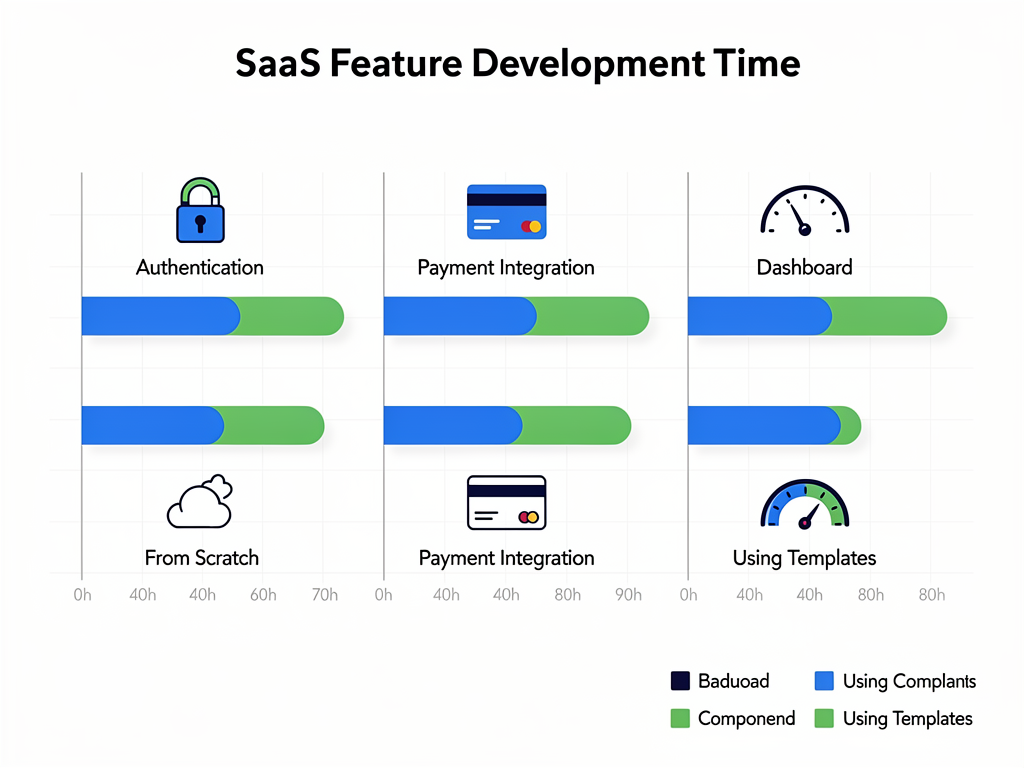
- Authentication complexity alone justifies using a starter template, with proper implementations requiring 40 to 60 hours of development time for social logins, multi-factor authentication, and session management.
- Production-ready templates must include accessibility features from day one, as retrofitting WCAG AA compliance into an existing codebase is expensive and disruptive to ongoing development.
- The App Router and React Server Components are now non-negotiable for any serious Next.js SaaS template in 2026, with legacy Pages Router templates representing outdated architectural decisions.
- Design token systems separate professional templates from demo-quality code, enabling rapid rebranding and automatic dark mode support across all components.
- Multi-tenancy support varies dramatically between templates, with some offering complete organization management while others require significant custom development.
- Stripe integration quality matters more than mere presence, with production-ready implementations including customer portals, webhook handling, and subscription lifecycle management.
Understanding the Modern Next.js SaaS Architecture
The architecture of a modern Next.js application in 2026 looks fundamentally different from what developers built even two years ago. The introduction of the App Router brought with it a paradigm shift in how we think about data fetching, component rendering, and server-side logic. A quality Next.js boilerplate must embrace these changes fully rather than attempting to retrofit old patterns onto new infrastructure.
React Server Components represent perhaps the most significant architectural change. These components render entirely on the server, sending only the resulting HTML to the client. This approach dramatically reduces JavaScript bundle sizes, improves initial page load performance, and enables direct database access from components without exposing sensitive credentials to the browser. Any starter template that does not leverage Server Components extensively is already outdated.
The file-based routing system in the App Router introduces new conventions that experienced developers must understand. Layouts persist across route changes, loading states can be defined at any level of the route hierarchy, and error boundaries provide granular control over failure handling. A well-designed template demonstrates these patterns through practical implementation rather than leaving developers to discover them through trial and error.
Server Actions have emerged as the preferred method for handling form submissions and data mutations. These functions execute on the server but can be called directly from client components, eliminating the need for separate API routes in many cases. Templates that still rely heavily on traditional API routes for simple CRUD operations are not taking full advantage of the framework's capabilities.
Authentication: The Foundation of Every SaaS Application
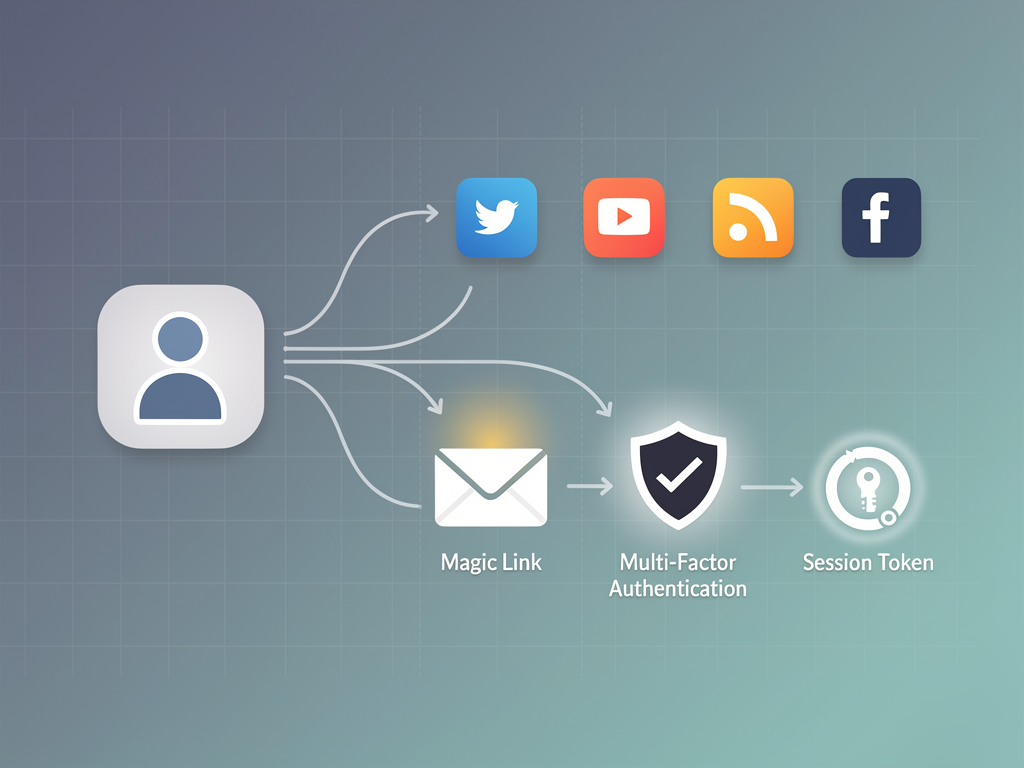
Authentication represents the single most complex feature that every SaaS application requires. The surface area of a complete authentication system extends far beyond a simple login form. Users expect social login options with providers like Google, GitHub, and Microsoft. They expect magic link authentication for passwordless access. They expect multi-factor authentication for enhanced security. They expect password reset flows that work reliably. They expect session management that persists appropriately across devices.
Implementing authentication correctly requires understanding security considerations that most developers encounter only occasionally. Password hashing algorithms must be chosen carefully. Session tokens must be generated with sufficient entropy. CSRF protection must be implemented consistently. Rate limiting must prevent brute force attacks. Each of these requirements represents hours of research and implementation time for developers who are not authentication specialists.
The best starter templates integrate with established authentication providers like Auth.js (formerly NextAuth.js), Clerk, or Supabase Auth. These providers have dedicated security teams that monitor for vulnerabilities and release patches promptly. They handle the complexity of OAuth flows with various providers. They manage session storage and token refresh automatically. A template that attempts to implement authentication from scratch should be viewed with significant skepticism.
Beyond the authentication provider itself, a complete template must include all the user interface components that surround authentication. Sign-in pages, sign-up pages, password reset flows, email verification screens, and account settings panels all require careful design and implementation. These pages must handle loading states gracefully, display error messages clearly, and maintain accessibility standards throughout.
Payment Integration and Subscription Management
Revenue collection is the lifeblood of any SaaS business, and payment integration complexity has only increased as customer expectations have evolved. A SaaS boilerplate must handle not just initial payment collection but the entire subscription lifecycle. Customers upgrade plans, downgrade plans, pause subscriptions, cancel and reactivate, dispute charges, and request refunds. Each of these scenarios requires specific handling in both the payment processor and your application's database.
Stripe remains the dominant payment processor for SaaS applications in the United States, and for good reason. Their API is well-documented, their webhook system is reliable, and their customer portal handles many subscription management tasks automatically. However, integrating Stripe properly requires understanding concepts like idempotency keys, webhook signature verification, and the distinction between payment intents and subscriptions.
Webhook handling deserves particular attention because it represents a common failure point in SaaS applications. When a customer's payment fails, Stripe sends a webhook notification. When a subscription renews successfully, Stripe sends a webhook notification. When a customer updates their payment method through the customer portal, Stripe sends a webhook notification. Your application must handle all of these events reliably, updating user permissions and access levels accordingly.
A production-ready template includes webhook handlers for all common Stripe events, database schema updates that reflect subscription status changes, and middleware that restricts access to premium features based on current subscription status. The pricing page should be dynamically generated from your Stripe product configuration, ensuring that prices displayed to customers always match what they will actually be charged.
Alternative payment processors like Lemon Squeezy and Polar have gained popularity among indie developers for their simplified merchant of record model. These services handle tax collection and compliance automatically, which can be particularly valuable for solo founders who do not want to navigate international tax law. Some templates now support multiple payment providers, allowing developers to choose based on their specific business requirements.
Database Architecture and ORM Selection
Database decisions made at the beginning of a project tend to persist throughout its lifetime, making the choice of database and ORM particularly consequential. PostgreSQL has emerged as the clear winner for most SaaS applications, offering the relational structure that business data typically requires while also supporting JSON columns for semi-structured data when needed.
The ORM landscape for Next.js applications has consolidated around two primary options: Prisma and Drizzle. Prisma offers an excellent developer experience with its schema-first approach, automatic migrations, and generated TypeScript types. Drizzle provides a more SQL-like syntax that appeals to developers who prefer staying closer to the underlying database operations. Both are excellent choices, and the best templates support one or both.
Database hosting has become increasingly commoditized, with services like Neon, PlanetScale, and Supabase offering generous free tiers and straightforward scaling paths. A well-designed template should work with any of these providers without requiring significant configuration changes. Connection pooling, which is essential for serverless deployments, should be configured by default.
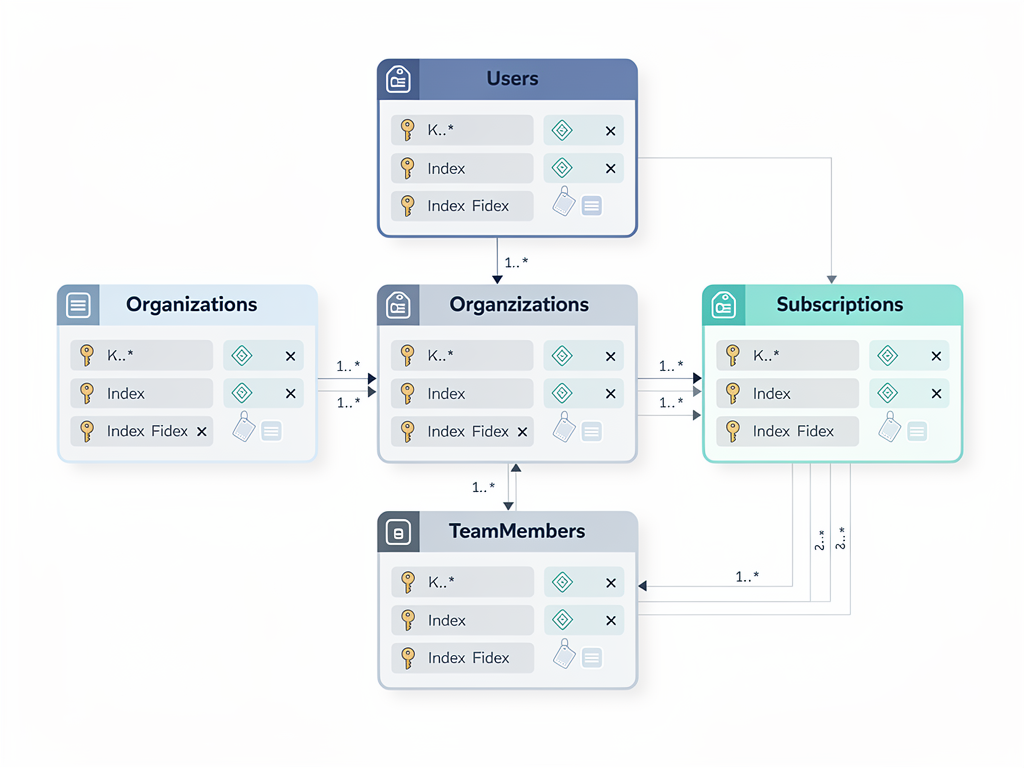
Schema design within the template matters significantly. A SaaS application needs tables for users, organizations (for multi-tenant applications), subscriptions, and whatever domain-specific data the application manages. The relationships between these tables, the indexes that support common queries, and the constraints that enforce data integrity all represent decisions that are easier to make correctly at the beginning than to fix later.
Multi-Tenancy and Organization Management
Most B2B SaaS applications require some form of multi-tenancy, where multiple organizations use the same application instance while keeping their data completely isolated. Implementing multi-tenancy correctly is surprisingly complex, and mistakes can lead to data leakage between customers, which represents both a security vulnerability and a potential legal liability.
The simplest form of multi-tenancy uses a tenant identifier column on every table that contains customer data. Every database query must filter by this identifier, and forgetting to include the filter in even one query can expose data to unauthorized users. More sophisticated approaches use row-level security policies at the database level, ensuring that the database itself enforces tenant isolation regardless of application code errors.
Organization management features extend beyond simple data isolation. Team members need to be invited to organizations. Roles and permissions need to be assigned and enforced. Organization owners need the ability to remove members, transfer ownership, and delete the organization entirely. Each of these features requires both backend logic and user interface components.
A SaaS starter kit with robust multi-tenancy support saves enormous development time. The data model is already designed correctly. The authorization checks are already implemented. The invitation flow, including email notifications and acceptance handling, already works. Developers can focus on building their actual product rather than reinventing organization management for the hundredth time.
Dashboard Components and Data Visualization
Every SaaS application needs a dashboard, and the quality of dashboard components in a starter template directly impacts how quickly you can build useful interfaces for your users. Stat cards that display key metrics, data tables that handle sorting and pagination, charts that visualize trends over time, and activity feeds that show recent events are all standard dashboard elements that should not require custom development.
Data tables deserve particular attention because they appear on nearly every page of a typical SaaS application. A production-quality data table component handles server-side pagination for large datasets, column sorting with appropriate database queries, filtering and search functionality, row selection for bulk operations, and responsive behavior on mobile devices. Building such a component from scratch requires significant investment.
Chart libraries have matured significantly, with options like Recharts and Tremor providing React-native implementations that integrate smoothly with Next.js applications. A good template includes pre-configured chart components that match the overall design system, making it straightforward to add visualizations without wrestling with library configuration.
The app shell, meaning the overall layout with navigation, header, and content area, establishes the visual framework for the entire application. Sidebar navigation should support nested items, collapsible sections, and clear indication of the current location. The header should include user menu, notification indicators, and responsive behavior that works well on both desktop and mobile devices.
Accessibility: A Non-Negotiable Requirement
Accessibility compliance has transitioned from a nice-to-have feature to a legal and ethical requirement for SaaS applications. The Americans with Disabilities Act applies to web applications, and lawsuits against inaccessible websites have increased dramatically. Beyond legal compliance, accessible applications simply work better for everyone, including users with temporary impairments, users in challenging environments, and users who prefer keyboard navigation.
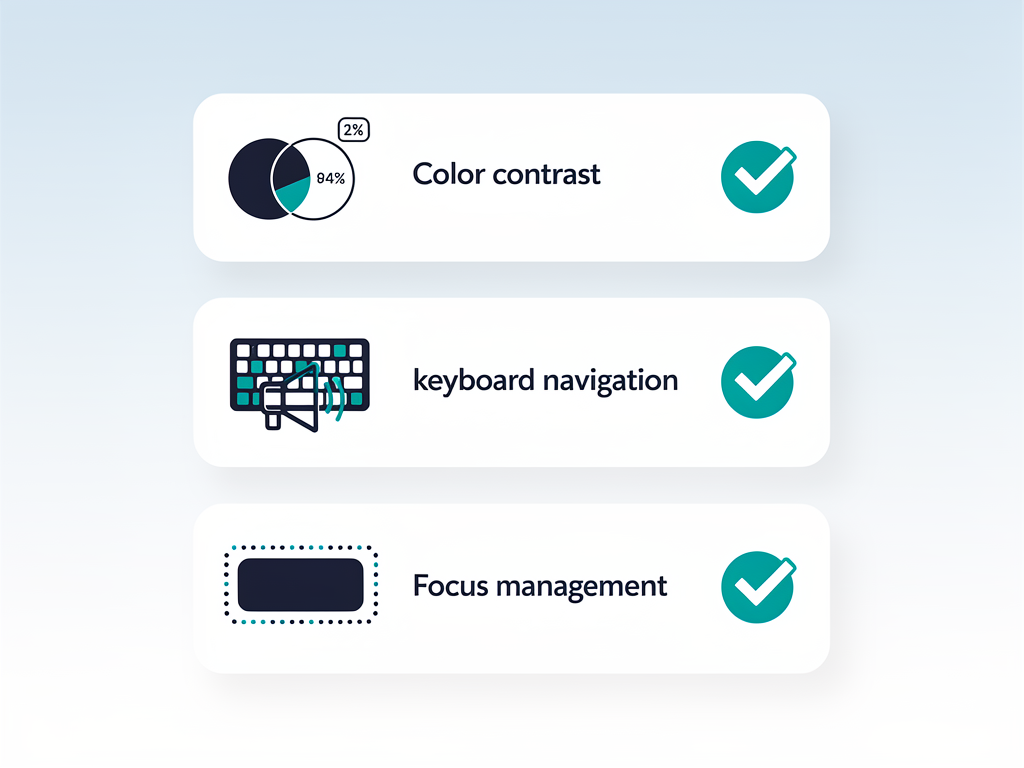
WCAG AA compliance requires attention to numerous details that are easy to overlook during rapid development. Color contrast ratios must meet minimum thresholds in both light and dark modes. Interactive elements must be reachable and operable via keyboard alone. Form fields must have associated labels that screen readers can announce. Error messages must be programmatically associated with the fields they describe.
Focus management represents a particularly challenging aspect of accessibility in single-page applications. When a user submits a form and an error occurs, focus should move to the first field with an error. When a modal opens, focus should move into the modal and remain trapped there until the modal closes. When the modal closes, focus should return to the element that triggered it. These behaviors require explicit implementation.
The best starter templates build accessibility into their component library from the foundation. They use semantic HTML elements rather than divs styled to look like buttons. They include proper ARIA attributes where semantic HTML is insufficient. They provide visible focus indicators that meet contrast requirements. They announce dynamic content changes to screen readers. Retrofitting these features into an existing codebase is expensive and error-prone.
Design Systems and Theming Infrastructure
A design system provides consistency across an application while enabling rapid development of new features. The best Next.js SaaS template implementations use design tokens, which are named values for colors, spacing, typography, and other visual properties, rather than hard-coded values scattered throughout component files.
Design tokens enable several valuable capabilities. Rebranding becomes a matter of updating token values rather than searching through dozens of files. Dark mode implementation becomes automatic when components reference tokens that have different values in light and dark contexts. Consistency is enforced because developers choose from a predefined palette rather than inventing new values.
The shadcn/ui component library has become the de facto standard for Next.js applications in 2026. Unlike traditional component libraries that you install as dependencies, shadcn/ui provides copy-paste components that you own and can modify freely. These components are built on Radix UI primitives, which handle accessibility concerns, while Tailwind CSS provides styling flexibility.
A template built on shadcn/ui patterns integrates smoothly with the broader ecosystem. Developers can add additional shadcn components as needed without worrying about style conflicts. The patterns feel familiar to anyone who has worked with shadcn/ui before. The components can be customized without fighting against library constraints.
Typography deserves specific attention within the design system. Font choices, size scales, line heights, and letter spacing all contribute to readability and visual appeal. A well-designed template includes a complete typography system with headings, body text, labels, and other text styles that work harmoniously together.
Email Infrastructure and Transactional Messaging
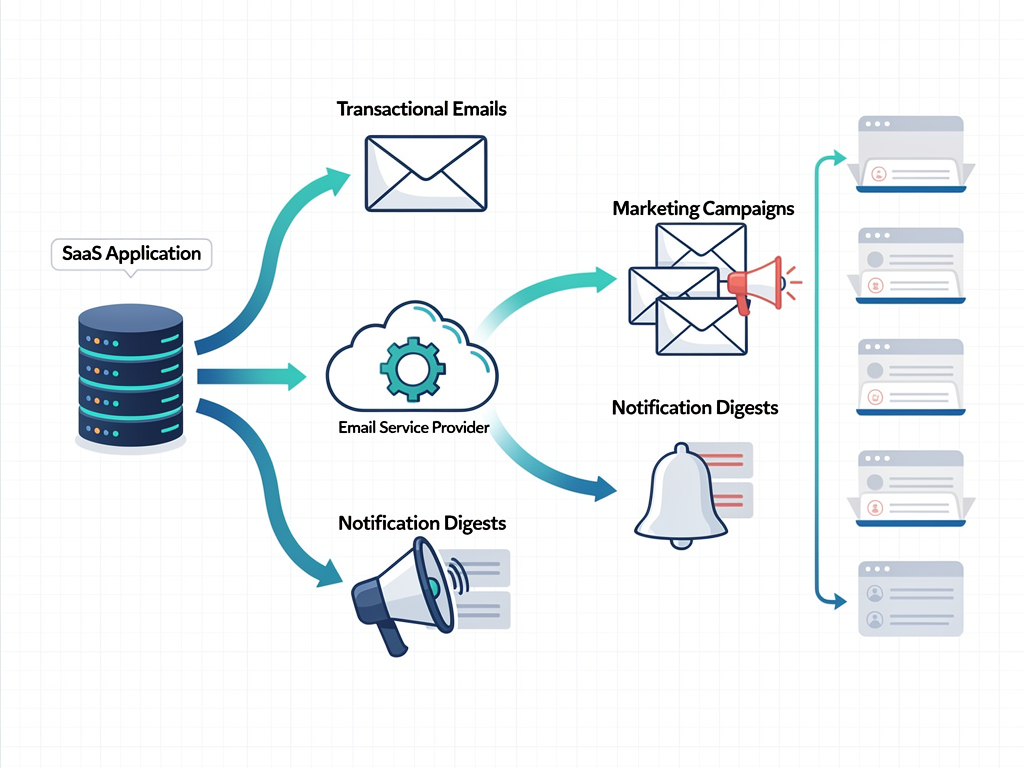
SaaS applications send email constantly. Welcome emails when users sign up. Password reset emails when users forget credentials. Invoice emails when payments process. Notification emails when important events occur. Team invitation emails when organization members are added. Each of these emails requires both reliable delivery infrastructure and well-designed templates.
Transactional email providers like Resend, SendGrid, and Postmark specialize in ensuring that important emails reach their recipients. They manage sender reputation, handle bounce processing, and provide delivery analytics. A production-ready starter template should integrate with at least one of these providers, with configuration that allows switching providers without code changes.
Email template design presents unique challenges because email clients render HTML inconsistently. Techniques that work in modern browsers often fail in Outlook or Gmail. The React Email library has emerged as a popular solution, allowing developers to write email templates using familiar React components while generating compatible HTML output.
Beyond transactional emails, many SaaS applications need email marketing capabilities. Newsletter distribution, drip campaigns, and promotional announcements all require different infrastructure than transactional messages. Some templates now include basic email marketing features, including audience management and campaign creation, that can replace external services for simpler use cases.
Analytics and User Behavior Tracking
Understanding how users interact with your application is essential for making informed product decisions. Analytics infrastructure should be built into your application from the beginning, capturing events that will inform future development priorities. Retrofitting analytics into an existing application means missing historical data that could have guided earlier decisions.
Privacy regulations like GDPR and CCPA have complicated analytics implementation. Users must be informed about data collection. Consent must be obtained before tracking in many jurisdictions. Data must be handled according to stated privacy policies. A well-designed template includes consent management infrastructure that allows compliant analytics implementation.
First-party analytics have gained popularity as third-party cookies face increasing restrictions. Services like Plausible, Fathom, and Umami provide privacy-focused analytics that do not require cookie consent banners in most jurisdictions. Some templates include built-in analytics dashboards that track page views, user sessions, and custom events without external dependencies.
Product analytics differ from website analytics in important ways. While website analytics focus on page views and traffic sources, product analytics track feature usage, user journeys, and engagement patterns. Tools like PostHog and Mixpanel specialize in product analytics, and integration with these services should be straightforward in a well-designed template.
Content Management and Marketing Pages
Every SaaS application needs marketing pages: a homepage that explains the product, a pricing page that presents plan options, a blog that supports content marketing, and documentation that helps users succeed. The approach to managing this content varies significantly between templates and represents an important evaluation criterion.
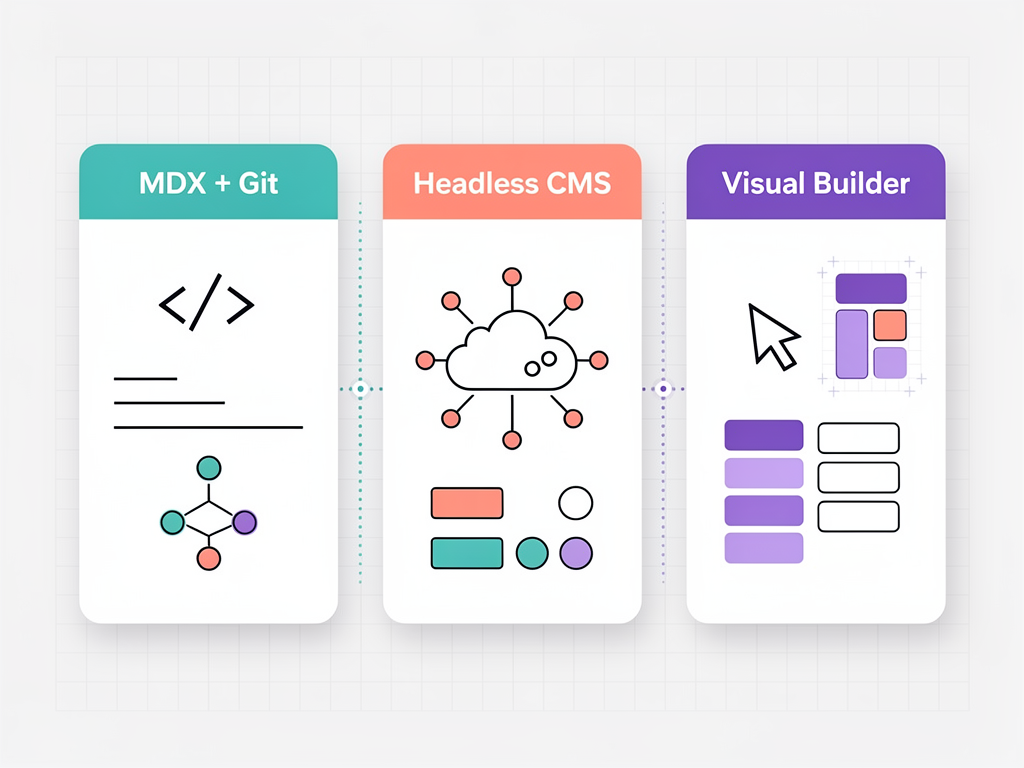
The simplest approach uses MDX files stored in the repository. Developers write content in Markdown with embedded React components, and the build process generates static pages. This approach works well for developer-focused products where the people writing content are comfortable with Git workflows. It fails when marketing team members or content writers need to update pages without developer involvement.
Headless CMS integration provides a middle ground. Services like Sanity, Contentful, and Strapi provide content editing interfaces for non-technical users while delivering content through APIs that Next.js can consume. A template with headless CMS integration allows marketing teams to update content independently while developers maintain control over presentation.
Visual page builders represent the most flexible approach, allowing non-developers to create and modify pages through drag-and-drop interfaces. Few templates include this capability because it requires significant additional infrastructure. For teams where marketing independence is essential, evaluating templates with visual builder support may be worthwhile despite the additional complexity.
Internationalization and Localization Support
Expanding to international markets requires internationalization (i18n) support that goes beyond simple text translation. Date formats, number formats, currency displays, and text direction all vary between locales. A template with robust i18n support makes global expansion straightforward rather than requiring architectural changes.
The Next.js App Router includes built-in internationalization support through route segments. URLs can include locale prefixes, and the framework handles locale detection and routing automatically. However, the actual translation management, including loading translation files, interpolating variables, and handling pluralization, requires additional libraries.
Translation management at scale requires tooling beyond simple JSON files. Services like Crowdin and Lokalise provide translation management platforms where professional translators can work efficiently. Integration with these services allows translation updates without code deployments, which becomes essential as the volume of translatable content grows.
Right-to-left (RTL) language support presents additional challenges. Arabic, Hebrew, and other RTL languages require layout mirroring, where elements that appear on the left in English appear on the right in RTL languages. A template with proper RTL support handles this mirroring automatically through CSS logical properties and appropriate component design.
Developer Experience and Tooling
The developer experience provided by a starter template affects productivity throughout the project lifecycle. TypeScript configuration should be strict enough to catch errors early without being so restrictive that it impedes rapid development. ESLint rules should enforce consistency without generating noise. Prettier should handle formatting automatically so developers never argue about code style.
Testing infrastructure should be configured and ready to use. Unit tests with Jest or Vitest, component tests with React Testing Library, and end-to-end tests with Playwright or Cypress all serve different purposes and should all be available. A template that includes example tests demonstrates expected patterns and makes it easy to add coverage for new features.
Development environment setup should be documented and automated. Environment variable management, database seeding, and local service dependencies should all be handled through scripts that new team members can run immediately. The time from cloning the repository to running the application locally should be measured in minutes, not hours.
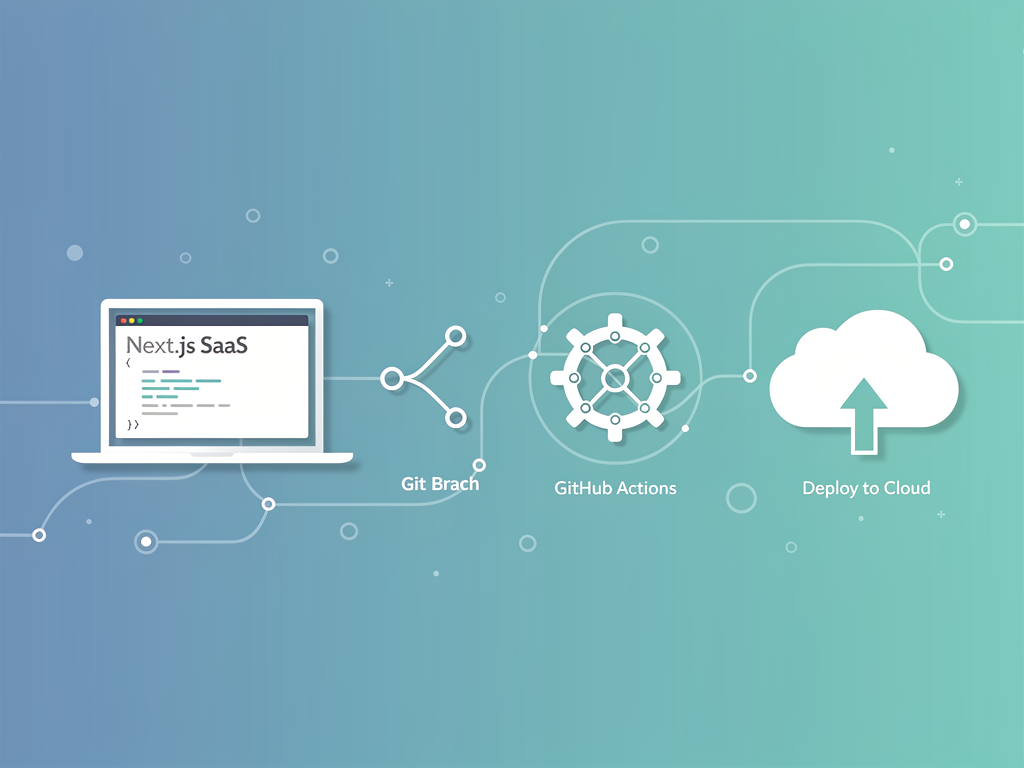
Deployment configuration for major platforms should be included. Vercel remains the most popular deployment target for Next.js applications, but some teams prefer alternatives like AWS, Railway, or self-hosted infrastructure. A well-designed template includes deployment configurations for multiple platforms, allowing teams to choose based on their specific requirements.
Security Considerations and Best Practices
Security vulnerabilities in SaaS applications can destroy businesses. Customer data breaches lead to legal liability, regulatory penalties, and reputation damage that may be impossible to recover from. A starter template must implement security best practices by default rather than leaving them as exercises for the developer.
Input validation should occur on both client and server. Client-side validation provides immediate feedback to users, but server-side validation is the actual security boundary. Libraries like Zod provide schema validation that works on both client and server, ensuring consistent validation rules throughout the application.
SQL injection remains a common vulnerability despite decades of awareness. ORMs like Prisma and Drizzle parameterize queries automatically, but raw SQL queries, when necessary, must be handled carefully. A template should demonstrate safe patterns for any raw database access it includes.
Cross-site scripting (XSS) vulnerabilities arise when user input is rendered without proper escaping. React's JSX syntax escapes content by default, but dangerouslySetInnerHTML and similar escape hatches require careful handling. A template should avoid these patterns where possible and demonstrate safe usage where necessary.
Rate limiting protects against brute force attacks and denial of service attempts. Login endpoints, password reset endpoints, and API endpoints that perform expensive operations should all be rate limited. A production-ready template includes rate limiting middleware that can be configured for different endpoints.
Security headers like Content-Security-Policy, X-Frame-Options, and Strict-Transport-Security provide defense in depth against various attack vectors. Next.js configuration should include appropriate security headers, and the template should document how to customize them for specific requirements.
Performance Optimization Strategies
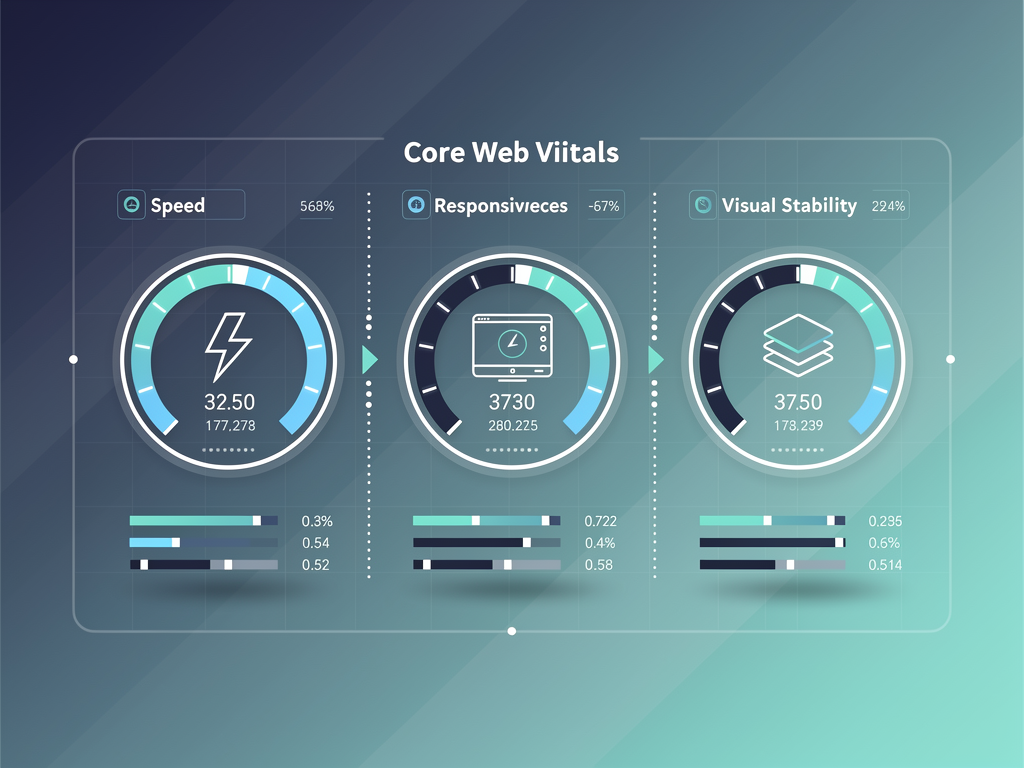
Performance directly impacts user experience and conversion rates. Studies consistently show that slower applications have higher bounce rates and lower engagement. Next.js provides excellent performance capabilities, but realizing those capabilities requires correct implementation patterns.
Server Components should be the default choice for components that do not require client-side interactivity. They render on the server, send only HTML to the client, and never increase the JavaScript bundle size. A well-designed template uses Server Components extensively, adding the "use client" directive only where genuinely necessary.
Image optimization through the Next.js Image component provides automatic resizing, format conversion, and lazy loading. A template should use this component consistently rather than standard img tags. The configuration should include appropriate device sizes and image quality settings for the expected use cases.
Code splitting happens automatically in Next.js at the route level, but additional splitting for large components can improve initial load times. Dynamic imports with next/dynamic allow components to load only when needed. A template should demonstrate this pattern for components like rich text editors or chart libraries that add significant bundle weight.
Caching strategies vary based on data characteristics. Static content can be cached aggressively at the CDN level. Dynamic content may benefit from stale-while-revalidate patterns. User-specific content typically cannot be cached at all. A template should demonstrate appropriate caching for different types of content.
Evaluating Template Quality: A Practical Checklist
With dozens of Next.js SaaS templates available, systematic evaluation helps identify the best options for specific requirements. The following checklist covers the most important criteria, weighted by their impact on long-term development success.
| Category | Essential Features | Nice to Have |
|---|---|---|
| Architecture | App Router, Server Components, TypeScript strict mode | Monorepo support, microservices patterns |
| Authentication | Social login, magic links, password reset, session management | MFA, passkeys, enterprise SSO |
| Payments | Stripe subscriptions, webhook handling, customer portal | Multiple payment providers, usage-based billing |
| Database | PostgreSQL, type-safe ORM, migrations | Multi-database support, read replicas |
| Multi-tenancy | Organization model, team invitations, role-based access | Row-level security, custom domains per tenant |
| Accessibility | WCAG AA compliance, keyboard navigation, screen reader support | WCAG AAA compliance, accessibility testing automation |
| Design System | Design tokens, dark mode, shadcn/ui compatibility | Figma kit, component documentation |
| Transactional email integration, React Email templates | Email marketing, audience management | |
| Analytics | Privacy-compliant tracking, event capture | Built-in analytics dashboard, A/B testing |
| Content | Blog system, documentation pages | Headless CMS integration, visual page builder |
Documentation quality serves as a proxy for overall template quality. Templates with comprehensive documentation, including architecture explanations, customization guides, and deployment instructions, tend to be better maintained and more thoughtfully designed than those with minimal documentation.
Community activity indicates ongoing maintenance and support. GitHub stars provide a rough popularity measure, but issue response time and commit frequency better indicate whether the template is actively maintained. A template that has not been updated in six months may not support the latest Next.js features or security patches.
Licensing terms matter for commercial applications. Some templates use permissive licenses that allow unlimited commercial use. Others restrict the number of projects or require attribution. Enterprise teams should verify that licensing terms align with their intended use before committing to a template.
Common Pitfalls When Choosing a Starter Template
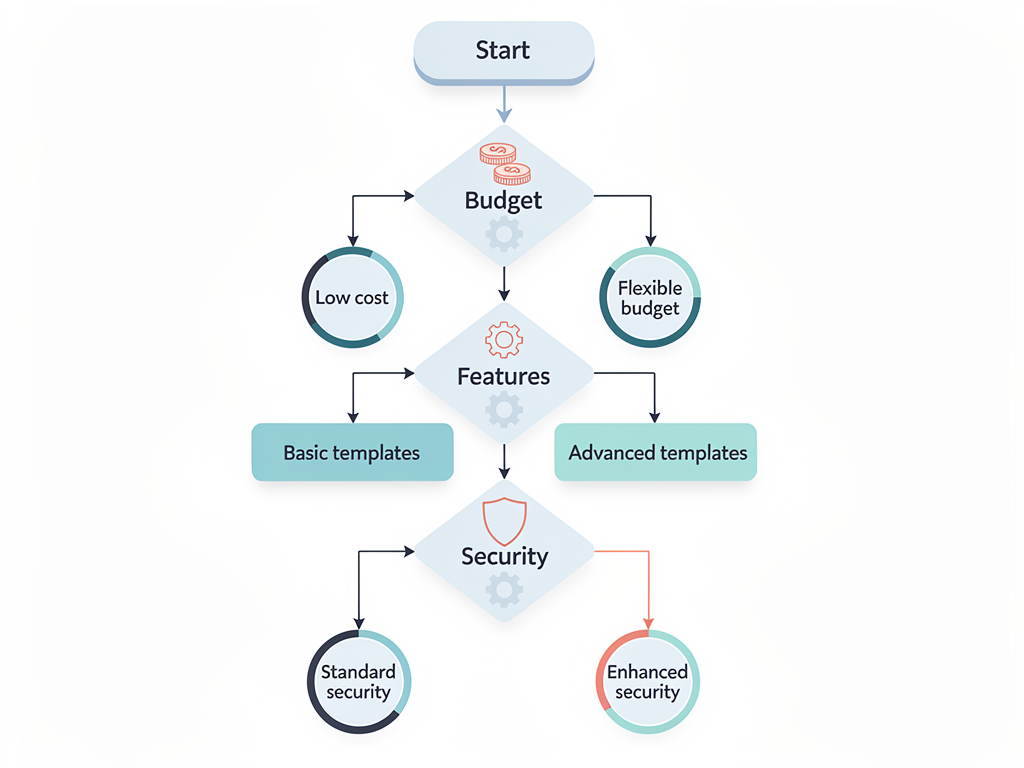
Several common mistakes lead developers to choose templates that ultimately slow them down rather than accelerating their progress. Awareness of these pitfalls helps avoid costly missteps.
Prioritizing feature count over feature quality leads to templates that technically include many capabilities but implement none of them well. A template with excellent authentication and payments is more valuable than one with mediocre implementations of authentication, payments, analytics, email marketing, and a dozen other features.
Ignoring accessibility because "we'll add it later" almost always results in accessibility never being added. The cost of retrofitting accessibility increases as the codebase grows. Templates that do not include accessibility from the beginning should be avoided unless you are prepared to invest significant effort in remediation.
Choosing based on demo appearance rather than code quality is a common trap. Beautiful demos can hide poorly structured code, missing error handling, and security vulnerabilities. Reviewing the actual source code, or at least reading detailed reviews from developers who have used the template in production, provides better insight than demo screenshots.
Underestimating the importance of documentation leads to frustration when customization is required. Every project eventually needs to modify template behavior, and without clear documentation, developers waste hours reading source code to understand how components interact. Good documentation pays dividends throughout the project lifecycle.
Pro Tip: Before committing to a template, try building one non-trivial feature on top of it. This exercise reveals friction points that are not apparent from documentation review alone. If adding a simple feature requires understanding the entire codebase, the template may not be as well-organized as it appears.
The Economics of Build Versus Buy
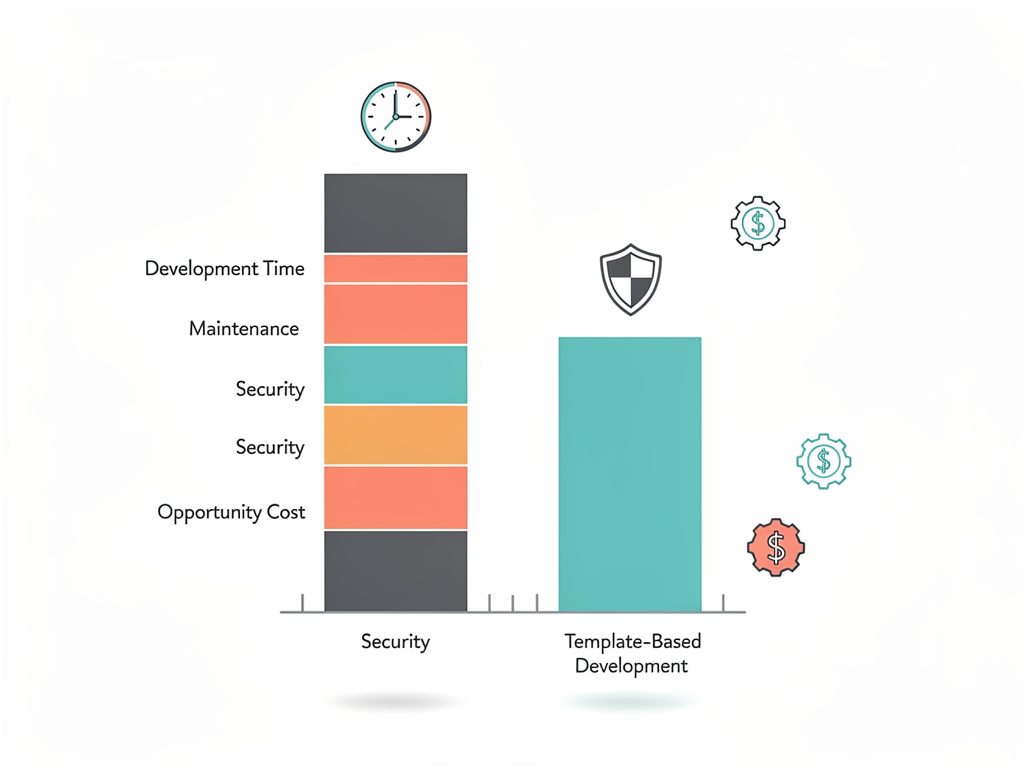
The decision to use a starter template involves economic tradeoffs that extend beyond the template's purchase price. Understanding these tradeoffs helps justify the investment to stakeholders and ensures appropriate expectations about what the template provides.
Developer time represents the largest cost in most software projects. A senior developer in the United States costs $150,000 to $250,000 annually in total compensation, translating to roughly $75 to $125 per hour. Authentication implementation alone requires 40 to 60 hours, representing $3,000 to $7,500 in developer time. Payment integration adds another 30 to 50 hours. Dashboard components add 60 to 80 hours. The total investment to build these features from scratch easily exceeds $15,000 in developer time.
Premium templates typically cost between $100 and $600, with some enterprise options reaching $1,500. Even at the high end, the cost represents a tiny fraction of the developer time saved. The economic case for using a quality template is overwhelming for any team that values developer productivity.
Opportunity cost adds another dimension to the calculation. Time spent building authentication infrastructure is time not spent building features that differentiate your product. Faster time to market can mean the difference between capturing a market opportunity and arriving after competitors have established themselves.
Maintenance costs persist throughout the application lifecycle. A well-maintained template receives security updates, compatibility fixes, and feature additions that you benefit from without additional development investment. Building from scratch means accepting full responsibility for ongoing maintenance.
Conclusion
Selecting the right Next.js starter template represents one of the most impactful decisions in the early stages of SaaS development. The best templates provide production-ready implementations of authentication, payments, multi-tenancy, and dozens of other features that would require months of development time to build from scratch. They establish architectural patterns that scale with your application and enforce best practices that prevent common mistakes.
The Next.js ecosystem in 2026 offers excellent options across the price spectrum, from free open-source starters to premium templates with extensive feature sets. The key is matching template capabilities to your specific requirements rather than simply choosing the most popular or most expensive option. A template optimized for B2B SaaS with complex multi-tenancy requirements differs significantly from one designed for consumer applications with simpler user models.
Investing time in thorough template evaluation pays dividends throughout the project lifecycle. Review documentation carefully. Examine source code for quality indicators. Test customization workflows before committing. Consider the template maintainer's track record and community engagement. These evaluation steps take hours but can save months of development time and frustration.
The SaaS template market continues to evolve rapidly, with new options appearing regularly and existing templates adding capabilities. Staying informed about developments in this space helps ensure that your technology choices remain current and that you can take advantage of improvements as they become available.
Frequently Asked Questions
How much time does a Next.js starter template actually save compared to building from scratch?
The time savings depend on the template's feature completeness and your team's experience with the included technologies. For a typical SaaS application requiring authentication, payments, multi-tenancy, and dashboard components, building from scratch requires approximately 400 to 600 hours of development time. This estimate includes research, implementation, testing, and the inevitable debugging of edge cases that only surface in production. A comprehensive starter template reduces this to perhaps 40 to 80 hours of customization and integration work, representing a 5x to 10x productivity improvement. The savings are most dramatic for features like authentication and payment integration, where security considerations require careful implementation that templates have already validated. Teams with less experience in these areas see even greater relative savings because the template embodies expertise they would otherwise need to acquire through trial and error.
Should I choose a free open-source template or invest in a premium option?
The choice between free and premium templates depends on your specific requirements and constraints. Free templates like the official Next.js SaaS starter or the T3 Stack provide excellent foundations with authentication, database integration, and basic structure. They work well for developers who are comfortable extending and customizing the base implementation. Premium templates typically include more complete feature sets, better documentation, dedicated support channels, and ongoing updates. They make sense when time-to-market is critical, when your team lacks deep expertise in areas like payment integration or multi-tenancy, or when the cost of the template is trivial compared to developer salaries. For a funded startup where developer time costs $100 or more per hour, a $300 template that saves even three hours of development time has already paid for itself. Solo developers with more time than money may prefer free options and accept the additional customization work.
How do I evaluate whether a template will scale with my application as it grows?
Scalability evaluation requires examining both architectural decisions and practical implementation details. At the architectural level, look for Server Components as the default rendering approach, proper separation between server and client code, and database access patterns that support connection pooling for serverless deployments. Check whether the template uses a proper ORM with migration support, as raw SQL queries become maintenance nightmares at scale. Examine the multi-tenancy implementation if your application requires it, ensuring that tenant isolation is enforced at the database level rather than relying solely on application code. Review the authentication implementation for session management that works across multiple server instances. Look at the deployment configuration for evidence that the template has been used in production environments with real traffic. Templates maintained by teams with production SaaS experience tend to make better scalability decisions than those created primarily as learning exercises or portfolio pieces.
What should I look for in template documentation and support?
Documentation quality directly correlates with development velocity once you move beyond the template's default configuration. Essential documentation includes architecture overviews that explain how components interact, step-by-step guides for common customizations, environment variable references with clear explanations of each setting, and deployment guides for major platforms. Look for troubleshooting sections that address common issues, as these indicate the maintainer has real-world experience with the template in production. Support options vary significantly between templates. Some offer Discord communities where you can get help from other users. Premium templates often include direct support from the maintainers, which can be invaluable when you encounter issues that documentation does not address. Check response times in public support channels before purchasing. A template with excellent features but unresponsive support can leave you stuck at critical moments. Also consider the template's update frequency and changelog quality, as these indicate ongoing maintenance commitment.
How important is shadcn/ui compatibility when choosing a Next.js SaaS template?
The shadcn/ui ecosystem has become the dominant component pattern for Next.js applications in 2026, making compatibility increasingly important. Templates built on shadcn/ui patterns allow you to add components from the extensive shadcn library without style conflicts or integration challenges. The components are built on Radix UI primitives, which handle accessibility concerns correctly, while Tailwind CSS provides styling flexibility. Beyond the immediate practical benefits, shadcn/ui compatibility means that developers familiar with this ecosystem can contribute to your project immediately without learning proprietary component patterns. It also means that tutorials, examples, and community resources for shadcn/ui apply directly to your codebase. Templates that use completely custom component libraries may offer unique designs but create friction when extending the application and limit the pool of developers who can work effectively with the code. For most teams, shadcn/ui compatibility should be a strong preference if not an absolute requirement.
Can I switch starter templates after I have already begun development?
Switching templates after development has begun is technically possible but practically expensive. The cost increases dramatically with the amount of code already written on top of the original template. If you have only completed initial setup and configuration, switching may require just a few hours of work to migrate environment variables, database schemas, and basic customizations. Once you have built significant features, switching effectively means rebuilding those features on the new foundation, which may take longer than the original development. The authentication system is particularly difficult to migrate because user sessions, password hashes, and OAuth connections are tightly coupled to specific implementations. Payment integration presents similar challenges with webhook configurations and subscription state. If you are considering a switch, evaluate whether the pain points with your current template can be addressed through targeted fixes rather than wholesale replacement. Sometimes adding a specific library or refactoring a particular component solves the underlying problem more efficiently than starting over with a different template.
Ready to Ship Your SaaS Faster?
Stop spending months building authentication, payments, and dashboard infrastructure from scratch. SaasCore provides a production-ready Next.js foundation with everything you need to launch your SaaS application quickly. With built-in Stripe integration, multi-tenant support, a custom email marketing system, and comprehensive admin panels, you can focus on building the features that make your product unique. Explore the demo and see why SaasCore stands out from other starter templates on the market.
Subscribe to our newsletter
Subscribe to our newsletter and stay up-to-date with the latest news and updates.