Choosing the Best SaaS Starter Kit for Your 2026 Project
Discover how to select the ideal SaaS starter kit for your 2026 project. Learn about cost savings, essential features, and the economic benefits of pre-built solutions over building from scratch.

Zakariae
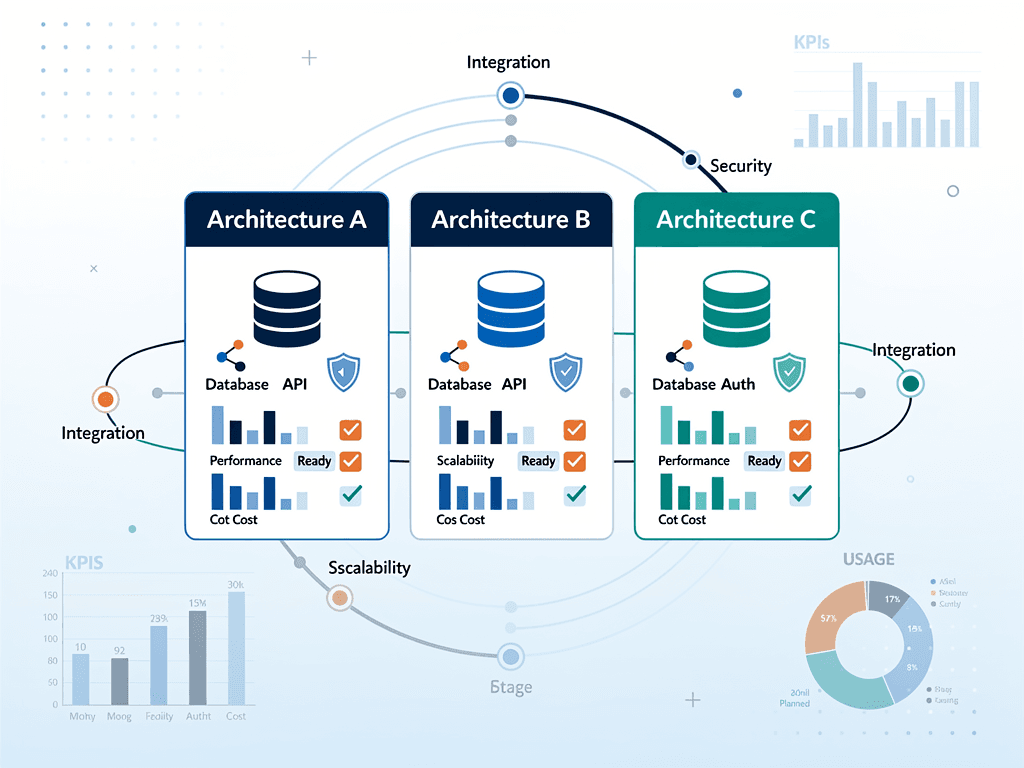
Launching a SaaS product in 2026 presents founders and developers with a critical early decision: should you build your infrastructure from scratch, or should you leverage a pre-built foundation that handles authentication, billing, and user management out of the box? The answer, for most teams, increasingly favors the latter approach. With development costs for senior Next.js developers averaging $150 per hour, the economics of building versus buying have shifted dramatically in favor of starter kits that can save 60 to 150 hours of foundational work.
The challenge lies not in deciding whether to use a saas starter kit, but in selecting the right one for your specific project requirements, team capabilities, and long-term growth trajectory. This comprehensive guide walks you through every consideration that matters, from technical stack alignment to maintainability concerns, helping you make an informed decision that will serve your product for years to come.
Key Takeaways
- Match the kit to your product stage: Pre-validation projects need simplicity, while growth-stage products require architectural quality and maintainability.
- Calculate true cost savings: A $300 starter kit that saves 80 hours of development time costs less than $4 per hour saved, making premium options highly economical.
- Prioritize authentication depth: Modern SaaS products require MFA, passkeys, magic links, OAuth, team management, and role-based access control as baseline features.
- Consider AI development workflows: Starter kits with AI-ready documentation and coding rules accelerate development with tools like Claude Code and Cursor.
- Evaluate billing flexibility: Support for subscriptions, one-time payments, metered billing, and multiple payment providers prevents costly migrations later.
- Assess long-term maintainability: Architecture patterns, update frequency, and documentation quality matter more than feature count for products that will scale.
Understanding the Economics of Build Versus Buy
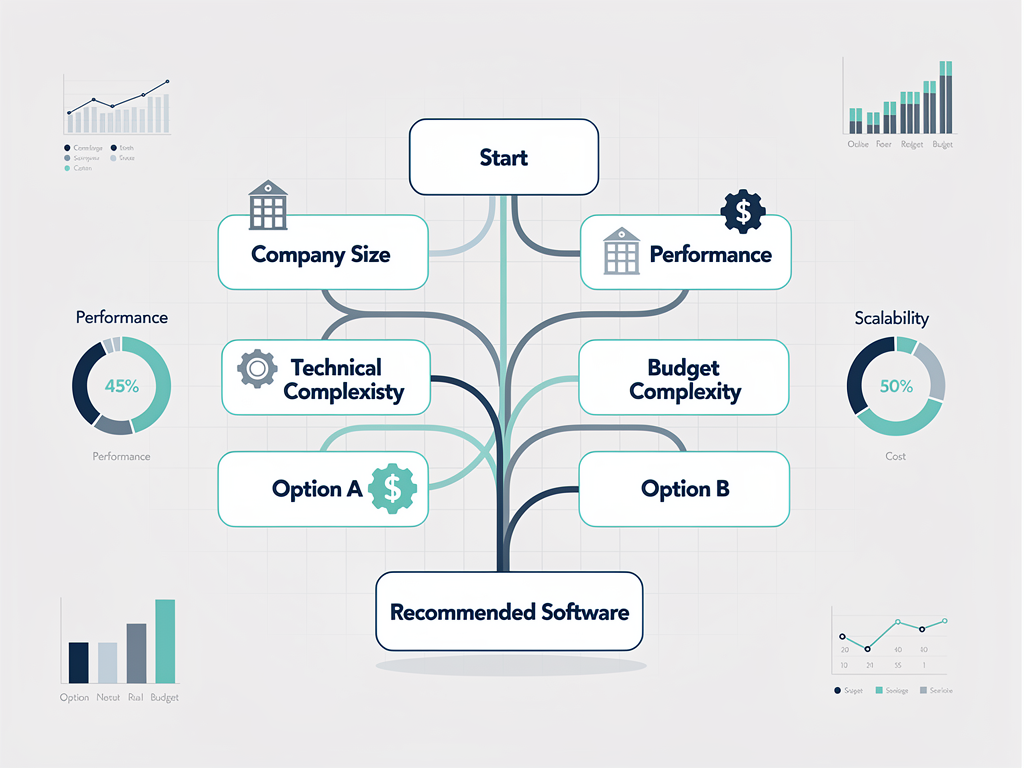
The financial case for using a pre-built foundation has never been stronger. According to recent industry analysis, building a production-ready SaaS infrastructure from scratch costs between $7,500 and $12,000 in developer time when you account for authentication, payment integration, team management, admin dashboards, email systems, and marketing pages. This estimate assumes everything works on the second or third attempt and excludes time spent researching best practices or debugging edge cases.
When you factor in additional requirements like CAPTCHA integration, rate limiting, internationalization, feature flags, onboarding flows, GDPR compliance features, and error tracking, the realistic time investment extends to 80 to 150 hours. At market rates for experienced developers, this translates to $12,000 to $22,500 in development costs before you write a single line of product-specific code.
Premium starter kits typically range from $199 to $499 for lifetime access. Even at the high end, a $499 investment that saves 100 hours of development time costs less than $5 per hour saved. For founders and agencies billing at $150 per hour or more, this represents an extraordinary return on investment. The mathematics become even more compelling when you consider opportunity cost: those 100 hours could instead be spent building features that differentiate your product and generate revenue.
However, the decision involves more than simple arithmetic. Choosing the wrong starter kit can create technical debt that costs far more to remediate than building from scratch would have. The key lies in selecting a foundation that aligns with your specific requirements, technical stack preferences, and growth trajectory.
The Four Critical Questions Before Evaluating Any Kit
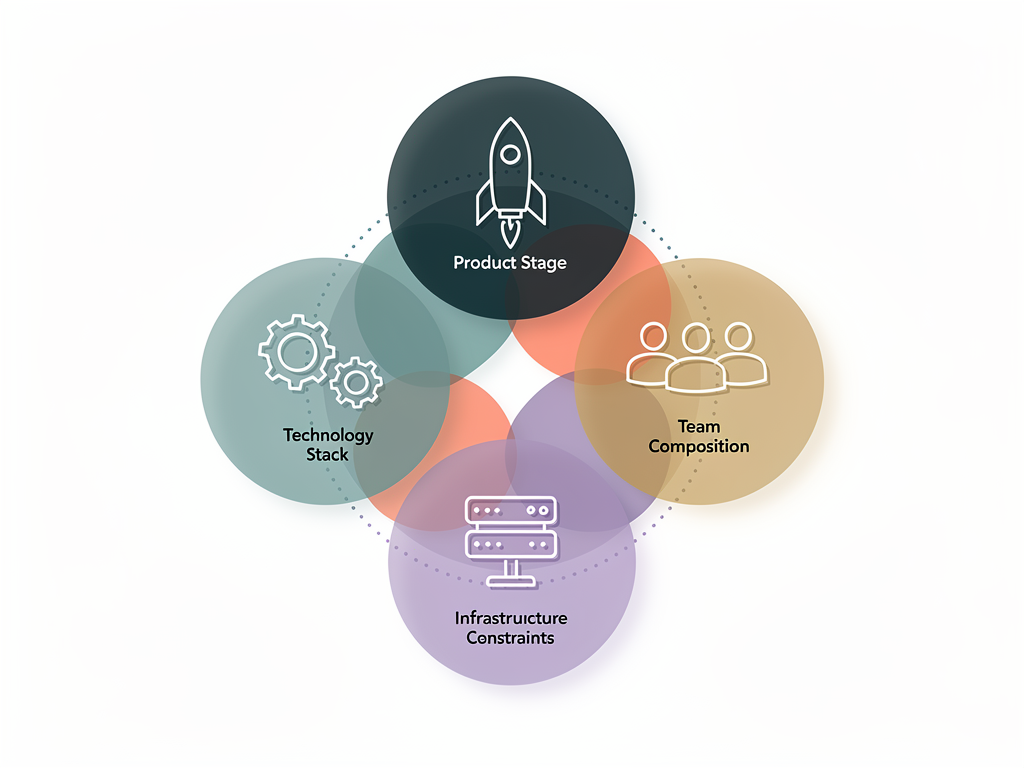
Before examining feature lists or comparing pricing, you must answer four fundamental questions that will narrow your options and clarify your priorities. These questions matter more than star counts, landing page claims, or popularity metrics.
What Stage Is Your Product At?
The ideal starter kit for a pre-validation experiment differs dramatically from the right choice for a growth-stage product with paying customers. At the earliest stages, simplicity and speed to market trump architectural elegance. You need to validate demand before investing in infrastructure that can scale. Conversely, if you have revenue and are rebuilding for growth, architectural quality and maintainability become paramount concerns.
What Does Your Technology Stack Require?
Your existing commitments to authentication providers, databases, ORMs, billing systems, email services, file storage solutions, and deployment targets will immediately eliminate many options. Each additional requirement that a starter kit does not meet represents additional work after you clone the repository. A kit that perfectly matches your stack saves significantly more time than one that requires substantial modification.
What Is the Size and Experience of Your Team?
A solo developer building their first SaaS product has fundamentally different needs than a five-person experienced development team. First-time builders benefit from opinionated choices and comprehensive documentation. Experienced teams may prefer flexibility and the ability to swap components. Team size also affects how much architectural complexity you can reasonably manage and maintain.
What Are Your Infrastructure Limitations?
Deployment constraints, data residency requirements, enterprise compliance needs, and platform preferences (Vercel-only, Docker-only, AWS ecosystem) will quickly limit your viable options. Identifying these constraints early prevents wasted evaluation time on solutions that cannot work within your operational boundaries.
Essential Features Every Production-Ready Kit Must Include
Not every starter kit delivers production-quality infrastructure. Many look impressive in demos but fall apart when you begin building real features. Understanding the baseline requirements helps you quickly identify which options merit deeper evaluation.
Authentication and Authorization
Authentication alone typically requires 12 to 20 hours of development time when built from scratch. A production-ready starter kit must provide email and password authentication, OAuth integration with major providers (Google, GitHub, Microsoft), magic link authentication, password reset flows, email verification, session management, and secure session invalidation. For B2B products, you also need team and organization management, invitation workflows, role-based access control, and potentially single sign-on support.
Modern authentication increasingly requires multi-factor authentication and passkey support. Kits that only provide basic email and password authentication will require significant enhancement for enterprise sales or security-conscious customers.
Payment and Subscription Management
Stripe integration is standard, but implementation quality varies enormously. A complete payment system includes subscription management with upgrade, downgrade, and cancellation flows. It requires webhook handling that properly manages retries and idempotency. Customer portal integration allows users to manage their own billing. Metered billing support enables usage-based pricing models. Some products also benefit from Lemon Squeezy integration for EU-friendly payments or support for one-time purchases alongside subscriptions.
The pricing table component should be highly dynamic and configurable, supporting one-time payments, recurring subscriptions, and hybrid models without requiring code changes. Automatic plan updates via webhooks ensure your application state stays synchronized with Stripe.
Dashboard and Application Shell
The application shell, including sidebar navigation, top bar, user menu, and responsive layout, forms the skeleton of your entire product. Production-quality implementations include active state management, keyboard navigation, collapsible sections, and responsive behavior across all breakpoints. Beyond the shell, you need dashboard components: stat cards, data tables with sorting and filtering, charts for analytics, and activity feeds.
A Next.js SaaS template that provides only a single static page layout does not deliver meaningful time savings. You need flexible, composable components that can adapt to your specific product requirements.
Accessibility: The Feature Most Kits Neglect
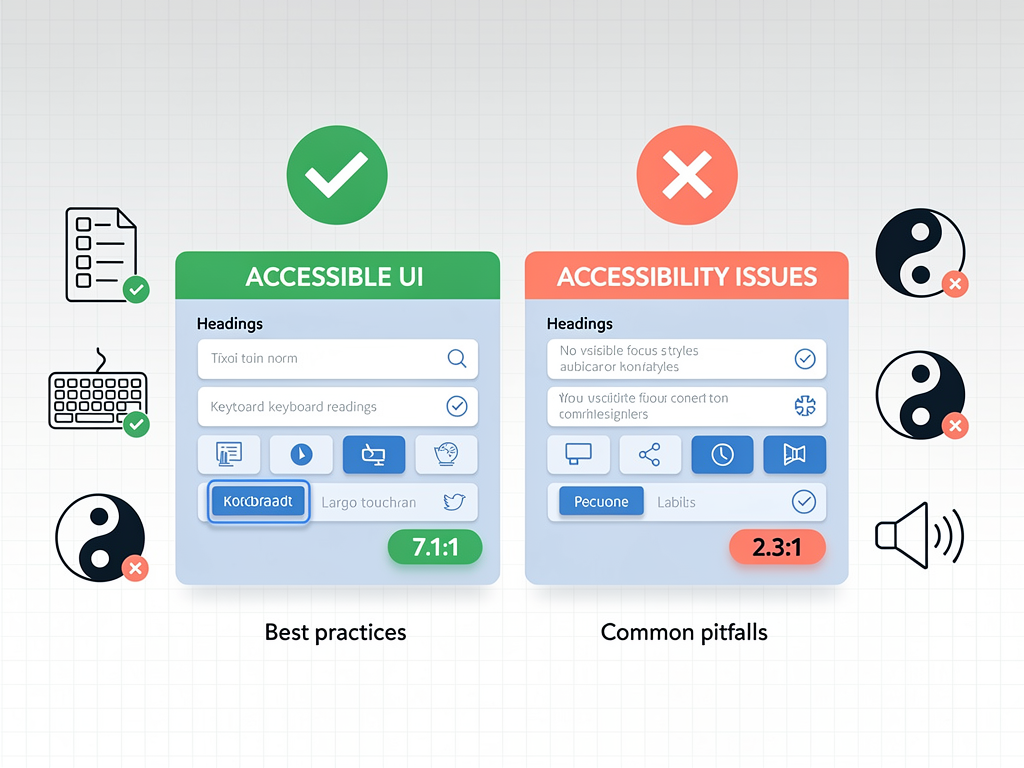
Accessibility compliance represents the most common failure point for starter kits. Many look polished in screenshots but fail basic accessibility requirements that become critical for enterprise sales, legal compliance, and serving users with disabilities. WCAG AA compliance should be your minimum standard, not an afterthought bolted on before closing an enterprise deal.
Production-ready accessibility includes semantic HTML elements (no clickable div elements acting as buttons), proper ARIA attributes with appropriate roles and labels, visible focus rings and complete keyboard navigation, WCAG AA color contrast in both light and dark modes, focus management that moves to the first error on form submission, and screen reader announcements for dynamic content changes.
If a starter kit does not mention accessibility in its documentation, assume it lacks proper implementation. Retrofitting accessibility into an existing codebase is expensive and disruptive, often requiring changes to fundamental component architecture. Choosing an accessible foundation from the start prevents costly remediation later.
The best starter kits build on Radix UI primitives or similar accessible component foundations. These provide unstyled, accessible building blocks that you can customize while maintaining compliance. Compatibility with the shadcn/ui ecosystem has become increasingly important, as this pattern has emerged as the de facto standard for Next.js applications in 2026.
Evaluating Architecture for Long-Term Maintainability
Feature lists tell you what a starter kit can do today. Architecture determines whether you will still want to use it in two years. As your product grows and your team expands, the foundational patterns become either an accelerant or an anchor.
Code Organization and Separation of Concerns
Well-architected starter kits employ layered service patterns that separate business logic from data access and presentation. Repository patterns for database access make it possible to change your data layer without rewriting business logic. Clear boundaries between authentication, billing, and application features allow you to modify one system without cascading changes throughout the codebase.
Examine how the starter kit structures its server actions, API routes, and data fetching. Are there clear patterns you can follow when adding new features? Does the existing code demonstrate best practices for error handling, input validation, and type safety? The answers to these questions predict how pleasant or painful ongoing development will be.
Multi-Tenancy Data Models
For B2B SaaS products, multi-tenancy architecture decisions made at the foundation level have enormous downstream implications. Row-level security policies, organization-scoped data access, and team switching functionality must be built into the core data model. Retrofitting multi-tenancy into a single-tenant architecture often requires a near-complete rewrite.
Evaluate whether the starter kit provides organization and team management as first-class features. Check for proper data isolation between tenants. Understand how the kit handles user membership in multiple organizations and how it manages permissions across organizational boundaries.
Update and Maintenance Patterns
Starter kits are not static products. Dependencies require updates, security vulnerabilities need patching, and framework changes (like Next.js version upgrades) demand adaptation. Evaluate the kit's update history: how frequently does the maintainer release updates? How are breaking changes communicated? Is there a clear upgrade path when new versions release?
Free starters maintained by individual developers become risky as your business grows. Maintenance dependence is real when your revenue relies on up-to-date and secure infrastructure. Premium kits with active development, clear changelogs, and responsive support reduce this risk substantially.
The AI Development Factor: Why Reference Code Matters More Than Ever
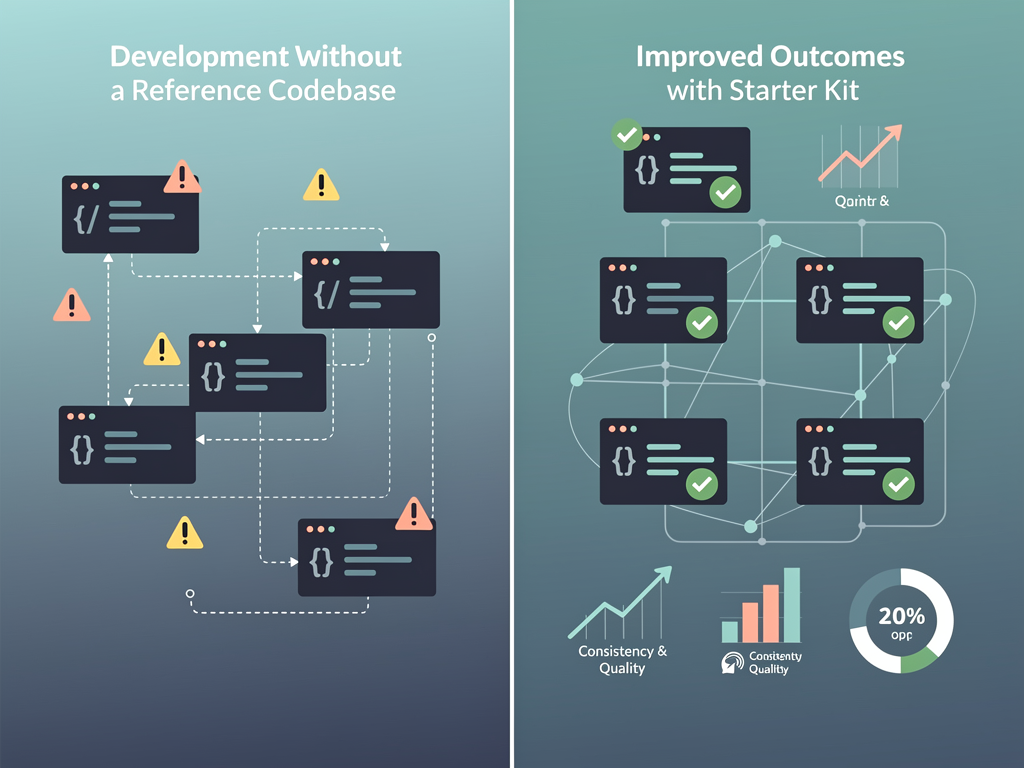
AI coding assistants like Claude Code, Cursor, and Windsurf have transformed development workflows, accelerating experienced developers by 30 to 50 percent. However, AI assistance quality depends heavily on the code it has to reference. This reality changes how you should evaluate starter kits.
The Greenfield Problem
When you start from scratch, AI assistants draw from their training data, which includes outdated patterns, authentication examples that skip session invalidation, Stripe integrations that ignore webhook retries, database access without proper connection pooling, and React patterns from 2020 that conflict with Server Components. AI cannot distinguish current best practices from deprecated approaches. It generates code that works initially but accumulates technical debt from day one.
Developers who scaffold entire authentication systems with AI assistance often discover months later that sessions do not invalidate on password change, webhook handlers are not idempotent, or row-level security policies have gaps. These issues are expensive to fix after the fact.
How Starter Kits Change the Equation
When AI assistants have a well-structured codebase to reference, they follow established patterns rather than inventing new ones. They use the right abstractions because existing code demonstrates how to structure server actions, handle errors, and validate input. New code maintains consistency with existing style, types, and conventions. Production-tested code shows AI the edge cases that need handling.
The best starter kits now include AI agent rules and documentation specifically designed to help Claude Code and similar tools understand codebase patterns. When you ask AI to add a new billing feature, it sees how existing billing code works and follows suit. This dramatically reduces the debugging and refactoring that AI-generated code typically requires.
Matching Starter Kits to Product Models
Different product types have different infrastructure requirements. A B2C solo tool, a B2B platform with team management, an AI-powered application, and a mobile companion product need different foundations. Understanding these distinctions helps you select appropriately.
Solo Indie Products and MVPs
If you are building a simple web application to validate a product idea quickly, you need speed over sophistication. The fastest path to your first paying customer matters more than architectural elegance. Look for kits with straightforward setup, minimal configuration, and comprehensive documentation that gets you to launch quickly.
At this stage, over-featured kits can actually slow you down. A kit with 30 pre-built features requires days to understand fully. That time might be better spent talking to potential customers. The right question is: can you get authentication, billing, and a dashboard working today?
B2B SaaS with Team Management
Business-to-business products typically require organization management, team invitations, role-based permissions, and often single sign-on for enterprise customers. These features must be first-class citizens in the starter kit, not afterthoughts. Multi-tenancy data isolation, admin impersonation for customer support, and audit logging become important as you scale.
Evaluate whether the kit provides complete invitation and onboarding workflows. Check for proper permission inheritance and role management. Understand how the kit handles the common B2B scenario where a single user belongs to multiple organizations.
AI-Powered Applications
Products incorporating AI features have unique infrastructure requirements. You may need streaming response handling for chat interfaces, token usage tracking for cost management, and rate limiting to prevent abuse. Some starter kits now include AI-specific components and patterns that accelerate development of these features.
Consider whether the kit provides patterns for long-running operations, background job processing, and webhook handling that AI integrations often require. Evaluate support for the specific AI providers you plan to use.
Multi-Platform Products
If your product roadmap includes mobile applications or browser extensions alongside your web application, evaluate kits that support multiple platforms from a single codebase. Monorepo structures with shared code between web, mobile (Expo), and extension targets can dramatically reduce development effort for multi-platform products.
Most starter kits focus exclusively on web applications. If multi-platform support is important, this requirement will significantly narrow your options but also clarify your decision.
Comparing Pricing Models and Total Cost of Ownership
Starter kit pricing varies from free open-source options to premium products costing $500 or more. Understanding what you get at each price point helps you make an informed investment decision.
Free and Open-Source Options
Free starters provide excellent learning resources and can work well for pre-validation experiments. The official Next.js SaaS Starter and similar open-source projects give you a foundation to build upon. However, free options typically require more assembly, offer less comprehensive documentation, and may lack the polish and completeness of premium alternatives.
The hidden cost of free starters is the additional development time required to reach production quality. If you spend 40 extra hours bringing a free starter to the same level as a $300 premium option, you have effectively paid $0 for something that cost you $6,000 in development time at market rates.
Budget Options ($100 to $200)
Entry-level premium starters provide more complete implementations than free alternatives while remaining accessible for solo developers and bootstrapped startups. These kits typically include authentication, basic billing integration, and dashboard components. They may lack advanced features like team management, admin panels, or comprehensive testing suites.
Budget options work well for simple products with straightforward requirements. They become limiting as your product grows or if you need B2B features from the start.
Mid-Range Options ($200 to $400)
This price range includes most production-quality starter kits. You should expect complete authentication with multiple providers, full Stripe integration including customer portal, team and organization management, admin dashboards, email systems, marketing pages, and comprehensive documentation. Many kits in this range also include ongoing updates and some level of support.
For most SaaS projects, mid-range options provide the best balance of features, quality, and value. The additional investment over budget options typically pays for itself in reduced development time and fewer limitations as your product scales.
Premium Options ($400+)
High-end starter kits target enterprise use cases, agencies building multiple products, or teams with specific advanced requirements. These may include multi-platform support, extensive customization options, priority support, or additional features like affiliate program management, advanced analytics, or email marketing systems.
Premium pricing makes sense when the additional features directly address your requirements or when support and maintenance guarantees justify the investment for business-critical applications.
Technology Stack Considerations for 2026
The Next.js ecosystem has matured significantly. With the App Router now standard, React Server Components widely adopted, and Tailwind CSS as the dominant styling approach, the core stack has stabilized. However, important decisions remain around databases, authentication providers, and supporting services.
Database and ORM Choices
PostgreSQL has emerged as the default database for SaaS applications, with Neon, Supabase, and PlanetScale providing serverless options that scale well with Next.js deployments. Prisma and Drizzle are the leading ORM choices, each with distinct tradeoffs. Prisma offers a more mature ecosystem and extensive documentation. Drizzle provides better TypeScript inference and smaller bundle sizes.
Evaluate whether the starter kit supports your preferred database and ORM combination. Switching databases or ORMs after development begins is costly and error-prone. If you have existing experience with a particular stack, prioritize kits that match your expertise.
Authentication Provider Integration
Authentication options include NextAuth (now Auth.js), Clerk, Supabase Auth, Better Auth, and custom implementations. Each has different tradeoffs around pricing, feature sets, and implementation complexity. Clerk provides the most polished user experience but adds ongoing costs. Supabase Auth integrates tightly with Supabase databases. Better Auth offers a self-hosted alternative with modern features.
Consider your long-term authentication requirements. Enterprise customers may require SAML single sign-on. Consumer products may prioritize social login options. Your authentication needs should guide your starter kit selection.
Deployment and Infrastructure
Most Next.js starter kits optimize for Vercel deployment, which provides the smoothest experience for Next.js applications. However, if you need Docker deployment, AWS hosting, or self-hosted infrastructure, verify that your chosen kit supports these deployment targets. Some kits are tightly coupled to Vercel-specific features that complicate alternative deployments.
Consider your infrastructure constraints early. Data residency requirements, compliance needs, or cost optimization goals may dictate deployment choices that limit your starter kit options.
Evaluating Documentation and Support Quality
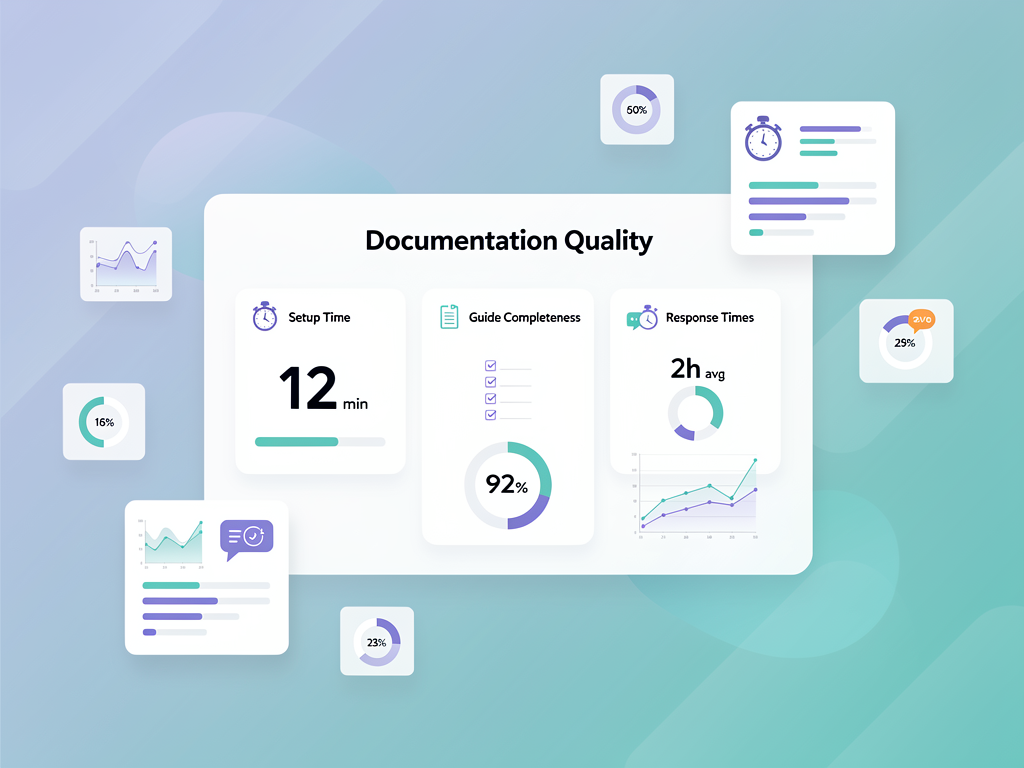
Documentation quality often determines whether a starter kit saves time or creates frustration. The best features are worthless if you cannot figure out how to use them or customize them for your needs.
Getting Started Experience
Evaluate the initial setup process. Can you clone the repository and have a working application running locally within 30 minutes? Are environment variables clearly documented? Does the kit include seed data or demo content that helps you understand how features work? A painful setup experience predicts ongoing friction.
Customization Guidance
Beyond setup, you need documentation that explains how to customize and extend the kit. How do you add a new page to the dashboard? How do you create a new API endpoint? How do you modify the authentication flow? Documentation should explain not just what the kit does but how to make it do what you need.
Look for documentation that explains architectural decisions, not just setup procedures. Understanding why the kit is structured a certain way helps you extend it appropriately rather than fighting against its patterns.
Support Channels and Community
When you encounter issues, what support options exist? Premium kits often include Discord communities, email support, or even video call assistance. Active communities provide faster answers and demonstrate that the kit has an engaged user base. Check whether the maintainers respond to issues and questions promptly.
For business-critical applications, paid support options may justify premium pricing. The cost of being stuck on a blocking issue far exceeds the price difference between starter kit tiers.
Red Flags and Common Pitfalls to Avoid
Experience reveals consistent problems that surface with certain types of starter kits. Recognizing these red flags early prevents costly mistakes.
Demo-Quality Code
Some kits look impressive in screenshots but contain code that is not production-ready. Warning signs include hard-coded values scattered throughout components, missing error handling, no input validation, and inconsistent patterns across features. Request access to the codebase before purchasing, or look for detailed code examples in documentation.
Abandoned or Infrequently Updated Projects
Check the commit history and release frequency. A kit that has not been updated in six months may have security vulnerabilities, outdated dependencies, or incompatibilities with current framework versions. Active maintenance is essential for any foundation you will build upon.
Feature Bloat Without Depth
Some kits advertise extensive feature lists but implement each feature superficially. A kit claiming 50 features may provide less value than one with 15 well-implemented features. Depth matters more than breadth. Evaluate whether the features you need are complete and production-ready, not just present.
Tight Coupling to Specific Services
Kits that are tightly coupled to specific services (a particular hosting provider, a specific email service, a single payment processor) limit your flexibility. While some coupling is inevitable, the best kits provide abstraction layers that allow you to swap services as your needs evolve.
Missing Testing Infrastructure
Production applications require testing. Evaluate whether the starter kit includes end-to-end tests for critical flows like authentication and billing. Check for unit test examples and testing infrastructure setup. A kit without tests suggests the maintainers do not prioritize production quality.
A Practical Evaluation Checklist
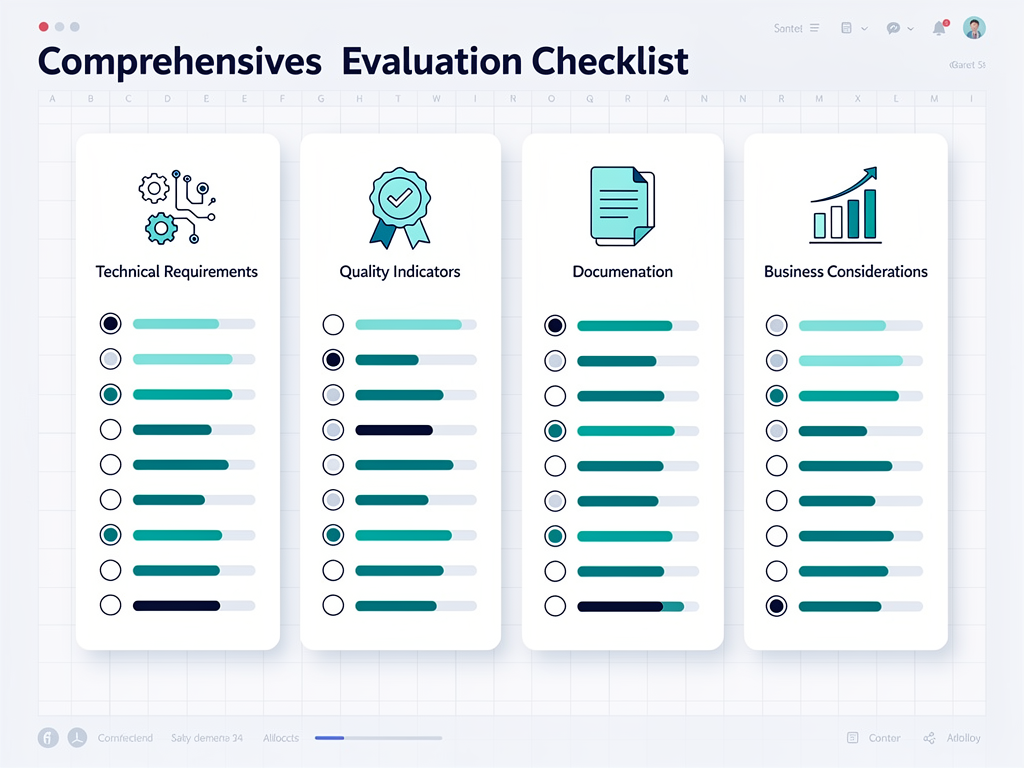
Use this checklist when evaluating any starter kit. Score each criterion and compare totals across your shortlisted options.
Technical Requirements
- Does the kit use your preferred framework and version (Next.js 14+, App Router)?
- Does it support your database and ORM preferences?
- Does authentication meet your requirements (OAuth providers, MFA, team management)?
- Does billing integration support your pricing model (subscriptions, one-time, metered)?
- Does it deploy to your required infrastructure?
Quality Indicators
- Is the code well-organized with clear separation of concerns?
- Does it include comprehensive TypeScript types?
- Are there tests for critical functionality?
- Does it meet WCAG AA accessibility standards?
- Is there a design token system for theming?
Documentation and Support
- Can you complete initial setup in under 30 minutes?
- Does documentation explain customization and extension?
- Are architectural decisions explained?
- Is there an active community or support channel?
- How frequently is the kit updated?
Business Considerations
- Does pricing fit your budget?
- What is the license model (per-project, unlimited)?
- Are there ongoing costs (support, updates)?
- Does the maintainer have a track record of reliability?
Making the Final Decision
After evaluating your options against the checklist, you should have a clear frontrunner or a small set of finalists. Here is how to make the final decision.
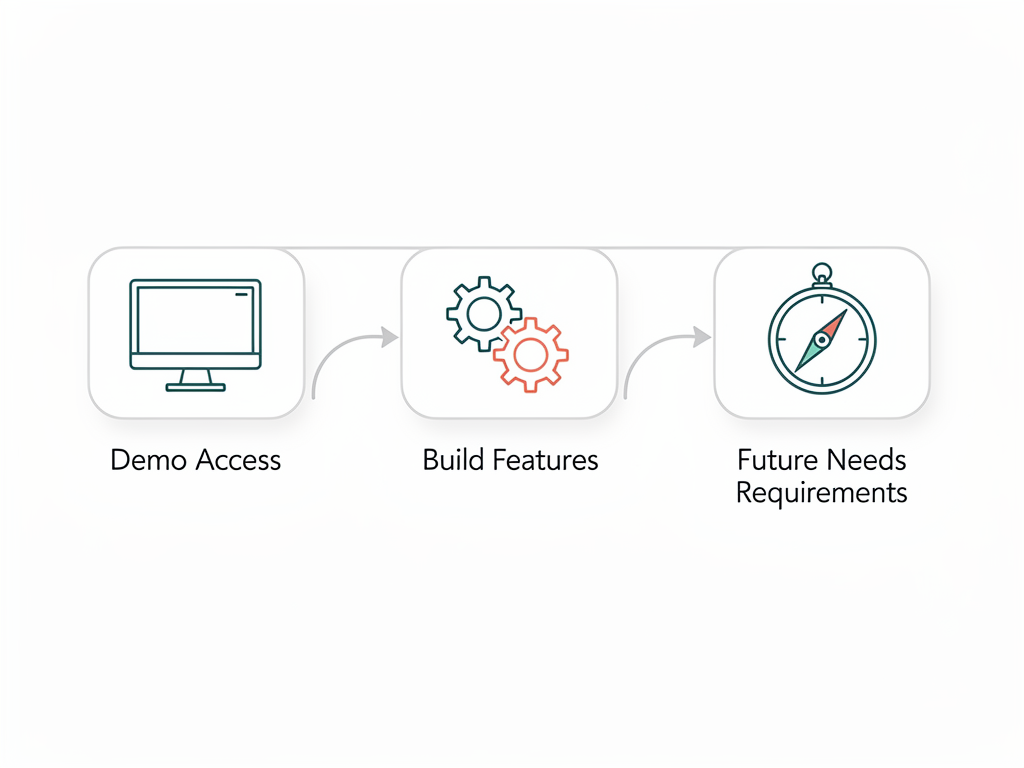
Request Demo Access or Trial Periods
Many premium starter kits offer demo access or trial periods. Take advantage of these to evaluate the actual codebase, not just marketing materials. Clone the repository, run the application locally, and explore the code structure. This hands-on evaluation reveals quality issues that documentation cannot convey.
Build a Small Feature
The best test of a starter kit is building something with it. Choose a simple feature from your product roadmap and implement it using the kit. This exercise reveals how well the kit's patterns support your development workflow and whether the documentation provides adequate guidance.
Consider Future Requirements
Your product will evolve. Consider not just your current requirements but your roadmap for the next 12 to 24 months. Will you need team management? International expansion requiring i18n? Mobile applications? Enterprise features like SSO? Choosing a kit that supports your future needs prevents costly migrations.
Trust Your Instincts
If something feels wrong during evaluation, pay attention. Confusing documentation, unresponsive maintainers, or code that seems overly complex are signals that problems will multiply as you build. The right starter kit should feel like a solid foundation, not a constraint you are working around.
Special Considerations for Specific Use Cases
Certain project types have unique requirements that merit additional consideration.
Agencies Building Multiple Products
If you build SaaS products for clients, evaluate licensing terms carefully. Some kits allow unlimited projects while others charge per-project. The economics change significantly when you amortize the cost across multiple products. Also consider whether the kit provides white-labeling capabilities and easy rebranding.
Products Requiring Affiliate Programs
Affiliate and referral programs require specific infrastructure: tracking links, commission calculation, payout management, and affiliate dashboards. Few starter kits include these features. If affiliate marketing is central to your growth strategy, prioritize kits that provide this functionality or ensure the architecture supports adding it.
Some comprehensive platforms like SaasCore include affiliate program management alongside standard SaaS infrastructure, providing client, admin, and affiliate panels in a single integrated solution.
Products with Complex Billing Models
Usage-based pricing, seat-based billing, tiered plans with feature gating, and hybrid models require sophisticated billing infrastructure. Evaluate whether the starter kit's Stripe integration supports your specific pricing model or whether you will need significant customization.
Enterprise-Focused Products
Enterprise sales require features like SAML SSO, audit logging, data export, custom contracts, and compliance certifications. Most starter kits target indie developers and small teams. If you are building for enterprise from the start, verify that your chosen kit provides or easily supports these requirements.
The Role of No-Code and Low-Code Platforms
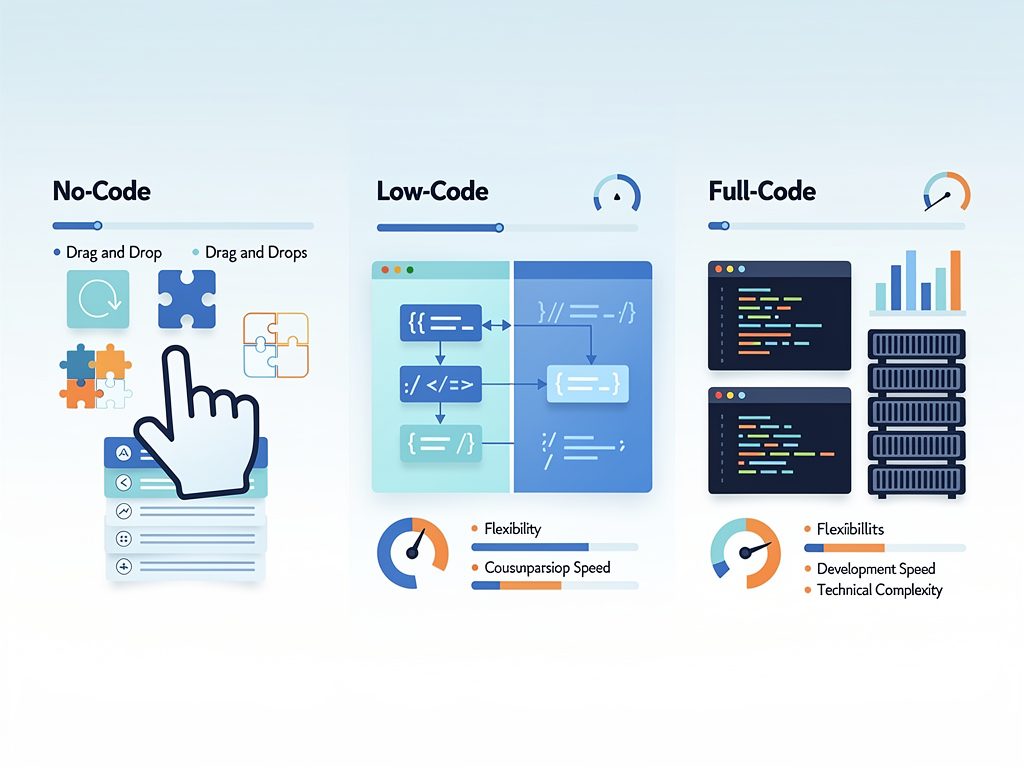
The landscape also includes no-code and low-code platforms that allow building SaaS products with minimal coding. These platforms serve different use cases than traditional starter kits but merit consideration for certain projects.
For founders without technical backgrounds or for rapid prototyping, platforms like NextBuilder enable building multi-tenant SaaS platforms where clients can create applications with custom subdomains. These solutions trade flexibility for speed, allowing launch in days rather than weeks.
Traditional starter kits remain preferable when you need full control over your codebase, have specific technical requirements, or plan to build a development team. The choice between no-code platforms and code-based starter kits depends on your technical capabilities, customization requirements, and long-term product vision.
Conclusion
Selecting the right foundation for your SaaS project is one of the most consequential early decisions you will make. The economics strongly favor using a pre-built Next.js boilerplate or SaaS boilerplate over building from scratch, but only if you choose wisely. The wrong kit creates technical debt that costs more to remediate than starting fresh.
Begin by answering the four critical questions: your product stage, technology stack requirements, team composition, and infrastructure constraints. These answers will immediately narrow your options. Then evaluate remaining candidates against production-quality criteria: authentication depth, billing flexibility, accessibility compliance, architectural maintainability, and documentation quality.
Remember that the cheapest option is rarely the most economical. A $300 SaaS template that saves 80 hours of development time and provides a maintainable foundation for years delivers far more value than a free option that requires extensive modification and creates ongoing friction. Invest in quality infrastructure so you can focus your energy on building features that differentiate your product and delight your customers.
The SaaS starter kit market has matured significantly. Quality options exist at every price point and for every major use case. With careful evaluation using the framework outlined in this guide, you can confidently select a foundation that will serve your product well through validation, growth, and scale.
Frequently Asked Questions
How much time does a SaaS starter kit actually save?
A quality starter kit typically saves 60 to 150 hours of development time, depending on your requirements and the kit's completeness. This estimate includes authentication (12 to 20 hours), payment integration (10 to 16 hours), team management (12 to 20 hours), admin dashboard (8 to 12 hours), email system (6 to 10 hours), marketing pages (4 to 8 hours), and project setup (4 to 6 hours). Additional savings come from avoiding common pitfalls and having production-tested patterns to follow. At $150 per hour for senior developer time, this translates to $9,000 to $22,500 in development costs. The actual savings depend on your experience level, how closely the kit matches your requirements, and how much customization you need.
Should I use a free starter kit or pay for a premium option?
The decision depends on your project stage and requirements. Free starters work well for learning, experimentation, and pre-validation projects where speed to market matters more than production quality. However, free options typically require more assembly, offer less comprehensive documentation, and may lack features like team management, admin panels, or testing infrastructure. For products you intend to monetize, premium kits usually provide better value. If you spend 40 extra hours bringing a free starter to production quality, you have effectively paid $6,000 in development time for something that costs $0. A $300 premium kit that eliminates that work is far more economical.
How do I know if a starter kit is production-ready?
Evaluate several quality indicators. Check for comprehensive TypeScript types throughout the codebase. Look for error handling and input validation in API routes and server actions. Verify that authentication includes session invalidation, password reset, and email verification. Confirm that Stripe integration handles webhook retries and idempotency. Test accessibility with keyboard navigation and screen readers. Review the test suite for coverage of critical flows. Examine the commit history for active maintenance. Production-ready kits demonstrate attention to edge cases and security considerations, not just happy-path functionality. Request demo access to evaluate the actual codebase before purchasing.
What happens when the starter kit releases updates?
Update strategies vary by kit. Some provide migration guides for breaking changes. Others maintain backward compatibility. Once you clone a starter kit, you own that code and are responsible for incorporating updates. The best kits provide clear changelogs, documented upgrade paths, and modular architecture that allows selective updates. Before purchasing, review the kit's update history and documentation. Understand how major framework updates (like Next.js version changes) are handled. Active maintenance with clear communication about changes indicates a reliable foundation. Kits that have not been updated in months may have security vulnerabilities or compatibility issues with current framework versions.
Can I use a starter kit for client projects or multiple products?
Licensing terms vary significantly between kits. Some offer unlimited project licenses that allow use across multiple products and client work. Others charge per-project or restrict commercial use. Before purchasing, carefully review the license terms for your intended use case. For agencies building multiple products, unlimited licenses provide better economics even at higher price points. Also consider whether the kit supports white-labeling and easy rebranding for client projects. Some kits include agency-specific features like multi-tenant architectures that simplify building products for multiple clients from a single codebase.
How important is the specific technology stack of the starter kit?
Stack alignment is crucial for productivity and maintainability. Using a kit with unfamiliar technologies adds learning time and increases the risk of implementation mistakes. If you know Prisma well, choosing a Drizzle-based kit means learning a new ORM instead of building features. If your team uses Supabase, a kit built for Firebase requires migration or parallel systems. Prioritize kits that match your existing expertise and infrastructure. The time saved by using a starter kit diminishes significantly when you must learn new tools or adapt patterns to unfamiliar technologies. Stack alignment also affects your ability to hire developers who can contribute immediately.
Ready to Launch Your SaaS Product?
Stop spending weeks on authentication, billing, and infrastructure. SaasCore provides a complete Next.js foundation with everything you need: authentication with NextAuth 5.0, Stripe-powered billing and subscriptions, client and admin panels, affiliate program management, a custom email marketing system, and visitor analytics. Built with Next.js 15, Tailwind CSS, Shadcn UI, and TypeScript, SaasCore lets you focus on what makes your product unique. View the demo and start building today.
Subscribe to our newsletter
Subscribe to our newsletter and stay up-to-date with the latest news and updates.