Build Cross-Platform Desktop Apps with Electron.js for SaaS
Discover how Electron.js empowers SaaS developers to create native desktop applications using their existing web skills. Learn how to maintain a single codebase for macOS, Windows, and Linux, while leveraging popular frameworks like React and Vue.

Zakariae
For SaaS founders and developers who have invested countless hours building web applications with modern JavaScript frameworks, the prospect of creating native desktop applications can seem daunting. The traditional path would require learning entirely new languages, frameworks, and development paradigms. However, there is a powerful solution that allows you to leverage your existing web development skills to build cross-platform desktop applications that run natively on macOS, Windows, and Linux. This technology has powered some of the most successful applications in the world, including Visual Studio Code, Slack, Discord, Figma, and Notion.
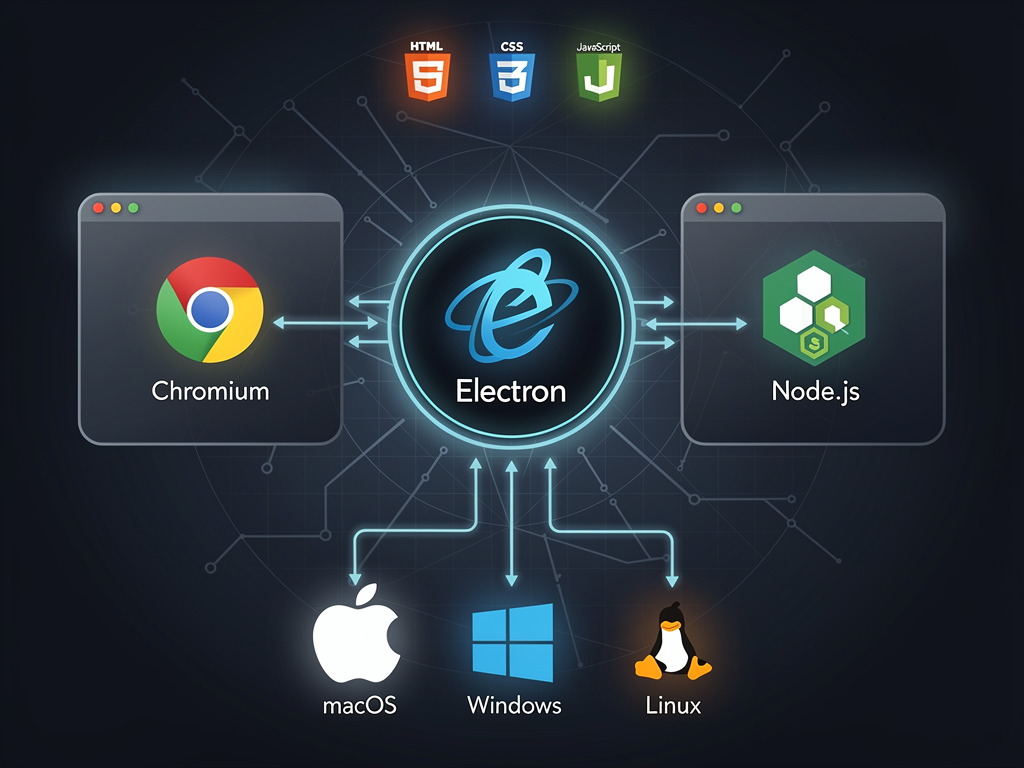
Electron js represents a paradigm shift in how developers approach desktop application development. By embedding Chromium and Node.js into a single runtime, Electron enables you to build desktop applications using the same HTML, CSS, and JavaScript skills you already possess. For SaaS companies, this opens up remarkable opportunities to extend your web-based offerings into the desktop environment, providing users with native experiences that integrate deeply with their operating systems while maintaining a single, unified codebase.
Key Takeaways
- Leverage existing web skills to build cross-platform desktop applications without learning new languages or frameworks
- Maintain a single codebase that deploys to macOS, Windows, and Linux simultaneously, reducing development and maintenance overhead
- Access native operating system features including file system access, system notifications, menu bars, and hardware integrations unavailable to web applications
- Provide offline functionality for your SaaS users, enabling productivity even without internet connectivity
- Integrate with popular frameworks like React, Vue, Angular, and Next.js to accelerate development using familiar tools
- Utilize automatic updates to ensure users always have the latest version of your application without manual intervention
- Build enterprise-grade applications with crash reporting, code signing, and app store distribution capabilities
Understanding the Electron Architecture and Why It Matters for SaaS
At its core, Electron operates on a multi-process architecture that separates the main process from renderer processes. The main process runs in a Node.js environment and handles system-level operations such as creating windows, managing application lifecycle events, and accessing native APIs. Each window your application creates spawns a renderer process that runs your web content in an isolated Chromium instance. This separation provides both security benefits and architectural clarity that scales well for complex SaaS applications.
The main process serves as the backbone of your Electron application. It is responsible for creating and managing BrowserWindow instances, handling inter-process communication (IPC), and interfacing with the operating system. When building a SaaS desktop client, the main process typically handles authentication tokens, manages local data storage, coordinates background synchronization tasks, and controls application menus and system tray functionality.
Renderer processes, on the other hand, are where your familiar web development experience comes into play. Each renderer process runs in a sandboxed environment similar to a browser tab, executing your React, Vue, or vanilla JavaScript code. These processes can communicate with the main process through IPC channels, requesting access to native functionality when needed. This architecture allows you to maintain security best practices while still providing the native capabilities your users expect from desktop software.
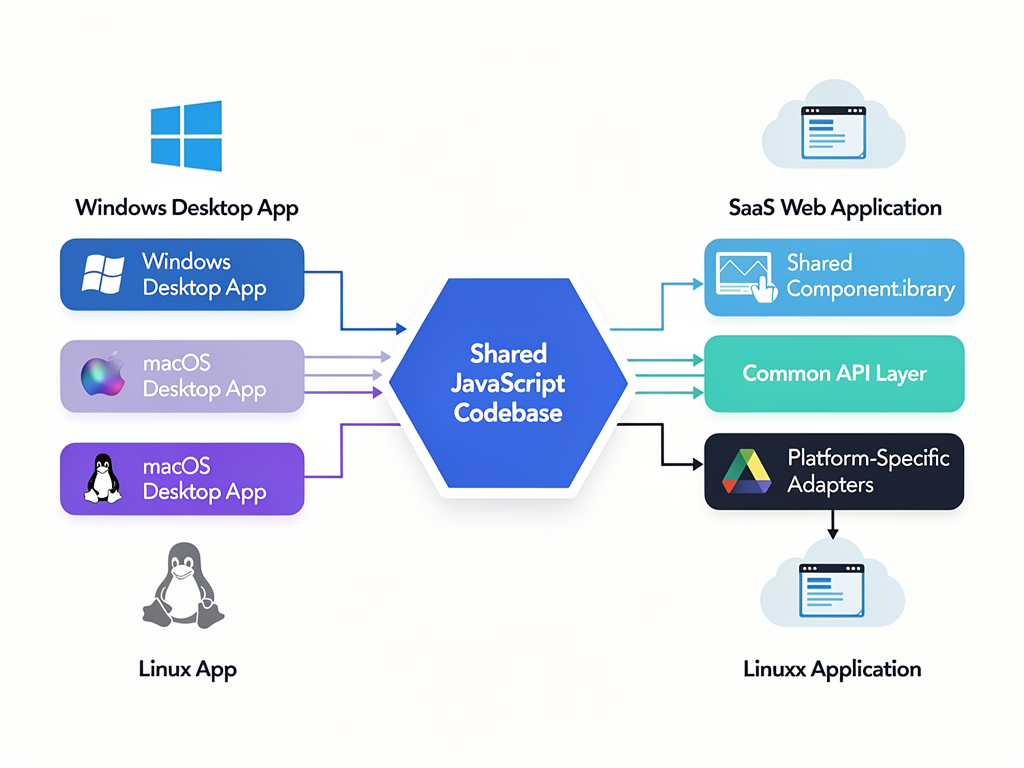
For SaaS applications specifically, this architecture offers significant advantages. You can share substantial portions of your codebase between your web application and desktop client. Components, business logic, API integration code, and even entire feature modules can be reused, dramatically reducing development time and ensuring consistency across platforms. Companies like Figma have demonstrated how this approach enables rapid iteration while maintaining feature parity between web and desktop experiences.
Setting Up Your Electron Development Environment
Getting started with Electron development requires a properly configured environment that supports both Node.js development and the frameworks you plan to use for your user interface. The foundation begins with Node.js itself, which you should install using a version manager like nvm (Node Version Manager) to easily switch between versions as needed. Electron releases are tied to specific Chromium and Node.js versions, so having flexibility in your Node.js installation is valuable.
The recommended approach for new Electron projects is to use Electron Forge, the official batteries-included toolkit for building and publishing Electron applications. Electron Forge handles the complexity of bundling, packaging, and distributing your application across different platforms. It integrates with popular JavaScript bundlers like Webpack and Vite, making it straightforward to incorporate modern build tooling into your workflow.
To create a new project with Electron Forge, you can run a single command that scaffolds a complete application structure with sensible defaults. The generated project includes configuration for multiple platforms, development server setup, and production build scripts. This approach eliminates hours of configuration work and ensures you are following current best practices established by the Electron team and community.
Pro Tip: When building a SaaS desktop client, consider structuring your project as a monorepo that includes both your web application and Electron wrapper. Tools like Turborepo or Nx can help manage shared dependencies and coordinate builds across packages, ensuring your web and desktop clients stay synchronized.
Your development environment should also include debugging tools appropriate for both the main and renderer processes. The Chromium DevTools are available for renderer processes, providing the familiar debugging experience you know from web development. For the main process, you can use the Node.js debugger or integrate with Visual Studio Code's debugging capabilities for a seamless experience.
Integrating Modern Frontend Frameworks with Electron
One of Electron's greatest strengths is its framework-agnostic nature. You can use any frontend technology that runs in a browser, including React, Vue, Angular, Svelte, or even vanilla JavaScript. For SaaS companies that have already invested in a particular framework for their web application, this means you can bring that expertise directly into your desktop development efforts without any paradigm shift.
React remains the most popular choice for Electron applications, and for good reason. The component-based architecture maps naturally to desktop application interfaces, and the vast ecosystem of React libraries provides solutions for virtually any UI challenge. When using React with Electron, you can leverage the same component libraries, state management solutions, and design systems you use in your web application. This consistency reduces cognitive load for your development team and ensures a unified user experience across platforms.
For teams using a Next.js boilerplate or similar server-side rendering framework, the integration requires some consideration. While Next.js is designed primarily for server-rendered web applications, its React components and many of its features can be adapted for Electron use. Some teams choose to extract shared components into a separate package, while others use Next.js in a static export mode that works well within Electron's renderer process.
Vue.js also enjoys strong support in the Electron ecosystem, with tools like electron-builder providing Vue-specific templates and configurations. Vue's single-file components and reactive data binding create an excellent developer experience for building complex desktop interfaces. The Vue CLI can be configured to work seamlessly with Electron, enabling hot module replacement during development.
Regardless of which framework you choose, the key is establishing clear patterns for how your frontend code communicates with Electron's main process. The contextBridge API provides a secure way to expose specific functionality to your renderer processes without compromising the security sandbox. This allows your React or Vue components to request native operations like file system access or system notifications through well-defined interfaces.
Building Offline-First Capabilities for Your SaaS Desktop Client
One of the most compelling reasons for SaaS companies to offer desktop applications is the ability to provide offline functionality. While progressive web apps have made strides in this area, native desktop applications built with Electron offer more robust offline capabilities that can significantly enhance user productivity and satisfaction.
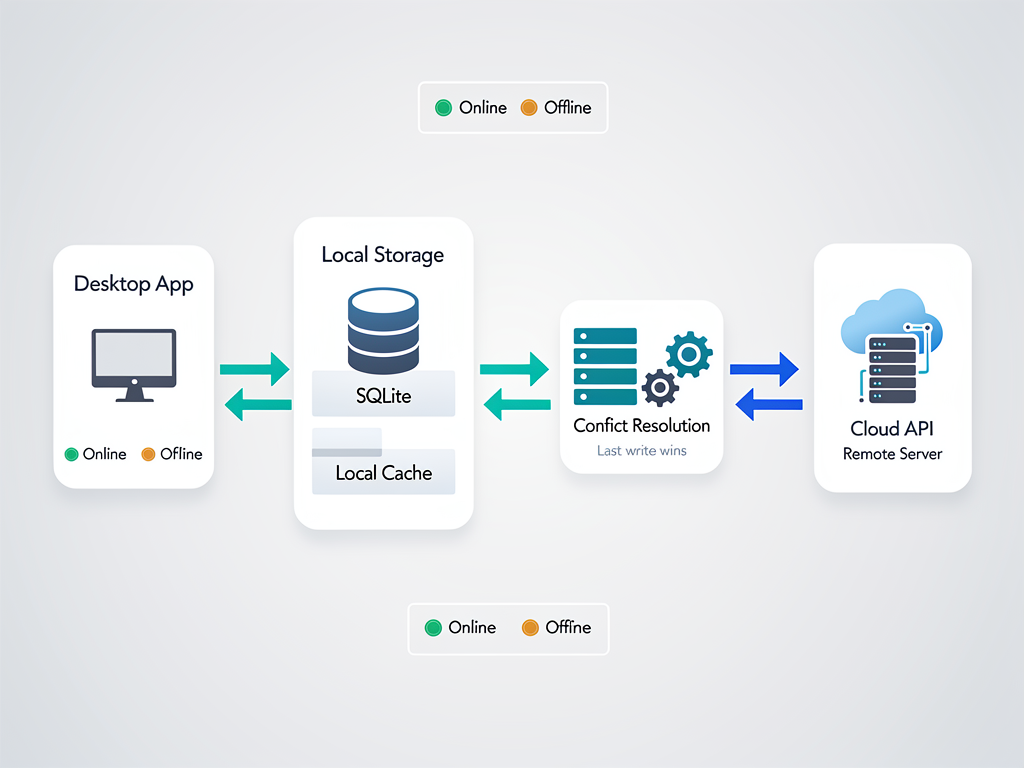
Implementing offline-first architecture in your Electron application begins with local data storage. Electron provides access to multiple storage mechanisms, each suited to different use cases. For structured data, SQLite offers a full-featured relational database that runs entirely within your application. Libraries like better-sqlite3 provide synchronous access to SQLite databases, making it straightforward to implement complex queries and data relationships.
For document-oriented data or simpler storage needs, IndexedDB remains available through the Chromium runtime, and you can also leverage Node.js file system APIs to store data in JSON files or other formats. The choice depends on your data complexity, query requirements, and synchronization strategy. Many SaaS applications benefit from a hybrid approach, using SQLite for relational data and the file system for larger assets like images or documents.
The synchronization layer is where offline-first architecture becomes challenging. Your desktop client needs to track changes made while offline, resolve conflicts when reconnecting, and efficiently synchronize with your server. Several strategies exist for handling this complexity. Conflict-free Replicated Data Types (CRDTs) provide mathematical guarantees about merge consistency, while simpler last-write-wins strategies may suffice for less critical data.
Consider implementing a sync queue that captures user actions while offline and replays them when connectivity returns. This approach preserves user intent and allows for intelligent conflict resolution. Your queue should persist to local storage to survive application restarts, and your UI should clearly communicate sync status so users understand when their changes have been successfully uploaded to your servers.
Accessing Native Operating System Features
The true power of desktop applications lies in their ability to integrate deeply with the operating system. Electron provides comprehensive APIs for accessing native features that are simply unavailable to web applications, enabling experiences that feel truly native to each platform while maintaining cross-platform compatibility.
File system access represents one of the most significant advantages of desktop applications. Unlike web applications that require user interaction for each file operation, Electron applications can read and write files anywhere the user has permission. This enables features like automatic backup to local folders, integration with existing file-based workflows, and the ability to work with large files without upload/download overhead.
System notifications allow your application to communicate with users even when it is not in focus. Electron's Notification API works across all platforms, automatically adapting to each operating system's notification style. For SaaS applications, this enables real-time alerts about important events, collaboration notifications, and reminder functionality that keeps users engaged with your product.
The system tray (or menu bar on macOS) provides persistent presence on the user's desktop. Many successful Electron applications use the tray for quick access to common actions, status indicators, and background operation controls. For a SaaS application, the tray might display sync status, provide quick access to recent items, or show notification badges for pending actions.
Global keyboard shortcuts enable power users to interact with your application from anywhere in the operating system. Electron's globalShortcut API lets you register key combinations that trigger actions even when your application is not focused. This is particularly valuable for productivity-focused SaaS tools where users need quick access to capture thoughts, start timers, or perform other frequent actions.
Native menus, both application menus and context menus, provide familiar interaction patterns that users expect from desktop software. Electron's Menu API allows you to create menus that follow platform conventions automatically, including proper placement and keyboard shortcuts. These menus can integrate with your application state, enabling and disabling items based on context.
Security Best Practices for Electron SaaS Applications
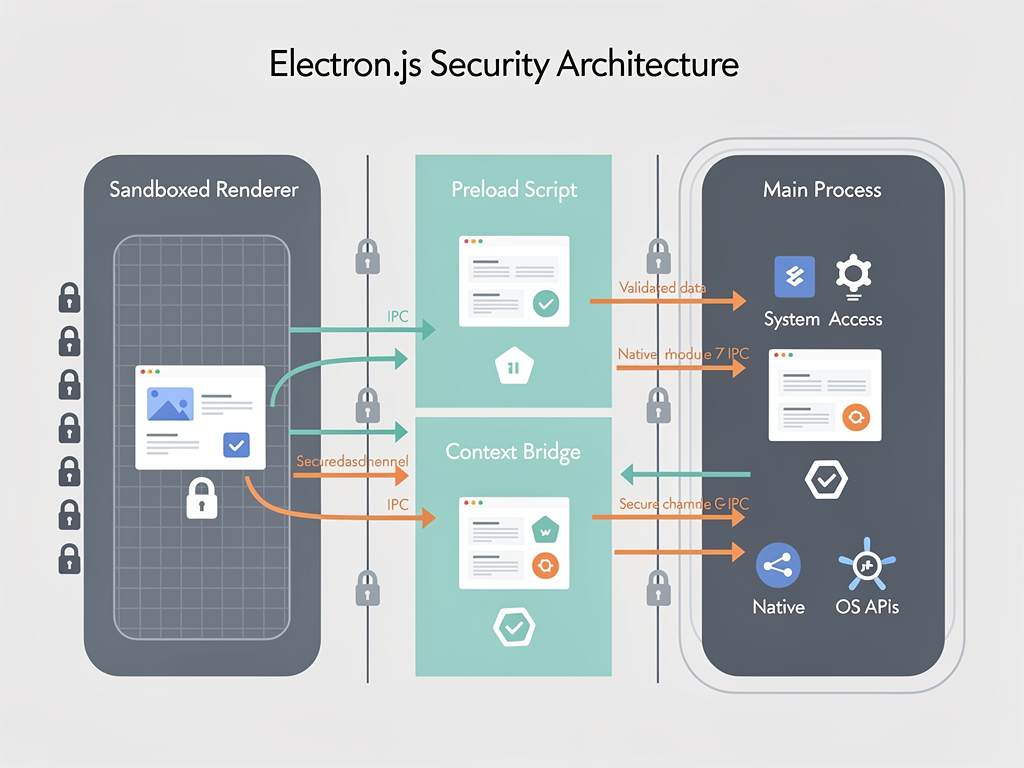
Security in Electron applications requires careful attention because you are essentially running a web application with elevated privileges. The same code that would be sandboxed in a browser has potential access to the file system, network, and other sensitive resources. Understanding and implementing security best practices is essential for protecting your users and your SaaS infrastructure.
The first principle is to always enable context isolation. Context isolation ensures that your renderer process's JavaScript environment is separate from Electron's internal code and any preload scripts. This prevents malicious code in your web content from accessing Electron APIs directly. With context isolation enabled, you must explicitly expose functionality through the contextBridge API, creating a clear security boundary.
Disable Node.js integration in renderer processes unless absolutely necessary. When Node.js integration is enabled, any JavaScript running in your renderer has full access to Node.js APIs, including the ability to execute arbitrary code on the user's system. Modern Electron applications should use the preload script pattern to expose only the specific functionality needed, keeping the renderer process sandboxed.
Validate all IPC messages thoroughly. The communication channel between your renderer and main processes is a potential attack vector. Never trust data received from renderer processes without validation. Implement strict schemas for IPC messages and sanitize any data before using it in file system operations, shell commands, or other sensitive contexts.
Content Security Policy (CSP) remains important in Electron applications. Configure a strict CSP that prevents inline scripts, restricts resource loading to trusted origins, and blocks potentially dangerous features. While Electron applications have more flexibility than web applications, a well-configured CSP adds defense in depth against cross-site scripting attacks.
Keep Electron updated. The Electron team releases major versions in lockstep with Chromium, incorporating security fixes as they become available. Running an outdated Electron version means running a browser with known vulnerabilities. Establish a process for testing and deploying Electron updates promptly, especially for security releases.
Implementing Authentication and Session Management
Authentication in desktop applications differs from web applications in important ways. You cannot rely solely on browser cookies, and you need to consider how tokens are stored securely on the local file system. Implementing authentication correctly is crucial for SaaS applications that handle sensitive user data.
The most common approach for SaaS desktop clients is OAuth 2.0 with PKCE (Proof Key for Code Exchange). This flow is designed for public clients like desktop applications that cannot securely store client secrets. Your application opens a browser window for authentication, receives an authorization code through a redirect, and exchanges it for access and refresh tokens. The PKCE extension prevents authorization code interception attacks.
For storing tokens securely, leverage the operating system's native credential storage. On macOS, this means the Keychain. On Windows, use the Credential Manager. On Linux, the Secret Service API provides similar functionality. Libraries like keytar provide a unified interface across platforms, allowing you to store sensitive credentials without implementing platform-specific code.
Implement token refresh logic that handles expiration gracefully. Your application should monitor token expiration and refresh tokens before they expire to avoid interrupting user workflows. Handle refresh failures gracefully by prompting for re-authentication rather than leaving users in a broken state. Consider implementing a token refresh queue to prevent multiple simultaneous refresh attempts.
Session management in desktop applications also needs to account for multiple windows. If your application allows multiple windows, they should share authentication state rather than requiring separate logins. The main process is the natural place to manage authentication state, with renderer processes requesting token information through IPC when needed for API calls.
Consider implementing biometric authentication for sensitive operations. Both macOS and Windows provide APIs for Touch ID and Windows Hello respectively. This adds a layer of security for actions like viewing sensitive data or authorizing payments, while providing a convenient user experience that does not require typing passwords.
Automatic Updates and Version Management
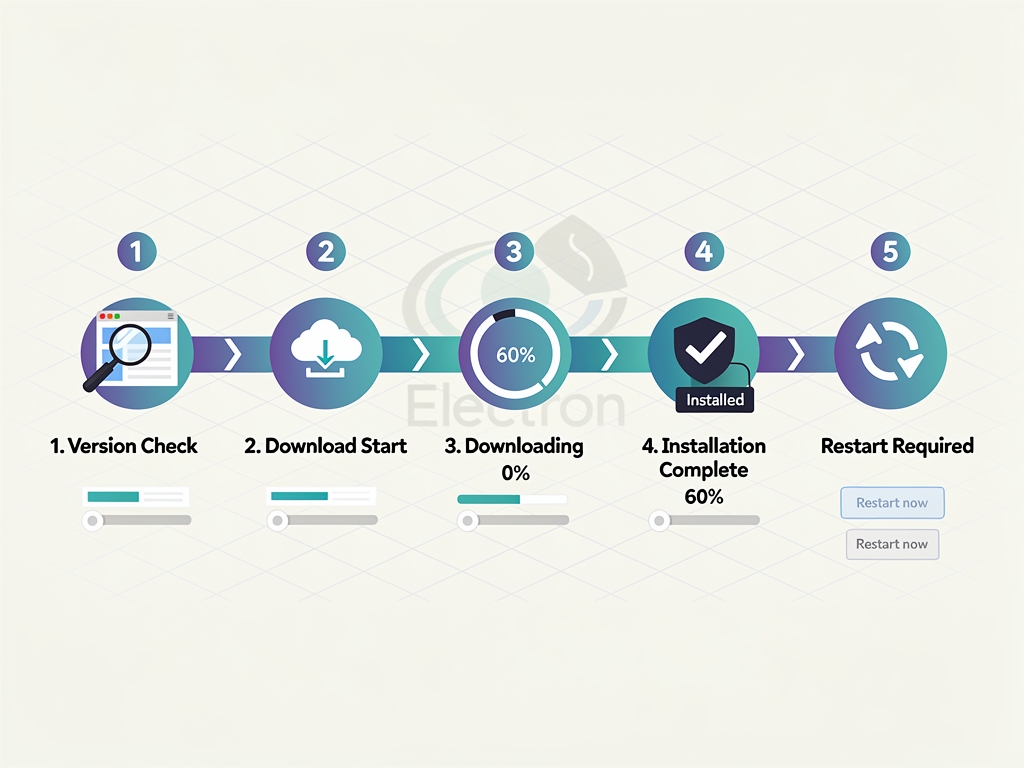
Unlike web applications where users always access the latest version, desktop applications require explicit update mechanisms. Electron provides the autoUpdater module, powered by Squirrel, which handles downloading and installing updates with minimal user disruption. Implementing automatic updates correctly ensures your users always have access to new features and security fixes.
The autoUpdater works by checking a specified server for new versions, downloading updates in the background, and applying them when the user restarts the application. On macOS, updates are applied by replacing the application bundle. On Windows, Squirrel uses a delta update mechanism that downloads only changed files, reducing bandwidth usage and update time.
Setting up an update server requires hosting update manifests and application binaries. Services like GitHub Releases, Amazon S3, or dedicated services like update.electronjs.org can serve as your update infrastructure. The choice depends on your existing infrastructure, update frequency, and whether you need features like staged rollouts or update analytics.
Consider your update strategy carefully. Some applications apply updates silently on restart, while others prompt users to restart when an update is available. For SaaS applications where users may have unsaved work, a gentle approach that notifies users and lets them choose when to restart is typically preferred. Implement clear UI that communicates update status without being intrusive.
Version management extends beyond updates to include backward compatibility with your backend services. Your desktop client may need to work with multiple API versions as users update at different rates. Design your API contracts with versioning in mind, and implement graceful degradation when desktop clients encounter newer API features they do not understand.
Packaging and Distribution Across Platforms
Distributing your Electron application requires creating platform-specific packages that users can install through familiar mechanisms. This includes DMG files for macOS, MSI or NSIS installers for Windows, and various package formats for Linux distributions. Electron Forge and electron-builder both provide comprehensive tooling for generating these packages.
Code signing is essential for professional distribution. On macOS, unsigned applications trigger Gatekeeper warnings that discourage users from opening them. On Windows, unsigned applications generate SmartScreen warnings and may be blocked entirely by enterprise security policies. Obtaining code signing certificates from Apple and Microsoft requires enrollment in their developer programs, but the investment is necessary for a professional distribution experience.
For macOS specifically, you will need to notarize your application with Apple. Notarization is an automated process where Apple scans your application for malicious content and issues a ticket that allows it to run without Gatekeeper warnings. This process requires an Apple Developer account and must be completed before distributing your application.
App store distribution provides additional reach and credibility. Electron applications can be distributed through the Mac App Store, Microsoft Store, and Snap Store for Linux. Each store has specific requirements and review processes. The Mac App Store requires sandboxing and has restrictions on certain Electron features, so you will need to test thoroughly and may need to implement alternative approaches for some functionality.
For enterprise customers, consider providing MSI packages for Windows that support silent installation and group policy configuration. Many enterprises require MSI format for software deployment through tools like SCCM or Intune. Electron-builder can generate MSI packages, though you may need additional configuration to support enterprise deployment scenarios.
Linux distribution presents unique challenges due to the variety of package managers and distributions. At minimum, consider providing AppImage (universal), DEB (Debian/Ubuntu), and RPM (Fedora/RHEL) packages. The Snap Store offers a unified distribution mechanism that works across distributions, though some users prefer traditional package formats.
Performance Optimization Strategies
Electron applications have a reputation for consuming significant system resources, but careful optimization can result in applications that feel responsive and efficient. Understanding where performance bottlenecks occur and how to address them is essential for creating a positive user experience.
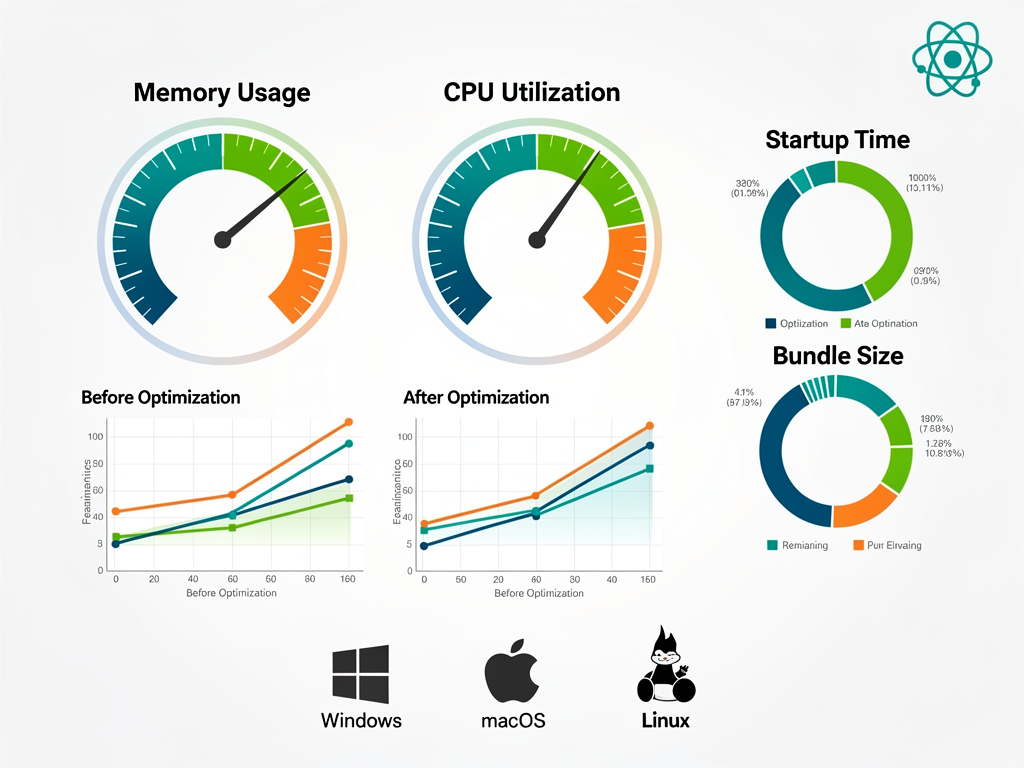
Startup time is often the first performance metric users notice. Electron applications inherently have some startup overhead due to launching Chromium and Node.js runtimes. However, you can minimize perceived startup time through several strategies. Implement a splash screen that appears immediately while your application loads. Defer non-essential initialization until after the main window is visible. Use code splitting to load only the code needed for initial render.
Memory usage requires ongoing attention in Electron applications. Each BrowserWindow creates a separate renderer process with its own memory allocation. Be intentional about how many windows your application creates, and consider whether some functionality could be implemented as views within a single window rather than separate windows. Monitor memory usage during development and investigate leaks promptly.
Optimize your JavaScript bundle size aggressively. Large bundles increase both startup time and memory usage. Use tree shaking to eliminate unused code, implement code splitting to defer loading of features until needed, and audit your dependencies for bloated packages. Tools like webpack-bundle-analyzer help identify opportunities for optimization.
Consider native modules for performance-critical operations. While JavaScript is sufficient for most tasks, computationally intensive operations may benefit from native code. Node.js native addons written in C++ or Rust can provide significant performance improvements for tasks like image processing, encryption, or complex calculations. The trade-off is increased build complexity and potential platform-specific issues.
Implement virtualization for long lists and large datasets. Rendering thousands of DOM elements simultaneously will degrade performance on any platform. Libraries like react-window or react-virtualized render only the visible items, maintaining smooth scrolling even with massive datasets. This technique is essential for SaaS applications that display large amounts of user data.
Testing Strategies for Cross-Platform Reliability
Testing Electron applications requires strategies that address both the web application aspects and the native integration points. A comprehensive testing approach ensures your application works reliably across all supported platforms and handles edge cases gracefully.
Unit testing for your renderer process code can use familiar web testing tools. Jest, Vitest, and Testing Library work exactly as they do in web applications. These tests should cover your components, business logic, and utility functions. Since this code is platform-independent, unit tests can run in any environment without special configuration.
Integration testing for Electron-specific functionality requires running tests within an actual Electron environment. Spectron was the traditional choice, but the Electron team now recommends Playwright for end-to-end testing. Playwright can launch your Electron application, interact with windows, and verify behavior across the full application stack.
Test your IPC communication thoroughly. The boundary between main and renderer processes is a common source of bugs. Create tests that verify messages are sent and received correctly, error conditions are handled gracefully, and security validations work as expected. Mock the IPC layer in unit tests to isolate component behavior from Electron-specific code.
Cross-platform testing is essential and cannot be skipped. Behavior that works perfectly on your development machine may fail on other operating systems. Set up continuous integration that builds and tests your application on macOS, Windows, and Linux. GitHub Actions provides free runners for all three platforms, making cross-platform CI accessible for projects of any size.
Test update scenarios before releasing to users. Verify that updates install correctly, user data is preserved across updates, and the application handles interrupted updates gracefully. These scenarios are difficult to test manually but critical for user trust. Consider maintaining a staging update channel where you can verify updates before promoting them to production.
Leveraging Your Existing SaaS Infrastructure
For SaaS companies with existing web applications, the desktop client should integrate seamlessly with your current infrastructure rather than requiring parallel systems. Your API, authentication services, and backend logic should serve both web and desktop clients with minimal duplication.
Design your API contracts to support both clients. Desktop applications may have different requirements around caching, offline support, and data synchronization. Consider implementing API endpoints specifically for desktop clients that return data optimized for local storage and offline access. GraphQL can be particularly effective here, allowing clients to request exactly the data they need.
Share business logic between your web and desktop applications. Extract validation rules, calculation functions, and data transformation logic into shared packages that both clients can use. This ensures consistency and reduces the risk of divergent behavior between platforms. A monorepo structure facilitates this sharing while keeping deployment concerns separate.
Your analytics and monitoring infrastructure should capture desktop client data alongside web data. Implement the same tracking patterns in your desktop client, sending events to your existing analytics platform. This unified view helps you understand how users interact with your product across platforms and identify issues that may be platform-specific.
Consider how your SaaS template or existing architecture maps to desktop requirements. If you are using a SaaS boilerplate or SaaS starter kit for your web application, evaluate which components can be reused directly in your Electron client. Authentication flows, API integration code, and UI components often transfer with minimal modification. A well-structured Next.js SaaS template may already separate concerns in ways that facilitate code sharing.
Real-World SaaS Desktop Application Examples
Examining successful Electron applications provides valuable insights into patterns and practices that work at scale. These applications demonstrate that Electron can power professional-grade software used by millions of people daily.
Visual Studio Code is perhaps the most impressive example of Electron's capabilities. Microsoft's code editor has become the most popular development environment, competing successfully against native applications like Sublime Text and JetBrains IDEs. VS Code demonstrates that Electron applications can achieve excellent performance through careful optimization, and that the web technology foundation enables a rich extension ecosystem.
Slack pioneered the use of Electron for team communication, bringing their web application to the desktop with native integrations like system notifications and keyboard shortcuts. While Slack has faced criticism for resource usage, they have continuously improved performance and demonstrated that Electron can scale to enterprise deployments with millions of users.
Figma shows how a complex, graphics-intensive application can succeed with Electron. Their design tool requires high-performance rendering and precise input handling, yet delivers an experience that rivals native applications. Figma's success demonstrates that Electron's limitations can be overcome with sufficient engineering investment.
Notion exemplifies the SaaS desktop client use case. Their productivity application works seamlessly across web and desktop, with the desktop client providing offline access and native integrations that enhance the user experience. Notion's approach of treating the desktop client as a first-class citizen rather than an afterthought has contributed to their rapid growth.
Discord handles real-time communication including voice and video, demonstrating that Electron can support demanding multimedia applications. Their application integrates deeply with gaming platforms and operating systems, providing features like game detection and rich presence that would be impossible in a pure web application.
Building No-Code Platforms with Electron
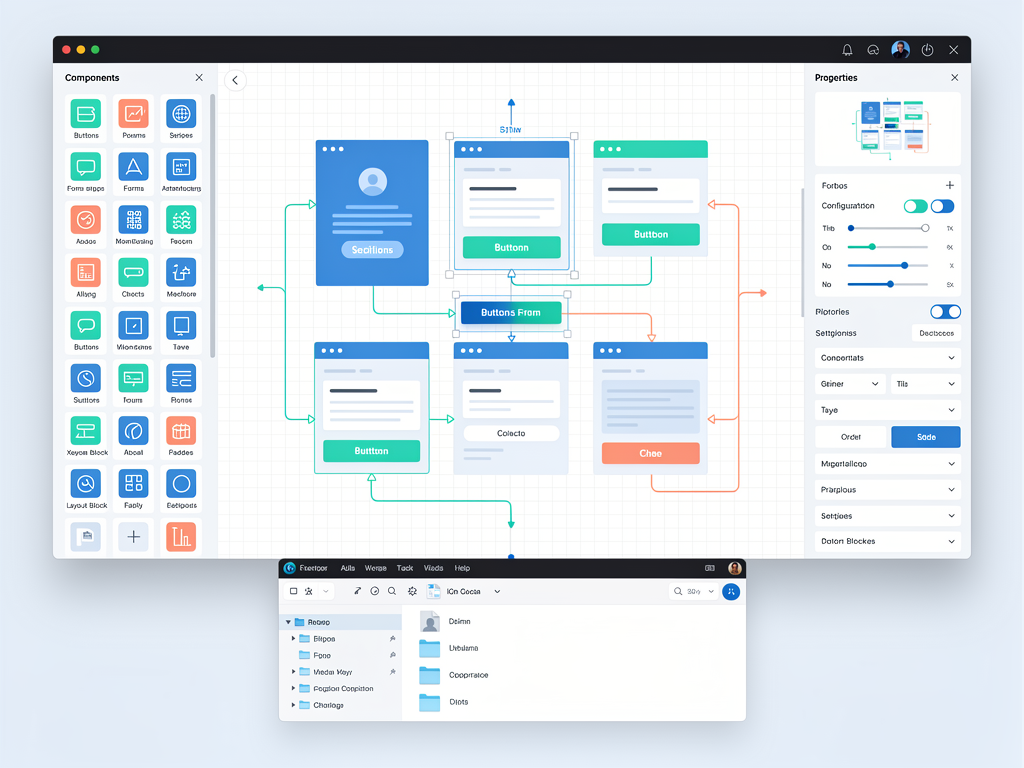
For SaaS companies building no-code or low-code platforms, Electron opens up possibilities for desktop-based builders that offer capabilities beyond what is possible in the browser. Users can work with local files, integrate with desktop applications, and build solutions that run natively on their machines.
If you are building a no-code platform, consider how desktop deployment might enhance your offering. NextBuilder demonstrates how modern boilerplates can accelerate the development of multi-tenant SaaS platforms where clients build their own applications. Combining such foundations with Electron distribution could enable users to deploy their creations as standalone desktop applications.
Desktop-based builders can provide better performance for complex operations. Generating code, processing large datasets, or rendering previews can happen locally without round-trips to servers. This responsiveness improves the building experience and enables more sophisticated features than server-based builders can offer.
Local file integration is particularly valuable for no-code platforms. Users can import assets from their file system, export projects to local folders, and integrate with other desktop applications. This flexibility makes desktop-based builders more powerful for professional use cases where users need to work with existing assets and workflows.
Monetization Strategies for Desktop SaaS Applications
Offering a desktop client creates additional monetization opportunities for your SaaS business. The desktop application can be positioned as a premium feature, a standalone product, or a value-add that increases overall customer lifetime value.
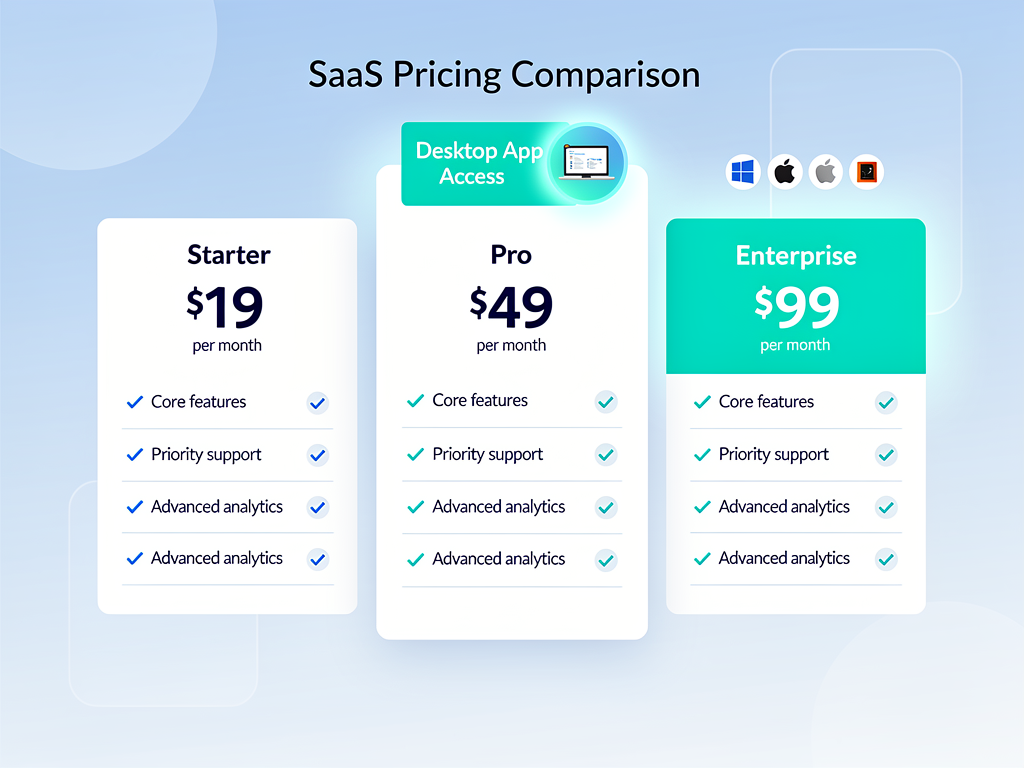
Premium tier feature is the most common approach. Include desktop access in higher-priced subscription tiers, positioning it as a productivity enhancement for power users. This approach works well when the desktop client offers meaningful advantages over the web application, such as offline access, better performance, or native integrations.
Standalone licensing may make sense if your desktop client provides significant value independent of your web service. Some users may prefer a one-time purchase over ongoing subscriptions, and a desktop application can support this model more naturally than a web application. Consider offering both subscription and perpetual license options to capture different customer preferences.
Enterprise features in the desktop client can justify higher pricing for business customers. Features like SSO integration, managed deployment, usage analytics, and compliance certifications add value for enterprise buyers. The desktop client becomes a differentiator that helps close larger deals and increases average contract value.
Consider the app store revenue share implications if you distribute through the Mac App Store or Microsoft Store. Both stores take a percentage of revenue, which may or may not be worthwhile depending on the distribution benefits. Many SaaS companies choose direct distribution to avoid revenue sharing while maintaining control over the customer relationship.
Future Trends and Alternatives to Consider
The desktop application landscape continues to evolve, and staying informed about trends and alternatives helps you make strategic decisions about your technology investments. While Electron remains the dominant choice for cross-platform desktop development with web technologies, alternatives are emerging that may be worth evaluating.
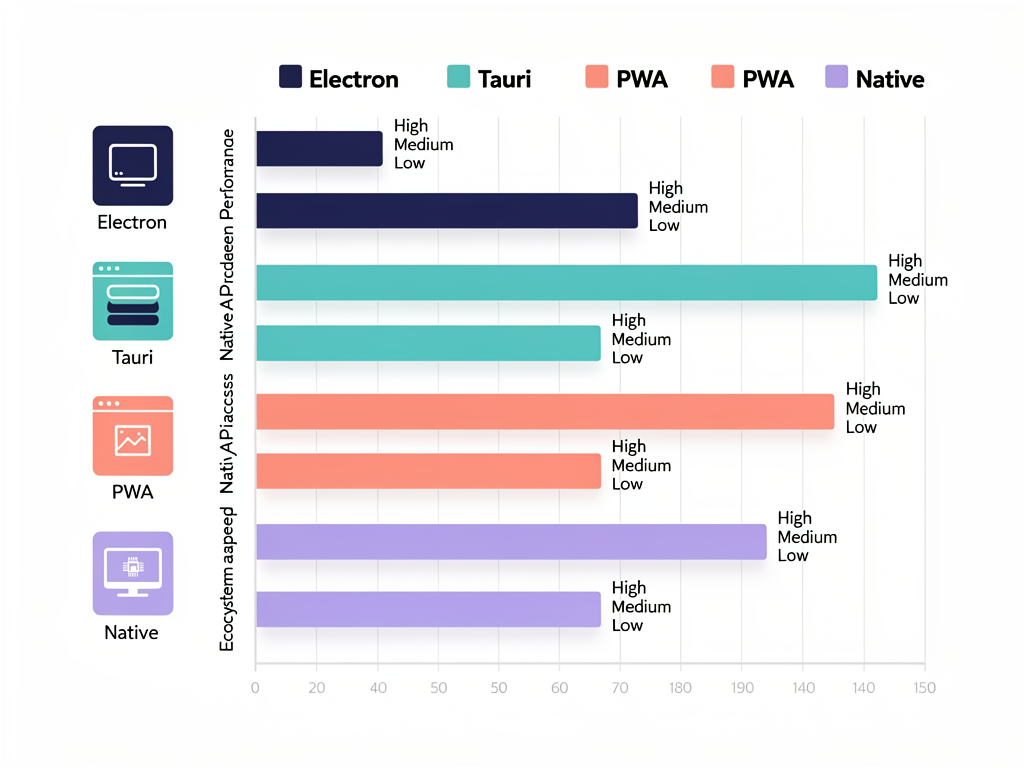
Tauri is gaining attention as a lighter-weight alternative to Electron. Instead of bundling Chromium, Tauri uses the operating system's native webview, resulting in significantly smaller application sizes. Tauri applications are written with a Rust backend, which may appeal to teams seeking better performance or memory safety. However, the ecosystem is less mature than Electron's, and webview inconsistencies across platforms can create challenges.
Progressive Web Apps (PWAs) continue to improve, and some use cases that previously required Electron can now be addressed with PWAs. Features like offline support, push notifications, and installation on the home screen are available to PWAs. However, PWAs still lack access to many native APIs that Electron provides, limiting their applicability for feature-rich SaaS applications.
WebAssembly is enabling new possibilities for web-based applications, including better performance for computationally intensive tasks. As WebAssembly matures, some applications that currently require native code for performance reasons may be able to run entirely in the browser or with lighter-weight desktop wrappers.
The trend toward system webviews may eventually reduce Electron's resource overhead. Projects are exploring ways to use the operating system's built-in browser engine while maintaining Electron's developer experience. This could provide the best of both worlds: familiar development patterns with smaller, more efficient applications.
Conclusion
Electron provides SaaS companies with a powerful path to desktop application development that leverages existing web development skills and infrastructure. By embedding Chromium and Node.js, Electron enables you to build cross-platform applications that run natively on macOS, Windows, and Linux while sharing substantial code with your web application. The framework powers some of the most successful applications in the world, demonstrating that web technologies can deliver professional-grade desktop experiences.
For SaaS founders and developers, the decision to build a desktop client should be driven by clear user value. Offline functionality, native integrations, and improved performance are compelling reasons to invest in Electron development. The ability to reuse components, business logic, and API integration code from your existing web application significantly reduces the development effort compared to building native applications from scratch.
Success with Electron requires attention to security, performance, and cross-platform testing. The framework provides the tools you need, but implementing best practices is your responsibility. Context isolation, proper IPC design, and regular security updates protect your users. Performance optimization ensures your application feels responsive. Comprehensive testing across platforms catches issues before they reach users.
As you plan your desktop strategy, consider how it fits into your broader product vision. The desktop client should enhance your SaaS offering, not fragment it. Shared infrastructure, consistent user experiences, and unified analytics help you understand and serve your users better across all platforms. With thoughtful implementation, Electron can become a significant competitive advantage for your SaaS business.
Frequently Asked Questions
How much code can I share between my web application and Electron desktop client?
The amount of code sharing depends on your architecture and the frameworks you use. In well-structured applications, you can typically share 60-80% of your codebase between web and desktop clients. This includes UI components, business logic, API integration code, and state management. The code that differs typically involves platform-specific features like file system access, system notifications, and native menus. To maximize code sharing, structure your application with clear separation between platform-agnostic logic and platform-specific adapters. Using a monorepo with shared packages makes this organization natural and keeps dependencies synchronized across clients.
What are the typical resource requirements for Electron applications?
Electron applications have a baseline memory footprint of approximately 80-150 MB due to the Chromium and Node.js runtimes. Each additional window adds roughly 30-50 MB. CPU usage depends entirely on your application's behavior, but idle Electron applications should consume minimal CPU. These numbers can be optimized through careful attention to memory management, limiting the number of renderer processes, and implementing efficient rendering patterns. For comparison, VS Code, one of the most complex Electron applications, typically uses 200-400 MB of memory during active development sessions. Modern computers handle these requirements easily, and most users will not notice the resource usage unless they are running many applications simultaneously.
How do I handle automatic updates for enterprise customers who manage their own deployments?
Enterprise customers often require control over when and how software updates are deployed. To accommodate this, implement a configurable update mechanism that can be disabled or pointed to internal update servers. Provide MSI packages for Windows that support group policy configuration, allowing IT administrators to control update behavior through their existing management tools. Consider implementing update channels (stable, beta, enterprise) that allow different update cadences for different customer segments. Document your update API so enterprises can host their own update infrastructure if required. Some enterprises may also require advance notice of updates for testing, so establish communication channels for release announcements.
Is Electron suitable for applications that require high-performance graphics or real-time communication?
Yes, with appropriate optimization. Figma demonstrates that complex, graphics-intensive applications can succeed with Electron, and Discord shows that real-time voice and video communication is achievable. The key is understanding where performance bottlenecks occur and addressing them appropriately. For graphics-intensive applications, leverage WebGL and GPU acceleration, which Chromium supports well. For real-time communication, use WebRTC for audio and video, and WebSockets for messaging. Consider implementing performance-critical code paths as native modules when JavaScript performance is insufficient. The applications mentioned process millions of operations per second while maintaining responsive user interfaces, proving that Electron's perceived performance limitations can be overcome with proper engineering.
How do I ensure my Electron application passes Mac App Store and Microsoft Store review?
App store review requires attention to several areas. For the Mac App Store, your application must be sandboxed, which restricts access to certain system resources. Test all functionality within the sandbox and implement alternatives for features that sandbox restrictions prevent. Ensure your application handles permission requests properly and does not access resources without user consent. For both stores, follow their content guidelines, implement proper privacy disclosures, and ensure your application does not crash during review. Code signing and notarization (for macOS) must be completed correctly. Allow extra time for review, as initial submissions often require revisions. Consider submitting a beta version first to identify issues before your production release.
What is the best approach for implementing offline functionality in a SaaS desktop client?
Implement offline functionality using a layered approach. Start with local data storage using SQLite for structured data or IndexedDB for simpler needs. Create a synchronization layer that tracks local changes, queues them for upload when connectivity returns, and handles conflict resolution. Design your UI to clearly communicate sync status so users understand when their changes have been saved locally versus synchronized to the server. Implement optimistic updates that apply changes locally immediately while syncing in the background. For conflict resolution, consider your data model carefully: some data types work well with last-write-wins, while others may require more sophisticated merge strategies or user intervention. Test offline scenarios thoroughly, including interrupted syncs, network timeouts, and application restarts while offline.
Ready to Build Your SaaS Desktop Application?
Building a cross-platform desktop application for your SaaS product is a significant undertaking, but the right foundation makes all the difference. Whether you are extending an existing web application or starting fresh, having a well-architected starting point accelerates development and ensures you are following best practices from day one. Explore the SaasCore boilerplate to see how a comprehensive SaaS foundation can help you ship faster, with built-in authentication, subscription management, and the architectural patterns that scale from MVP to enterprise. Start building your cross-platform SaaS application today.
Subscribe to our newsletter
Subscribe to our newsletter and stay up-to-date with the latest news and updates.